
A clean desk mat can make your workspace feel fresh and organized. Many people use desk mats to protect their desks, improve comfort, and add style. But over time, these mats collect dust, spills, sweat, crumbs, and even ink marks.
Dirty desk mats can cause bad smells, damage your desk, and make your workspace look messy. Cleaning your desk mat is simple, but many people miss key steps or use the wrong products, which can lead to damage. In this guide, you’ll learn everything you need to know to clean your desk mat safely and effectively, no matter its material.
Understanding Desk Mat Materials
Desk mats come in many different materials, such as leather, rubber, plastic, fabric, and cork. Each material needs a different cleaning method. Before you start, check what your mat is made of. Most mats have a tag or label with material information. If not, look at the texture and flexibility. Leather mats feel smooth and firm. Fabric mats are soft and absorbent. Rubber mats are flexible and often used for gaming. Plastic mats feel slick and hard.
Here’s a quick comparison of desk mat materials and their cleaning needs:
| Material | Common Problems | Cleaning Method |
|---|---|---|
| Leather | Stains, scratches | Gentle wipe, leather cleaner |
| Fabric | Spills, dust | Hand wash, mild soap |
| Rubber | Odor, crumbs | Rinse, dish soap |
| Plastic | Ink, sticky marks | Wipe, alcohol solution |
| Cork | Water damage | Dry brush, light spray |
Knowing your desk mat’s material is the first step to cleaning it correctly.
Preparing For Desk Mat Cleaning
Before cleaning, gather the right supplies. Using the wrong tools can scratch or damage your mat. Here’s what you’ll usually need:
- Soft cloth or microfiber towel
- Mild dish soap
- Warm water
- Soft brush (for fabric mats)
- Alcohol solution (for ink or sticky stains)
- Leather cleaner (for leather mats)
- Spray bottle
- Dry towel
Remove everything from your desk mat before cleaning. This includes your keyboard, mouse, pens, and any decorative items. Shake the mat gently to remove loose crumbs or dust. If your mat is attached to your desk, you can use a handheld vacuum or soft brush.
Credit: deskr.co
Step-by-step Cleaning Methods For Each Type
Cleaning Fabric Desk Mats
Fabric desk mats are popular for gaming and office use. They absorb sweat and spills, so they get dirty quickly. Here’s how to clean them:
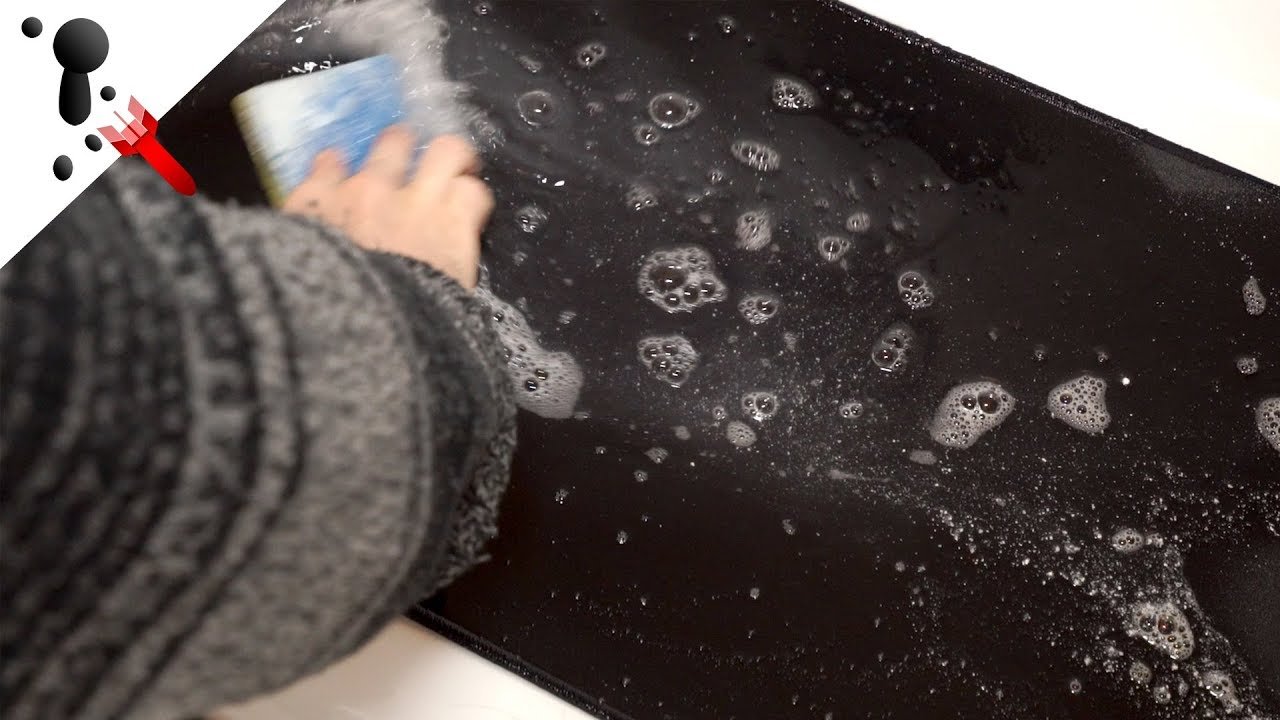
- Fill a basin with warm water and add a few drops of mild dish soap.
- Dip a soft cloth in the soapy water and wring it out so it’s damp, not wet.
- Wipe the mat gently, focusing on stained areas.
- For deep stains, use a soft brush in circular motions.
- Rinse the mat with clean water (use a wet towel for mats that cannot be soaked).
- Dry the mat flat on a towel. Avoid direct sunlight, which can fade colors.
Some people try machine washing, but this can damage the mat’s edges or cause it to lose shape. Hand washing is safer. Fabric mats usually dry in 6–12 hours.
Cleaning Leather Desk Mats
Leather mats look stylish but need special care. Water can stain or warp leather. Here’s the safest method:
- Use a dry soft cloth to wipe surface dust.
- Mix a few drops of leather cleaner with water (follow instructions).
- Dampen a cloth with the solution, then gently wipe the mat.
- Avoid soaking the leather. Do not use harsh chemicals or too much water.
- Buff the mat with a dry towel to restore shine.
For tough stains, use a leather stain remover. Test any product on a small corner first.
Cleaning Rubber Desk Mats
Rubber mats are tough and waterproof. They’re common for gaming and office setups. Cleaning is simple:
- Rinse the mat under warm water to remove surface dirt.
- Use a small amount of dish soap and a cloth to scrub sticky spots.
- Rinse again until all soap is gone.
- Dry with a towel or air dry. Avoid folding the mat, as this can cause creases.
Rubber mats dry quickly. Never use hot water, as it can warp the rubber.
Cleaning Plastic Desk Mats
Plastic mats are easy to wipe but can collect ink or sticky marks. To clean:
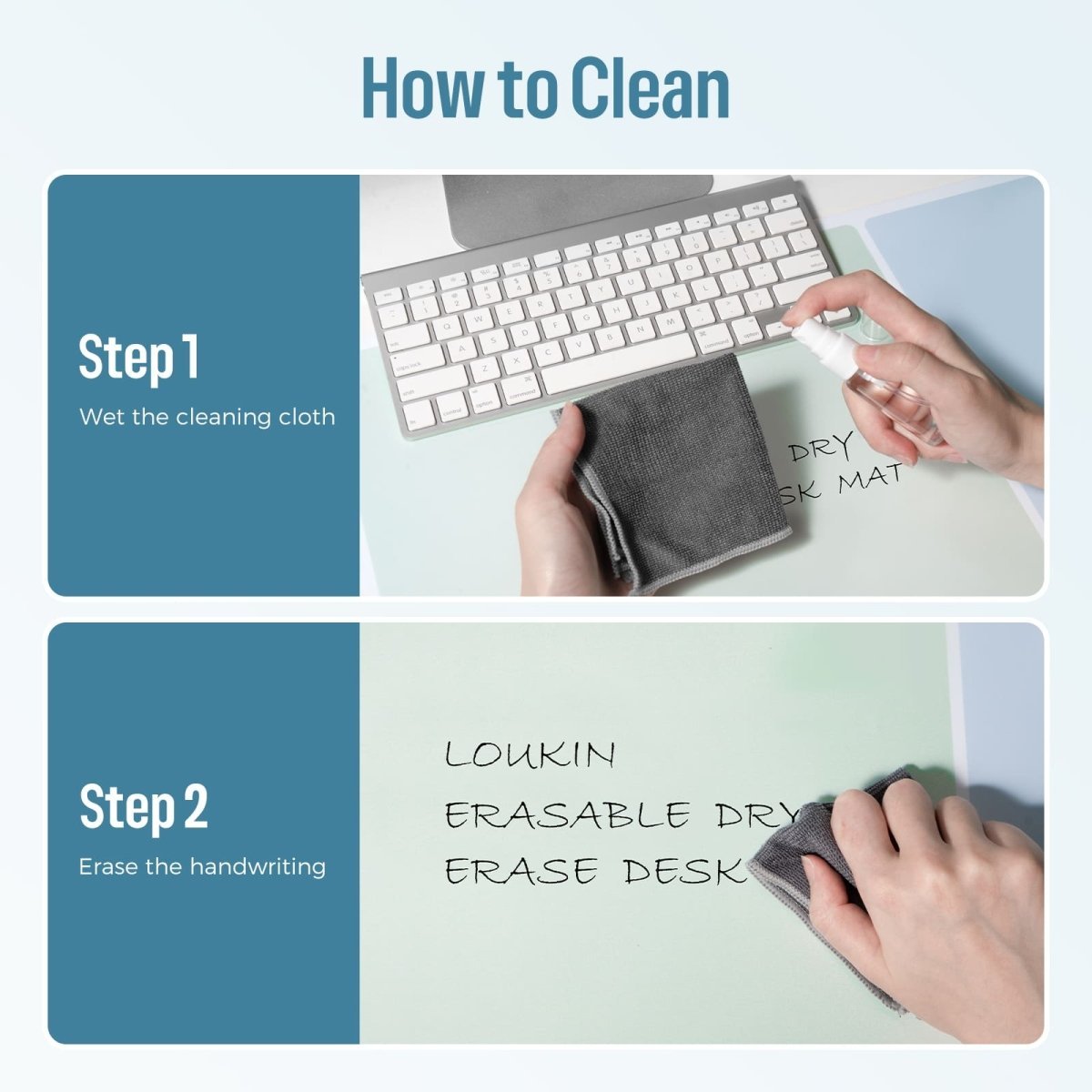
- Wipe the mat with a damp cloth and mild soap.
- For ink stains or sticky residue, use a small amount of alcohol solution.
- Scrub gently—too much force can scratch the surface.
- Rinse with clean water and dry with a towel.
Plastic mats can be cleaned more often because they don’t absorb water.
Cleaning Cork Desk Mats
Cork mats are eco-friendly but sensitive to water. Too much moisture can ruin them. Here’s the best approach:
- Use a dry brush to remove dust and crumbs.
- Lightly spray water mixed with mild soap (never soak).
- Wipe with a dry towel immediately.
- Air dry in a cool, shaded place.
Avoid strong chemicals. Cork mats should be cleaned only when necessary.
Removing Tough Stains And Odors
Some stains are harder to clean, like ink, coffee, or greasy food. For tough stains:
- Ink: Use rubbing alcohol on a cloth. Dab, don’t rub.
- Coffee: Mix water and vinegar (1:1 ratio). Wipe gently.
- Grease: Sprinkle baking soda, wait 10 minutes, then wipe.
- Odors: Sprinkle baking soda overnight, then vacuum or brush off.
If your mat still smells bad, try cleaning again or leave it outside for a few hours.
Credit: www.loukin.com
Drying And Maintaining Desk Mats
Drying is as important as washing. Wet mats can develop mold or bad smells. Always dry mats flat, not folded. Fabric mats need 6–12 hours, while rubber and plastic mats dry in 1–2 hours. Leather mats dry fastest—just a few minutes after wiping.
Regular maintenance keeps your mat clean longer. Wipe your mat every week with a dry cloth. For mats used with food or drinks, clean more often. Avoid eating directly on the mat. Some mats have anti-microbial coatings—check the label for this feature.
Common Mistakes When Cleaning Desk Mats
Many people make mistakes that ruin their mats. Here are some you should avoid:
- Using hot water on rubber or plastic mats, which can warp them.
- Soaking leather mats, causing stains and warping.
- Machine washing fabric mats with sharp edges or embroidery, which can cause fraying.
- Using harsh chemicals like bleach, which damage colors and coatings.
- Scrubbing too hard, leading to scratches or tears.
Always read the cleaning instructions for your mat. If you’re unsure, test cleaning products on a small area first.
How Often Should You Clean Your Desk Mat?
Your cleaning schedule depends on how you use your desk mat. If you eat, drink, or write on your mat daily, clean it weekly. If your workspace is dusty or humid, clean it every 2 weeks. For mats used mainly for decoration, monthly cleaning is enough.
Here’s a simple frequency table:
| Usage Type | Recommended Cleaning |
|---|---|
| Daily food/drink | Weekly |
| Gaming/office | Bi-weekly |
| Decorative | Monthly |
| High dust/humidity | Weekly |
Cleaning regularly prevents stains, odors, and long-term damage.
Extra Tips For Desk Mat Longevity
To make your desk mat last longer, follow these tips:
- Rotate your mat every few months to avoid uneven wear.
- Avoid direct sunlight, which can fade colors and weaken materials.
- Store mats flat when not in use. Rolling is okay for rubber and fabric, but leather and cork should be kept flat.
- Use a coaster for drinks to prevent water rings.
- Keep sharp objects away to avoid scratches.
Many people forget that mats are affected by humidity and air quality. If your room is humid, mats absorb moisture faster. Using a dehumidifier can help.
Credit: dezctop.com
Desk Mat Cleaning And Health
A dirty desk mat can affect your health. Dust, crumbs, and bacteria build up, especially if you eat or drink at your desk. This can cause allergies, skin irritation, or unpleasant smells. Cleaning your mat reduces these risks and keeps your workspace safe.
According to a study by National Center for Biotechnology Information, mats can harbor up to 100,000 bacteria per square inch if not cleaned regularly. This is more than a typical kitchen counter. Regular cleaning protects your health and improves your work environment.
For more tips on keeping your workspace hygienic, visit CDC Healthy Workplaces.
Frequently Asked Questions
How Do I Clean A Desk Mat With Rgb Lighting?
RGB desk mats have electronic parts. Do not soak them. Unplug first. Wipe gently with a damp cloth and mild soap. Avoid water near the USB connector. Dry completely before plugging back in.
Can I Use Disinfectant Wipes On My Desk Mat?
Disinfectant wipes are safe for plastic and rubber mats, but may damage fabric or leather. Always check the label. If you’re unsure, use a mild soap solution.
Will Cleaning My Desk Mat Remove All Stains?
Most stains can be removed with proper cleaning. Ink, coffee, and grease are harder but not impossible. For old stains, repeat cleaning or try special stain removers.
Is It Safe To Machine Wash My Desk Mat?
Machine washing is risky for most mats. It can cause fraying, fading, or shape loss. Hand washing is safer. If your mat’s label says “machine washable,” use a gentle cycle and air dry.
How Do I Get Rid Of Bad Smells From My Desk Mat?
Sprinkle baking soda over the mat and leave it overnight. Brush or vacuum off the powder. If the smell persists, clean the mat again and let it air dry outside.
A clean desk mat makes your workspace look and feel better. With the right approach, your mat will stay fresh, comfortable, and last for years. Remember to check the material, use gentle cleaning methods, and avoid common mistakes. Regular care protects your health and helps you work more efficiently.
Related Office Guides
Continue with these related workspace guides:
