
Setting up your webcam at eye level might sound like a small detail, but it makes a massive difference in how you appear on video calls, recordings, or live streams. People often underestimate how much camera angle affects communication. The wrong setup can make you look tired, unprofessional, or even untrustworthy. But a well-positioned webcam helps you appear confident and engaged, making your message clearer.
Today, video meetings are common for work, school, and connecting with friends. Many people use built-in laptop cameras, often looking down or up at the lens. This can be distracting and uncomfortable for your audience. The good news is, you don’t need expensive equipment to improve your setup.
With a few adjustments and some basic tools, you can create a professional look from home or the office.
This guide will walk you through everything you need to know about eye level webcam setup. You’ll learn why it matters, how to achieve the perfect angle, what tools to use, and how to avoid common mistakes. Whether you’re a remote worker, teacher, content creator, or just want to look your best, you’ll find practical tips and solutions.
Why Eye Level Matters For Webcam Setup
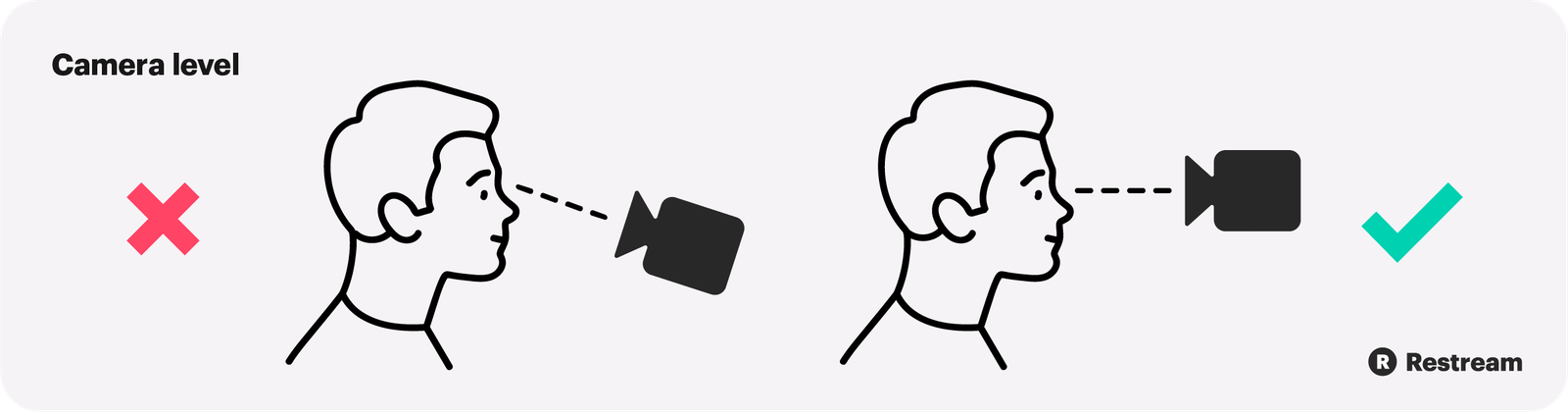
When you place your webcam at eye level, you create a more natural and engaging visual connection. People feel like you’re looking directly at them. This small change has several benefits:
- Better Engagement: Your audience feels you’re present and attentive.
- Professional Appearance: It reduces unflattering angles and makes you look prepared.
- Body Language: Natural posture is easier to maintain, supporting confident communication.
- Reduces Distractions: No more awkward views up your nose or showing your ceiling.
Research shows that people trust and connect more with speakers who maintain “virtual eye contact. ” That starts with getting your camera height right.
Common Problems With Non-eye Level Webcams
Many people use their laptop or monitor cameras as they are, leading to issues such as:
- Upward Angles: Shows your chin and nostrils, makes you look less energetic.
- Downward Angles: Makes you look smaller, can give the impression of inferiority.
- Off-Center Position: If the camera is too far left or right, you appear distracted.
- Awkward Framing: Too much headroom, or cutting off the top of your head.
These problems often go unnoticed until you see yourself on a recording or hear feedback.
Credit: snakeclamp.com
How To Achieve An Eye Level Webcam Setup
Getting your camera to eye level does not require fancy gear. Here’s how you can do it:
1. Use What You Have
- Laptop Users: Place your laptop on a stack of books, a box, or a riser. Adjust until the camera lens is level with your eyes when you sit up straight.
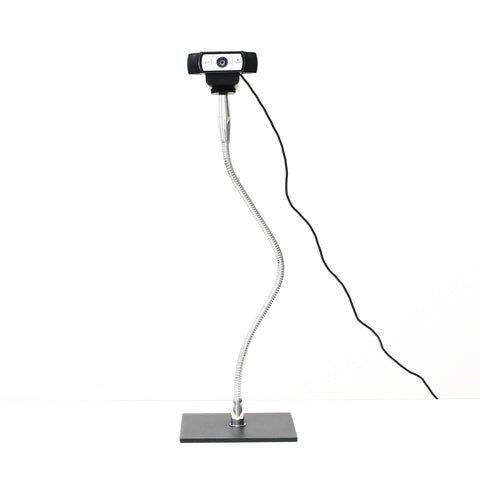
- External Webcams: These usually clip onto monitors. Adjust your monitor height or use a tripod with adjustable height.
- Phones/Tablets: Use stands or holders, or stack items to raise the device.
2. Adjust Your Seating
Sit in a chair where your posture feels natural. Your eyes should be level with the camera. Avoid slouching or leaning back, as it changes your eye line.
3. Fine-tune Your Framing
Position yourself so your head and shoulders are visible, with a small space above your head. Center yourself horizontally, and check the camera preview before meetings.
4. Use A Tripod Or Mount
If you use an external webcam, a simple tripod or desk mount gives you precise control. Many affordable models exist, with adjustable height and tilt.
5. Check And Adjust Regularly
Room setups change, so check your framing before important calls. Use your video app’s preview to make last-minute tweaks.
Equipment To Improve Eye Level Setup
While you can use everyday objects, investing in basic accessories improves stability and consistency.
| Accessory | Purpose | Price Range |
|---|---|---|
| Laptop Stand | Raises laptop to eye level | $20 – $60 |
| Webcam Tripod | Flexible camera positioning | $15 – $50 |
| Monitor Riser | Lifts monitor and webcam | $10 – $40 |
| Adjustable Chair | Helps align eyes and camera | $30 – $100+ |
Pro Tip: If you use a dual monitor setup, mount the webcam on the monitor you look at most during calls.
Credit: vimeo.com
Step-by-step Guide To Setting Your Webcam At Eye Level
Follow these steps to get the best results:
- Find Your Eye Line: Sit comfortably and look straight ahead. Note the height of your eyes from the desk.
- Raise the Camera: Use a stand, books, or tripod to bring the webcam lens to this height.
- Center the Camera: Place it in the middle of your monitor, not off to the side.
- Check the Preview: Open your video app and look for even space above your head, with your eyes about one-third from the top.
- Adjust Lighting: Face a window or use a lamp for soft, even lighting. Avoid strong backlight.
- Test and Refine: Make small adjustments until you’re happy with the look.
Comparing Common Webcam Setups
Here’s a quick comparison of typical webcam positions and their effects:
| Setup | Camera Angle | Impression Created |
|---|---|---|
| Laptop on Desk | Upward (low angle) | Unprofessional, less engaging |
| Laptop Raised | Eye Level | Professional, natural connection |
| External Webcam on Monitor | Slight downward/eye level | Balanced, flexible |
| Camera Above Monitor | High downward angle | Distant, less personal |
Notice how small changes in angle can shift the impression you give.
Credit: restream.io
Lighting And Background: Supporting The Eye Level Setup
A good camera angle is only part of the solution. The right lighting and background make your video quality even better.
Lighting Tips
- Face the Light: Natural window light is best, but a desk lamp with a soft bulb works too.
- Avoid Strong Backlight: If a bright window is behind you, you’ll appear dark and shadowy.
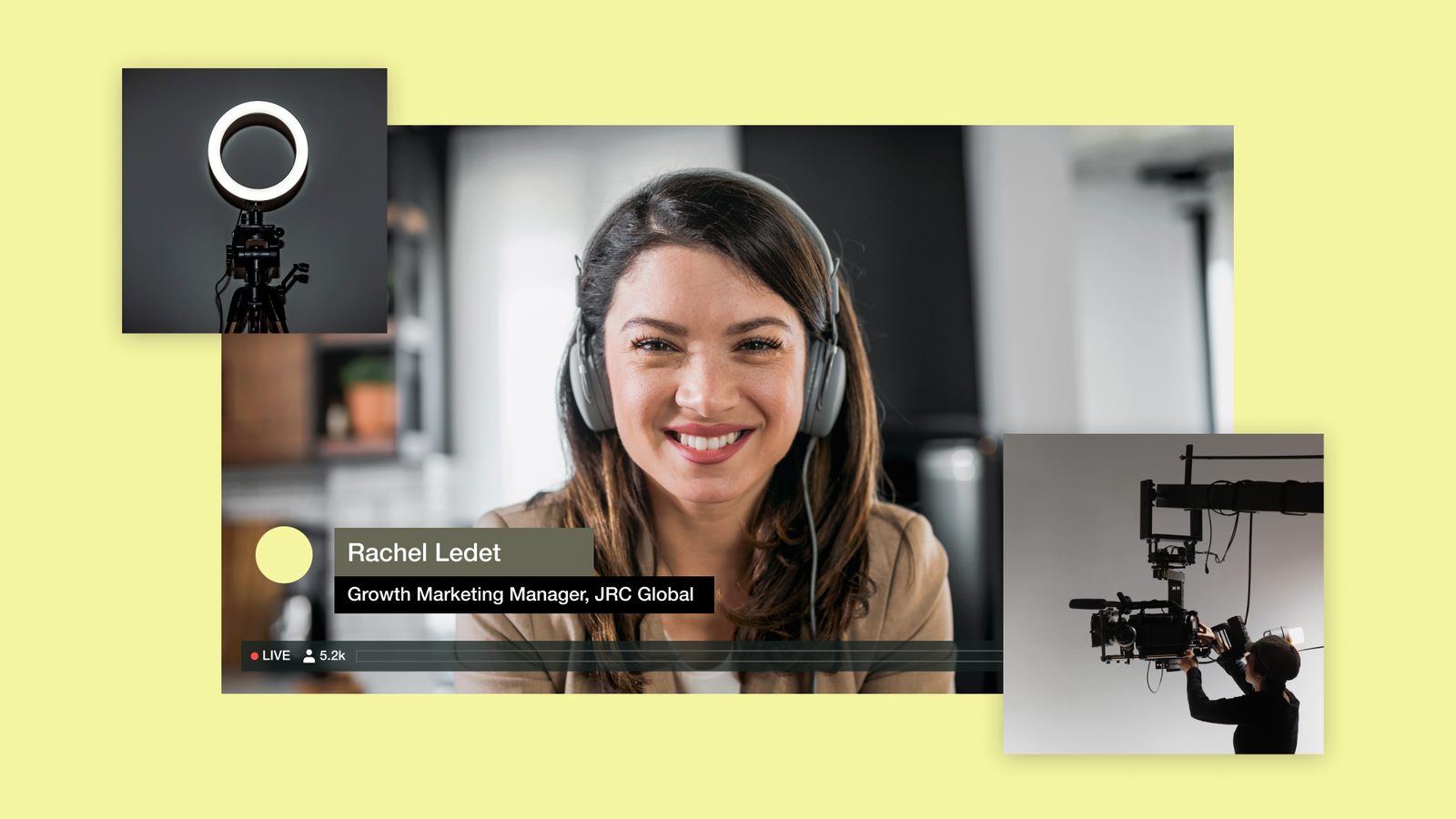
- Use Ring or Panel Lights: These create even light and reduce shadows on your face.
Background Tips
- Simple Background: Keep it tidy and uncluttered. A plain wall or bookshelf works well.
- Virtual Backgrounds: Use only if your actual background is messy, but make sure your camera is stable for best results.
Non-obvious Insight: Clean your camera lens often. Smudges create a blurry effect even with perfect lighting and angle.
Positioning Yourself For Best Results
Your position relative to the camera is as important as the camera’s position.
- Sit at Arm’s Length: About 60–90 cm (2–3 feet) from the lens is ideal.
- Eyes One-Third Down: Your eyes should be about one-third from the top of the frame.
- Relax Shoulders: Don’t hunch or lean in too close.
Small detail: Look at the camera lens—not the screen—when speaking. This creates true virtual eye contact.
Mobile Devices: Getting Eye Level On Phones And Tablets
Many people join calls from a phone or tablet. Here’s how to achieve eye level:
- Use a Stand or Stack Books: Prop your device up until the camera is at eye height.
- Landscape Mode: Turn your device sideways for a wider, more natural view.
- Stable Surface: Avoid hand-holding your phone, which makes the image shaky.
A simple phone tripod or a case with a built-in stand can help.
External Webcams: Choosing And Mounting
External webcams offer more flexibility but require proper mounting.
What To Look For
- Adjustable Clip: Lets you mount on different monitors or laptops.
- Tripod Screw Mount: Allows use with any standard tripod.
- Tilt and Swivel: Lets you fine-tune the angle easily.
Popular models include the Logitech C920 and C922, which have built-in mounting options.
Mounting Tips
- Place Above Monitor: For the most natural look, mount the camera just above your main screen.
- Use a Tripod: For multi-monitor setups or standing desks, a tripod lets you place the camera exactly where you want.
Troubleshooting Common Issues
Even with the right setup, problems can happen:
- Camera Won’t Stay in Place: Use double-sided tape or a non-slip pad.
- Too Much Headroom: Lower the camera or raise your seat.
- Double Chin Effect: Raise the camera slightly above eye level and tilt it down a few degrees.
- Glare on Glasses: Adjust lighting or try anti-glare lenses.
Extra tip: Use your webcam’s software settings to adjust zoom, brightness, and focus for a sharper image.
Real-world Examples
Consider these scenarios:
- Job Interviews: Recruiters often judge professionalism by your video setup. Eye level shows confidence.
- Teaching Online: Students focus better when the teacher looks directly at them.
- YouTube Videos: Viewers feel more connected when creators maintain virtual eye contact.
Many top video creators and remote work experts highlight the impact of camera angle on trust and engagement. For more research on video communication, check this Wikipedia article.
Quick Comparison: Diy Vs. Professional Solutions
Here’s a side-by-side look at options:
| Method | Cost | Stability | Professional Look |
|---|---|---|---|
| Books/Boxes | Free | Medium | Good |
| Laptop/Monitor Stand | Low ($10-$60) | High | Very Good |
| Tripod/Mount | Medium ($15-$50) | Very High | Excellent |
| Built-In Camera (not adjusted) | Free | Low | Poor |
Even simple changes can give you a much more polished appearance.
Two Insights Many Beginners Miss
- Eye Level Isn’t Always Straight Ahead: If your desk is high or your chair is low, the true eye level may be slightly above the edge of your monitor. Adjust both your chair and monitor for best results.
- Distance Matters: Sitting too close can distort your face (wide-angle effect), while sitting too far loses connection. Aim for a balanced distance where your face fills most of the frame.
Final Thoughts
A proper eye level webcam setup is one of the easiest ways to improve your video presence. It helps you appear more confident, attentive, and professional—no matter where you are. You don’t need to spend a lot of money. Simple tweaks, like stacking books or adjusting your chair, can make a big difference. If you want consistent results, affordable stands or tripods are widely available.
Remember, always check your framing before important calls and keep your lens clean. Add good lighting and a tidy background to make the most of your setup. With these steps, you’ll be ready to make a strong impression every time you’re on camera.
Frequently Asked Questions
What Is The Ideal Height For A Webcam?
The ideal height is at your eye level when you are sitting up straight. This creates a natural look and helps you connect better with your audience.
Can I Use Books Or Boxes To Raise My Laptop?
Yes, stacking books or sturdy boxes is a simple and effective way to bring your camera to eye level. Just make sure your setup is stable and safe.
Why Does Camera Angle Matter So Much?
Camera angle affects how others see you. Low angles can be unflattering, while eye-level angles make you look more professional and engaging.
Do I Need An External Webcam For A Good Setup?
No, you can achieve a good eye level setup with built-in cameras by raising your device. However, external webcams often offer better video quality and more flexible mounting options.
How Can I Avoid Glare On My Glasses During Video Calls?
Position your lighting slightly above and to the side, or use diffused light sources. This helps reduce reflections and makes your eyes clearly visible.
