
Keeping your plastic desk clean is not just about making it look nice. A clean desk helps you work better, protects your health, and keeps your furniture in good shape for longer. Many people don’t realize that dust, spills, and stains can damage plastic over time, making it look old or even crack.
Cleaning a plastic desk is easier than cleaning wood or metal, but there are still smart ways to do it right. Sometimes, using the wrong cleaner or tool can scratch the surface or leave ugly marks. If you want your desk to look fresh and last longer, learning the best methods and products is key.
This guide will show you step-by-step how to clean your plastic desk safely, share some pro tricks most people miss, and help you avoid common mistakes.
Why Plastic Desks Need Special Care
Plastic is a popular material for desks because it’s light, affordable, and easy to shape into different styles. However, plastic surfaces are softer than wood or metal. They scratch more easily and can react badly to certain chemicals. If you use harsh products like bleach or rough scrubbers, you might leave permanent marks.
Even sunlight and heat can make some plastics fade or change color.
Another thing many people don’t know: plastic can hold static electricity, which attracts dust and small particles. So, a plastic desk usually gets dusty faster than other types. Food spills, ink, and even sweat can stain plastic if not cleaned quickly. Understanding these risks helps you choose the safest cleaning routine for your desk.
What You Need: Tools And Products
Before you start, gather the right cleaning items. Using the correct tools can make a big difference and prevent damage. Here’s a list of what you should have:
- Soft microfiber cloths – These are gentle on plastic and pick up dust well.
- Mild dish soap – Strong enough for most dirt but safe for plastic.
- Warm water – Helps dissolve grime.
- Spray bottle – Useful for mixing and applying cleaning solutions.
- Soft-bristle brush or old toothbrush – Good for corners and textured surfaces.
- White vinegar – Effective for sticky spots (use diluted).
- Baking soda – Helps with tough stains and odors.
- Disinfectant wipes (without bleach) – For quick cleaning.
- Cotton swabs – For cleaning small crevices.
- Non-abrasive sponge – Never use steel wool or scrubbing pads.
It’s also helpful to have a small vacuum with a brush attachment to remove dust before wiping. Always check the labels on any product to make sure it’s safe for plastic.
Step-by-step: Cleaning Your Plastic Desk
Now let’s get into the cleaning process. Doing it step by step gives you the best results and prevents problems.
1. Clear And Prepare The Desk
Start by removing all items from your desk. Take away your computer, books, pens, and decorations. This makes it easier to reach every spot and stops you from accidentally getting things wet. Shake out any desk mats or organizers.
If your desk is near a window, close the blinds or move it out of direct sunlight. Cleaning products can dry too fast in the sun, leaving streaks.
2. Dust The Surface
Plastic attracts dust, so always start with dusting. Use a dry microfiber cloth to wipe the entire surface. Don’t forget the edges, corners, and legs. If there’s a lot of dust, use a small vacuum cleaner with a brush attachment.
Pay special attention to:
- Keyboard and monitor area (often the dustiest)
- Drawer handles and edges
- Underneath the desk
Using a dry cloth first stops dirt from turning into mud when you wipe with water later.
3. Mix Your Cleaning Solution
For most plastic desks, a simple mix of dish soap and water is perfect. Here’s how to do it:
- Fill a spray bottle with warm water.
- Add a few drops of mild dish soap (about 1/2 teaspoon per cup of water).
- Shake gently to mix.
If you want to use vinegar, mix equal parts white vinegar and water. This solution is good for sticky spots, but do a small test area first, as some plastics can react to vinegar.
4. Wipe Down The Desk
Spray your cleaning solution onto a microfiber cloth (not directly onto the desk). Wipe the surface in gentle, circular motions. For stubborn spots, let the cloth sit on the area for a minute before wiping.
Clean all parts of the desk:
- Top surface
- Sides and legs
- Drawer fronts and handles
If you see crumbs or dirt trapped in corners or grooves, use a soft-bristle brush or an old toothbrush to gently scrub.
5. Tackle Stains And Sticky Spots
If you find stains that don’t come off with soapy water, try these tricks:
- Sprinkle a little baking soda on a damp cloth and rub the stain gently.
- For ink stains, dab with a cloth moistened with rubbing alcohol. Test on a hidden area first.
- For sticky residue (like tape or glue), use a small amount of vinegar solution.
Never use sharp tools or harsh scrubbers on plastic, as they can scratch the surface.
6. Rinse And Dry
After cleaning, it’s important to remove any soap or cleaner left on the desk. Dampen a clean microfiber cloth with plain water and wipe the desk again. This step stops sticky residue and streaks from forming.
Dry the desk with a dry microfiber cloth. Make sure all parts are dry before putting items back. Wet surfaces can attract more dust.
7. Clean Drawers And Accessories
Don’t forget the insides of drawers or any attached shelves. Pull out drawers if possible, and wipe them inside and out with the same soapy water. Use cotton swabs to get into corners.
If your desk has plastic organizers, clean them separately and let them dry fully before returning them.
Comparison: Plastic Vs. Wood And Metal Desks
Many people ask if plastic desks need a different cleaning approach than wood or metal. Here’s a quick comparison to help you see the main differences:
| Material | Common Problems | Best Cleaning Method | What to Avoid |
|---|---|---|---|
| Plastic | Scratches, static dust, stains | Mild soap, soft cloth | Harsh chemicals, abrasive pads |
| Wood | Water damage, scratches, fading | Damp cloth, wood polish | Too much water, strong cleaners |
| Metal | Rust, fingerprints, scratches | Mild soap, dry quickly | Leaving wet, acidic cleaners |
Plastic desks are easier to care for, but they still need the right products to avoid damage. Remember, always check the manufacturer’s instructions if you’re not sure.
How Often Should You Clean Your Plastic Desk?
A common mistake is waiting until your desk looks dirty. By then, stains may be harder to remove. Here’s a suggested cleaning schedule:
- Daily: Wipe off dust, crumbs, and fingerprints with a dry cloth.
- Weekly: Clean with soapy water and wipe down all surfaces.
- Monthly: Deep clean, including drawers, legs, and underneath.
High-traffic areas, like shared desks or those in classrooms, may need more frequent cleaning. If you eat at your desk or use it for crafts, wipe it down after each activity.
Removing Tough Stains: Tips And Tricks
Some stains on plastic can be stubborn. Here are ways to handle the most common types:
Ink Stains
- Use a cotton swab dipped in rubbing alcohol.
- Gently rub the stain, then wipe with a damp cloth.
- Always test a small spot first, as alcohol can sometimes dull shiny plastic.
Food And Drink Stains
- Mix baking soda and water to make a soft paste.
- Rub gently with a microfiber cloth.
- Rinse and dry.
Permanent Marker
- Try a whiteboard marker over the stain, then wipe away. This often lifts permanent ink.
- If needed, use a little toothpaste (not gel) on a cloth.
Sticky Residue
- Use diluted vinegar on a cloth.
- For gum or wax, harden it with ice, then gently scrape with a plastic card (never metal).
Scuff Marks
- Erase gently with a pencil eraser.
- Wipe away eraser bits with a cloth.
Preventing Scratches And Damage
Keeping your desk clean is important, but preventing scratches is just as vital. Plastic scratches more easily than you might think. Here are a few tips:
- Use desk mats or pads under your keyboard, mouse, and writing area.
- Avoid dragging sharp objects (scissors, metal pens) across the desk.
- Pick up items rather than sliding them.
- Keep pets off the desk if possible, as their claws can scratch plastic.
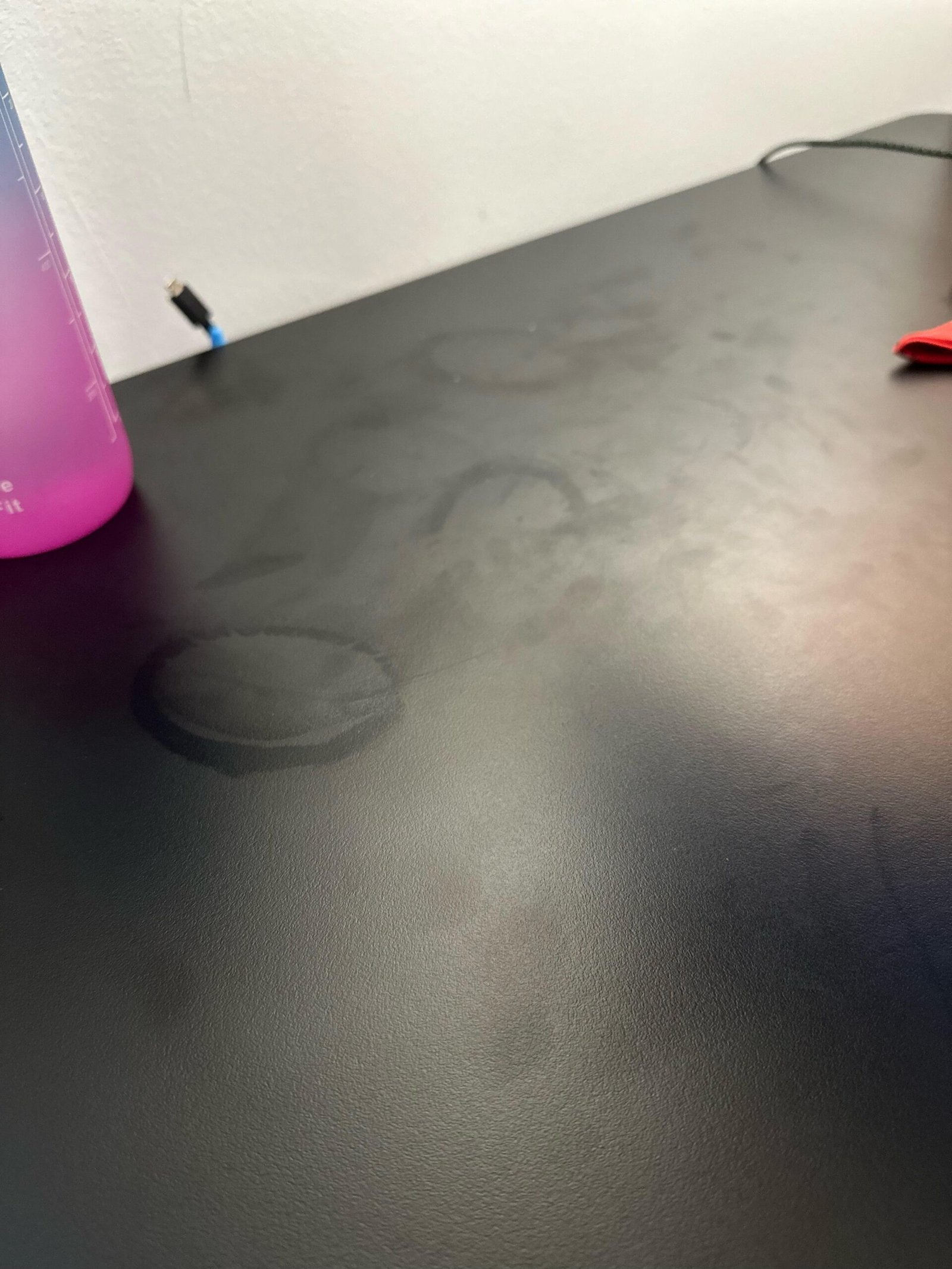
- Use coasters under drinks to avoid water rings or stains.
It’s also smart to avoid stacking heavy items, as plastic can dent or warp under weight.
Dealing With Odors And Discoloration
Over time, plastic desks may develop smells or yellowish stains, especially if used for food or exposed to sunlight.
- For odors, sprinkle baking soda on the surface, let it sit for 10–15 minutes, then wipe clean.
- For yellowing, try a paste of baking soda and water, rub gently, and rinse. Sunlight can cause permanent discoloration, so keep your desk out of direct sun if possible.
- If the smell doesn’t go away, let the desk air out in a well-ventilated room.
Cleaning Different Types Of Plastic Surfaces
Not all plastic desks are the same. Some are smooth and shiny, while others have a rough or textured finish. The cleaning method is mostly the same, but there are a few extra things to consider.
Smooth/glossy Plastic
- Shows fingerprints and streaks more easily.
- Always dry with a clean microfiber cloth to avoid marks.
- Use a gentle touch to prevent scratches.
Textured Plastic
- Holds dust and dirt in grooves.
- Use a soft-bristle brush for cleaning.
- Don’t press too hard; you could flatten the texture.
Colored Or Printed Plastic
- Avoid strong cleaners, as they can fade colors or remove designs.
- Test any cleaner in a hidden spot before using on the whole desk.
Best Cleaners For Plastic Desks
It’s tempting to buy strong cleaning sprays, but many are too harsh for plastic. Here’s a comparison of common cleaners:
| Cleaner | Safe for Plastic? | Best Use | What to Avoid |
|---|---|---|---|
| Mild dish soap | Yes | Everyday cleaning | Using too much (can leave residue) |
| White vinegar (diluted) | Yes (test first) | Sticky spots, odors | Full strength, prolonged contact |
| Glass cleaner | Sometimes | Shiny surfaces | Ammonia-based (can cloud plastic) |
| Bleach | No | Never use | Can discolor and weaken plastic |
| Alcohol | Test first | Ink stains | Frequent use (can dull surface) |
Always read the label before using any cleaner on your desk.

Credit: www.amazon.com
Quick Cleaning For Busy Days
Sometimes you need to clean your desk fast, especially if guests or coworkers are coming. For a quick clean:
- Use disinfectant wipes (without bleach) to wipe the surface.
- Dry with a microfiber cloth to prevent streaks.
- If the desk is very dusty, use a handheld vacuum first.
This method isn’t as deep as regular cleaning, but it keeps your desk looking tidy between full cleanings.
What To Avoid When Cleaning Plastic Desks
There are a few common mistakes people make that can ruin a plastic desk:
- Using abrasive sponges: These scratch and dull the finish.
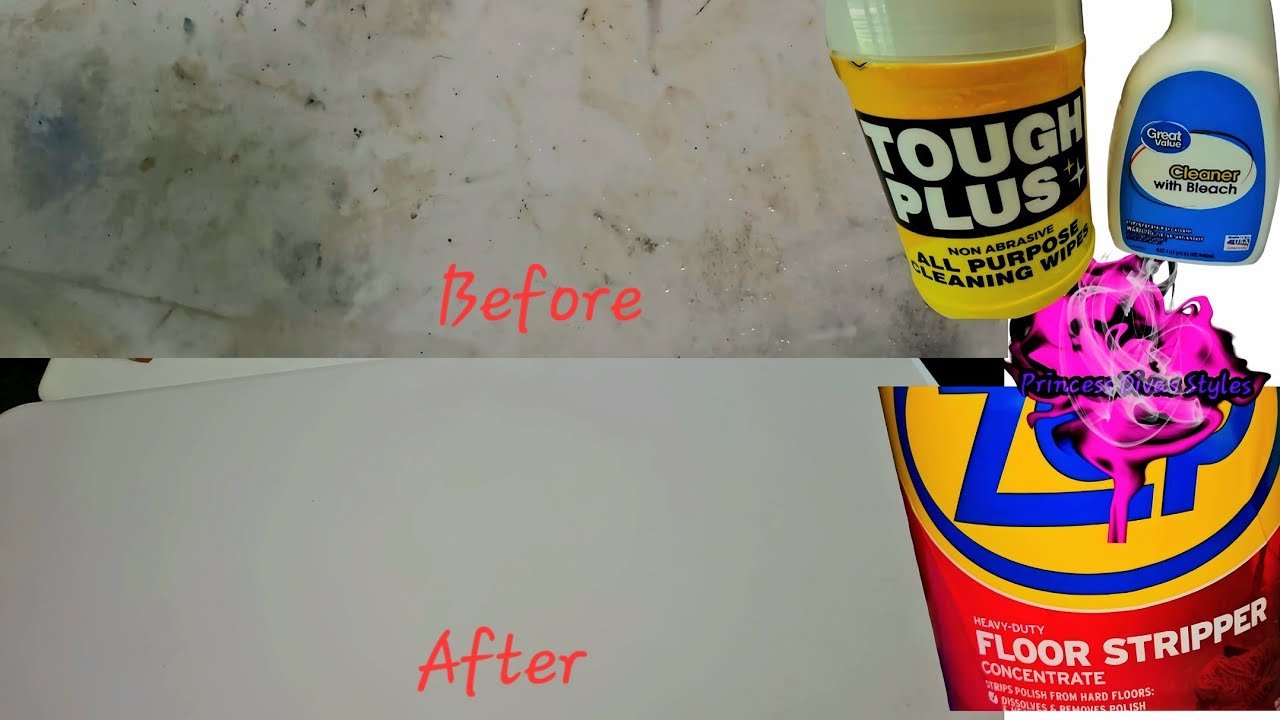
- Using bleach or harsh chemicals: This can discolor or even crack plastic.
- Letting water sit on the desk: Pools of water can cause stains or make the desk feel sticky.
- Forgetting to dry the desk: This can lead to water marks and faster dust buildup.
- Spraying cleaners directly on electronics: Always spray the cloth, not the device or desk near outlets.
One less obvious tip: Many plastic desks have seams or joints where water can sneak in and weaken the glue. Try to keep these areas as dry as possible.
Credit: www.youtube.com
When To Call A Professional
Most cleaning jobs can be handled at home, but there are rare cases when professional help is a good idea. If your desk has:
- Deep scratches or cracks that collect dirt
- Burn marks or melted spots
- Heavy discoloration that won’t come off
A furniture repair expert or plastic specialist can sometimes restore the desk. For high-end or custom plastic desks, always check the warranty before using new cleaners or tools.
Eco-friendly Cleaning Options
If you want to avoid chemicals, there are several green cleaning choices:
- Baking soda and vinegar (always diluted)
- Castile soap (a plant-based soap)
- Lemon juice (for odor, use sparingly)
Just remember, even natural products can damage plastic if used the wrong way or too often. Always test first.
For more tips on eco-friendly cleaning, you can visit the EPA’s Safer Choice program.
How To Maintain A Clean Desk
Once your desk is clean, keeping it that way is easier if you build good habits:
- Wipe up spills right away to avoid stains.
- Clean your hands before using the desk, especially after eating.
- Organize cables and supplies to reduce clutter and dust traps.
- Cover your desk if you’re doing messy projects, like crafts or painting.
- Open windows or use a fan to reduce humidity, which can attract dust.
Another less obvious tip: Static spray (sold for electronics) can reduce dust buildup on plastic desks. Use it sparingly.
Frequently Asked Questions
How Do I Remove Pen Marks From My Plastic Desk?
Start with a damp microfiber cloth and a bit of mild dish soap. If the mark remains, try a cotton swab with rubbing alcohol, but test on a hidden area first. For stubborn pen ink, gently rub with a whiteboard marker over the stain, then wipe off.
Is It Safe To Use Disinfectant Sprays On Plastic Desks?
Most disinfectant sprays are safe if they do not contain bleach or harsh chemicals. Always spray onto a cloth, not directly onto the desk, and wipe dry after cleaning. Avoid ammonia-based products, which can cloud some plastics.
What Should I Do If My Desk Starts To Turn Yellow?
Yellowing is often caused by sunlight or age. Try a paste of baking soda and water, rub gently, and rinse. Keep the desk out of direct sunlight to slow down further discoloration. If yellowing is severe, it may be permanent.
Can I Use Glass Cleaner On My Plastic Desk?
Some glass cleaners are safe, especially for glossy plastic. However, avoid cleaners with ammonia, as they can damage or cloud the surface. Always test on a small area first.
How Do I Keep Dust From Coming Back So Quickly?
Plastic holds static, which attracts dust. Use a microfiber cloth, and consider a light spray of anti-static cleaner (safe for plastics). Keeping windows closed and using an air purifier can also help reduce dust in your workspace.
Keeping your plastic desk clean isn’t hard once you know the right steps. With regular care, gentle products, and a few smart tricks, you can keep your workspace looking fresh and feeling great for years. Remember, the best cleaning is the one you do often—not just when you notice a mess.
Credit: www.reddit.com
Related Office Guides
Continue with these related workspace guides:
