
Smart homes are changing the way people manage energy. With rising electricity costs and a growing need to save power, many are searching for simple solutions. That’s where smart plug energy monitoring comes in. This small device can turn any regular appliance into a connected, trackable part of your home. But how does it work? Why are so many people using them now? And what should you know before using smart plugs for energy monitoring in your own house? Let’s dive into the details, clear up common questions, and explore how this technology can save you money and help the environment.
What Is Smart Plug Energy Monitoring?
A smart plug is a device that you plug into a regular wall outlet. Then, you plug your appliance—like a lamp, coffee maker, or fan—into the smart plug. The “smart” part means you can control the appliance remotely using a phone app or even your voice, if you have a smart assistant like Alexa or Google Home.
But many smart plugs also have energy monitoring features. This means they measure how much electricity the connected device is using. The smart plug sends this data to your phone, where you can see real-time and historical energy usage.
For example, if you plug your air purifier into a smart plug with energy monitoring, you can see exactly how much power it uses each day. Over a month, you’ll know how much it’s costing you. This is much easier than guessing or checking your whole-house electricity bill.
How Does Smart Plug Energy Monitoring Work?
Smart plug energy monitoring combines hardware and software. Here’s how the process works:
- Measurement: The smart plug has built-in sensors that detect the amount of electricity flowing to the connected device.
- Data Transmission: The plug sends this data (using Wi-Fi, Zigbee, or another wireless protocol) to your home network and then to a cloud server or directly to your phone app.
- Visualization: The app displays the information in clear charts or numbers. You can see hourly, daily, weekly, or monthly usage.
- Control: Many apps let you turn devices on/off remotely or set schedules based on the energy data.
These steps are automatic and require little technical skill. Most brands have easy setup processes—just plug in, connect to Wi-Fi, and follow prompts on your app.
Key Benefits Of Using Smart Plugs For Energy Monitoring
Why are so many homeowners and renters choosing smart plugs with energy monitoring? Here are some of the top advantages:
- Identify Energy Hogs: You can quickly find which devices use the most power. Many people are surprised by how much energy “sleeping” gadgets use.
- Reduce Electricity Bills: By seeing exactly where your money goes, you can unplug or schedule off-time for unnecessary devices.
- Remote Control: Forgot to turn off the iron? Switch it off from your phone, even if you’re not home.
- Track Long-Term Trends: Over time, you can see if your efforts to save energy are working.
- Safety: Some smart plugs have automatic shutoff features if they detect unusual power spikes.
- Eco-Friendly Living: Lower energy use means less carbon footprint, which is good for the planet.
A non-obvious insight: Not all high-wattage devices are the main culprits. Sometimes, small devices that run 24/7 (like routers or aquarium pumps) add up to more usage than you expect.
Popular Features To Look For
Not every smart plug is the same. If you want to monitor energy, make sure your choice includes these essential features:
- Real-Time Monitoring: Shows current power usage instantly.
- Historical Data: Stores data over days, weeks, or months.
- Remote App Access: Lets you check and control from anywhere.
- Scheduling: Set times for devices to turn on/off automatically.
- Voice Assistant Integration: Works with Alexa, Google Assistant, or Apple HomeKit.
- Overload Protection: Cuts power if the device draws too much electricity.
- Accurate Measurement: Look for reviews on reliability—some cheap models are inaccurate.
A common mistake is buying a cheap smart plug without checking for energy monitoring features. Many “smart plugs” are just remote switches and don’t measure energy at all.
Top Uses For Smart Plug Energy Monitoring
Smart plugs can help in many places around your home. Here are some common and creative uses:
- Home Office: Track how much your computer, printer, or monitors use.
- Kitchen: See which appliances (like kettles or microwaves) cost the most to run.
- Entertainment Systems: TVs, game consoles, and speakers can use power even when “off.”
- Space Heaters & Fans: These can be expensive to run. Monitoring helps you set limits.
- Holiday Lights: Avoid surprises with seasonal decorations.
- Aquariums or Pet Devices: Make sure heaters or filters aren’t wasting power.
- Laundry Room: Check the real cost of using your iron or dryer.
Practical tip: Start with one or two plugs and move them around to test different devices before buying more.
Comparing Leading Smart Plug Brands
Choosing the right smart plug can feel overwhelming. Here’s a comparison of popular options, focusing on energy monitoring and compatibility:
| Brand/Model | Energy Monitoring | Voice Control | Max Load (W) | App |
|---|---|---|---|---|
| TP-Link Kasa HS110 | Yes | Alexa, Google | 1800 | Kasa Smart |
| Emporia Smart Plug | Yes | Alexa, Google | 1800 | Emporia |
| Amazon Smart Plug | No | Alexa | 1800 | Alexa App |
| Meross MSS310 | Yes | Alexa, Google, HomeKit | 1800 | Meross |
| Gosund WP3 | Yes | Alexa, Google | 1200 | Gosund |
Note: Always check the max load to ensure the plug suits your device.
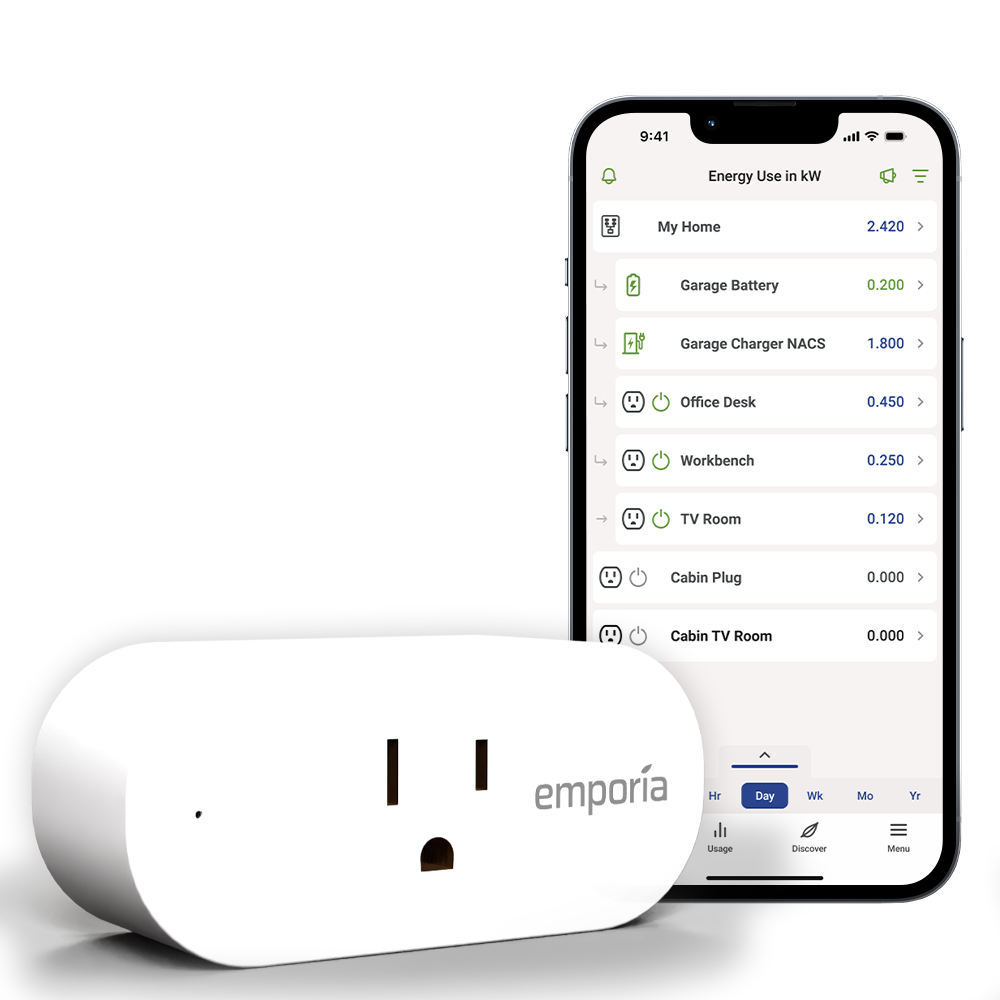
Credit: shop.emporiaenergy.com
Real-world Energy Savings: Examples And Data
How much can you really save with smart plug energy monitoring? Actual results vary, but studies and real users report savings of 5–15% on electricity bills after identifying and changing habits.
Here are a few real-life examples:
- A family in Texas used smart plugs to monitor their entertainment system. They discovered the devices used over 40 kWh per month even when “off.” Switching off completely saved about $6 per month.
- A remote worker tracked their home office. By scheduling a printer and monitor to turn off at night, they cut standby usage by 60%.
- During a holiday season, a user measured their outdoor lights and found running costs were double what they expected. Using schedules, they reduced the hours and cut costs by 50%.
The key takeaway: The biggest savings often come from finding unexpected “vampire” devices—those that quietly use energy all day.
Setting Up And Using A Smart Plug For Energy Monitoring
Getting started is simple, but here are the basic steps:
- Choose a Compatible Plug: Make sure it supports your country’s outlets and voltage.
- Download the App: Most brands have their own app—search for it in your phone’s app store.
- Plug In and Connect: Insert the smart plug, connect to Wi-Fi, and follow the app instructions.
- Add Your Device: Plug in the device you want to monitor.
- Check the Data: Open the app to see real-time usage. Try switching the device on/off to see the numbers change.
- Set Schedules or Automations: Use the app to set times for the device to turn on/off, or let the app suggest energy-saving tips.
| Step | What To Do | Tips |
|---|---|---|
| 1 | Plug in smart plug | Choose a central outlet for Wi-Fi reach |
| 2 | Install app and connect device | Follow the brand’s quick start guide |
| 3 | Connect appliance | Test with a simple device (lamp, fan) |
| 4 | Monitor and set schedules | Start with short schedules to learn usage patterns |
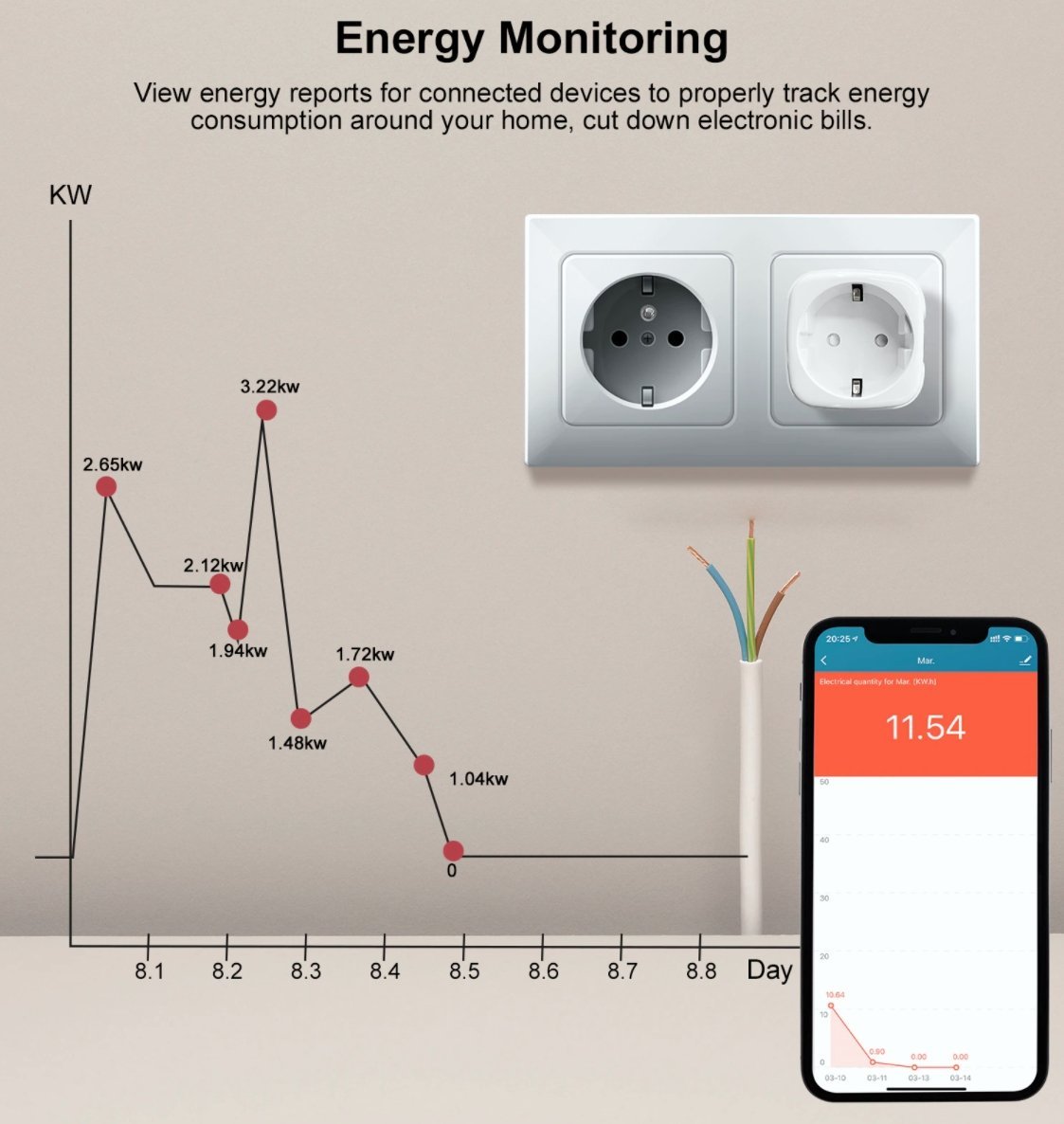
Credit: smartgateways.nl
Common Challenges And How To Avoid Them
Smart plug energy monitoring is powerful, but some challenges can frustrate new users. Here’s how to solve them:
- Wi-Fi Range Issues: Smart plugs need a strong Wi-Fi signal. If your plug is far from the router, use a Wi-Fi extender or mesh system.
- Inaccurate Readings: Some cheap plugs report wrong data. Invest in trusted brands and check reviews.
- App Compatibility: Not all plugs work with every phone or smart home system. Double-check before buying.
- High-Power Devices: Don’t use smart plugs for heavy appliances (like ovens or AC units) unless the plug is rated for high loads.
- Data Privacy: Smart plugs send usage data to apps or the cloud. Read privacy policies and choose reputable manufacturers.
One insight many people miss: If you change the device plugged into your smart plug, reset or update the app’s settings so your data stays accurate.
Advanced Tips For Getting The Most From Smart Plug Energy Monitoring
Once you’re comfortable with basic monitoring, you can unlock even more value:
- Combine with Other Smart Devices: For example, link your smart plug to a motion sensor, so devices turn off when no one’s in the room.
- IFTTT Automations: Use services like IFTTT to trigger actions, like sending a notification if a device is left on too long.
- Track Multiple Devices: Some apps let you manage a dozen or more plugs and compare usage.
- Export Data: Download usage reports for deeper analysis, or share with your energy provider for personalized advice.
- Seasonal Adjustments: Track changes in usage between summer and winter to spot new savings opportunities.
A pro tip: Smart plugs can help with power outage alerts—some brands notify you if a device suddenly stops drawing power, which is useful for critical devices like freezers or medical equipment.
The Future Of Smart Plug Energy Monitoring
Technology is moving fast. In the near future, expect even smarter energy monitoring:
- AI Suggestions: Some plugs will recommend the best schedules or highlight unusual spikes.
- Grid Integration: Plugs may help balance power usage during peak times, saving even more money.
- Better Accuracy: As sensors improve, readings will get even closer to true usage.
- Universal Compatibility: More brands are joining industry standards, making smart plugs easier to mix and match.
For more on the growth of smart home energy solutions, check resources like Wikipedia’s Smart Plug page.
Frequently Asked Questions
How Accurate Are Smart Plug Energy Monitors?
Most quality smart plugs are accurate within 2–5% for household devices. However, accuracy drops for very low or very high wattages. Always check user reviews and technical specs before choosing a model.
Can Smart Plugs Save Money On My Electricity Bill?
Yes. By identifying and controlling high-usage devices, many users see 5–15% reductions on their bills. The savings depend on your habits and the number of devices you monitor.
Are Smart Plugs Safe To Use With All Appliances?
Smart plugs are safe for most household electronics and small appliances. However, do not use them with high-power devices (like ovens or space heaters) unless the plug is rated for that load. Always read the product’s limits.
What Happens If The Wi-fi Goes Down?
If your Wi-Fi fails, you can usually still turn devices on/off manually at the plug. However, remote control and energy monitoring features won’t work until the connection is restored.
Do Smart Plugs Add Much To My Energy Use?
Smart plugs themselves use a tiny amount of power—usually less than 1 watt. The energy they save by helping you control bigger devices is far more than they consume.
Smart plug energy monitoring offers a simple, powerful way to take charge of your electricity use. With clear data, remote control, and easy setup, it’s a smart choice for anyone looking to save money and help the environment—one plug at a time.
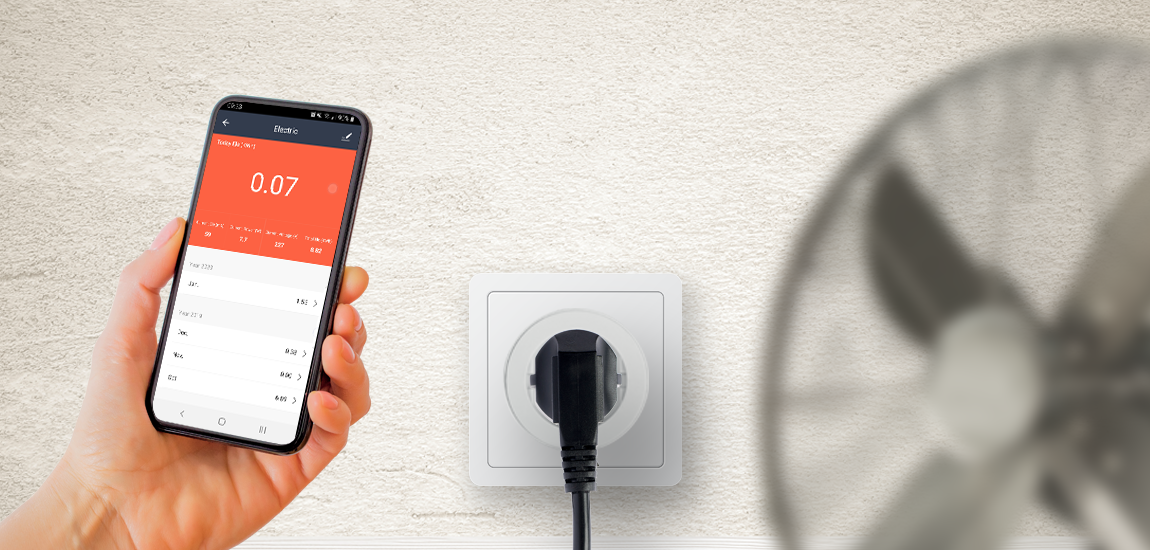
Credit: www.qnecthome.com
Related Office Guides
Continue with these related workspace guides:
