
Wearing a headset for long hours can be exhausting. Many people—gamers, office workers, call center agents, and music lovers—struggle with ear fatigue. This discomfort can turn into pain, headaches, or even a dislike for using your favorite headphones. Luckily, there are effective ways to reduce ear fatigue and enjoy your headset experience for much longer.
Let’s explore practical solutions, reasons why ear fatigue happens, and smart habits to protect your ears. If you want to wear your headset all day without discomfort, this guide will show you how.
What Is Ear Fatigue?
Ear fatigue is a tired, sore, or uncomfortable feeling in your ears after using headphones or a headset for a while. It might feel like pressure, heat, or a dull ache. Sometimes, it can lead to headaches or even dizziness. While it’s not dangerous, ignoring it can make the problem worse.
Ear fatigue usually happens because of one or more of these reasons:
- Wearing your headset too long without breaks
- Loud volume levels
- Poor headset design or fit
- Low-quality sound or harsh audio
- Hot or sweaty ear pads
Understanding these causes helps you fix them. Most solutions are simple but require you to pay attention to your habits and equipment.
Choose The Right Headset
The type of headset you use makes a big difference. Not all headphones are made for long-term comfort. Here’s what to consider when choosing one:
Headphone Type
There are three main types:
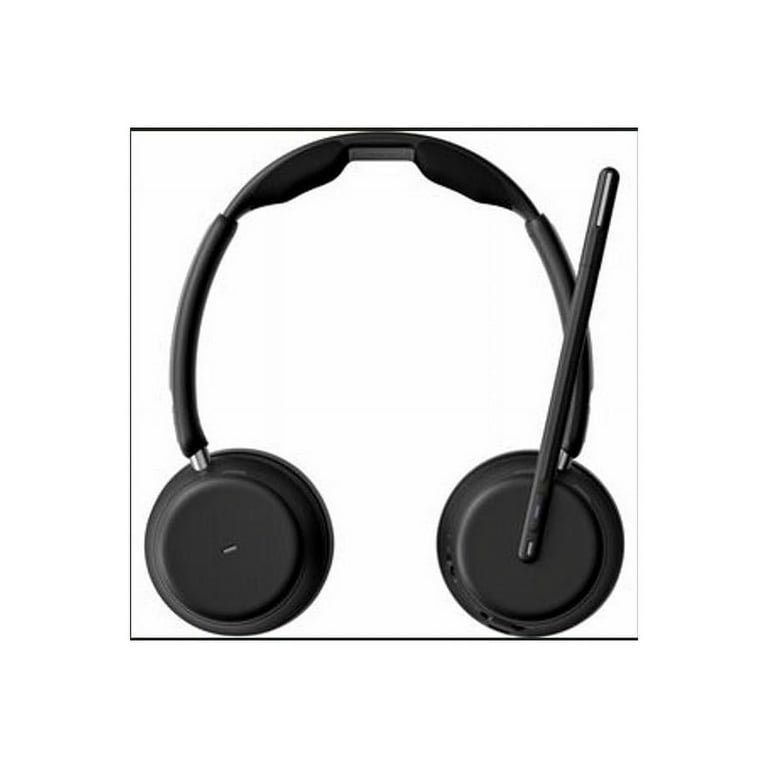
- Over-ear (circumaural): Pads cover the whole ear. Usually, the most comfortable for long use.
- On-ear (supra-aural): Pads rest on the ear. Can cause more pressure points.
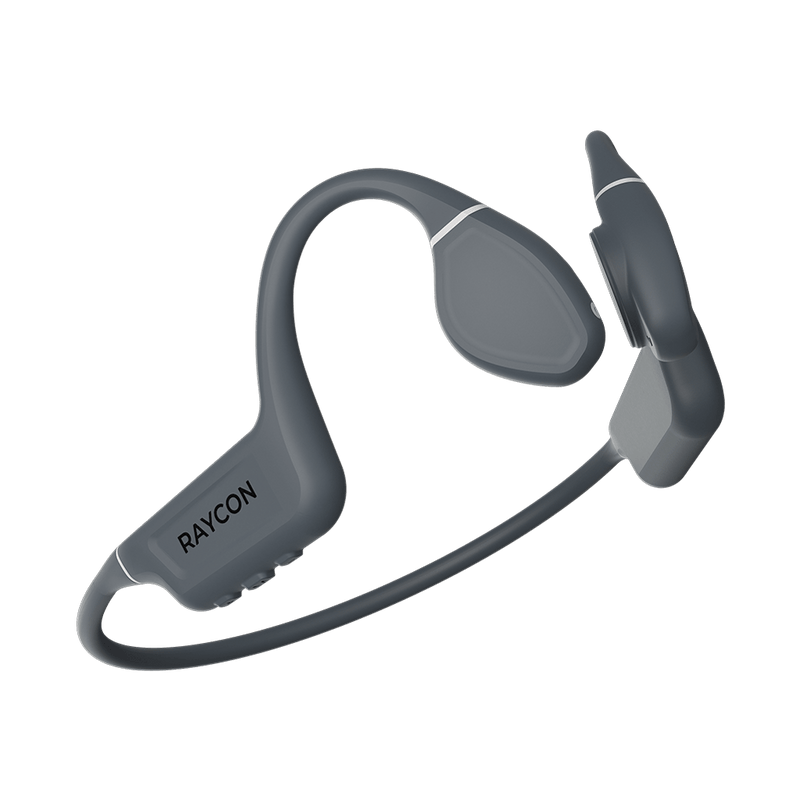
- In-ear (earbuds): Sit inside the ear canal. Small but may cause irritation after hours.
Over-ear headsets are often best for reducing fatigue because they distribute pressure evenly.
Weight And Clamping Force
Heavy headsets or those that press tightly against your head can quickly lead to discomfort. Look for models that:
- Weigh less than 400 grams
- Have adjustable bands to reduce pressure
- Include soft, thick padding
Ear Pad Material
Materials matter. Leatherette pads can get hot and sweaty, while velour or memory foam pads stay cooler. If your current headset’s pads are hard or worn out, consider replacing them.
Comparison: Common Headset Comfort Levels
| Headset Type | Comfort for 2+ hours | Heat/Sweat Issues |
|---|---|---|
| Over-ear (Velour) | High | Low |
| Over-ear (Leatherette) | Medium | Medium |
| On-ear | Low | Low |
| In-ear | Low to Medium | None |
Credit: rayconglobal.com
Control The Volume And Sound Quality
Loud music or harsh sounds can tire your ears even if the headset feels comfortable. Ear fatigue often comes from listening at high volume, especially with lots of treble or bass.
Safe Listening Levels
Experts recommend keeping volume below 85 decibels (dB). Many smartphones and computers display a warning if you go above safe levels.
- Use the 60/60 rule: Listen at 60% of maximum volume for no more than 60 minutes at a time.
- Take regular breaks.
Sound Signature
Some headsets exaggerate bass or treble. This “V-shaped” sound can be exciting but is tiring over time. If possible, choose headphones with a neutral sound or use an equalizer to adjust frequencies.
Audio Source Quality
Low-quality audio files (like old MP3s or compressed streaming) can create harsh, distorted sounds. This is tiring for your ears. Use high-quality files or streaming services with better bitrates.
Take Regular Breaks
Your ears, like any other part of your body, need rest. No matter how comfortable your headset is, wearing it for hours without a break will lead to fatigue.
How Often To Take Breaks
- Every 30 to 60 minutes, remove your headset for at least 5 minutes.
- Use these moments to stand, stretch, and let your ears breathe.
Why Breaks Work
Breaks help restore blood flow, reduce pressure, and cool down your ears. They also allow your brain to reset from constant audio input.
Practical Tip
Set a timer or use a reminder app. Many people forget to take breaks, especially when gaming or working. Automatic reminders can help you build this habit.
Adjust Headset Fit
A poor fit is one of the top causes of ear fatigue. Headsets should feel snug but not tight.
Steps To Improve Fit
- Adjust the headband: Make sure it sits comfortably on top of your head.
- Position ear cups correctly: They should cover your ears fully (if over-ear) without gaps.
- Check for even pressure: The headset shouldn’t press more on one side.
- Change ear pads if needed: If the pads are flat, hard, or damaged, replace them.
Some headsets come with replaceable bands and pads. If yours doesn’t, consider using aftermarket accessories.
Keep Your Ears Cool And Dry
Heat and sweat build up quickly under ear pads, especially in warm weather. Moisture can cause irritation and increase fatigue.
Ways To Stay Cool
- Use velour or breathable ear pads instead of leatherette or plastic.
- Take off your headset during breaks to let your ears breathe.
- If you sweat a lot, consider using a small fan in your workspace.
- For in-ear headphones, use foam tips instead of silicone. Foam absorbs sweat and fits better.
Data: Ear Temperature And Comfort
In a study, people using velour pads reported ears were 2°C cooler than those with leather pads after 1 hour of use.
Credit: www.walmart.com
Maintain Good Posture
How you sit or move affects headset comfort. Slouching or tilting your head for long periods can make ear fatigue worse.
Best Practices
- Sit up straight with your head balanced over your shoulders.
- Adjust your chair and monitor so you don’t have to lean forward.
- If you use a microphone, position it so you don’t need to twist your neck.
Good posture spreads headset weight evenly, reducing pressure on your ears.
Limit Continuous Use
Even with the best equipment, using a headset all day is not healthy. Try to mix headset use with speakers or other audio methods.
- If you’re in meetings, take headset-free calls when possible.
- For music, switch to speakers when you’re alone.
- During long gaming sessions, pause between matches.
Alternating helps your ears recover and prevents long-term problems.
Try Open-back Headphones
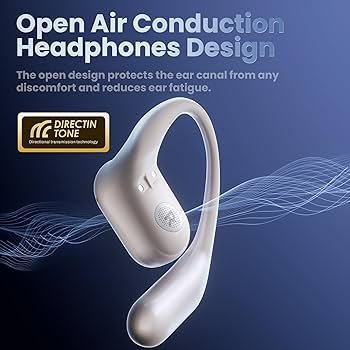
Closed-back headsets can trap heat and create pressure. Open-back headphones allow air to flow and sound to escape, reducing ear fatigue for some users.
Open-back Vs. Closed-back
| Feature | Open-back | Closed-back |
|---|---|---|
| Ear Ventilation | High | Low |
| Sound Isolation | Low | High |
| Fatigue Risk | Lower | Higher |
Open-back models are not suitable in noisy environments because they let sound in and out. But if you work or play in a quiet room, they are a great choice for comfort.
Clean And Care For Your Headset
Dirty ear pads can irritate your skin and cause discomfort. Sweat, oil, and dust build up over time.
Cleaning Tips
- Wipe ear pads with a damp cloth weekly.
- Remove pads (if possible) and wash them gently every month.
- For in-ear headphones, clean tips with mild soap and water.
- Never use alcohol or harsh chemicals on pads.
Regular cleaning keeps your headset fresh and reduces the risk of skin irritation.
Use Hearing Protection Tools
If you must listen at higher volumes or in noisy places, consider hearing protection tools:
- Volume limiters: Devices that cap the maximum volume.
- Equalizer apps: Adjust treble and bass to reduce harshness.
- Noise-canceling headphones: Block outside noise so you can listen at lower volumes.
These tools protect your ears and reduce fatigue risk.
Recognize The Signs Of Serious Problems
Normal ear fatigue goes away after rest. But if you notice these signs, it may be time to see a professional:
- Pain that lasts for hours after using a headset
- Ringing in the ears (tinnitus)
- Hearing loss or muffled sounds
- Dizziness or balance problems
Ignoring these signs can lead to permanent damage.
Real-life Example: Office Worker’s Experience
Sarah works as a customer service agent and wears a headset eight hours daily. She used to get headaches and sore ears every afternoon. After switching to a lighter over-ear headset with velour pads, lowering the volume, and taking hourly breaks, her symptoms disappeared.
She also learned that replacing ear pads every six months kept her headset comfortable.
Sarah’s story shows that small changes can make a big difference. Most people can reduce or even eliminate ear fatigue with the right habits and equipment.
Quick Comparison: Key Ways To Reduce Ear Fatigue
| Method | Effectiveness | Cost |
|---|---|---|
| Switch to over-ear headset | High | Medium |
| Lower volume | High | Free |
| Take regular breaks | High | Free |
| Replace ear pads | Medium | Low |
| Use open-back headphones | Medium | Medium |
Two Non-obvious Insights
- Ear shape matters: Everyone’s ears are different. Some people with larger ears may find even over-ear headsets uncomfortable if the cups are too small. Try before you buy, if possible.
- Brain fatigue, not just ear fatigue: Listening to detailed or dense audio (like podcasts or audiobooks) for hours can tire your brain as well as your ears. Mix in silence or nature sounds to give your mind a break.
Frequently Asked Questions
What Is The Main Cause Of Ear Fatigue From Headsets?
The most common cause is long use at high volume or with poor-fitting headsets. Other factors include heat, sweat, and low-quality audio. Everyone’s ears are different, so what causes fatigue in one person may not in another.
How Long Should I Wear A Headset Before Taking A Break?
Aim for a break every 30 to 60 minutes. Even a short 5-minute rest helps reduce pressure and lets your ears recover.
Can Ear Fatigue Lead To Hearing Loss?
Ear fatigue is usually temporary, but constant loud listening can cause permanent damage over time. If you notice ringing, pain, or hearing changes, see a doctor.
Are Expensive Headsets Always More Comfortable?
Not always. Price can help, but the right fit, padding material, and weight are more important for comfort than brand or price alone.
Where Can I Learn More About Safe Listening Levels?
You can find more about safe listening habits and ear health at the CDC’s Hearing Loss Prevention page.
Taking steps to reduce ear fatigue is simple but requires attention to your daily habits and equipment. With the right headset, safe listening, and regular breaks, you can enjoy your audio experience without discomfort. Your ears will thank you for it!
Credit: www.amazon.com
