
When you switch on a LED lamp, you expect steady, comfortable light. But sometimes, the light flickers—quick, repeated changes in brightness. Flickering can be subtle or obvious. Many people do not notice it right away, but it can cause eye strain, headaches, or simply make a room feel uncomfortable. If you want to create a calm home or workspace, knowing how to check for flicker is important. This article will guide you step-by-step on how to check if your LED lamp flickers, what causes it, and what you can do about it.
What Is Led Flicker?
LED flicker is a rapid, repeated change in light output. It can be invisible to the naked eye (invisible flicker) or easy to see (visible flicker). Both types can cause problems, especially for sensitive people. Flicker is measured in frequency (hertz, Hz), which means how many times per second the light changes.
Some flicker is normal in all types of electric light. But good-quality LED lamps have very low flicker, so most people do not notice. Low-quality or faulty LEDs may flicker more often and cause discomfort.
Why Does Led Flicker Matter?
Even if you do not see flicker, it can still affect you. High flicker can:
- Make reading or working uncomfortable
- Cause headaches or eye fatigue
- Affect children, the elderly, or people with epilepsy more strongly
- Interfere with cameras and video calls (you may see lines or flashing in your footage)
Modern lighting should be comfortable and safe for long use. Checking for flicker helps you choose better lighting for your home or office.
Credit: www.redgrasscreative.com
What Causes Led Lamps To Flicker?
Understanding the cause can help you fix the problem or choose better products. Some common reasons are:
- Cheap or old LED drivers: The driver is the part inside the lamp that controls power. Low-quality drivers cannot smooth the electrical current, causing flicker.
- Poor dimmers: Many dimmers do not work well with LED lamps. This can lead to visible flicker, especially at low brightness.
- Voltage fluctuations: If your electrical supply is unstable, you may notice lights flickering when large appliances turn on or off.
- Compatibility problems: Some LED bulbs are not compatible with certain fixtures or switches.
- Aging lamps: Over time, components inside LEDs can wear out and cause flicker.
How To Check If Your Led Lamp Flickers
Checking for flicker can be simple or advanced. You do not always need expensive tools. Here are several methods, from quick tests to more technical checks.
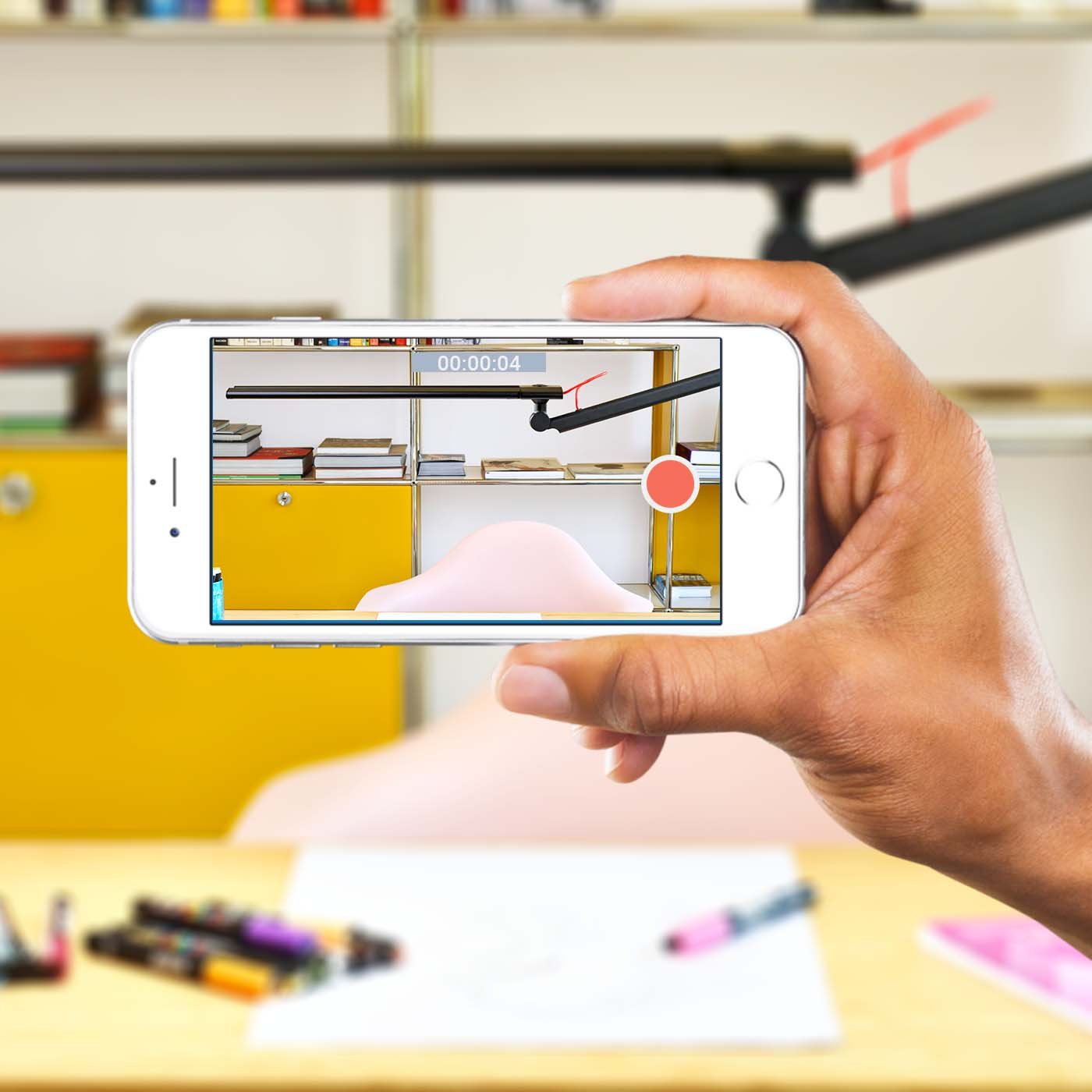
1. The Smartphone Camera Test
One of the easiest ways is to use your smartphone camera. Here’s how:
- Turn on the LED lamp.
- Open your camera app and point it at the light source.
- Do not use flash. Keep the camera steady.
- Look at your screen. If you see moving dark lines or waves, your lamp is flickering.
This test works because most smartphone cameras scan the image in lines, not all at once. If the light flickers, the camera picks up the change.
Tip: Some very high-frequency flicker may not show up with this method, but most problem lamps will be easy to spot.
2. The Slow-motion Video Test
A more sensitive test uses your phone’s slow-motion video feature.
- Set your camera to slow-motion mode.
- Record the lamp for a few seconds.
- Play the video back.
If you see bands, pulsing, or dark and light stripes, your lamp is flickering. This method can reveal flicker that is too fast for your eyes to see.
3. The Pen Or Ruler Shadow Test
This is a classic trick if you do not have a camera handy.
- Hold a pen or ruler under the lamp.
- Move it quickly back and forth.
- Look at the shadow on the wall or table.
If you see multiple sharp shadows (like a strobe effect), the light is flickering. A steady lamp will make only one blurred shadow.
4. Using A Flicker Meter
For the most accurate results, professionals use a flicker meter. This device measures flicker percentage and frequency. Flicker meters are used in lighting labs and by electricians. Most homes do not have one, but some hardware stores may let you test lamps.
A typical flicker meter will show:
- Flicker Percentage: Higher numbers mean more flicker. Good lamps should have less than 10-20%.
- Flicker Frequency: Lower frequencies (below 100 Hz) are more noticeable to humans.
5. Observing With Your Eyes
Sometimes, simply looking at the light tells you a lot. Pay attention when:
- Dimming the lamp: Does the light pulse or change unevenly?
- Turning on other devices: Do the lights flicker when the fridge or air conditioner starts?
- Reading or working: Do you feel eye strain or headaches?
If you notice these signs, your lamp may have a flicker problem.
6. Using A Photodiode And Oscilloscope
If you have access to technical equipment, you can use a photodiode (light sensor) and an oscilloscope to measure flicker. This is advanced but gives you a graph showing exactly how the light changes over time.
How To Compare Flicker In Different Led Lamps
Not all LED lamps are the same. Here’s how some common types compare:
| Type of LED Lamp | Typical Flicker | Comfort |
|---|---|---|
| High-quality branded LED | Low (<10%) | Very comfortable |
| Cheap generic LED | High (>30%) | Often uncomfortable |
| Dimmable LED with old dimmer | Medium-High | May flicker at low settings |
| LED with professional driver | Very low (<5%) | Best comfort |
The Role Of Flicker Frequency
Flicker is not just about how much, but how fast. The frequency (Hz) tells you how many times per second the light changes. Here’s what that means for you:
| Flicker Frequency (Hz) | Human Perception | Common Source |
|---|---|---|
| Below 70 Hz | Very visible, uncomfortable | Old fluorescent or cheap LED |
| 70–120 Hz | Some people notice | Low-quality LED |
| 120–500 Hz | Usually invisible, but can cause eye strain | Most LED lamps |
| Above 1,000 Hz | Invisible and comfortable | Best LED drivers |
Key insight: Even if you do not see flicker, frequencies below 500 Hz can sometimes cause discomfort with long use.

Credit: www.ecosenselighting.com
Practical Steps To Reduce Or Avoid Flicker
If you find your LED lamp flickers, here’s what you can do:
- Switch to better quality lamps. Look for brands that say “flicker-free” or show low flicker percentage on their packaging.
- Use compatible dimmers. Not all dimmers work with LEDs. Choose ones marked as “LED compatible.”
- Avoid very cheap products. These often save money by using poor-quality drivers.
- Check your wiring and voltage. If all lights flicker when large appliances run, ask an electrician to check your wiring.
- Try different lamps in the same socket. If only one flickers, it’s likely a lamp problem. If all do, the issue may be in the wiring or dimmer.
- Ask about return policies. Good stores let you return or exchange lamps that flicker.
Real-world Example: Flicker In Video Meetings
Many people only notice flicker during a video call or while recording a video. The camera may show bands or stripes, even if your eyes do not see anything strange. This is because the camera’s frame rate “fights” with the lamp’s flicker frequency. For smooth video, use lamps with high-frequency or “flicker-free” marking.
Common Mistakes When Checking For Flicker
Beginners often make these errors:
- Testing only with their eyes. Some flicker is too fast to see, but still causes discomfort.
- Ignoring the dimmer. If you use a dimmer, always test the lamp at different brightness levels.
- Blaming the lamp too soon. Sometimes, the problem is in the wiring or the switch, not the bulb.
- Not checking with other electronics. Devices like fans or refrigerators can cause voltage drops that make LEDs flicker.
Why Some Flicker Is Hard To Notice
Invisible flicker is a real issue. Your brain may ignore it at first, but after long hours, it can cause tired eyes, headaches, or poor sleep. Kids and older adults are often more sensitive. If you read or work under LED light for many hours, choosing a low-flicker lamp is worth the small extra cost.
How To Choose Flicker-free Led Lamps
When shopping, check for these features:
- Flicker-free marking: Some brands show a flicker percentage or say “flicker-free.”
- High-frequency drivers: Lamps that use frequencies above 1,000 Hz are safest.
- Test in-store: If possible, use your phone camera before buying.
- Buy from trusted brands: Well-known brands usually have better quality control.
If you want more details on how flicker is measured and why it matters, the Wikipedia page on light flicker has deeper technical information.
When To Call A Professional
If you have tried changing bulbs and dimmers, but your lights still flicker, ask an electrician. Sometimes, the wiring or the whole electrical system needs attention.
Summary Table: Quick Flicker Check Methods
Here’s a quick look at the main ways to check for flicker:
| Method | Tools Needed | Skill Level | Detects Invisible Flicker? |
|---|---|---|---|
| Smartphone camera | Phone | Beginner | Some |
| Slow-motion video | Phone with slow-mo | Beginner | Yes |
| Pen/ruler shadow | Pen, ruler | Beginner | Only strong flicker |
| Flicker meter | Meter device | Advanced | Yes |
| Photodiode + oscilloscope | Lab equipment | Expert | Yes |
Frequently Asked Questions
What Is An Acceptable Flicker Percentage For Led Lamps?
A good LED lamp should have a flicker percentage below 10-20%. Below 5% is ideal, especially for reading or office work.
Why Do Some Led Lamps Flicker Only When Dimmed?
Many dimmers are not designed for LED lamps. This can cause flicker at low settings. Always use a dimmer marked “LED compatible.”
Can Flicker Damage Your Eyes Or Health?
While there is no proof of permanent damage, flicker can cause eye strain, headaches, and discomfort, especially after long exposure.
Is Invisible Flicker A Problem?
Yes. Even if you cannot see flicker, invisible flicker can still make you tired or give you headaches over time.
How Do I Find Flicker-free Led Lamps?
Look for packaging that says flicker-free or lists a flicker percentage. Test with your smartphone camera or buy from well-known brands.
A little time spent checking for flicker can greatly improve your comfort and well-being. Choose your LED lamps wisely for a healthier space.
Credit: www.amazon.com
