
A clean office desk is much more than just a nice thing to have—it shapes how you think, feel, and work every day. Imagine starting each morning at a desk free from dust, sticky stains, or piles of clutter. Your mind feels clearer, your mood lifts, and you dive into work with more energy.
But for many people, keeping a desk clean is not easy. Papers pile up, coffee rings appear, and keyboard crumbs become a daily companion. If you want your workspace to support your productivity and well-being, regular desk cleaning is essential.
This article goes far beyond the basics. You’ll find expert tips, practical advice, and step-by-step strategies for keeping your office desk spotless. Whether you work from a home office or a corporate building, these methods will help you maintain a hygienic, organized, and motivating workspace.
Let’s explore how to clean, organize, and protect your office desk for the long term.
Why Desk Cleanliness Matters
You might think a little mess is harmless. But science shows that clutter and dirt can hurt your focus and even your health. A study by Princeton University found that physical clutter in your environment competes for your attention, lowering your performance and increasing stress.
Dusty surfaces, dirty keyboards, and food crumbs also attract germs and allergens. This means a dirty desk can lead to more sick days and lower work satisfaction.
A clean desk, on the other hand, signals professionalism and care. It makes you look more reliable to colleagues, clients, or anyone who walks by. Plus, finding what you need quickly saves time and frustration. With simple cleaning habits, you can turn your desk into a space that helps you succeed.
Essential Desk Cleaning Supplies
Before you start, gather the right tools. Using proper supplies makes cleaning faster and more effective. Here’s what you need:
- Microfiber cloths – These trap dust and dirt without scratching surfaces.
- Disinfecting wipes – For killing germs on hard surfaces.
- Compressed air can – To blow out dust from keyboards and tight spaces.
- Mild cleaning spray – For cleaning desk surfaces (avoid harsh chemicals).
- Screen cleaner and soft cloth – Designed for computer monitors.
- Small handheld vacuum – For crumbs and dust in drawers or keyboards.
- Trash bags – For tossing old papers and other waste.
- Organizers or trays – To sort small items and reduce clutter.
Having these supplies within reach encourages regular cleaning. Keep a small cleaning kit in your desk drawer so you can tidy up quickly any time.
Daily Cleaning Habits For A Tidy Desk
Small actions each day prevent big messes later. Try these simple habits:
- Wipe Your Desk Surface: At the end of each workday, wipe your desk with a microfiber cloth and a spritz of cleaning spray. This removes dust, fingerprints, and germs before they build up.
- Clear Away Trash: Don’t let wrappers, used tissues, or food containers linger. Empty your trash bin daily, especially if you eat at your desk.
- Organize as You Go: After using pens, papers, or gadgets, put them back in their proper place. This keeps your desk clear and helps you find things fast.
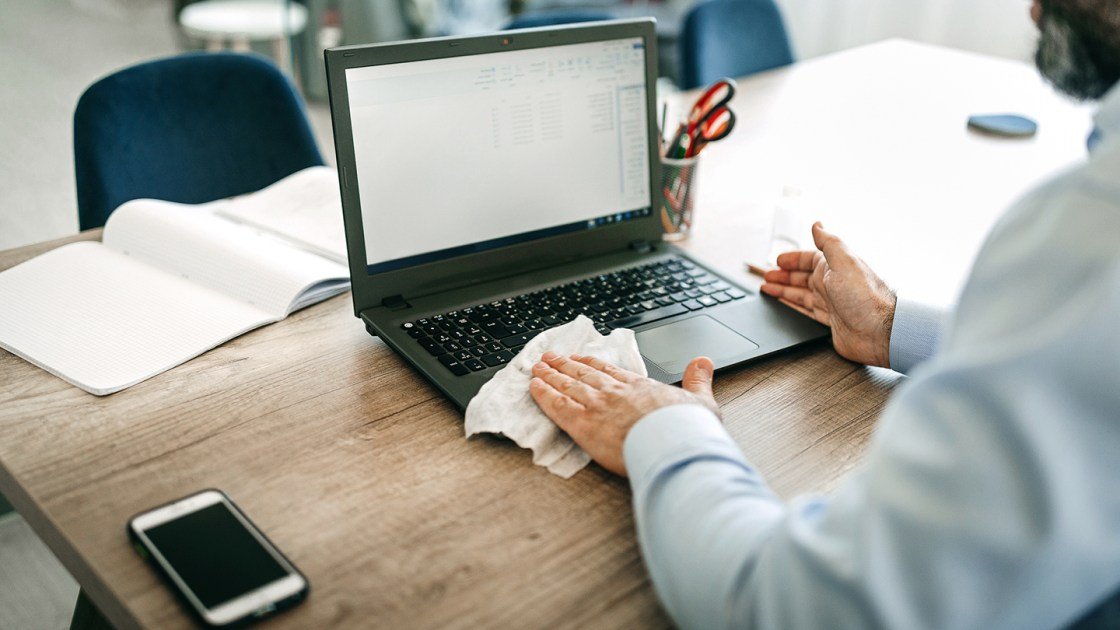
- Tidy Your Keyboard and Mouse: Shake out crumbs and wipe the surface with a disinfecting wipe. Keyboards are among the dirtiest items in the office, so regular cleaning is vital.
- Check for Forgotten Items: Take a quick look for mugs, water bottles, or sticky notes you no longer need.
These habits take less than five minutes but make a huge difference in how your workspace looks and feels.
Weekly Deep Cleaning Strategies
Every week, set aside time for a more thorough cleaning. This prevents buildup and keeps germs at bay. Here’s a step-by-step plan:
- Remove Everything: Take all items off your desk—papers, gadgets, organizers, and decorations. Starting with a blank surface lets you clean more effectively.
- Clean Desk Surface and Edges: Use a disinfecting wipe or mild spray and microfiber cloth to wipe all surfaces, including edges and corners where dust collects.
- Clean Keyboard and Mouse Deeply: Turn your keyboard upside down to shake out debris. Use compressed air to clean between keys. Wipe both keyboard and mouse with disinfecting wipes.
- Wipe Screens and Monitors: Use a screen-safe cleaner and soft cloth. Avoid harsh chemicals, which can damage screens.
- Clean Under Desk and Cables: Dust and dirt collect under your desk and around cables. Use a handheld vacuum or cloth to clean these hidden spots.
- Sort and Reorganize: Before putting items back, sort them. Toss or file papers you don’t need. Group similar items in trays or organizers.
- Sanitize Shared Equipment: If you share phones or other devices, wipe them with disinfectant.
A weekly deep clean not only removes dirt but gives you a chance to reset your workspace for better focus.

Credit: www.servicemasterclean.com
Cleaning Different Desk Surfaces
Not all desks are created equal. The material of your desk affects how you should clean it. Here’s a quick guide:
| Desk Material | Best Cleaning Method | What to Avoid |
|---|---|---|
| Wood | Mild cleaner, damp microfiber cloth | Too much water, harsh chemicals |
| Glass | Glass cleaner, lint-free cloth | Abrasive pads, ammonia on tinted glass |
| Laminate | All-purpose cleaner, soft cloth | Strong solvents, scrubbing pads |
| Metal | Mild soap, water, dry immediately | Leaving damp, bleach |
Always check your desk’s care instructions if you’re unsure. Test any cleaner on a small area first to avoid damage.
How To Clean Office Electronics
Your electronics are touched all day and can harbor germs. Here’s how to clean them safely:
Computer Monitor
- Turn off and unplug the monitor.
- Use a screen-safe cleaner or a mix of water and a little vinegar.
- Spray cleaner on a cloth, not directly on the screen.
- Wipe gently in circles to avoid streaks.
Keyboard
- Unplug or turn off wireless keyboards.
- Shake out loose debris.
- Use compressed air for between keys.
- Wipe keys and surface with a disinfecting wipe (not too wet).
Mouse
- Turn off or unplug.
- Use a disinfecting wipe on top and bottom.
- For stubborn dirt, a cotton swab with alcohol can help.
Phone And Headset
- Wipe with disinfecting wipes.
- For earpads, use a lightly damp cloth.
Never spray liquids directly on electronics. Too much moisture can cause permanent damage. If you’re unsure, check the manufacturer’s cleaning guidelines.
Organizing For Long-term Cleanliness
A clean desk doesn’t last long without organization. Clutter returns quickly if items don’t have a proper place. Here are proven strategies for staying organized:
- Use Desk Organizers: Trays, drawers, and pen holders keep small items from spreading everywhere.
- Label Everything: Labels on files, trays, and drawers help you find things fast and remind you where they belong.
- Go Digital: Scan important papers and store them on your computer or cloud. Less paper means less clutter.
- Set Up “Zones”: Dedicate areas for work, supplies, and personal items. This prevents mixing and mess.
- Limit Personal Items: Keep decorations minimal to avoid crowding your desk.
- File Papers Weekly: Don’t let papers pile up—sort and file them at least once a week.
Here’s a comparison of popular desk organizer types:
| Type | Best For | Downside |
|---|---|---|
| Drawer organizers | Small office supplies | Need drawer space |
| Desktop trays | Paperwork, folders | Can look messy if overloaded |
| Vertical file holders | Active files, notebooks | Takes up surface space |
| Cable organizers | Charging cords, wires | Extra cost |
Choose organizers that match your needs and space. The right system makes cleaning easier and faster.
Handling Common Desk Messes
Even with good habits, messes happen. Here’s how to tackle the most common problems:
Coffee And Drink Spills
- Blot spills immediately with a clean cloth.
- For sticky residue, use mild soap and water.
- On wood, dry quickly to avoid water stains.
Food Crumbs
- Use a handheld vacuum or brush.
- For keyboards, turn upside down and tap gently.
Ink Or Marker Stains
- For wood and laminate, use a little rubbing alcohol on a cloth.
- For glass, regular glass cleaner works.
Dust Build-up
- Wipe surfaces with microfiber cloths regularly.
- Use compressed air for electronics and tight spots.
Germ Hotspots
- Disinfect phones, keyboard, mouse, and drawer handles weekly.
- Shared equipment should be cleaned daily.
Most messes are easier to clean when handled quickly. Don’t let them sit and become permanent stains or attract pests.
Creating A Cleaning Schedule That Works
Consistency is the secret to a clean desk. But how often should you clean what? Here’s a practical schedule:
| Task | Frequency |
|---|---|
| Wipe desk surface | Daily |
| Empty trash | Daily |
| Clean keyboard/mouse | Weekly |
| Organize paperwork | Weekly |
| Deep clean (move items, vacuum) | Weekly |
| Sanitize phone/headset | Weekly |
| Clean under desk/cables | Monthly |
Set calendar reminders for weekly or monthly tasks. If you share a workspace, coordinate with others to keep the area clean for everyone.
Mistakes To Avoid When Cleaning Your Desk
Many people make cleaning harder than it needs to be. Here are common mistakes and how to avoid them:
- Using Harsh Chemicals: Strong cleaners can damage surfaces and are often unnecessary. Use mild products instead.
- Over-Wetting Electronics: Too much moisture ruins keyboards, screens, and other devices. Always spray cleaner on a cloth, not the item.
- Ignoring Small Messes: Waiting until the mess is big makes cleaning harder and increases stress.
- Forgetting Hidden Areas: Dust builds up under your desk, behind monitors, and around cables. Clean these spots regularly.
- Letting Papers Pile Up: Procrastinating on filing leads to lost documents and messy desks.
Smart cleaning means using the right products, acting quickly, and being thorough.
Non-obvious Desk Cleaning Insights
Most desk cleaning advice focuses on visible mess. But some problems are less obvious:
- Air Quality Matters: Dust on your desk becomes air dust you breathe. Use an air purifier if your office is especially dusty, or open windows for fresh air when possible.
- Scent Can Boost Focus: After cleaning, try a desk-safe air freshener with lemon or peppermint. Studies show these scents may improve concentration and mood.
- Regular Decluttering Is More Important Than Deep Cleaning: Spending a few minutes each day clearing clutter is more effective than big cleanings once a month.
- Personal Items Can Distract: Too many photos, souvenirs, or decorations can make it harder to focus, even if the desk is technically clean.
- Poor Cable Management Attracts Dust: Tangled cords behind your desk collect dust and make cleaning difficult. Use cable ties or organizers to keep cords neat.
These tips go beyond standard cleaning and help you create a healthier, more productive workspace.
Cleaning For Shared And Hot-desking Workspaces
Many modern offices use shared desks or “hot-desking.” If you don’t have a fixed workspace, cleanliness is even more important:
- Always clean before and after use: Wipe surfaces, keyboard, and mouse at the start and end of your session.
- Keep personal items minimal: Bring only what you need for the day.
- Use portable organizers: Consider a small caddy or pouch for your supplies.
- Follow office cleaning policies: Most shared spaces provide wipes and instructions—use them.
Good cleaning habits show respect for colleagues and keep germs from spreading.

Credit: amtrustfinancial.com
The Impact Of A Clean Desk On Productivity
A clean desk does more than look good. Research from Harvard University found that employees with organized, clean workspaces are more productive and happier. A tidy desk also reduces the risk of lost documents or missed deadlines.
You may notice:
- Faster task completion: Less time spent searching for items.
- Better mood: Clutter increases stress; cleanliness does the opposite.
- More creativity: Open spaces encourage new ideas.
- Fewer sick days: Fewer germs mean less illness.
Cleaning your desk is a simple way to boost your work life every day.
Office Desk Cleaning Tips For Remote Workers
If you work from home, desk cleaning is just as important—sometimes more. Home offices can quickly turn into catch-all spaces for clutter. Here’s how to keep your home workspace clean:
- Treat your home desk like an office desk: Use the same daily and weekly cleaning routines.
- Keep food away: Avoid eating at your desk to reduce crumbs and stains.
- Use baskets or boxes: Store non-work items out of sight.
- Set a “reset” time: At the end of each day, spend 5 minutes resetting your desk for tomorrow.
A dedicated, clean space helps separate work from home life, which is key for remote workers’ mental health.
Credit: www.wework.com
Eco-friendly Desk Cleaning Options
Many cleaning products are not environmentally friendly. If you want a greener desk cleaning routine:
- Choose reusable microfiber cloths: They last longer and reduce waste.
- Use homemade cleaners: Mix vinegar and water for a natural surface spray.
- Buy refillable cleaning bottles: Reduce single-use plastics.
- Recycle paper and electronics: Don’t just toss old items in the trash.
Eco-friendly cleaning is good for your health and the planet. For more green cleaning tips, visit EPA Safer Choice.
Frequently Asked Questions
How Often Should I Clean My Office Desk?
It’s best to wipe your desk surface and empty the trash every day. Do a deeper clean (keyboard, mouse, organizing) once a week. If you eat at your desk or share it with others, clean more often.
What Is The Safest Way To Clean Electronics Like Keyboards And Screens?
Always unplug or turn off electronics first. Use a slightly damp microfiber cloth for screens—never spray liquids directly. For keyboards, use compressed air and disinfecting wipes (not too wet). Check your device manual for specific instructions.
Can I Use Household Cleaners On My Desk?
Many household cleaners are too strong for office furniture. Use a mild cleaner or one designed for your desk’s material. Always test a small area first. Avoid bleach or ammonia on wood, and abrasive pads on any surface.
What Is The Biggest Mistake People Make When Cleaning Desks?
The most common mistake is using too much liquid on electronics or letting papers and clutter build up. Tackle small messes quickly, and always use the right products for your desk’s material and electronics.
How Can I Keep My Desk Clean If I Have A Lot Of Paperwork?
Go digital where possible—scan and store important documents on your computer. Use trays and file holders to organize active papers. File or discard paperwork weekly so it doesn’t pile up.
A clean office desk is an investment in your health, productivity, and peace of mind. With the right tools, habits, and a little effort each day, you can transform your workspace and your workday.
