
Electronics are a big part of our daily lives, from smartphones to laptops and cameras. But these devices attract dust, oils, and grime, which can cause them to work poorly or even break. Cleaning electronics is not as easy as wiping a table. You need to be careful, or you could damage sensitive parts. That’s where isopropyl alcohol comes in. Many technicians and hobbyists trust it for cleaning electronic parts safely and effectively. But how does it work, what should you know before using it, and are there risks? Let’s explore everything you need to know about using isopropyl alcohol for electronics cleaning.
What Is Isopropyl Alcohol?
Isopropyl alcohol, also called IPA or rubbing alcohol, is a colorless, flammable liquid with a strong smell. Its chemical formula is C₃H₈O. It is used in medicine, cleaning, and industry because it kills germs and dissolves oils and dirt. You can find isopropyl alcohol in different strengths, usually between 70% and 99%.
The most common use in electronics is the higher concentrations, such as 90% or 99%, because they have less water and dry faster. Water can cause corrosion or short circuits in electronics, so less water is always better.
Why Use Isopropyl Alcohol For Electronics?
Cleaning electronics is very different from cleaning other objects. Here’s why isopropyl alcohol is a top choice:
- Evaporates quickly: It doesn’t leave moisture that can cause rust.
- Non-conductive: It won’t create a short circuit if used properly.
- Dissolves oils and grime: It breaks down dirt, fingerprints, and sticky residue.
- Safe on most surfaces: It usually won’t damage plastic or metal in electronics.
Other cleaners like water, soap, or household sprays can harm electronics. They may leave behind minerals, moisture, or chemicals that cause corrosion.
How Isopropyl Alcohol Cleans Electronics
Isopropyl alcohol works in two ways:
- Dissolving: It breaks down oils, grease, and sticky residues from skin, food, or the environment.
- Lifting particles: It helps lift away dust and fine particles.
Because it dries quickly, it leaves no residue behind. This is important for circuit boards and connections, which can stop working if they get sticky or dirty.
Types And Concentrations Of Isopropyl Alcohol
Not all isopropyl alcohol is the same. The main difference is the percentage of alcohol in the solution. This affects how well it cleans and how fast it dries.
| Concentration | Water Content | Common Uses | Drying Speed |
|---|---|---|---|
| 70% | 30% water | Disinfecting skin, general cleaning | Slower |
| 90% | 10% water | Electronics, precise cleaning | Faster |
| 99% | 1% water | Delicate electronics, lab use | Fastest |
- 70% IPA: Contains more water. It’s good for disinfecting skin but not ideal for electronics because water can stay behind and cause problems.
- 90% IPA: A popular choice for most electronics cleaning. It removes dirt and dries quickly.
- 99% IPA: Best for delicate or sensitive electronics, like circuit boards. It leaves almost no water behind.
When To Use Isopropyl Alcohol In Electronics Cleaning
Knowing when to use isopropyl alcohol is important. Here are the most common situations:
- Cleaning circuit boards: Removes dust, flux residue, and oils after soldering.
- Keyboard cleaning: Gets rid of sticky keys and germs.
- Screen cleaning (with caution): Removes fingerprints and oils from glass screens.
- Connector and port cleaning: Keeps USB, HDMI, and power ports free of dirt.
- Repair work: Prepares surfaces before applying new thermal paste or adhesives.
- Removing sticker residue: Cleans off glue after removing labels.
Isopropyl alcohol is not for everything. For example, it can damage some coatings or soft plastics if used too much or too often.
Step-by-step Guide: How To Clean Electronics Safely With Isopropyl Alcohol
Cleaning electronics is not difficult, but doing it wrong can cause damage. Follow these clear steps to clean most electronics safely:
1. Gather Your Supplies
- Isopropyl alcohol (90% or 99%)
- Lint-free cloths or microfiber cloths
- Cotton swabs or foam swabs
- Compressed air (optional)
- Soft brush (optional)
- Small container (for soaking)
- Protective gloves (optional)
2. Power Down And Unplug
Always turn off the device and unplug it from power. For devices with batteries, remove the battery if possible. This prevents any risk of short circuits.
3. Remove Loose Dust
Use compressed air or a soft brush to gently remove dust and loose particles from the device. This helps prevent scratching the surface during cleaning.
4. Apply Isopropyl Alcohol
- Pour a small amount of isopropyl alcohol onto a lint-free cloth or swab. Do not pour alcohol directly onto the device.
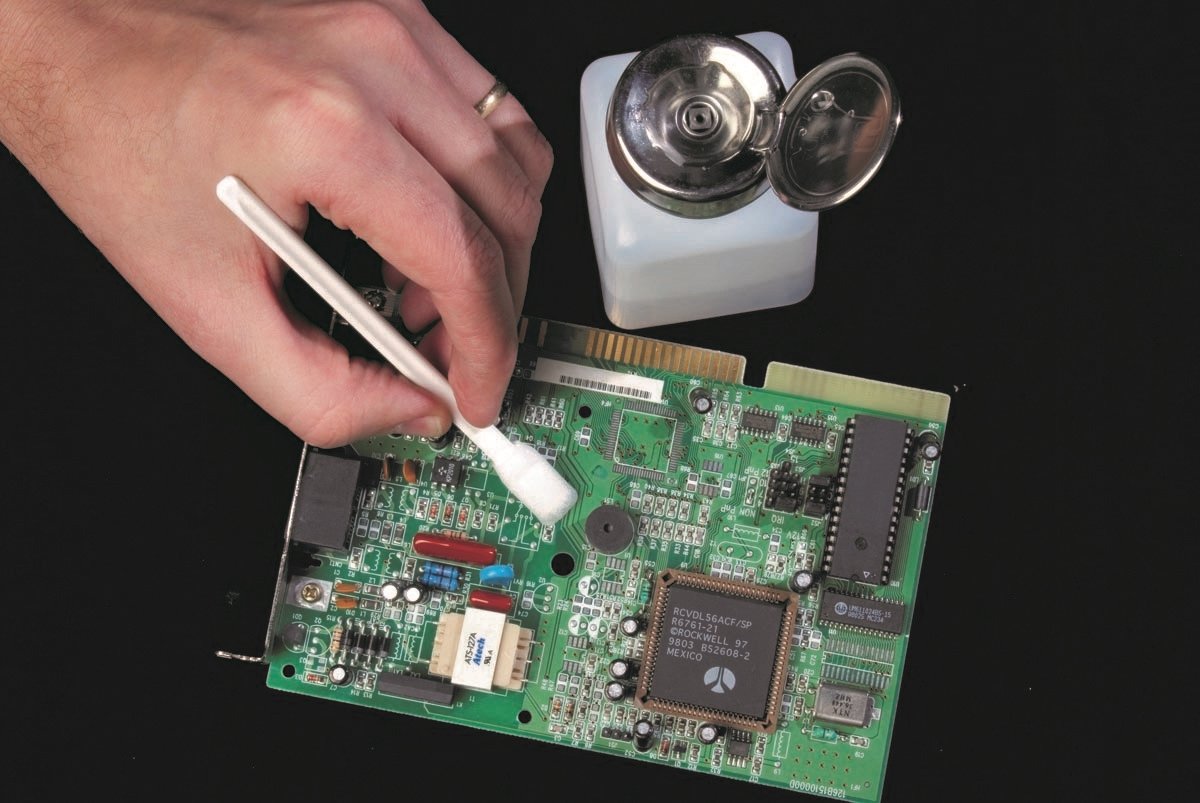
- For small areas (like circuit boards or connectors), use a cotton swab dipped in alcohol.
- For larger surfaces, like screens or keyboards, use a cloth.
5. Wipe And Clean
- Gently wipe the area. Do not scrub too hard.
- For sticky or oily spots, let the alcohol sit for a few seconds, then wipe again.
- For stubborn dirt, use a fresh swab or cloth.
6. Let It Dry
Isopropyl alcohol evaporates fast, but always wait a few minutes before turning the device back on. Make sure all parts are dry.
7. Reassemble And Test
Put everything back together and check that the device works as expected.
Practical Tips For Best Results
Here are some useful tips that many beginners don’t know:
- Use the right concentration: Always choose 90% or higher for electronics. Lower concentrations leave more water, which is risky.
- Avoid over-wetting: Too much alcohol can drip into places you can’t dry easily.
- Test on a small area first: Some plastics or coatings may react badly to isopropyl alcohol.
- Use a clean cloth every time: Reusing dirty cloths can scratch delicate surfaces.
- Store alcohol properly: Keep it in a tightly closed bottle, away from heat and sunlight.
What Not To Clean With Isopropyl Alcohol
While isopropyl alcohol is safe for most electronics, there are exceptions:
- LCD screens with special coatings: Some screens have anti-glare or anti-fingerprint coatings that can be damaged.
- Soft plastics: Over time, repeated cleaning can make some plastics brittle.
- Painted surfaces: Alcohol can remove paint or printed labels.
- Certain adhesives: It can weaken glue holding parts together.
If you are unsure, check the device’s manual or test on a hidden spot first.
Credit: www.allpcb.com
Real-world Examples: Isopropyl Alcohol In Action
Many professionals rely on isopropyl alcohol for tough cleaning jobs. Here are a few real examples:
- Repair shops: After soldering on a circuit board, technicians use 99% IPA to remove leftover flux. This keeps circuits working and prevents corrosion.
- Photographers: Camera sensor cleaning kits often include isopropyl alcohol for safe removal of dust and oil.
- Gamers: Sticky controller buttons are fixed by opening the controller and cleaning the contacts with IPA.
These cases show how versatile and safe isopropyl alcohol is when used correctly.
Comparing Isopropyl Alcohol With Other Cleaning Methods
How Does Isopropyl Alcohol Compare To Other Popular Cleaning Solutions?
| Cleaner | Evaporation Speed | Residue Left | Risk to Electronics | Best Use |
|---|---|---|---|---|
| Isopropyl Alcohol (90%+) | Very Fast | None | Low | All electronics |
| Water | Slow | Minerals | High | Never recommended |
| Soap Solution | Slow | Yes | High | Cases only |
| Household Cleaners | Varies | Yes | Very High | Never recommended |
As shown, isopropyl alcohol is the safest and most effective choice for most electronics.
Isopropyl Alcohol: Safety Precautions And Risks
Isopropyl alcohol is safe to use if you follow some basic rules. However, there are real dangers if you ignore safety.
Fire Hazard
Isopropyl alcohol is very flammable. Never use it near open flames or hot surfaces. Always work in a well-ventilated area.
Health Risks
Breathing in strong fumes can cause headaches or dizziness. Avoid skin contact if you have sensitive skin, and never drink or taste isopropyl alcohol.
Device Damage
- Too much alcohol can seep into places it shouldn’t, causing damage.
- Cleaning while the device is plugged in can create a short circuit.
- Some plastics or coatings may discolor or weaken.
Waste Disposal
Never pour large amounts of isopropyl alcohol down the drain. Check your local rules for safe disposal.
Common Mistakes Beginners Make
Many people make the same mistakes when cleaning electronics. Here are a few to watch out for:
- Using the wrong concentration: Lower than 90% can leave water behind, causing corrosion.
- Pouring directly on devices: Always apply to a cloth or swab first.
- Not waiting for complete drying: Turning on a wet device can destroy it.
- Forgetting to unplug: Cleaning powered devices risks electric shock and damage.
- Rough cleaning: Scrubbing too hard can break delicate parts.
Avoiding these mistakes will help you clean electronics safely and effectively.
The Science Behind Isopropyl Alcohol’s Effectiveness
Isopropyl alcohol is so good for electronics because of its chemical properties. It is polar, which means it can dissolve water and many organic compounds. But it also evaporates quickly, leaving no residue. This is important for tiny circuits, where even a small droplet can cause trouble.
Scientists often use isopropyl alcohol in laboratories for cleaning glassware and sensitive equipment for the same reasons. Its rapid drying and non-conductive nature make it ideal for anything that cannot get wet.
How Professionals Use Isopropyl Alcohol
Professional repair shops and electronics factories rely on isopropyl alcohol for top results. They often use special ultrasonic cleaners filled with isopropyl alcohol to clean circuit boards. These machines use sound waves to shake loose dirt and grime, while the alcohol dissolves oils and dries quickly.
Some companies have strict rules about which concentration to use. For example, Apple recommends 70% IPA for some devices but warns to use it sparingly and not to let any liquid get inside ports or openings.
Environmental Impact And Alternatives
Isopropyl alcohol is less harmful to the environment than many chemical cleaners, as it breaks down quickly. However, it is made from petroleum. If you want a more eco-friendly approach, you can use high-purity ethanol, but it is harder to find and often more expensive.
Some companies are working on bio-based solvents that work like isopropyl alcohol but are made from plants. These are still new and not always as effective, but they are worth watching for the future.
Buying Isopropyl Alcohol: What To Look For
When buying isopropyl alcohol for electronics cleaning, keep these points in mind:
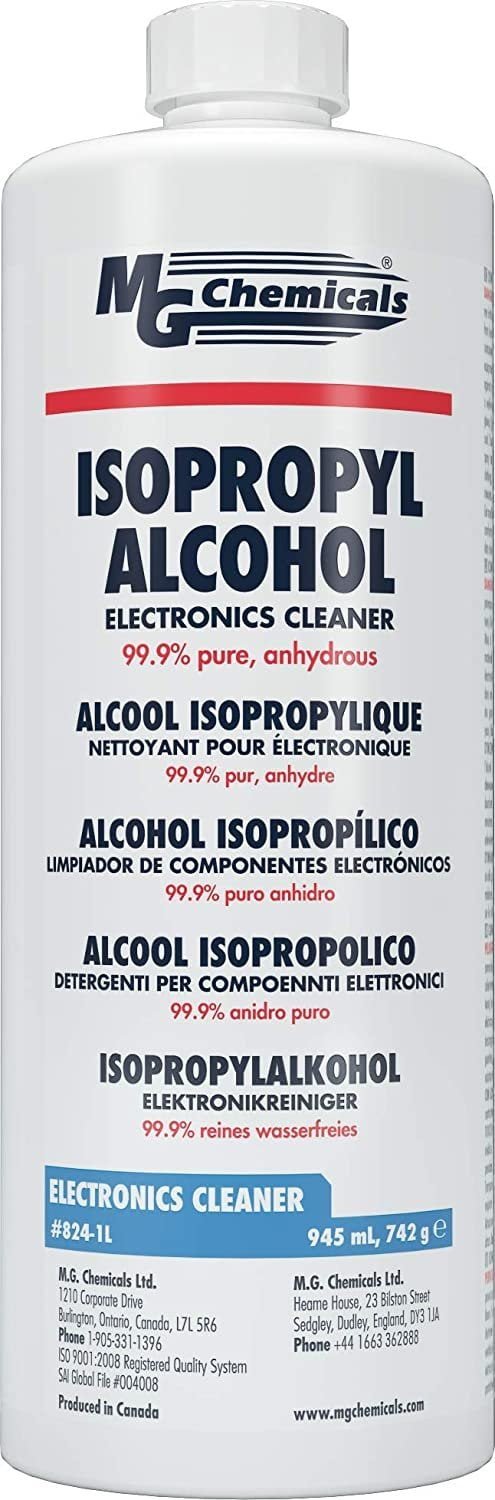
- Purity: Look for 90% or 99% purity. Read the label carefully.
- Additives: Avoid products with added scents, colors, or moisturizers. These can leave residues.
- Packaging: Choose a bottle with a tight cap and small opening for easy pouring.
- Source: Buy from trusted stores or online sellers. Some hardware stores sell cleaning-grade IPA, but always check the label.
Cost And Availability
Isopropyl alcohol is usually affordable. A 16-ounce (about 475 ml) bottle of 99% IPA costs between $5 and $10 in the US. Larger bottles are cheaper per ounce. During times like the COVID-19 pandemic, prices may rise due to high demand.
| Volume | Average Price (USD) | Best Use |
|---|---|---|
| 250 ml | $3 – $6 | Home use, small projects |
| 500 ml | $5 – $10 | Regular cleaning |
| 1 liter | $8 – $15 | Shops, heavy use |
Non-obvious Insights For Effective Cleaning
Many beginners miss these useful tips:
- Precision tools help: Using a small, soft paintbrush with IPA can get into tight spaces, like keyboard switches or inside USB ports.
- Don’t mix IPA with other cleaners: Mixing with water or soap can leave residue or cause chemical reactions. Use IPA alone.
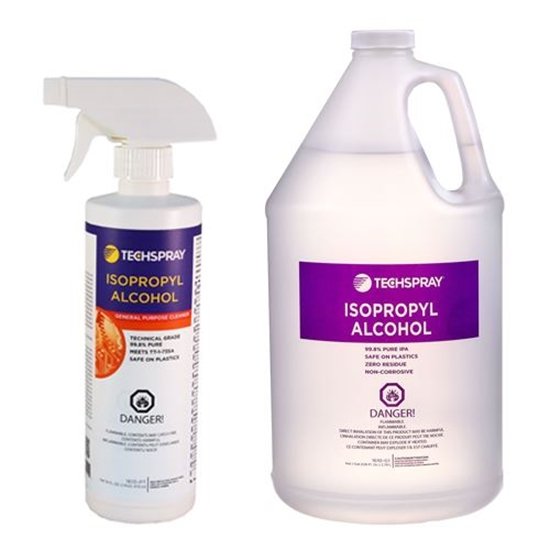
- Label your cleaning bottles: If you transfer IPA to a spray or squeeze bottle, always label it. Unmarked bottles can be dangerous.
Credit: www.techspray.com
Isopropyl Alcohol For Cleaning Different Types Of Electronics
Each device has special cleaning needs. Here’s a guide for common electronics:
Smartphones And Tablets
Use 90% or 99% IPA on a microfiber cloth for screens and cases. Avoid getting alcohol in charging ports or speakers. Never soak the device.
Laptops And Keyboards
Turn off and unplug. Clean keys and touchpads with a cloth dampened with IPA. For sticky keys, remove the keycap and gently clean the area with a swab.
Pc Components
For CPUs, GPUs, and fans, use IPA to remove dust and old thermal paste. Always let parts dry fully before reassembling.
Audio Equipment
Headphone jacks, earbuds, and microphones often collect grime. Use a swab with IPA to gently clean these parts.
Game Consoles And Controllers
Sticky buttons and dirty ports can be cleaned with IPA and a swab or brush. For deep cleaning, open the device if you are confident.
Isopropyl Alcohol In The Electronics Industry
In factories, isopropyl alcohol is used for mass production cleaning. Workers use it to:
- Clean circuit boards after soldering
- Remove fingerprints before packaging
- Prepare surfaces for adhesives
Because it evaporates fast and leaves no residue, it helps products pass strict quality checks.
Credit: www.walmart.com
Where To Find More Information
If you want to learn more about the science or safety of isopropyl alcohol, check reliable sources like the Wikipedia page on Isopropyl Alcohol. This offers deep details on chemical properties, safety, and uses.
Frequently Asked Questions
What Is The Best Concentration Of Isopropyl Alcohol For Cleaning Electronics?
The best concentration is 90% or higher. This ensures fast drying and less water, which is safer for electronics. Lower concentrations can leave behind moisture that may cause damage.
Can I Use Isopropyl Alcohol To Clean My Phone Screen?
Yes, but use it carefully. Apply 90% or 99% IPA to a microfiber cloth and wipe gently. Do not let liquid enter any openings or ports, as this can cause problems.
Is Isopropyl Alcohol Safe For All Electronic Devices?
It is safe for most, but avoid using it on plastic parts, special coatings, or painted surfaces without testing first. Always check the device’s manual if unsure.
What Should I Do If I Spill Isopropyl Alcohol Inside My Device?
Turn off the device and unplug it immediately. Let it dry fully (wait at least a few hours, or longer if possible) before turning it on again. If you are worried, consult a repair technician.
Can I Mix Isopropyl Alcohol With Water For Cleaning?
No, do not mix isopropyl alcohol with water for electronics cleaning. Water can cause corrosion or short circuits, even in small amounts. Use pure IPA for best results.
Cleaning electronics can seem scary, but with isopropyl alcohol and the right techniques, you can keep your devices working like new. Remember to use the proper concentration, never rush, and always put safety first. With some care, your electronics will stay clean, safe, and long-lasting.
