
If you use a computer, TV, or any other electronic device at home or work, you probably use a surge protector. These devices look simple—just a power strip with extra plugs. But inside, a surge protector guards your expensive electronics from sudden bursts of electricity, called power surges. Over time, or after a big surge, your protector may stop working well, even if it looks fine from the outside. So, how do you know if your surge protector is still keeping your devices safe? Most people don’t check. But learning how to test a surge protector is not hard—and it can save you from surprise damage and expensive repairs.
This guide explains what a surge protector does, why testing is important, and exactly how to check if your surge protector is still working. You’ll learn simple steps you can do at home, the tools you might need, and how to recognize when it’s time for a replacement.
We’ll also cover common mistakes, give you practical tips, and answer frequent questions. By the end, you’ll feel confident about protecting your electronics and getting the most out of your surge protector.
Why Surge Protectors Matter
A surge protector is more than just a fancy extension cord. Its main job is to stop too much electricity from reaching your devices during sudden spikes, which can happen because of lightning, power outages, faulty wiring, or even when large appliances like fridges turn on and off. A good surge protector absorbs or redirects extra voltage before it harms your equipment.
Power surges are common. In the United States alone, millions of dollars in electronics are damaged every year from surges. Even small surges you don’t notice can slowly weaken your devices over time. That’s why many experts recommend using surge protectors for computers, TVs, gaming consoles, home theaters, and office equipment.
But here’s the problem: surge protectors don’t last forever. Each time they block a surge, they lose a bit of their strength. After enough hits—or a single big one—they might stop protecting, but still work as a power strip. That means your electronics are plugged in, but not really safe. Testing your surge protector is the only way to know for sure.
How Surge Protectors Work
Before you start testing, it helps to know what’s inside a surge protector and how it does its job. Most surge protectors use a part called an MOV (Metal Oxide Varistor). The MOV acts like a shield. When voltage is normal, it does nothing. But when a surge hits, the MOV absorbs the extra energy or sends it safely to the ground. This keeps the voltage steady for your devices.
Over time, each surge slowly wears down the MOV inside. Once it’s used up, the surge protector can’t shield your electronics anymore. Some protectors have warning lights to show when this happens, but many do not.
Surge protectors are rated by how much energy they can absorb, measured in joules. A higher joule rating means more protection, but it also means the protector can handle more surges before wearing out.
Here’s a comparison of three common surge protector types:
| Type | Joule Rating | Indicator Light | Typical Lifespan |
|---|---|---|---|
| Basic Power Strip | 0 | No | Not a surge protector |
| Standard Surge Protector | 200–1000 | Maybe | 2–5 years |
| Heavy-Duty Surge Protector | 1000–4000+ | Usually | 3–7 years |
Credit: lsp.global
Signs Your Surge Protector Needs Testing
Most people leave their surge protector plugged in for years without checking it. But there are clear signs that it’s time to test or replace your device:
- No power: Devices don’t turn on when plugged into the protector.
- Indicator light off: Many surge protectors have a small light labeled “Protected” or “Surge.” If this light is off (when the device is plugged in and switched on), the protector may not be working.
- Visible damage: Burn marks, melted plastic, or a burning smell mean you should replace it immediately.
- Age: If your surge protector is more than 3–5 years old, even if it looks fine, it may not work well anymore.
- After a storm or power event: If your home had a lightning strike, blackout, or nearby transformer problem, test your surge protector soon after.
Non-obvious insight: Even if the power strip part works (your devices turn on), the surge protection feature could be dead. Many people miss this and get a false sense of security.
Tools You Need To Test A Surge Protector
Testing a surge protector can be simple or advanced, depending on how deep you want to go. For basic checks, you need almost nothing. For more advanced tests, a few extra tools help:
- Visual inspection: Just your eyes.
- Test device: A small lamp or phone charger.
- Multimeter: Measures voltage and continuity (helpful, but optional).
- Outlet tester: Checks wiring and grounding (recommended for safety).
- Surge protector tester: Special plug-in tools that check if the protection circuit works (optional).
Here’s how these tools compare:
| Tool | What It Tests | Skill Level | Cost |
|---|---|---|---|
| Visual Inspection | Physical condition | Beginner | Free |
| Test Device | Basic power | Beginner | Free |
| Outlet Tester | Wiring & ground | Beginner | Low |
| Multimeter | Voltage & continuity | Intermediate | Medium |
| Surge Protector Tester | Protection circuit | Intermediate | Medium |
Step-by-step: How To Test A Surge Protector
Follow these steps to check if your surge protector is still working. You don’t need to be an electrician to do these checks.
1. Unplug Everything
Before you start, unplug all devices from your surge protector. This keeps your electronics safe and makes it easier to spot problems.
2. Visual Inspection
Look closely at your surge protector. Check for:
- Cracks or breaks in the casing
- Burn marks or discoloration
- Loose or damaged outlets
- Worn or frayed power cord
- Melted plastic or a strange smell
If you find any of these, stop using the surge protector. Replace it right away.
3. Check The Indicator Light
Many surge protectors have a small LED labeled “Protected” or “Surge. ” Plug the surge protector into a working wall outlet and switch it on.
- Light on: Usually means surge protection is active.
- Light off: Surge protection may be lost, even if outlets still provide power.
Important: Some lights can burn out even if the protector still works, but most are reliable.
4. Test The Outlets
Plug in a simple device, like a lamp or phone charger, to each outlet on the surge protector.
- If every outlet works, the power strip function is fine.
- If some outlets don’t work, the device is damaged. Replace it.
But remember: Just because outlets work, doesn’t mean surge protection is active.
5. Use An Outlet Tester
Plug an outlet tester into the surge protector. This small tool checks if the wiring and grounding are correct.
- Correct wiring: Lights on the tester will show a “correct” pattern.
- Incorrect wiring: If the ground or neutral is missing, surge protection may not work.
Proper grounding is critical. Surge protectors can only redirect extra voltage if there’s a safe path to ground. Many people don’t realize: if your wall outlet isn’t properly grounded, surge protectors can’t do their job.
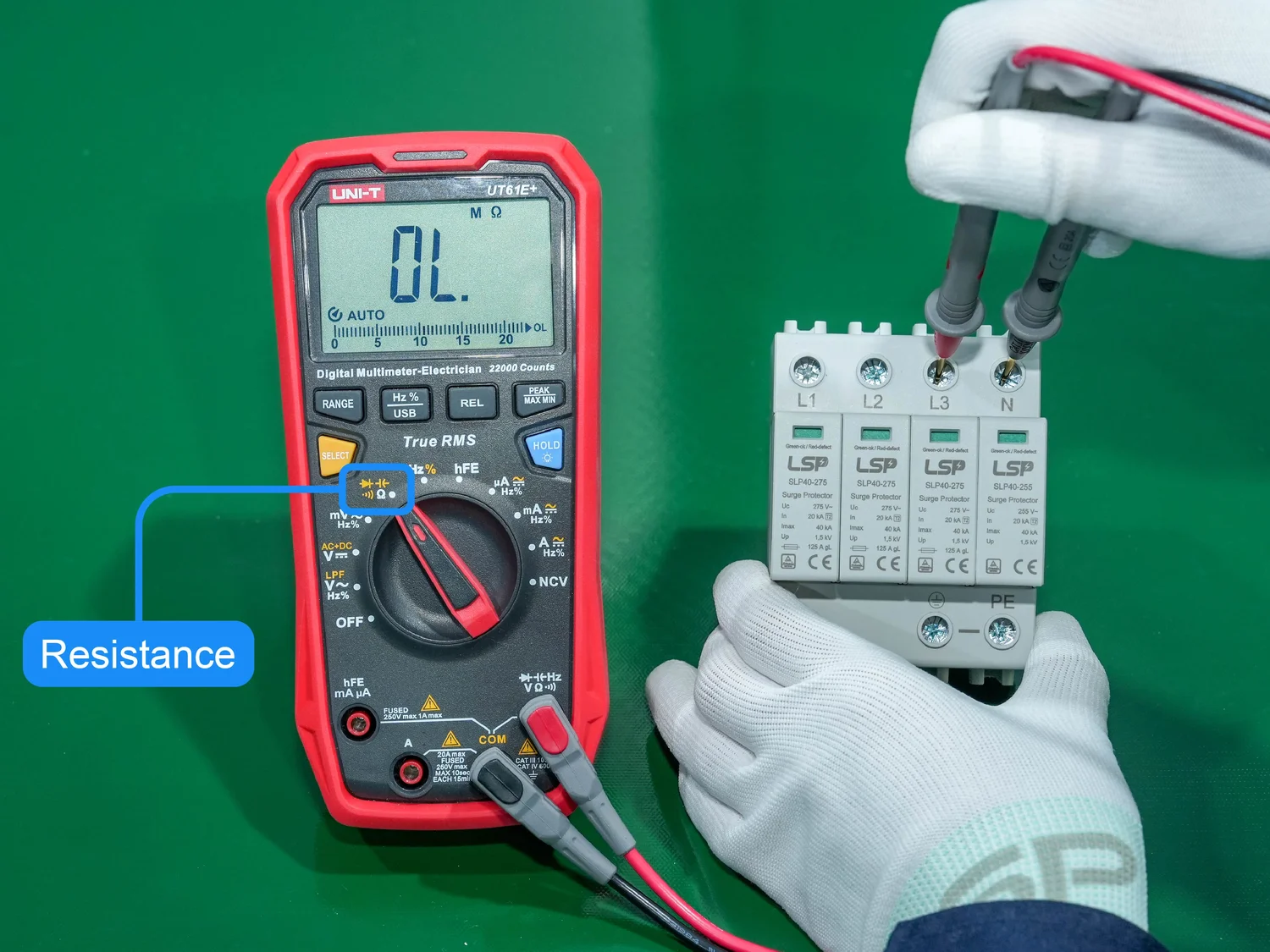
6. Advanced: Use A Multimeter
A multimeter can help check if voltage is normal and if there’s continuity (a complete electrical path) inside the surge protector.
- Set the multimeter to AC voltage.
- Plug the surge protector in and switch it on.
- Insert the probes into the output slots (hot and neutral).
- You should see standard voltage (120V in the US, 220–240V in many other countries).
You can also check continuity between the ground pin and the surge protector’s ground connection.
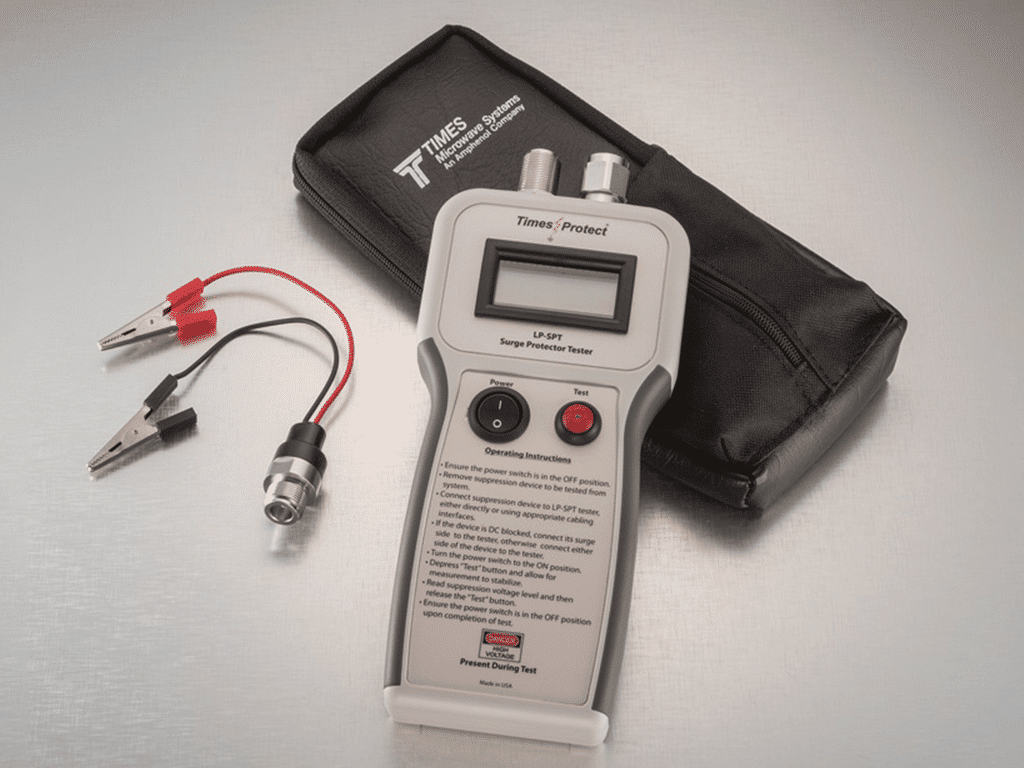
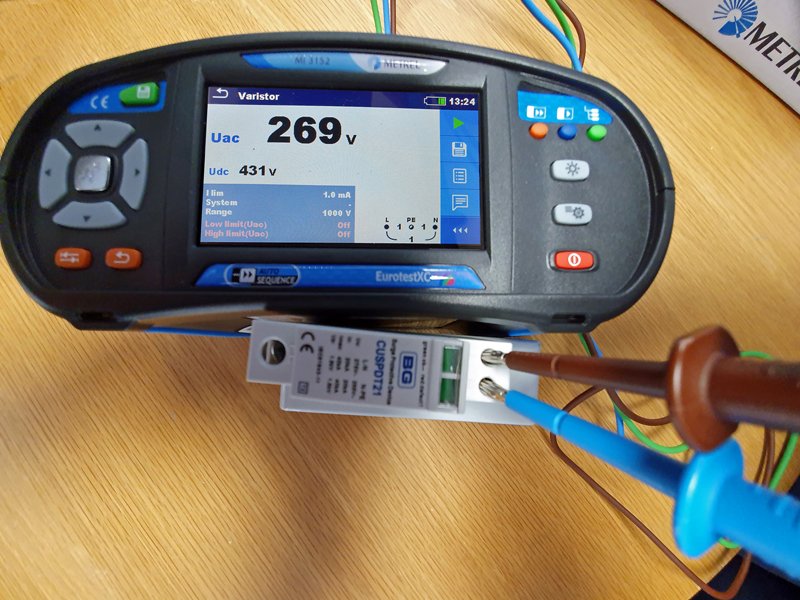
7. Advanced: Use A Surge Protector Tester
Some hardware stores sell plug-in testers designed for surge protectors. These devices send a small test surge and check if the protector responds.
- Plug the tester into the surge protector.
- Follow the tester’s instructions.
- If it shows a warning or “fail,” replace the surge protector.
Non-obvious insight: These testers can’t always detect partial wear. A protector may pass today but fail soon if it’s near the end of its life.
8. Check Age And Joule Rating
Find the label on your surge protector. Look for the manufacture date and joule rating. If it’s more than 3–5 years old or has a low joule rating (under 400 joules), consider replacing it—even if it seems to work.
When To Replace Your Surge Protector
Even the best surge protector wears out over time. Here’s when you should replace yours:
- After a big surge: If you know your home had a lightning strike or power spike, your protector may have absorbed a big hit. Replace it.
- Indicator light goes out: If the protected light no longer works, even after checking the wall outlet, get a new protector.
- Physical damage: Any burn marks, melted areas, or broken pieces mean it’s unsafe.
- Old age: If it’s over 3–5 years old, especially in high-surge areas, replace it. Some heavy-duty protectors last longer, but most lose power after a few years.
- Low joule rating: If your protector has a low joule rating and you use it for expensive devices, upgrade to a higher-rated one.
Practical tip: Write the purchase date on your surge protector with a marker. This makes it easy to remember when it’s time for a replacement.
Common Mistakes People Make When Testing Surge Protectors
Testing a surge protector seems easy, but many people make mistakes that leave their devices unprotected. Here are some to avoid:
- Assuming power equals protection: Just because your devices turn on, doesn’t mean the surge protection feature works.
- Ignoring the ground: If your wall outlet isn’t grounded, your surge protector can’t redirect surges properly.
- Forgetting to check the indicator light: Many people miss the warning light or don’t know what it means.
- Using old or damaged protectors: Keeping a surge protector for 10+ years is risky, even if it looks fine.
- Testing with risky devices: Don’t use sensitive or expensive equipment to test outlets; use a cheap lamp or charger instead.
- Not checking after storms: Surges often happen during storms or power outages. Always test your protector after such events.
How To Pick A Good Surge Protector
If your surge protector fails the test, you’ll need to buy a new one. Here’s what matters when choosing a replacement:
- Joule rating: Higher is better. Look for at least 600 joules for basic use, 1000+ for computers or home theaters.
- UL certification: Make sure it’s UL-listed (not just “UL compliant”). This means it meets safety standards.
- Indicator light: Choose a model with a clear “Protected” light.
- Number of outlets: Pick enough outlets for your needs, but don’t overload.
- Warranty: Some brands offer connected equipment guarantees.
- Cord length: Pick a cord long enough for your setup, but not so long that it’s a tripping hazard.
- Special features: Some surge protectors have USB ports, timers, or coaxial protection for TVs.
- Brand reputation: Stick with known brands for safety.
Here’s a quick comparison of what to look for:
| Feature | Basic Model | Premium Model |
|---|---|---|
| Joule Rating | 200–600 | 1000–4000+ |
| Indicator Light | Sometimes | Always |
| UL Certification | Should Have | Must Have |
| Warranty | 1 year | 5 years or more |
| Special Features | None | USB, coaxial, etc. |
Buyer mistake to avoid: Don’t buy a cheap power strip thinking it’s a surge protector. Always check the packaging for a joule rating and “surge protection.”
Credit: timesmicrowave.com
Safety Tips For Using Surge Protectors
Staying safe is the most important thing when working with electricity. Follow these tips:
- Never daisy chain: Don’t plug one surge protector into another.
- Avoid wet areas: Keep surge protectors away from water.
- Don’t overload: Add up the wattage of all devices to avoid overheating.
- Keep cords tidy: Prevent tripping and damage.
- Check regularly: Test your surge protector every 6–12 months, or after any big power event.
Real-world Example
Let’s say you have a 4-year-old surge protector for your computer. After a recent thunderstorm, your PC restarts by itself. You check the surge protector—no indicator light, but your PC still turns on. Testing with a lamp, all outlets work, but an outlet tester shows no ground.
This means your surge protector can’t protect against surges, even though it powers devices. In this case, replace both the surge protector and fix your wall outlet’s ground connection.
Another insight: Many insurance claims for damaged electronics are denied if you can’t prove you used a surge protector. Keeping receipts and checking dates can save you money.
The Myth Of “lifetime” Surge Protectors
Some products claim to be “lifetime surge protectors. ” This can be misleading. No surge protector lasts forever. “Lifetime” usually means the warranty lasts as long as you own the product—not that the device will protect you forever. Always check the fine print.
Even top brands recommend replacing surge protectors every few years, especially in high-risk areas.
For more on surge protection standards, see the Wikipedia Surge Protector page.
Frequently Asked Questions
How Often Should I Test My Surge Protector?
Test your surge protector every 6–12 months. Also, check it after any big storm, power outage, or if you notice any issues with your devices.
Can A Surge Protector Stop Working But Still Provide Power?
Yes. The power strip function can keep working even if surge protection is gone. That’s why you need to check indicator lights and test regularly.
What’s The Difference Between A Power Strip And A Surge Protector?
A power strip only provides extra outlets. A surge protector has components (like MOVs) that shield devices from voltage spikes. Always look for a joule rating to confirm surge protection.
Is It Safe To Use A Surge Protector With A Refrigerator Or Microwave?
It’s better to plug large appliances like fridges or microwaves directly into the wall. These devices draw a lot of power and can overload most surge protectors.
What Happens If My Wall Outlet Is Not Grounded?
If your outlet isn’t grounded, your surge protector can’t safely redirect extra voltage. Always test for proper grounding before using a surge protector.
Protecting your electronics doesn’t need to be complicated. With a few simple checks and regular testing, you can make sure your surge protector is still doing its job. Don’t wait for a disaster—test your surge protector today and enjoy peace of mind for all your valuable devices.
Credit: professional-electrician.com
