
Keeping your office desk clean is more important than ever. We touch our desks, keyboards, and supplies many times every day. Germs, dust, and food crumbs can build up quickly—even if your desk looks tidy. A sanitized workspace is not just about appearances; it directly affects your health, focus, and productivity. In fact, studies show that the average office desk has 400 times more bacteria than a toilet seat. That’s a surprising number, but it’s also something you can control with the right habits and methods.
Many people think a quick wipe with a tissue or a dusting is enough. But real sanitization is more than just removing visible dirt. It means reducing germs, viruses, and allergens to safer levels. This matters for everyone, not just in times of flu or pandemic.
For people with allergies, asthma, or weak immune systems, a sanitized desk can prevent sick days and boost well-being. Even if you feel healthy, a clean workspace helps protect your colleagues.
Let’s look at how to sanitize your office desk properly. You will find simple steps, what products to use, what to avoid, and how to make this a regular habit. Whether you work in a shared office or from home, these tips can help you keep your desk cleaner and safer every day.
Why Desk Sanitization Matters
Office desks are used for more than just work. Many people eat, drink, and keep personal items on their desks. This makes them a hotspot for germs and bacteria. Research from the University of Arizona found that office phones, desktops, and keyboards are among the dirtiest surfaces in the workplace.
But why is sanitizing so important? First, germs can spread from surfaces to hands and then to your mouth, eyes, or nose. This is one of the main ways people catch colds, the flu, or even COVID-19. Second, dust and debris can cause allergy symptoms or breathing problems, especially if you have asthma. Third, a cluttered, dirty desk can distract you and lower your work quality.
Non-obvious insight: Even if you are the only person using your desk, germs from your phone, bag, or outside items can still end up on your workspace. Sanitizing is not just for shared desks.
What You Need: Supplies For Desk Sanitization
Before you start, gather everything you need. Using the right tools makes the job faster and more effective.
- Microfiber cloths: These are better than tissues or paper towels. They trap dust and bacteria without scratching surfaces.
- Disinfectant wipes or spray: Look for products with at least 70% alcohol or those labeled as “kills 99.9% of germs.”
- Mild soap and water: For cleaning surfaces before disinfecting.
- Compressed air: Useful for keyboards and small crevices.
- Disposable gloves: Protect your hands if you use strong cleaning products.
- Trash bag: For throwing away used wipes, tissues, and trash.
- Vacuum with brush attachment: Optional, but helpful for removing dust and crumbs.
- Cotton swabs: Perfect for cleaning small or hard-to-reach spots.
- Screen cleaner: Use a product designed for electronics, not regular glass cleaner.
Non-obvious insight: Avoid using bleach or ammonia-based cleaners on desks with special coatings or on electronics—they can damage surfaces or leave harmful residues.

Credit: wessexcleaning.com
Step-by-step Guide: How To Sanitize Your Office Desk
Follow these steps to make sure your desk is truly sanitized. Set aside at least 15–20 minutes for a deep clean, or 5 minutes for a daily quick clean.
1. Clear Everything Off
Start by removing all items from your desk. This includes your computer, keyboard, mouse, phone, papers, pens, and personal items. Place them in a clean area nearby.
Why it matters: Sanitizing around objects leaves hidden dirt and germs behind. Clearing the desk gives you full access to every surface.
2. Dispose Of Trash And Unnecessary Items
Throw away old papers, food wrappers, and anything you no longer need. Empty your desk drawers if you are doing a deep clean.
Tip: The less clutter you have, the easier it is to keep your desk clean in the future.
3. Dust Surfaces
Use a microfiber cloth or a vacuum with a brush attachment to gently remove dust from all desk surfaces. Pay special attention to corners and edges, as dust and crumbs often collect there.
Non-obvious tip: Dust before using disinfectants. Dust can block the disinfectant from touching the germs, making cleaning less effective.
4. Clean With Soap And Water
For sticky spots or visible dirt, use a cloth dampened with mild soap and water. Gently scrub the area, then wipe with a clean, damp cloth to remove any soap residue.
Example: Coffee spills or food stains often need this extra step before disinfecting.
5. Disinfect All Surfaces
Spray a disinfectant or use disinfecting wipes on the entire desk surface. Don’t forget the sides, back edge, and under the desk lip where your hands might touch.
How long to wait: Most products need to stay wet for at least 30 seconds to 5 minutes to kill germs. Read the label for exact time.
6. Sanitize Electronics (keyboard, Mouse, Phone)
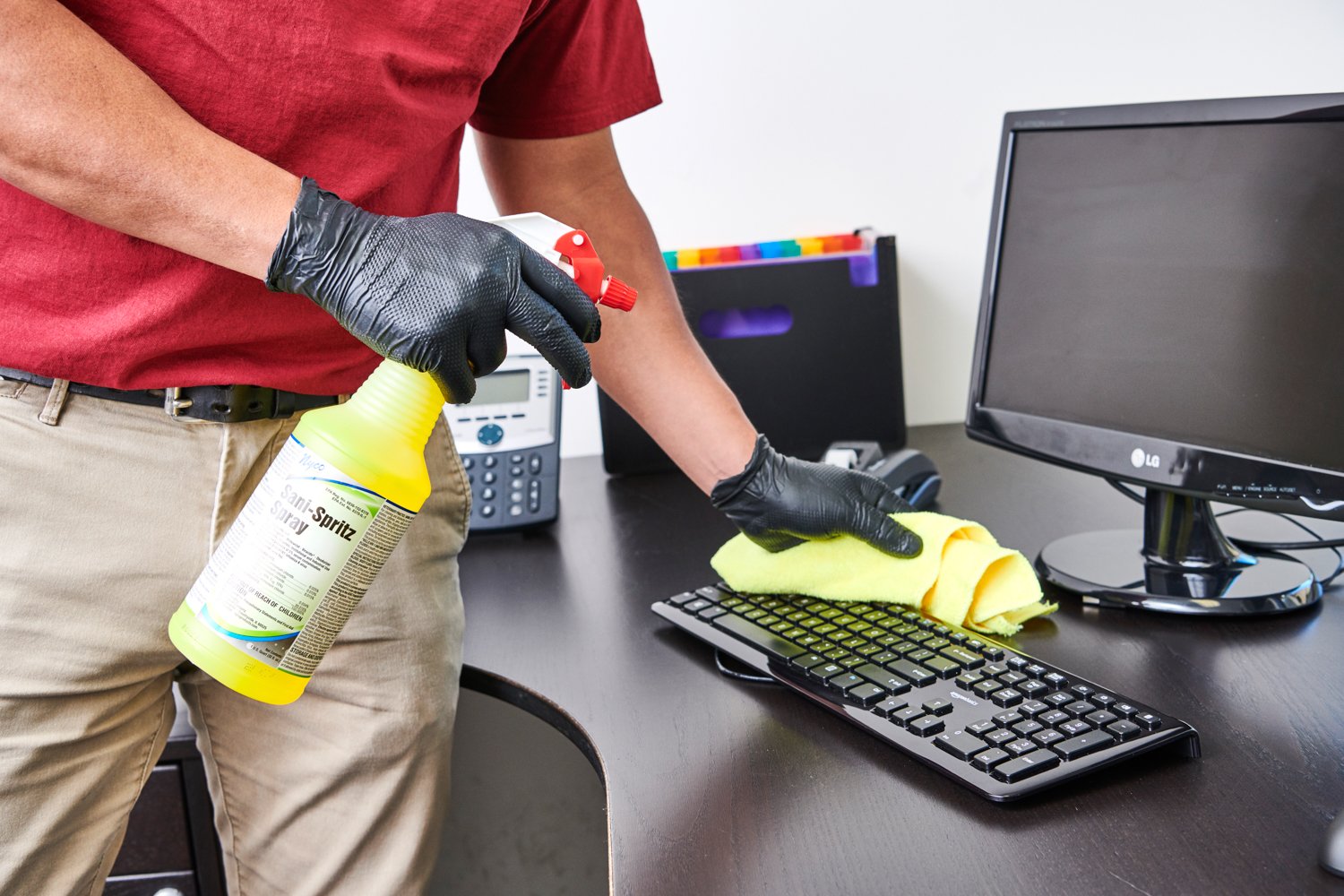
Electronics need special care. Use wipes designed for electronics or spray disinfectant on a cloth (never directly on the device).
- For keyboards: Turn it upside down and shake gently to remove crumbs. Use compressed air for dust between keys. Wipe keys and surfaces with disinfectant.
- For mouse: Wipe all sides, especially the buttons and bottom.
- For phone: Clean both sides, and don’t forget the receiver or earpiece.
Non-obvious tip: Use a cotton swab dipped in alcohol to clean small gaps and around keys.
7. Clean Office Supplies And Personal Items
Wipe down pens, staplers, phone chargers, and other items you use daily. These are often missed but can carry germs.
8. Let Everything Dry
Allow all cleaned areas to air dry. This helps the disinfectant work fully and prevents moisture from damaging electronics.
9. Return Items To Desk
Once dry, put back only the items you use often. Keep your layout simple to make future cleaning easier.
10. Wash Your Hands
After cleaning, wash your hands with soap and water for at least 20 seconds. This removes any germs you might have picked up during the process.
How Often Should You Sanitize Your Desk?
The best cleaning schedule depends on your workspace and habits. Here’s a simple guide:
- Daily: Wipe down your desk, keyboard, and mouse at the end of each day.
- Weekly: Do a deeper clean, including under the desk and all supplies.
- After illness: Sanitize your desk if you or a coworker has been sick.
- After eating at your desk: Clean up crumbs and spills right away to prevent bacteria growth.
Non-obvious insight: If you share your desk or tools with others, sanitize more often—even multiple times a day.
What To Avoid When Sanitizing Your Desk
Some cleaning mistakes can damage your desk or make cleaning less effective.
- Using too much water: Excess moisture can damage wood, laminate, or electronics.
- Spraying cleaners directly onto electronics: Always spray onto a cloth, then wipe.
- Mixing cleaning products: Some combinations (like bleach and ammonia) can release toxic fumes.
- Using harsh scrubbers: Steel wool or rough sponges can scratch surfaces.
- Skipping corners and undersides: Germs hide in less obvious spots.
Non-obvious tip: Don’t forget to clean your chair’s armrests and back—they touch your hands and clothes often.
Comparing Cleaning Products: What Works Best?
Choosing the right product is key for safe and effective desk cleaning. Here is a helpful comparison:
| Product Type | Pros | Cons | Best For |
|---|---|---|---|
| Disinfectant Wipes | Easy to use, no mixing needed | Can dry out, may leave residue | Quick daily cleaning |
| Alcohol Spray (70%) | Dries fast, kills most germs | Can damage some finishes | Electronics, phones |
| Mild Soap & Water | Safe for most surfaces | Not a disinfectant, needs rinsing | Removing sticky messes |
| Bleach Solution | Strong disinfectant | Harsh, not for electronics | Shared spaces, bathrooms |
Non-obvious tip: Always test a new cleaning product on a small, hidden area of your desk first.

Credit: www.mcsclean.co.uk
Special Cases: Shared Desks, Hot Desking, And Open Offices
Many offices use shared desks or “hot desking,” where several people use the same workspace. This makes sanitization even more important. Here’s what to do:
- Wipe down the desk, keyboard, and mouse before and after each use.
- Bring your own supplies if possible (mouse, keyboard cover, or portable wipes).
- If your office provides cleaning supplies, check that they are stocked and not expired.
- Don’t forget shared items like phones, printers, or meeting room tables.
For open offices, keep hand sanitizer nearby and use it after touching shared surfaces.
Non-obvious tip: Label your own items or use a small tray to separate them from shared supplies. This reduces cross-contamination.
Desk Sanitization For Different Materials
Not all desks are made from the same material. Each needs a different approach.
| Desk Material | Recommended Cleaner | What to Avoid |
|---|---|---|
| Wood | Mild soap and water, wood-safe disinfectant | Bleach, strong alcohol, soaking with water |
| Laminate | Disinfectant wipes, soap solution | Harsh abrasives, excess water |
| Glass | Glass cleaner, alcohol spray | Acidic cleaners, rough scrubbers |
| Metal | Mild soap, alcohol spray | Strong acids or bleach (can rust) |
Non-obvious tip: For standing desks with motors or electronics, unplug before cleaning and avoid any liquid near electrical parts.
Credit: www.stratusclean.com
Making Desk Sanitization A Habit
It’s easy to clean your desk once and forget about it. But regular sanitization is what keeps your workspace safe. Here’s how to build a habit:
- Set a reminder on your phone or calendar for daily and weekly cleaning.
- Keep cleaning supplies in your desk drawer or nearby for quick access.
- Encourage coworkers to do the same—clean desks help everyone stay healthy.
- Reward yourself for sticking to your routine. A clean workspace can feel like a fresh start.
Non-obvious tip: Pair desk cleaning with another habit, like shutting down your computer at the end of the day. This makes it easier to remember.
Desk Accessories: What Needs Cleaning And How Often?
Some office items are easy to overlook during cleaning. Here’s a guide to common desk accessories and how often to sanitize them.
| Item | How Often to Clean | How to Clean |
|---|---|---|
| Keyboard & Mouse | Daily | Disinfectant wipe or spray on cloth |
| Phone | Daily | Electronics-safe wipe |
| Desk Lamp | Weekly | Damp cloth, avoid bulb |
| Pen Holder | Weekly | Empty and wipe inside |
| Monitor | Weekly | Screen cleaner, microfiber cloth |
Non-obvious tip: Don’t forget to clean the underside of your desk and any drawer handles—they are touched often but rarely cleaned.
Eco-friendly And Safe Cleaning Options
Some people worry about chemical exposure or want a more environmentally friendly approach. Here are safe alternatives:
- Use vinegar and water for cleaning (not on electronics or stone surfaces).
- Choose plant-based disinfectants with proven germ-killing power.
- Use reusable microfiber cloths instead of disposable wipes.
- Avoid aerosols, which can add to indoor air pollution.
Non-obvious insight: Not all “natural” cleaners kill viruses or bacteria. Check if the product is EPA-approved or has scientific backing. See more at the EPA’s official list.
Common Mistakes And How To Avoid Them
Even people who clean regularly can make mistakes that reduce effectiveness. Here are common errors:
- Skipping high-touch areas like phone receivers and drawer handles.
- Using the same cloth for the whole desk—this spreads germs.
- Forgetting to clean under desk mats or organizers.
- Not letting disinfectants stay wet long enough to work.
- Using expired cleaning products.
Non-obvious tip: Rotate between two or more cloths—one for electronics, one for general surfaces. This avoids cross-contamination.
The Benefits Of A Sanitized Desk
Sanitizing your desk offers more than just health safety:
- Better focus: A clean space helps your mind focus on work, not distractions.
- Reduced sick days: Fewer germs mean less chance of getting sick.
- Professional image: Visitors, clients, and coworkers see you as organized and responsible.
- Longer-lasting equipment: Regular cleaning prevents dust and dirt from damaging electronics.
Non-obvious benefit: People with allergies or asthma often feel better and work more comfortably at a sanitized desk.
Frequently Asked Questions
How Often Should I Sanitize My Office Desk?
For most people, a daily wipe-down and a weekly deep clean are enough. If you eat at your desk, share your space, or are in a high-traffic area, clean more often.
Can I Use Homemade Cleaners To Sanitize My Desk?
Yes, but only some homemade cleaners (like diluted alcohol or vinegar) are effective against germs. Avoid using just water or gentle soap if you need to disinfect. Check if your cleaner is safe for your desk material and electronics.
What Is The Difference Between Cleaning And Disinfecting?
Cleaning removes dirt and dust, but does not always kill germs. Disinfecting uses chemicals to kill germs on surfaces. For best results, clean first, then disinfect.
Is It Safe To Use Disinfectant Sprays On My Computer And Phone?
No, do not spray directly onto electronics. Spray a cloth instead and wipe carefully. Use products designed for electronics to avoid damage.
What Are The Most Commonly Missed Spots When Sanitizing A Desk?
People often miss the underside of the desk, drawer handles, chair armrests, and the area behind monitors or under desk mats. Germs collect in these spots, so include them in your routine.
A clean and sanitized office desk is more than a nice-to-have—it’s a foundation for health, focus, and professionalism. With the right tools and a simple routine, you can keep your workspace safe from germs and distractions. Remember, true sanitization is a habit, not just a one-time effort.
Start today, and you’ll notice the difference in both your well-being and your work.
