
A clean standing desk surface is more than just a nice look. It can boost your focus, improve your health, and even help you work faster. Many people set up their standing desk, but forget to keep it clean. Dust, clutter, coffee stains, and germs can pile up if you don’t pay attention.
Soon, your desk becomes a place you avoid rather than enjoy. The good news? Keeping your standing desk clean is simple once you know what to do, what to avoid, and why it matters.
Why A Clean Standing Desk Surface Matters
Most people think a clean desk is only about looking organized. But there’s more:
- Better Focus: A messy desk can distract your brain. Studies show that clutter makes it harder to think and solve problems.
- Fewer Germs: Desks can have 400 times more bacteria than a toilet seat, according to research. Touching a dirty desk, then your face, can make you sick.
- Longer Desk Life: Dust and spills can ruin the surface and even damage electronics. Cleaning helps your desk last longer.
- Healthier Posture: A clean space means you can move your arms and adjust your screen easily, reducing aches and pains.
If you work at your desk for hours every day, these reasons become even more important. An untidy desk isn’t just about looks—it affects your work and your health.
What You Need To Clean Your Standing Desk Surface
Before you start cleaning, gather the right supplies. Not all cleaners are safe for every surface. Some can damage wood, laminate, or electronics. Here’s what you should have:
- Microfiber cloths: These are gentle and trap dust better than paper towels.
- Mild cleaning spray: A mix of water and a few drops of dish soap works for most desks.
- Disinfecting wipes: Useful for killing germs, especially during flu season.
- Compressed air can: Blows dust out of tight spots and keyboard cracks.
- Screen cleaner: For your monitor or laptop screens.
- Small vacuum: Helps with crumbs or pet hair.
- Soft brush: Good for cleaning around buttons or cable holes.
Be careful with harsh chemicals. Products with bleach, ammonia, or alcohol can harm some desk finishes or electronics.
Step-by-step: How To Clean Your Standing Desk Surface
Let’s break down the cleaning process so you can follow it easily:
1. Clear Everything Off
Take everything off your desk—computer, monitor, keyboard, papers, pens, coffee mugs. This lets you reach every corner and see what needs attention. As you do this, throw away trash and put items you don’t use in a drawer or box.
2. Dust And Wipe
Start with a microfiber cloth to remove loose dust and dirt. For corners and cable holes, use the soft brush or a can of compressed air.
Next, spray your mild cleaning solution on the cloth (not directly on the desk). Wipe the whole surface, using gentle, circular motions. This removes sticky spots and kills germs. For tough stains, let the damp cloth sit on the spot for a minute before wiping again.
3. Disinfect High-touch Areas
If you eat at your desk or share it with others, use disinfecting wipes on high-touch spots—like the edge of the desk, drawer handles, or the area where your mouse sits. Let the surface air-dry for full germ-killing effect.
4. Clean Desk Accessories
Wipe down your keyboard, mouse, phone, and any other desk gadgets. For keyboards, turn them upside down and tap out crumbs, then use compressed air. Clean screens with a screen cleaner or a slightly damp microfiber cloth.
5. Dry And Reorganize
Before putting things back, let your desk dry completely. Only return items you really need. Place your monitor at eye level, keep pens in a holder, and try to leave some empty space for a calm look.
6. Tidy Cables And Extras
Loose cables can make a desk look messy even when it’s clean. Use cable ties or clips to bundle cords together. Stick them under the desk or along the back edge to keep them out of sight.
How Often Should You Clean Your Standing Desk Surface?
The answer depends on how you use your desk. Here’s a guide:
| Type of Desk User | Cleaning Frequency | Reason |
|---|---|---|
| Everyday worker (8+ hours) | Weekly | Heavy use attracts more dust, germs, and spills. |
| Occasional user (1-2 hours/day) | Bi-weekly | Less buildup, but still needs regular care. |
| Shared desk | After each use | Prevents spreading germs between users. |
| Pet owner | Twice a week | Pet hair and dander pile up quickly. |
If you eat at your desk, wipe it down every day. Sticky food and crumbs attract bugs and bacteria.

Credit: www.kickstarter.com
What To Avoid When Cleaning Your Standing Desk
It’s easy to make mistakes that damage your desk. Here are some things to avoid:
- Strong chemicals: Bleach, ammonia, and alcohol can strip finishes or cloud plastics.
- Abrasive sponges: These scratch wood, laminate, and glass.
- Too much water: Pools of water can seep into seams and cause swelling.
- Spraying cleaner directly: Always spray on the cloth, not the desk, to avoid damage.
- Forgetting electronics: Liquids near keyboards or outlets can cause shorts.
If you have a special desk surface—like real wood or glass—check the manual or brand website for cleaning advice.
How To Keep Your Standing Desk Surface Clean Longer
Cleaning is easier if you prevent messes in the first place. Here are some smart habits:
- No eating at the desk: Crumbs and spills are a big source of dirt.
- Use a coaster: Protects against coffee rings and water stains.
- Keep hand sanitizer nearby: Reduces germs before they hit your desk.
- Organize cables: Bundled cables trap less dust.
- Store extra items: Use drawers or shelves for things you don’t use every day.
- Quick wipe at the end of the day: One minute with a dry cloth stops dust before it builds up.
- Regular declutter: Once a month, remove things you don’t use.
Many people miss the fact that humidity and sunlight affect desk surfaces. For example, direct sun can fade wood or plastic over time, making stains harder to remove. Using a desk mat can also protect the surface from scratches and spills.
Choosing The Right Cleaner For Your Desk Surface
Not all desk surfaces need the same cleaner. Using the wrong product can do more harm than good. Here’s a quick guide:
| Surface Material | Best Cleaner | What to Avoid |
|---|---|---|
| Laminate | Mild soap and water | Strong chemicals, rough sponges |
| Real wood | Wood cleaner or vinegar/water (diluted) | Lots of water, alcohol, bleach |
| Glass | Glass cleaner or vinegar/water | Abrasive pads |
| Metal | Soap and water, or metal polish | Acidic cleaners |
| Plastic | Mild soap and water | Alcohol, harsh chemicals |
Always test a small spot first if you’re trying a new product.
Hidden Problems: What Most People Miss
Even people who clean regularly can miss some trouble spots:
- Under the desk: Dust and hair collect on legs and cables.
- Desk edges: Oils from your arms build up on the front edge.
- Monitor stands and risers: These collect dust and food crumbs.
- Behind the monitor: Out of sight, but dust gathers fast.
- Standing desk mechanism: If your desk is motorized, dust in the moving parts can cause jams or noise.
It’s a good idea to do a deeper clean every few months. Move the desk if possible and clean the floor area underneath.

Credit: www.walmart.com
The Health Impact Of A Clean Desk
A clean standing desk surface isn’t just about looks or comfort. It’s also about health. Here’s why:
- Less risk of skin irritation: Dust and bacteria can cause rashes, especially if you rest your arms on the desk.
- Reduced allergy symptoms: Dust mites and pet dander trigger sneezing and itchy eyes.
- Lower stress: Studies show that tidy spaces help you feel more calm and in control.
- Fewer sick days: Germs on your desk can lead to colds and stomach bugs. Cleaning reduces your risk.
According to a survey by the Centers for Disease Control and Prevention, a clean workspace can reduce the spread of illness and improve overall workplace satisfaction.
Cleaning Frequency Vs. Desk Material: A Comparison
Different surfaces need different cleaning routines. Here’s a comparison to help you plan:
| Surface Type | Quick Clean | Deep Clean |
|---|---|---|
| Laminate | Weekly | Monthly (remove stains, polish) |
| Wood | Twice a week (dust) | Every 2 months (condition, polish) |
| Glass | Twice a week (wipe smudges) | Monthly (detailed clean, polish) |
| Metal | Weekly | Monthly (check for rust) |
| Plastic | Weekly | Every 2 months (remove stains) |
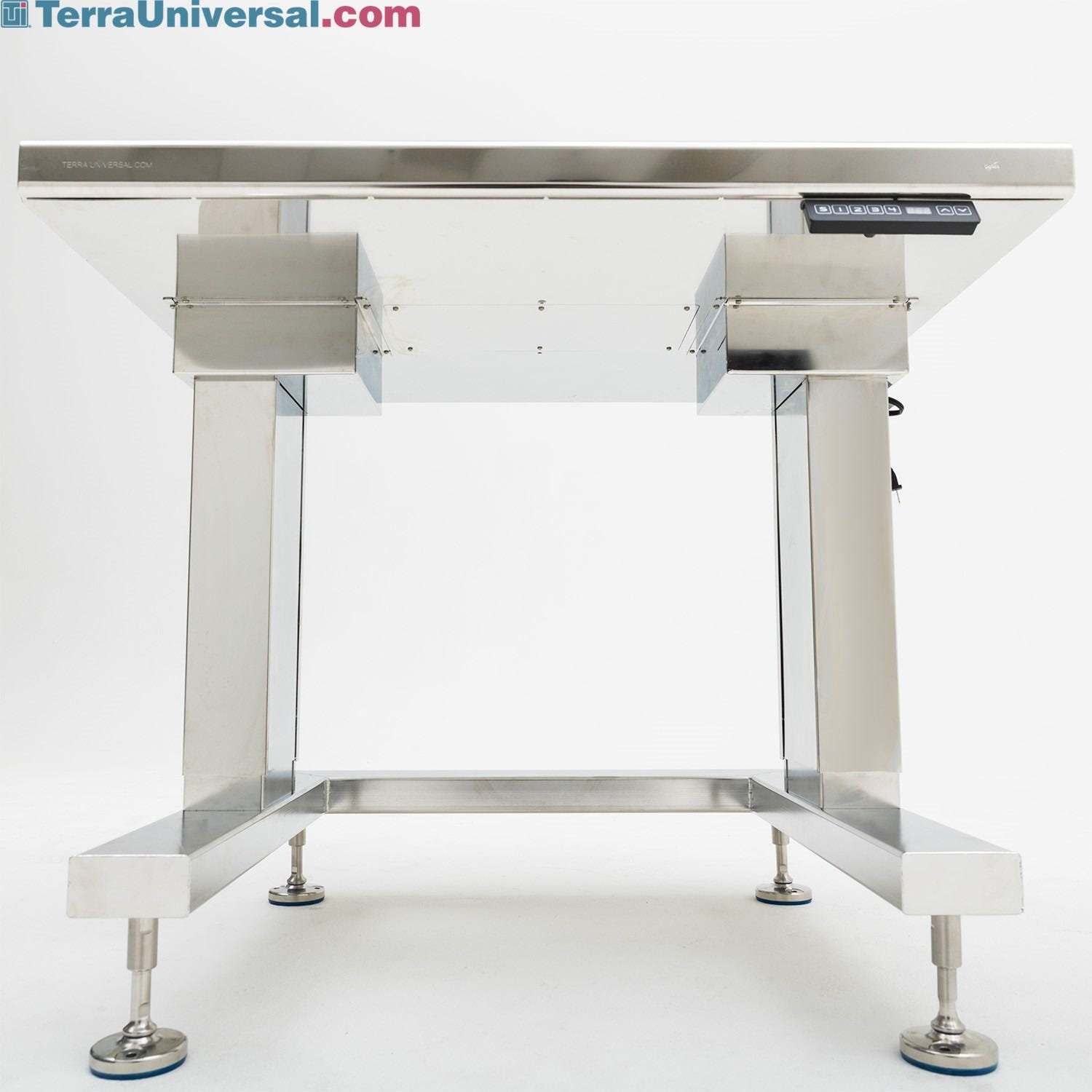
Wood desks need extra care because dryness or too much water can warp them. Glass and metal are more forgiving but show fingerprints easily.
Credit: www.terrauniversal.com
Frequently Asked Questions
How Often Should I Clean My Standing Desk Surface?
Most people should do a quick clean every week and a deeper clean once a month. If you eat at your desk or share it, wipe it down every day to avoid germs and stains.
Can I Use Alcohol Wipes On My Desk?
Alcohol wipes are okay for some surfaces like metal or plastic, but they can damage wood or certain finishes. Always check the desk’s material and test a small area first.
What Is The Best Way To Remove Sticky Stains?
Use a damp microfiber cloth with a little dish soap. Let it sit on the sticky spot for a minute before wiping. For tough stains, try a mix of baking soda and water, but test a hidden area first.
Should I Unplug My Electronics Before Cleaning The Desk?
Yes. Always unplug devices before cleaning, especially if you’re wiping near plugs or cables. This protects both you and your equipment from accidental damage.
Why Does My Desk Get Dusty So Quickly?
Desks attract dust from the air, especially if you have pets or live in a dry area. Electronics on your desk, like monitors and laptops, also create static, which pulls in dust faster.
A clean standing desk surface is about more than looks. It’s a tool for better focus, health, and efficiency. With a few smart habits and regular care, your desk will always be a place you want to work. If you want more tips about office health and cleaning, check out the CDC’s office environment advice for trusted information.
Related Office Guides
Continue with these related workspace guides:
