
Docking station cleaning is mostly about removing dust, lint, skin oil, and debris without damaging ports, vents, contacts, cables, or the dock’s internal electronics. A dock is a connection hub, not just a plastic box, so the safest cleaning method is conservative: disconnect power and peripherals, remove loose debris first, and use only minimal moisture on compatible exterior surfaces.
Cleaning will not fix every dock problem. Unstable displays, USB dropouts, slow charging, or network issues can come from firmware, cable bandwidth, power delivery, host compatibility, or hardware failure. Cleaning helps when debris, blocked airflow, or dirty contacts are part of the problem, but it should not be used as a substitute for technical troubleshooting.
This guide focuses specifically on cleaning and maintaining laptop docking stations and USB-C docks in home and shared offices. It keeps the intent separate from dock-vs-hub comparisons and USB-C charging guidance.
Before You Start
Identify the exact dock model if possible. Check the manufacturer manual for any cleaning warnings, removable modules, fan vents, or service instructions.
You will usually need:
- Microfiber or lint-free cloth
- Soft dry brush
- Electronics-safe air duster used according to its label
- Cotton swabs for exterior crevices
- Manufacturer-approved cleaner for exterior surfaces when needed
Avoid metal picks, needles, knives, household spray cleaner, glass cleaner, abrasive pads, and any liquid poured directly into ports.
Step 1: Disconnect Everything
Unplug the dock from the laptop or host device. Disconnect the dock’s power adapter, displays, Ethernet cable, USB devices, audio cable, SD cards, and any other peripherals.
Give powered equipment time to stop operating before you begin. If the dock has an integrated battery, unusual heat, swelling, or a damaged power connector, stop and consult the manufacturer rather than cleaning around the fault.
Step 2: Remove Loose Surface Dust
Use a dry microfiber cloth on the top, sides, and bottom. A soft brush can move dust away from seams, vents, buttons, and rubber feet.
Do not start with liquid. Dry debris is easier to control before it becomes smeared into a residue.
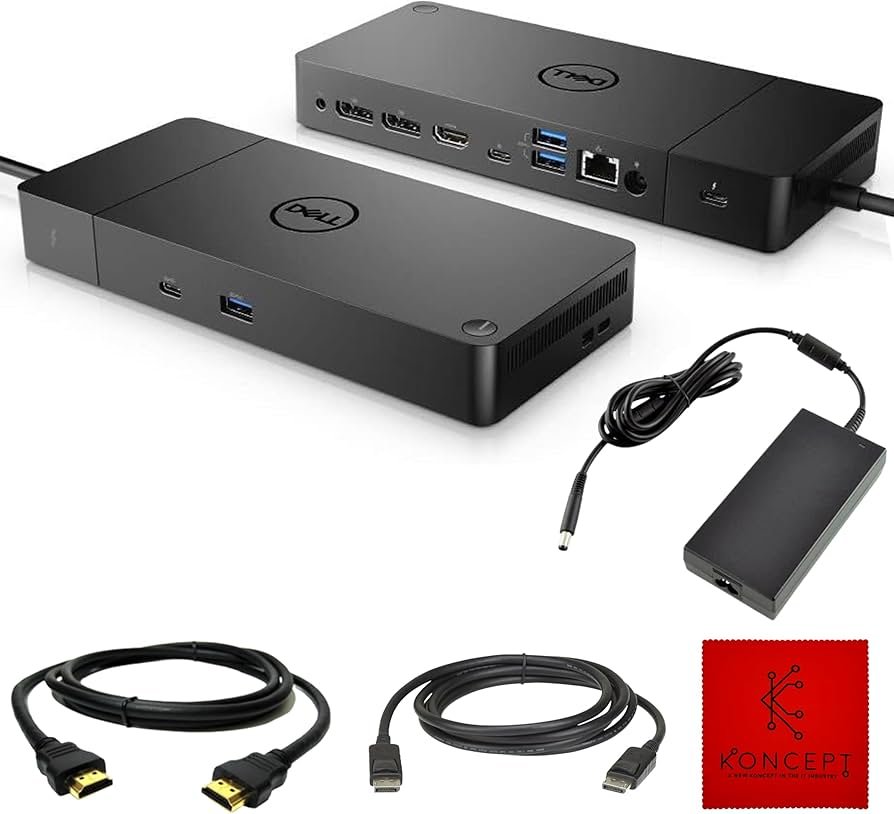
Step 3: Clean USB-C, USB-A, HDMI, DisplayPort, Ethernet, and Audio Openings
Ports are easy to damage, so cleaning should be gentle.
- Inspect the opening with good light.
- Use a soft dry brush around the edge.
- If using an air duster, use short controlled bursts and follow the can or blower instructions.
- Do not insert cotton fibers, metal tools, or oversized swabs into delicate connector cavities.
- Do not scrape contacts or pins.
If a port has bent contacts, corrosion, melted plastic, or a loose internal connector, cleaning is not the right fix.
Step 4: Clean Vents and Airflow Paths
Some docking stations are passively cooled, while others include vents or fans. Dust around vents can reduce airflow, but opening the chassis may void service terms or expose electronics.
Clean only user-accessible vents unless the manufacturer specifically documents internal service. Use a brush or controlled air to remove loose dust without forcing debris deeper into the unit.
Step 5: Wipe the Exterior
If fingerprints or oily residue remain, use a lightly dampened microfiber cloth with a cleaner compatible with the dock’s surface. Apply the liquid to the cloth, not directly to the dock.
Keep moisture away from ports, vents, status LEDs, seams, power connectors, card slots, and buttons unless the manufacturer says otherwise.
Step 6: Clean the Bottom and Rubber Feet
Dust can build up under a dock, especially on desks with cable trays, fabric mats, or poor airflow. Wipe the underside and rubber feet so the dock sits flat and ventilation is not blocked.
If adhesive feet are loose, do not use strong solvent around them. Replace the foot or pad with a suitable part rather than saturating the adhesive area.
Step 7: Clean Cables and Power Adapters
A dock can look clean while connected cables are oily, dusty, or strained. Disconnect cables before wiping them.
Inspect for:
- Cracked insulation
- Bent USB-C plugs
- Loose connector shells
- Heat discoloration
- Frayed cable strain relief
Do not keep using a damaged power cable or adapter. Cleaning does not make a damaged electrical connection safe.
Step 8: Let Everything Dry Before Reconnecting
There is no universal drying time. If you used any approved damp method, reconnect only when every cleaned surface is fully dry and no moisture remains near ports or seams.
Reconnect power first only when the manufacturer recommends that sequence, then add the host and peripherals as appropriate for the dock.
Credit: www.amazon.com
What Cleaning Can and Cannot Fix
Cleaning may help when dust blocks a port, dirt prevents a plug from seating correctly, or vents are visibly obstructed. It can also improve general workspace hygiene.
Cleaning will not reliably fix:
- Unsupported display combinations
- USB-C bandwidth limits
- Insufficient power delivery
- Firmware incompatibility
- Bad Thunderbolt or USB-C cables
- Driver issues
- Failed Ethernet controllers
- Damaged ports
- Internal overheating caused by component failure
If your issue is charging rather than dirt, see USB-C docking station charging. If you are deciding between devices, see docking station vs USB-C hub.
How to Handle an Overheating Dock
A warm dock is not automatically defective. Dock temperature depends on power conversion, connected displays, network activity, USB devices, charging load, internal design, and room conditions.
Check that vents are not blocked and the dock is on a firm surface with the clearance the manufacturer recommends. Do not place it under papers, fabric, or other equipment that traps heat.
If the dock becomes unusually hot, shuts down, smells burnt, or discolors, disconnect it and seek manufacturer support. Do not continue cleaning or operating a potentially damaged power device.
Shared Office Docking Stations
Shared docks collect fingerprints and desk debris because many users connect laptops and peripherals throughout the day.
A practical shared-office routine is:
- Keep food and drinks away from the dock.
- Wipe high-touch exterior surfaces with a material-compatible product when needed.
- Inspect host cables and connectors for strain.
- Keep vents and the surrounding desk clear.
- Report damaged ports instead of forcing plugs into them.
Do not invent a fixed cleaning schedule for every office. Frequency should reflect usage, visible condition, environmental dust, manufacturer guidance, and workplace hygiene policy.
Docking Stations With Fans
If the dock contains a fan, visible dust near the intake or exhaust should be removed gently. Do not insert tools through the vent or stop the fan with an object unless the manufacturer provides a service procedure.
A noisy fan can indicate dust, bearing wear, a thermal issue, or firmware-controlled fan behavior. Cleaning accessible vents is reasonable; disassembling the dock without service instructions is not.
Docking Stations Without Fans
Passive docks rely on the chassis and surrounding air to dissipate heat. Keep the body clear and avoid enclosing it in cable boxes or soft material unless the manufacturer says that placement is acceptable.
Exterior cleaning is usually enough. There may be no user-serviceable internal area.
Card Reader and SD Slot Cleaning
Do not push swabs into SD or microSD slots. Use dry air or a soft brush around the opening. If a card no longer inserts or ejects correctly, check for visible obstruction and then stop if the mechanism feels damaged.
Repeatedly forcing a card can bend internal contacts.
Ethernet Port Cleaning
Ethernet ports can collect lint around the latch area. Remove visible debris gently. Do not bend the internal contacts.
If Ethernet is intermittent, test the cable, network port, dock firmware, and host network settings before assuming dirt is the cause.
USB-C Host Cable Care
The host cable is one of the most important parts of a dock. A damaged or under-specified cable can cause charging, display, and data issues that look like dock failure.
Keep the connector clean and avoid sharp bends. If the cable is detachable, use a replacement that meets the dock manufacturer’s required USB, Thunderbolt, data, video, and power specifications.
Do Not Use These Cleaning Methods
- Do not spray cleaner directly into the dock.
- Do not rinse the dock under water.
- Do not use a wet swab inside USB-C, HDMI, DisplayPort, or Ethernet ports.
- Do not scrape connector contacts.
- Do not use a vacuum nozzle that can strike or stress delicate ports.
- Do not use a hair dryer or heat gun.
- Do not open a powered dock.
- Do not keep using a dock with melted, swollen, or burnt components.
When to Clean the Dock
Clean based on condition, not an arbitrary calendar. Useful signs include visible dust, lint around ports, sticky exterior surfaces, blocked vents, or a plug that cannot seat fully because debris is present.
If the dock looks clean and works normally, unnecessary aggressive cleaning creates more risk than benefit.
When Cleaning Is Not Enough
Move to technical troubleshooting when:
- Displays flicker or disconnect
- The host repeatedly loses USB devices
- Ethernet drops while ports are clean
- Charging is lower than expected
- The dock is not recognized after reconnecting
- Firmware updates are required
- A connector is physically loose
Use manufacturer documentation to verify compatibility, firmware, cable requirements, supported displays, and power delivery. Do not guess from another dock model.
Long-Term Dock Maintenance
- Keep cables strain-free and organized.
- Leave ventilation space around the dock.
- Keep drinks away from the workspace.
- Use compatible cables and power adapters.
- Install firmware only from the manufacturer.
- Inspect high-use host cables periodically.
- Replace damaged cables instead of taping over electrical faults.
Final Docking Station Cleaning Checklist
- Disconnect host, power, and peripherals.
- Remove loose dust first.
- Clean around ports without scraping contacts.
- Clear user-accessible vents.
- Wipe the exterior with minimal compatible moisture.
- Inspect cables and the power adapter.
- Let all cleaned parts dry.
- Reconnect and test devices one category at a time if troubleshooting.
A clean docking station supports reliable connections, but safe maintenance is more important than aggressive cleaning. Keep ports and vents free of visible debris, protect the dock from liquids and cable strain, and separate true hardware or compatibility problems from simple cleanliness issues.
