
A messy desk might look harmless, but in a busy office, it can cause real problems. Important documents get lost. Sensitive information might be seen by the wrong people. Productivity drops when workers spend time searching for things. That’s why many organizations use a Clean Desk Policy in the office. This policy means every employee keeps their workspace clear of unnecessary items, especially at the end of the day. It’s about more than just looking tidy. A clean desk boosts security, reduces stress, and can even help the company follow data protection laws.
But making a clean desk policy work isn’t as simple as telling people to tidy up. Some employees worry about losing personal comfort. Managers may struggle to enforce rules fairly. Technology, like laptops and cloud files, changes how we think about “desk clutter.
” In this article, you’ll learn everything you need to know about clean desk policies in the office. We’ll look at why they matter, what makes a good policy, how to put it into action, and the common pitfalls to avoid.
You’ll see real examples, discover expert tips, and get answers to the questions people often ask.
What Is A Clean Desk Policy?
A Clean Desk Policy is a set of rules that require employees to keep their workspaces free from clutter and confidential information, especially when they are not at their desks. The idea is simple: At the end of each workday, or whenever employees step away, their desk should be left in a neat, organized state.
This usually means:
- No loose papers left out
- No sticky notes with passwords on screens
- All documents, files, and media stored in locked drawers or cabinets
- Computers locked or logged off
- Personal items kept to a minimum
Clean desk policies can be strict or flexible, depending on the company’s needs. In some cases, the rules cover every desk, every day. In others, they focus on sensitive areas, like HR or finance departments.
Why Do Companies Use Clean Desk Policies?
Companies adopt these policies for several reasons:
- Information Security: Reduces risk of data leaks or theft
- Productivity: Less clutter means less distraction and lost time
- Professional Image: A tidy office creates a better impression for visitors and clients
- Compliance: Helps meet legal standards like GDPR or HIPAA
A clean desk policy is not just about looking neat. It’s a practical way to protect information and create a more efficient workplace.
Key Benefits Of A Clean Desk Policy
Implementing a clean desk policy can lead to several positive outcomes for both organizations and employees.
Enhanced Data Security
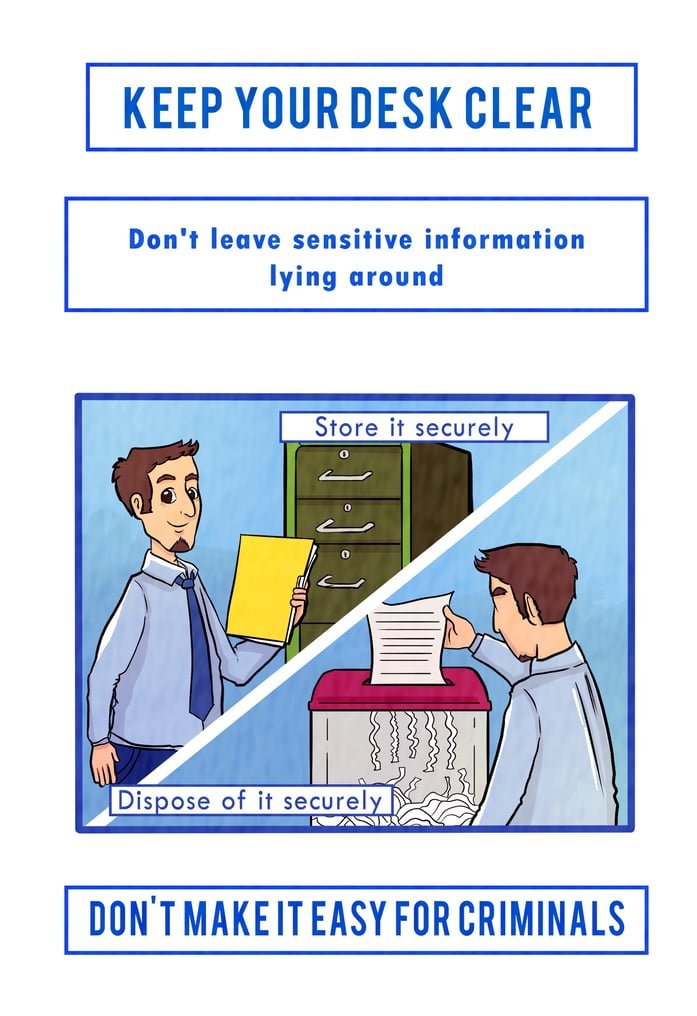
One of the main reasons companies use a clean desk policy is to keep sensitive information safe. Leaving documents or USB drives out in the open makes it easy for unauthorized people to see or steal important data. With a clean desk, confidential files are locked away or shredded, and computers are secured.
For example, in financial companies, even a single leaked client document can cause serious legal problems. By keeping desks clear, the risk of accidental exposure drops sharply.
Improved Productivity
A messy desk can make it hard to focus. Studies show that visual clutter leads to mental distraction. According to a 2011 study by Princeton University Neuroscience Institute, people working in tidy spaces are able to process information more efficiently.
When everything has a place, employees spend less time searching for documents or tools. This leads to faster work and fewer mistakes.
Better Compliance With Regulations
Many industries have strict rules about how information should be handled. For example, healthcare companies must follow HIPAA to protect patient data. European organizations follow GDPR rules. A clean desk policy helps meet these requirements because it sets clear steps for storing, handling, and destroying sensitive information.
Professional Office Appearance
Clients and visitors judge an office by its look. A tidy workspace sends a message: “We are organized and trustworthy.” It’s hard to build confidence when desks are stacked with files and coffee cups.
Reduced Workplace Stress
Clutter is stressful. Employees often feel overwhelmed in messy environments. A clean desk can make a space feel calmer, which reduces anxiety and helps people feel more in control of their work.
Cost Savings
Lost documents, missing tools, and accidental data breaches are expensive. By reducing these risks, a clean desk policy can actually save the company money over time.
Common Challenges Of Clean Desk Policies
While the benefits are clear, putting a clean desk policy in place can be tricky. Here are some hurdles many organizations face:
Resistance To Change
Some employees feel that a clean desk policy is too strict or unnecessary. They may be used to keeping personal items or piles of work on their desks. For these workers, new rules can feel like a loss of comfort or autonomy.
Lack Of Storage Solutions
Telling staff to clear their desks is easy—but where should everything go? If there aren’t enough drawers, lockers, or filing cabinets, employees may struggle to follow the policy.
Poor Communication
If the rules are not explained clearly, people may misunderstand what’s allowed. For example, is it okay to keep a family photo? What about sticky notes with quick reminders? Unclear guidelines lead to confusion and uneven enforcement.
Inconsistent Enforcement
If managers ignore messy desks, others will too. Without regular checks or reminders, even a good policy can fail.
Balancing Security And Usability
Too many restrictions can make it hard for employees to do their jobs. For example, forcing workers to lock away every paper after each use can slow down important tasks.
Overlooking Remote And Hybrid Work
In today’s world, many employees work from home or use shared desks (hot-desking). Clean desk rules need to fit these new work styles, not just traditional offices.
Elements Of An Effective Clean Desk Policy
A successful clean desk policy is more than a list of rules. It’s a clear, fair, and practical system that fits your office’s needs. Here’s what makes a good policy:
1. Clear Objectives
Start by explaining why the policy exists. Is the goal to protect data, improve the office look, or both? When employees understand the “why,” they are more likely to cooperate.
2. Scope And Applicability
Define who the policy applies to. Does it cover every employee, or just those who handle sensitive information? Spell out which workspaces are included—desks, meeting rooms, shared printers, etc.
3. Detailed Rules
Be specific about what’s expected. Good policies cover:
- What should be cleared (papers, devices, notes)
- What can stay (personal items, plants, photos)
- How to store confidential files
- How to dispose of sensitive documents (e.g., using shredders)
4. Storage And Organization Tools
Provide enough storage options: locked drawers, cabinets, lockers, or digital document systems. Without these, employees can’t follow the rules.
5. End-of-day Checklist
Many companies use a daily checklist. For example:
- Remove all papers from the desk surface
- Lock documents in drawers or cabinets
- Log off or lock the computer
- Store portable media securely
- Clear whiteboards of sensitive notes
This habit makes clean desks part of the daily routine.
6. Regular Audits And Feedback
Schedule regular spot checks, but also encourage self-checks. Offer feedback, not just punishment. Celebrate teams that follow the policy well.
7. Support And Training
Train staff on why the policy matters and how to follow it. Include tips for organizing work and using storage tools.
8. Flexibility
Allow some personal items, as long as they don’t risk security. For example, a small plant or family photo may be fine, but stacks of loose papers are not.
9. Consequences For Violations
Make sure consequences are fair and clear. For minor issues, reminders may be enough. For repeated or serious breaches, stronger actions might be needed.
10. Policy Updates
Review the policy regularly. As technology and work styles change, update the rules to stay effective.
Credit: ideas.ted.com
Steps To Implement A Clean Desk Policy In Your Office
Bringing a clean desk policy to life takes planning and teamwork. Here’s a simple step-by-step guide:
Step 1: Assess Your Needs
Before writing rules, look at your current office setup. Where are the biggest risks—open offices, shared spaces, or departments that handle sensitive data? What storage solutions do you have? What do employees think about their workspaces?
Step 2: Involve Employees Early
Ask for input from staff. People are more likely to support a policy if they help shape it. This also highlights potential problems you might miss, such as a lack of storage or special needs.
Step 3: Write The Policy
Use clear, simple language. Avoid jargon. Make sure the rules are detailed, but not overwhelming. Include examples and a checklist for easy reference.
Step 4: Communicate And Train
Hold a meeting or send out a memo explaining the new rules. Offer training sessions, especially for teams handling confidential information. Share tips and answer questions.
Step 5: Provide Tools
Install enough storage for everyone. This could mean new lockers, extra filing cabinets, or document management software. Make it easy to follow the rules.
Step 6: Monitor And Support
Don’t just set the policy and forget it. Managers should lead by example and check in regularly. Offer help to employees who struggle, and reward teams that do well.
Step 7: Adjust And Improve
Listen to feedback. If something isn’t working, change it. The best policies grow with your company’s needs.
Clean Desk Policy Example (sample)
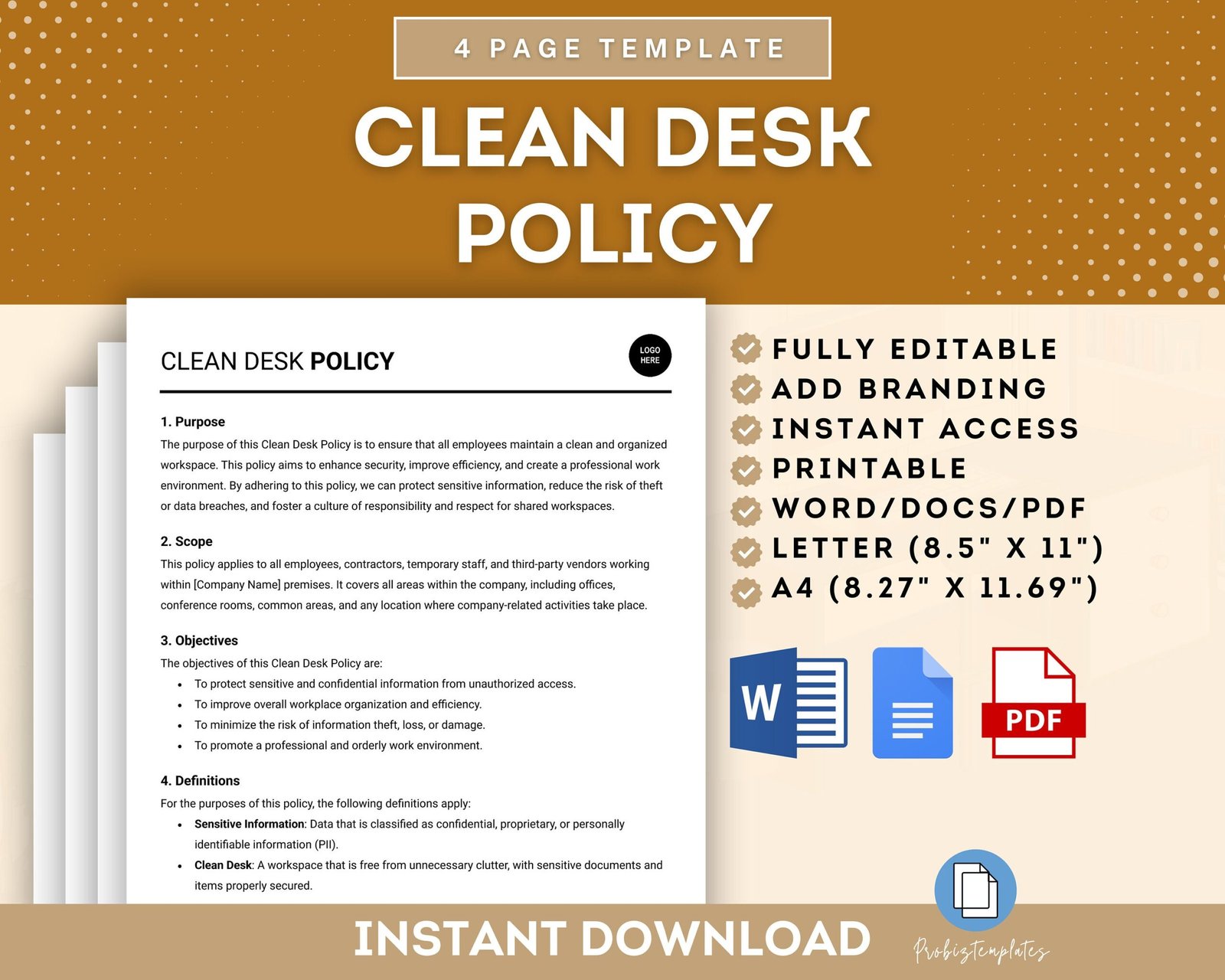
Here’s a simplified example of what a clean desk policy might look like in a medium-sized office:
Purpose:
To protect confidential information, maintain a professional office appearance, and boost productivity.
Scope:
Applies to all employees, including temporary staff and contractors, in all office areas.
Policy Details:
- Employees must clear all work items from their desk before leaving for the day.
- Confidential documents must be stored in locked drawers or cabinets.
- Computers must be logged off or locked when unattended.
- Portable devices (USBs, hard drives) must be stored securely.
- Personal items are limited to one small plant and one photo frame.
- Whiteboards must be wiped clean of sensitive notes.
Enforcement:
- Weekly spot checks will be conducted by office managers.
- Employees not following the policy will receive a reminder. Repeated violations may lead to disciplinary action.
Support:
- Lockable storage is provided for every employee.
- Training sessions will be held twice a year.
Credit: blog.usecure.io
Clean Desk Policy Vs. Paperless Policy
These two policies are often confused, but they are not the same. Here’s how they compare:
| Aspect | Clean Desk Policy | Paperless Policy |
|---|---|---|
| Main Focus | Physical tidiness and security | Reducing paper use |
| Key Rules | Clear desks of papers and items at the end of the day | Store documents digitally, avoid printing |
| Security | Protects sensitive documents from view | Protects data by reducing physical copies |
| Implementation | Requires storage solutions | Requires digital tools and training |
A company can have both policies. A clean desk policy is about how you handle what’s on your desk. A paperless policy is about reducing paper in the first place.
How Clean Desk Policies Fit With Modern Workplaces
The way we work is changing. Hot-desking, remote work, and digital files are now common. A good clean desk policy keeps up with these trends.
Hot-desking And Shared Workspaces
With hot-desking, employees don’t have a permanent desk. This makes clean desk rules even more important. Desks must be cleared after every use so the next person starts with a blank slate.
Some companies use small lockers or mobile storage carts for hot-deskers. Employees can lock away items when not in use.
Remote And Hybrid Work
Clean desk policies aren’t just for the office. Employees working from home should also keep their workspace free from sensitive papers and log off computers when stepping away. This protects company data, even outside the office.
Digital Security
As more files move to the cloud, digital clutter can be as risky as physical clutter. A modern clean desk policy may include rules for:
- Using strong passwords
- Locking screens when away
- Organizing digital files and emails
- Regularly emptying digital trash or recycling bins
Practical Tips For Employees
Following a clean desk policy doesn’t have to be hard. Here are some practical tips for staying organized:
- Create a daily routine: Take five minutes at the end of each day to tidy up.
- Use folders and trays: Store active projects in labeled folders or trays. Move finished items to storage or shred them.
- Go digital: Scan documents and use cloud storage when possible.
- Limit personal items: Choose one or two items that make your space feel yours, but don’t overdo it.
- Lock up valuables: Always secure keys, badges, and devices.
- Set reminders: Use calendar alerts to check your workspace before leaving.
- Ask for help: If you need more storage or have special needs, talk to your manager.
- Shred sensitive papers: Don’t just throw them in the trash.
- Use checklists: Keep a simple checklist at your desk to remember daily steps.
Common Mistakes To Avoid
Even with good intentions, people sometimes make mistakes with clean desk policies. Here are some to watch out for:
1. Hiding, Not Organizing
Some employees just sweep everything into a drawer. This doesn’t solve the problem—it just hides the mess. Take time to organize, not just hide.
2. Forgetting Digital Clutter
A messy desktop or full inbox is as distracting as a cluttered desk. Remember to organize your digital space too.
3. Ignoring Shared Equipment
Printers, copiers, and meeting rooms are often overlooked. Sensitive papers left on these devices are a security risk.
4. Skipping The Policy When In A Hurry
It’s easy to skip clean desk steps on busy days. But these are the times when mistakes happen. Build the routine so it’s automatic.
5. Not Locking Away Items
Simply stacking papers is not enough. Always lock away sensitive files.
Data And Results: Does It Really Work?
Is a clean desk policy worth the effort? Research and real-world examples say yes.
- A Gartner study found that companies with strong clean desk policies had 30% fewer internal data breaches.
- Offices that implemented these policies reported a 20% increase in lost document recovery rates.
- A survey by the British Psychological Society showed that 62% of employees felt more productive in a tidy workspace.
- Financial services firms noted a 15% drop in compliance violations after adding regular desk audits.
These numbers show that, when done right, a clean desk policy can protect data, improve efficiency, and boost the office mood.
Clean Desk Policy Audit Checklist
Many companies use a simple checklist during audits. Here’s an example:
| Audit Item | Compliant (Yes/No) |
|---|---|
| Desk surface clear of papers | |
| Confidential files locked away | |
| Computer locked when unattended | |
| Personal items within allowed limits | |
| Whiteboard/noticeboard free of sensitive information | |
| Portable devices secured |
Managers can use this checklist for quick spot checks or self-audits.
Credit: www.etsy.com
Real-world Example: Banking Sector
The banking industry deals with private financial data every day. Many banks use clean desk policies to meet strict regulations.
For example, a large European bank introduced a clean desk policy across all branches:
- Employees received training on data security and policy details.
- Lockable cabinets were installed for every employee.
- Audits were done twice a month.
- After six months, the bank saw a 40% drop in lost documents and a 25% improvement in customer trust scores.
This real-world result shows how a clean desk policy can make a difference—even in high-pressure environments.
Frequently Asked Questions
What Is The Main Purpose Of A Clean Desk Policy?
The main purpose is to protect sensitive information and keep the office organized. This reduces the risk of data breaches and helps the company look professional. It also supports compliance with data protection laws.
Can Employees Keep Personal Items On Their Desks?
Most policies allow a few personal items, like a small photo or plant, as long as they don’t cause clutter or security risks. The exact rules depend on the company.
How Does A Clean Desk Policy Help With Data Security?
By requiring employees to store or destroy confidential documents and lock computers, the policy makes it much harder for unauthorized people to see or steal sensitive data.
Is A Clean Desk Policy Necessary For Remote Workers?
Yes. Remote workers should also keep their home workspace tidy, store confidential papers securely, and lock their computers when away. This protects company data, no matter where work happens.
Where Can I Find More Information About Workplace Security Policies?
For more details, visit the Wikipedia page on Clean Desk Policy, which covers the topic in depth and provides additional resources.
A clean desk policy is more than just a rule—it’s a practical tool for creating a safer, more productive, and more professional office. With the right approach, it can become a habit that benefits everyone.
Related Office Guides
Continue with these related workspace guides:
