
Working from home has become a new normal for many people. But what happens when the power goes out during an important video call or while you’re working on a tight deadline? Losing power, even for a few minutes, can mean lost work, missed meetings, and plenty of stress. That’s why many home office users consider backup power solutions like a UPS (Uninterruptible Power Supply) or a generator. But which one should you choose? Both options have their pros and cons, and the best choice depends on your needs, budget, and how you work. Let’s explore the key differences, benefits, and limitations of each so you can decide which is right for your home office.
What Is A Ups And How Does It Work?
A UPS is an electronic device that provides instant backup power to your devices when the main electricity supply fails. It contains batteries inside and switches automatically to battery power within milliseconds after detecting a power loss. This means you often won’t even notice when the power goes out—your computer and other equipment keep running smoothly.
Most home office UPS devices can power a desktop, monitor, Wi-Fi router, and maybe a printer for 5 to 30 minutes, depending on their capacity. This is usually enough time to save your work and shut down properly or wait for the main power to come back.
Main Features Of A Ups
- Instant switch to battery power (almost no interruption)
- Silent operation (no noise, since there’s no engine)
- Protects against surges and voltage fluctuations
- Compact size, fits under a desk or on a shelf
Types Of Ups For Home Office
- Standby UPS: The simplest and cheapest. Good for basic computers and routers.
- Line-interactive UPS: Offers better voltage control. Useful if you have frequent voltage drops.
- Online UPS: Most expensive, but gives the cleanest power. Best for sensitive or high-end electronics.
What Is A Generator And How Does It Work?
A generator is a machine that produces electricity by burning fuel, usually petrol, diesel, or propane. When the main power fails, you start the generator (some start automatically, others manually), and it supplies power to your home office or even the whole house.
Generators can run for many hours, as long as you have fuel. This makes them a strong choice for long power cuts or areas where outages last more than a few minutes.
Main Features Of A Generator
- Long runtime (several hours to days, with enough fuel)
- Can power large appliances (fridges, air conditioners, etc.)
- Works for the whole house if big enough
Types Of Generators For Home Use
- Portable generators: Small, movable, lower power. Often started manually.
- Standby generators: Fixed outside the house, start automatically, high power output.
Ups Vs Generator: Key Differences
Choosing between a UPS and a generator isn’t just about price or size. Let’s look at the main areas where they differ:
| Feature | UPS | Generator |
|---|---|---|
| Backup Time | 5-30 minutes (typical) | Several hours (with fuel) |
| Switch Time | Instant (milliseconds) | Seconds to minutes |
| Noise Level | Silent | Loud (engine noise) |
| Maintenance | Low | Medium to High |
| Power Output | Limited (small electronics) | High (can run many devices) |
| Price | Lower | Higher |
When To Choose A Ups For Your Home Office
A UPS is usually the better choice if:
- You only need to keep a computer, monitor, and Wi-Fi running for a short time.
- Power cuts in your area are short and rare (less than 30 minutes).
- You want instant backup without any interruption.
- You work with sensitive data or in roles where even a few seconds of downtime can cause problems.
- You prefer a silent and maintenance-free solution.
Advantages Of A Ups For Home Office
- Zero waiting time: The backup kicks in immediately.
- Surge protection: Guards against voltage spikes that can damage your devices.
- Easy to install: Plug and play, no complex setup.
- Portable: Can move it around easily if you change your work spot.
- Affordable: Many good options under $150 for basic needs.
Common Mistakes When Using A Ups
- Overloading: Plugging too many devices can reduce backup time or damage the UPS.
- Not replacing batteries: UPS batteries wear out every 2-4 years. Ignoring this can leave you unprotected.
- Ignoring power rating: Always check the VA (volt-ampere) rating and make sure it matches your devices.
When To Choose A Generator For Your Home Office
A generator is the better fit if:
- Power outages last more than 30 minutes or are frequent.
- You need to keep multiple devices and appliances running (not just your computer).
- You want to backup your entire home, not just the office.
- You’re okay with some noise and regular maintenance.
Advantages Of A Generator For Home Office
- Long backup times: Can run for hours or days with enough fuel.
- High power output: Can handle several devices, including large ones.
- Flexible: Portable generators can be used for camping or outdoor work too.
- Automatic options: Standby models start and stop without you doing anything.
Common Mistakes When Using A Generator
- Using indoors: Generators must stay outdoors to avoid deadly carbon monoxide gas.
- Not enough fuel: Running out during a long outage is common if you don’t plan ahead.
- Wrong generator size: Too small, and it won’t power all your devices; too large, and you waste fuel and money.
- No transfer switch: Plugging directly into house wiring is dangerous. Always use a proper transfer switch installed by a pro.
Ups And Generator Together: Is It Worth It?
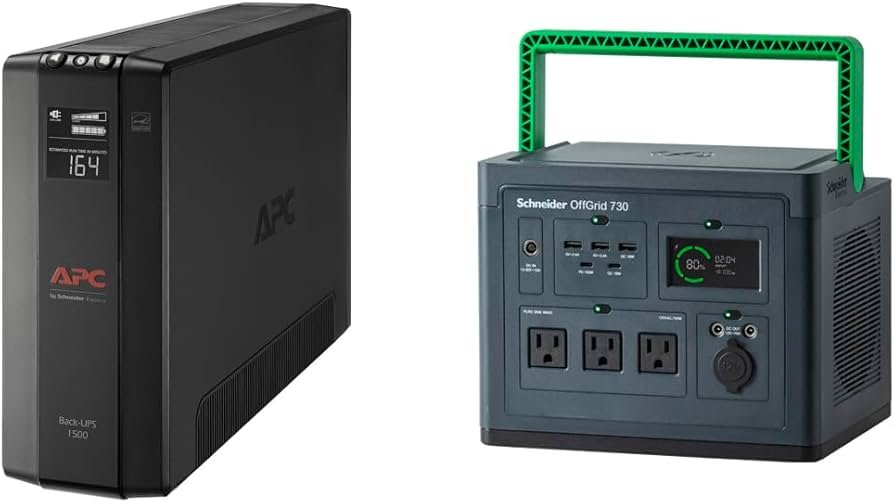
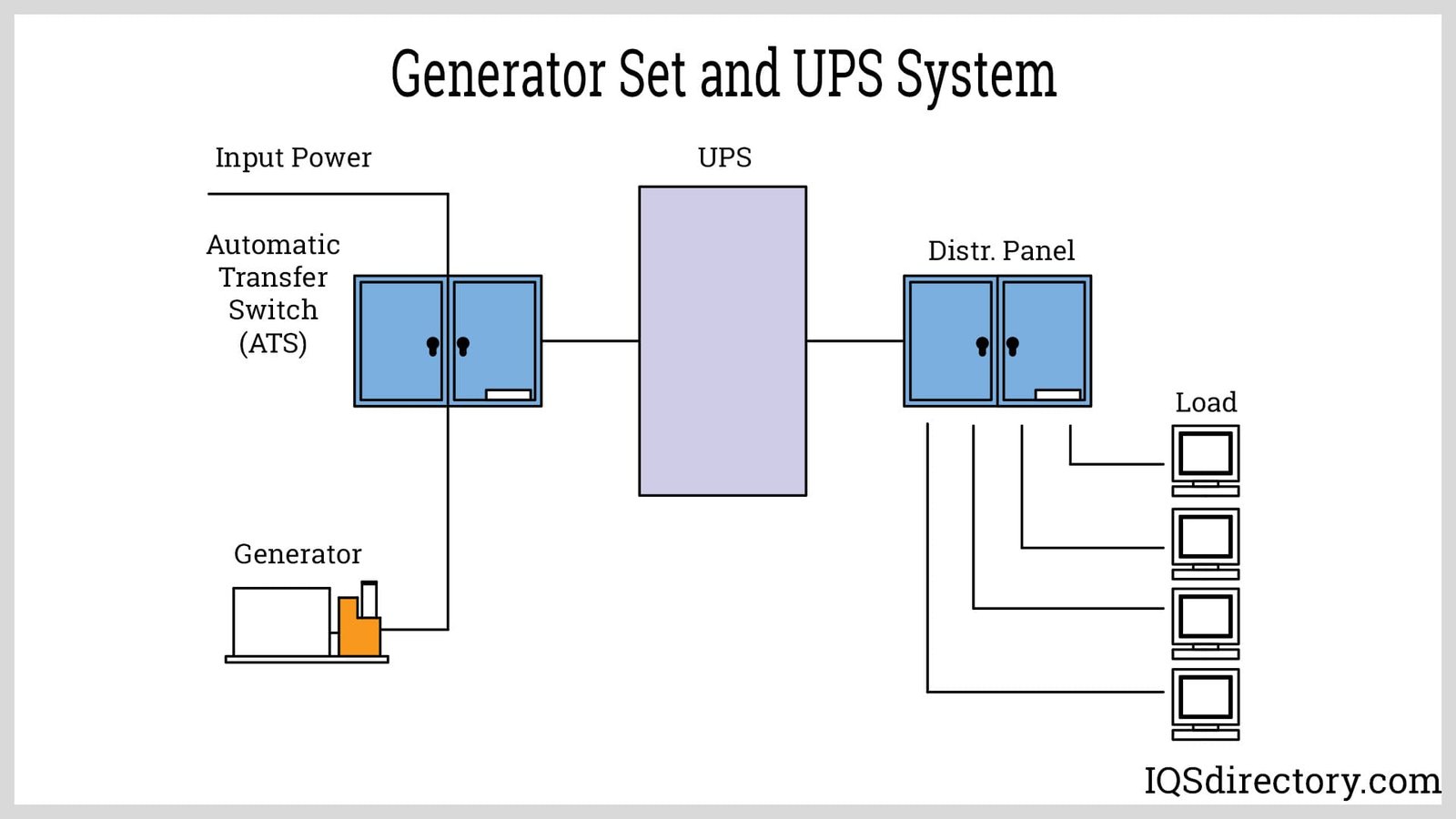
Some people use both a UPS and a generator for the best of both worlds. The UPS gives instant backup to your computer and network, while the generator takes over for long outages. The UPS fills the gap until the generator starts, so you never lose power—even for a second.
How They Work Together
- When the power fails, your UPS keeps your devices running instantly.
- After a few seconds or minutes, you start the generator.
- Once the generator is running smoothly, your devices switch from UPS to generator power.
- The UPS can recharge its batteries while the generator is on.
This setup is common in small offices, clinics, and homes where internet uptime is critical.
Credit: www.amazon.com
Cost Comparison: Ups Vs Generator
How much will you spend on each option? Here’s a quick look:
| Item | UPS (Home Office) | Generator (Portable) |
|---|---|---|
| Purchase Price | $50 – $250 | $300 – $1,500 |
| Installation | DIY, no extra cost | $100 – $400 (if wiring needed) |
| Fuel/Battery | $30 – $60 (battery every 2-4 years) | $2 – $6 per hour (fuel) |
| Maintenance | Minimal | Regular servicing needed |
Real-life Example: The Home Office Worker
Let’s imagine Sarah, who works as a freelance designer. She lives in a city where power cuts happen once or twice a month, usually for 10-20 minutes. She uses a desktop computer, a monitor, and needs her Wi-Fi to stay up for client calls.
- With a UPS, Sarah can keep working with no interruption. She has enough time to save her files and finish her meeting.
- If she used a generator only, her computer would shut down before the generator started. She’d lose her unsaved work and possibly miss her meeting.
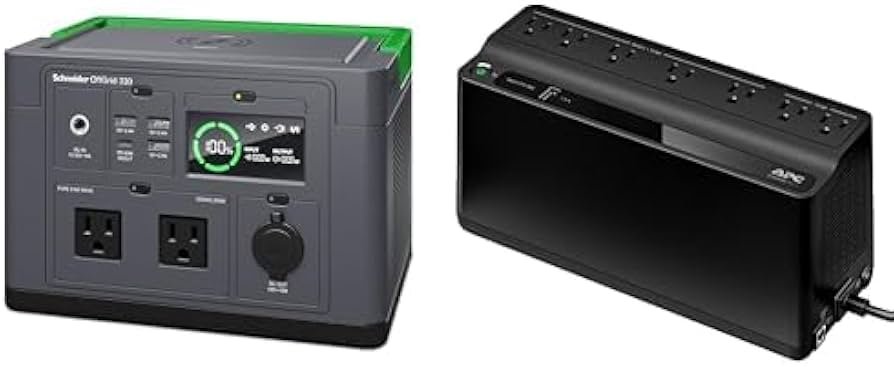
- If Sarah lived in a rural area with longer outages (1-3 hours), she’d need both a UPS (for instant backup) and a generator (for long-term power).
Credit: www.amazon.com
Environmental Impact: Which Is Greener?
UPS systems are cleaner because they use batteries and don’t produce emissions during use. However, battery disposal must be done responsibly.
Generators burn fuel and produce exhaust gases. Even the quiet, efficient inverter models release carbon dioxide and other pollutants. Using generators in cities can also add to noise pollution.
For a more eco-friendly home office, a UPS is the greener choice. If you must use a generator, consider models that run on propane or natural gas, which are cleaner than petrol or diesel.
Hidden Insights Beginners Miss
- Most routers and modems use very little power—a small UPS can keep your internet running for hours, even if the rest of the house is dark. This is often enough to finish urgent tasks or send important emails.
- Surge protection matters: Many generators (especially cheaper models) can send unstable voltage to your devices when starting or stopping. This can damage computers and hard drives over time. A UPS can act as a buffer, protecting your electronics from these voltage swings, even if you use a generator.
Credit: www.iqsdirectory.com
How To Decide: Key Questions To Ask Yourself
- How long are typical power outages in your area?
- What devices must stay on during a blackout?
- Do you need instant power or just long-term backup?
- Is noise or maintenance a problem for you?
- What is your budget for both the initial purchase and long-term use?
By answering these, you’ll be closer to the right choice.
For more technical background on generators and backup power, you can check the Wikipedia page on Electric Generators.
Frequently Asked Questions
What Is The Main Difference Between A Ups And A Generator?
A UPS provides instant, short-term backup power using batteries, with no delay. A generator produces electricity by burning fuel and can run for hours, but takes time to start and is not instant.
Can I Use A Ups And Generator Together?
Yes, using both offers the best protection. The UPS gives instant power, and the generator takes over for longer outages. This keeps your devices running smoothly.
How Long Will A Ups Power My Home Office?
Most home office UPS units provide backup for 5 to 30 minutes, depending on the battery size and the devices connected. High-end models may last longer but cost more.
Is It Safe To Run A Generator Indoors?
No, never run a generator indoors. Generators produce carbon monoxide, which is deadly. They must be placed outside, away from doors and windows.
Does A Generator Damage Computers Or Electronics?
Some generators produce unstable voltage, which can harm sensitive electronics. Using a UPS between the generator and your devices can help protect them from voltage spikes and drops.
A reliable home office needs a backup power plan. Whether you choose a UPS, a generator, or both, make sure you understand your needs and the risks. With the right setup, you’ll stay online, protect your work, and keep your productivity high—no matter what happens to the power grid.
Related Office Guides
Continue with these related workspace guides:
