
When the power goes out, most people depend on an Uninterruptible Power Supply (UPS) to keep their devices running smoothly. But how long does a UPS actually last—both during a single outage and over its entire lifespan? Many buyers, and even experienced users, are surprised by the details. If you want to protect your computers, servers, or sensitive electronics, understanding every aspect of UPS longevity can help you make smarter decisions, avoid damage, and save money in the long run.
This article breaks down everything you need to know about UPS runtime, battery life, factors that affect performance, and ways to maximize your investment. Whether you use a small desktop UPS or a large server backup system, you’ll find clear answers, data-driven comparisons, and practical advice here.
Let’s get started.
What Is A Ups And Why Does Runtime Matter?
A UPS is a device that provides emergency power to connected equipment when the main power supply fails. It acts as a bridge, giving you time to save work, shut down safely, or keep critical systems running until the main power returns.
UPS runtime is the amount of time the UPS can supply power during an outage. Most people expect their UPS to last for hours, but the truth is often different. The runtime depends on battery size, device load, and many other factors. If you don’t know how long your UPS can actually last, you might risk losing data or damaging equipment when the power goes out.
How Long Does A Ups Last During A Power Outage?
The most common question is, “How many minutes will my UPS keep things running? ” The answer depends on the size of the UPS, the power draw of your equipment, and the battery condition.
Typical Ups Runtimes By Size
Here’s a general guide to UPS runtimes for common types:
| UPS Type | Power Capacity (VA/Watts) | Average Runtime (Minutes) | Devices Supported |
|---|---|---|---|
| Small Desktop UPS | 400–700 VA / 240–420W | 5–15 | 1 PC, monitor |
| Home Office UPS | 750–1500 VA / 450–900W | 10–25 | PC, monitor, router |
| Server/Classroom UPS | 1500–3000 VA / 900–2100W | 5–15 | Server, storage |
| Large Enterprise UPS | 3kVA–10kVA / 2–8kW+ | 5–30+ | Multiple servers, network |
Insight: Many people are surprised that even large UPS units often provide less than 30 minutes of backup at full load. Their main job is to give you enough time to safely shut down or switch to a generator—not to run equipment for hours.
Factors That Change Runtime
- Load Level: The more devices you connect, the faster the battery drains. A UPS rated for 15 minutes at full load could last over 30 minutes at 50% load.
- Battery Age: Old or poorly maintained batteries hold less charge.
- Temperature: High temperatures reduce battery efficiency and lifespan.
- UPS Efficiency: Some models have better energy conversion, which leads to longer runtimes.
- Battery Type: Most UPS units use sealed lead-acid batteries, but some high-end models use lithium-ion, which can offer longer runtimes and life.
Practical Example: If you have a 1000 VA UPS and only connect a single laptop, you might get 45–60 minutes of backup. But if you connect a desktop, monitor, and printer, it might drop to under 10 minutes.
Credit: upssolutions.com.au
How Long Does A Ups Battery Last Before Replacement?
UPS batteries do not last forever. Their expected life is usually much shorter than the UPS device itself.
Average Battery Lifespan
- Lead-Acid Batteries: Most common; last 2–5 years depending on usage and environment.
- Lithium-Ion Batteries: Found in premium UPS models; last 8–10 years or more.
- Nickel-Cadmium and Others: Rare in small UPS; used in special industrial settings.
| Battery Type | Typical Lifespan | Replacement Cost (Approx.) |
|---|---|---|
| Sealed Lead-Acid | 2–5 years | $40–$200 |
| Lithium-Ion | 8–10 years | $100–$500 |
Non-obvious Insight: Even if you rarely use your UPS, the battery will age and lose capacity. Many users discover their UPS doesn’t work during an outage because the battery quietly failed after 4–5 years.
Signs Your Ups Battery Is Failing
- The UPS beeps more often or flashes a battery warning.
- Runtime drops suddenly.
- The battery feels warm or swollen.
- The UPS shuts down quickly during outages.
If you see these signs, replace the battery soon—don’t wait for a blackout to find out.
How Long Does The Ups Device Last?
Many people confuse battery life with the life of the UPS unit itself. The hardware of a good UPS can last much longer than the batteries inside.
Typical Ups Device Lifespan
- Home/Small Office UPS: 5–10 years (with battery replacements)
- Enterprise/Industrial UPS: 10–20 years (with maintenance)
Some electronics inside a UPS can degrade after many years. Factors like heat, dust, and frequent power events can shorten the life. However, regular servicing and battery changes can keep a quality UPS running for over a decade.
Common Mistake: Many users throw away a perfectly good UPS when the battery dies. In most cases, you only need to change the battery to restore full function.
Credit: goldenmateenergy.com
Key Factors That Affect Ups Runtime And Lifespan
Understanding these factors helps you get the most out of your UPS investment.
1. Battery Size And Quality
A larger battery usually means longer runtime. However, high-quality batteries from trusted brands last longer and perform better under stress.
2. Connected Load
The more power your devices use, the shorter the UPS runtime. Using a UPS calculator or the manufacturer’s runtime chart helps you plan.
3. Operating Temperature
Heat is the enemy of batteries. For every 8°C (15°F) above 25°C (77°F), battery life is cut in half. Keeping your UPS in a cool, dry place extends both battery and unit lifespan.
4. Charge Cycles
Batteries wear out after a certain number of charge-discharge cycles. Frequent power outages or brownouts can shorten battery life.
5. Maintenance And Testing
Regular self-tests and visual inspections reveal problems early. Many UPS devices offer a self-test button—use it monthly. For large systems, annual professional checks are recommended.
6. Brand And Model
Reputable brands often use better components and offer better support. Cheaper models may save money up front but fail sooner.
Hidden Detail: Some UPS units have user-replaceable batteries, making maintenance easy. Others need a technician or must be replaced entirely.
How To Calculate Your Ups Runtime
Many buyers guess how long their UPS will last, but a simple calculation gives a better answer.
Step-by-step Runtime Calculation
- Find Total Device Load: Add the wattage of all devices connected to the UPS.
- Check UPS Watt Rating: This is usually listed on the device or box.
- Use the Manufacturer’s Runtime Chart: Most brands provide charts for different loads.
- Estimate Manually: For a rough estimate:
Runtime (minutes) = (UPS battery capacity in watt-hours) / (Connected load in watts) x 60
Example:
A UPS with a 9Ah, 12V battery (9 x 12 = 108 Wh) and a 100W load:
108 Wh / 100W = 1. 08 hours, or about 65 minutes.
However, real runtimes may be 10–20% lower due to energy conversion loss.
Non-obvious Insight: Most people overestimate their actual UPS runtime, especially if they add more devices over time.
How To Make Your Ups Last Longer
Protecting your UPS and battery investment is simple if you follow a few best practices.
1. Don’t Overload The Ups
Keep total power draw below 80% of the UPS’s rated maximum. This not only extends runtime but also prevents overheating.
2. Place In A Cool, Clean Location
Heat kills batteries fast. Position your UPS in a well-ventilated, dust-free area. Avoid direct sunlight and rooms with high humidity.
3. Replace Batteries On Schedule
Don’t wait for a blackout to find out your battery is dead. Mark your calendar for replacement every 3–5 years for lead-acid, or as recommended for lithium-ion.
4. Run Regular Self-tests
Most UPS units have a test button. Run the self-test monthly to catch weak batteries early.
5. Update Or Upgrade When Needed
If your needs grow, upgrade to a larger UPS rather than overloading your old one. Technology also improves—newer UPS units may offer better efficiency and longer life.
Example: Upgrading from a 600 VA to a 1500 VA model can double or triple backup time for the same devices.
Comparing Ups Types And Their Longevity
Not all UPS systems are the same. The three main types are:
1. Standby (offline) Ups
- Cheapest and simplest.
- Switches to battery when power goes out.
- Suitable for home or basic office use.
- Typical runtime: 5–15 minutes.
2. Line-interactive Ups
- Adds automatic voltage regulation.
- Better for sensitive electronics.
- Typical runtime: 10–20 minutes.
3. Online (double Conversion) Ups
- Provides continuous clean power.
- Used in data centers, hospitals.
- Most expensive.
- Typical runtime: 5–30+ minutes, but can be extended with extra batteries.
| UPS Type | Best For | Cost | Battery Life | Runtime (Typical) |
|---|---|---|---|---|
| Standby | Home, SOHO | Low | 2–4 years | 5–15 min |
| Line-Interactive | Office, Small Server | Medium | 3–5 years | 10–20 min |
| Online | Enterprise, Critical | High | 3–10 years | 5–30+ min |
Pro tip: For home or small business use, a line-interactive UPS offers the best balance of price, protection, and runtime.
Real-world Examples Of Ups Longevity
Home Office
A user buys a 900 VA UPS for their desktop PC and Wi-Fi router. The UPS provides about 20 minutes of backup. After four years, the battery runs only 5 minutes—time to replace the battery.
Small Business Server
A business installs a 2200 VA line-interactive UPS for a small server rack. It provides 10 minutes at full load or 30 minutes at half load. With proper maintenance, the UPS itself lasts 8 years; batteries are replaced twice during that time.
Data Center
A data center uses multiple 10 kVA online UPS units with external battery packs. Each UPS delivers about 15 minutes at full load, enough to start diesel generators. With regular maintenance, the UPS units last over 15 years, and batteries are replaced every 3–4 years.
Key Detail: Most home and office users only need enough UPS runtime to save their work and shut down safely—not to keep working for hours.
Mistakes People Make With Ups Runtime And Longevity
- Ignoring Battery Replacement: The most common failure is an old battery.
- Overloading the UPS: Plugging in too many devices reduces runtime and risks failure.
- Using in Hot or Dusty Areas: Shortens battery and device life.
- Forgetting Regular Testing: Skipping self-tests leads to surprises during outages.
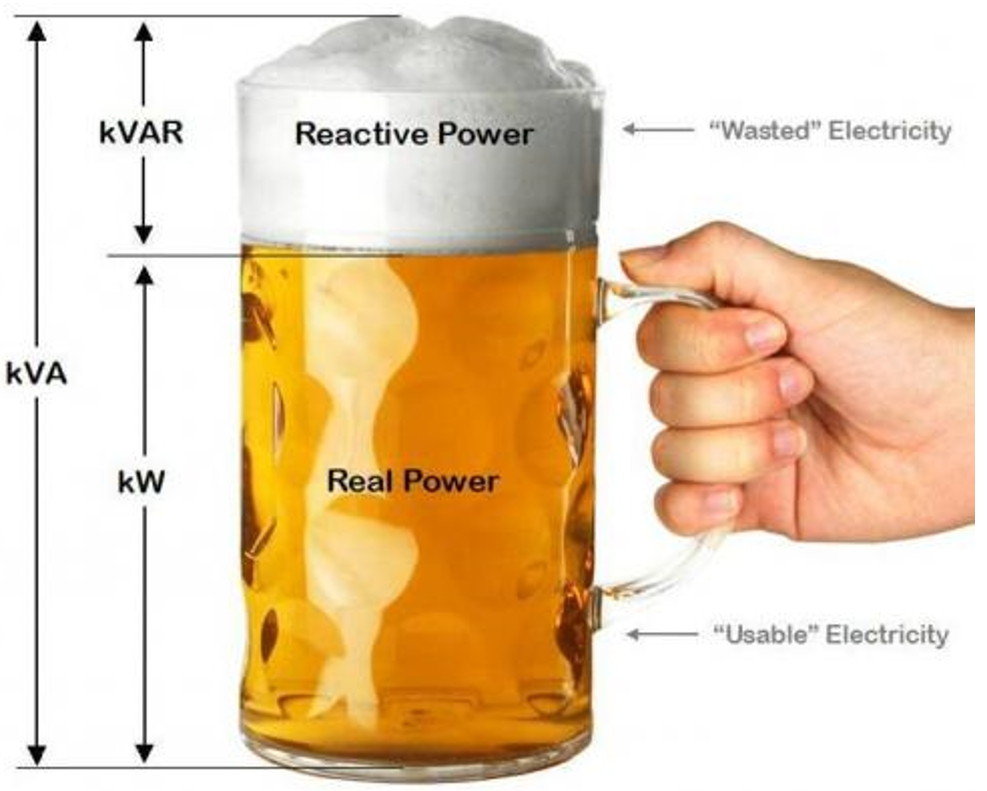
- Confusing VA and Watt Ratings: Always use the lower watt rating for calculations.
Non-obvious Insight: People often forget to protect their network equipment (like modems or routers). During an outage, having power for your PC but not for your internet is a common frustration.
Ups Runtime Vs. Generator Backup
A UPS is not a generator. Its job is to give you immediate, short-term backup while you save data or switch to another power source.
- UPS: Instant power, silent, 5–30 minutes.
- Generator: Takes time to start, noisy, can run for hours or days.
For critical systems, the best approach is to use a UPS for instant backup and a generator for long outages. The UPS covers the gap while the generator starts.
Environmental And Safety Factors
- Battery recycling: UPS batteries contain lead and acid. Dispose of them at a proper recycling center.
- Fire risk: Do not use damaged or swollen batteries.
- Surge protection: A UPS also protects against power surges, but not all models are equal. Check specifications.
Tip: Some insurance companies offer discounts for businesses that use UPS systems to protect critical equipment.
Credit: www.upssystems.co.uk
Ups Monitoring And Smart Features
Modern UPS units often include:
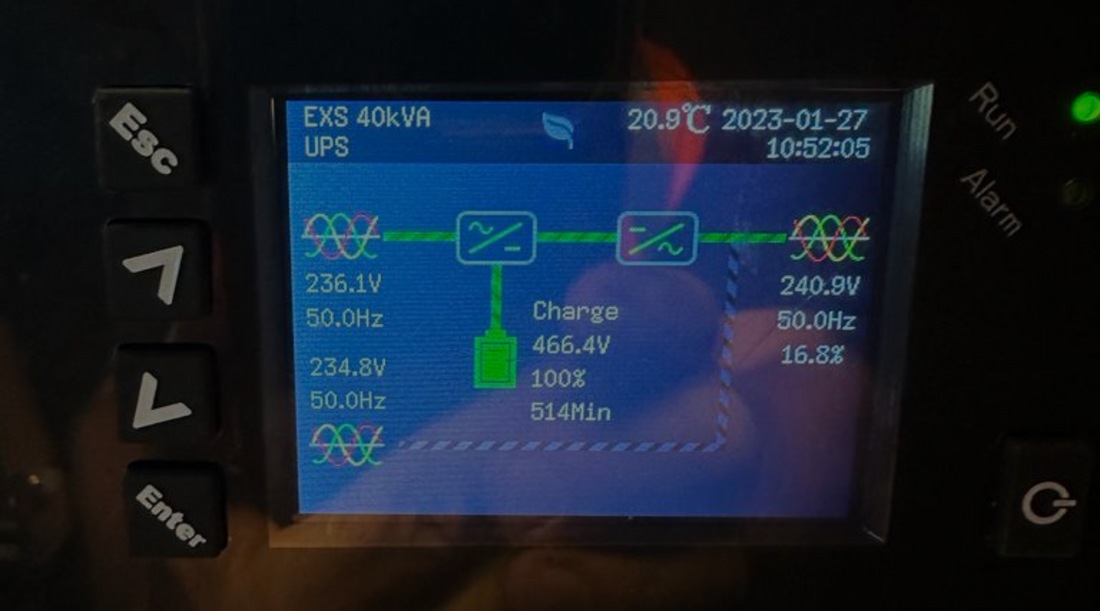
- LCD screens: Show battery health and load.
- Software: Alerts you when the battery is low.
- Network management: For remote monitoring in large systems.
- User-replaceable batteries: Makes maintenance easier.
Advanced models can email you warnings or shut down equipment automatically during a long outage.
When Should You Replace Your Ups?
Replace your UPS if:
- The case is damaged or the electronics fail.
- It emits smoke, odor, or heat (sign of internal failure).
- The model is over 10 years old, and parts are no longer available.
- The battery is not replaceable and the runtime is too short.
Pro tip: For most home and small business users, replacing the battery every 3–5 years is all you need to keep your UPS running safely.
Where To Find Reliable Ups Information
Always use manufacturer documentation, and consider checking trusted sources like Wikipedia for more technical details and historical background.
Frequently Asked Questions
How Do I Know When To Replace My Ups Battery?
Look for shorter runtimes, warning lights, or alarm beeps from the UPS. Most batteries need replacement every 3–5 years. Use the self-test function if your UPS has one.
Can I Use My Ups For Long-term Power Outages?
No. UPS units are designed for short-term use, usually up to 30 minutes. For long outages, use a generator or alternative power source.
Does Leaving My Ups Plugged In All The Time Damage The Battery?
No, modern UPS systems use smart charging to prevent overcharging. However, keep the UPS in a cool area and replace the battery on schedule.
What Happens If I Overload My Ups?
If you connect too many devices, the UPS may shut down immediately or offer much shorter backup time. Always stay under the recommended load.
Can I Replace The Ups Battery Myself?
Many UPS units allow user-replaceable batteries, especially home and office models. Check your manual, and always use the correct battery type.
—
A UPS is an essential tool for protecting your electronics from sudden power loss. While most UPS units only last minutes during an outage, understanding their runtime, battery life, and maintenance needs ensures you’re never caught off guard. By choosing the right size, caring for your unit, and planning ahead, you can extend the life of your UPS and keep your devices safe for years to come.
Related Office Guides
Continue with these related workspace guides:
