
Surge protectors are small devices with a big job. They protect your electronics from dangerous power spikes, but they don’t last forever. Many people leave their surge protectors plugged in for years, never thinking about replacing them. This can put your valuable devices at risk.
If you want your computer, TV, and home appliances to stay safe, you need to know when it’s time to get a new surge protector.
Waiting too long can be a costly mistake. Replacing a surge protector at the right time is not just a matter of safety—it’s about protecting your investment in your home and electronics. In this article, you’ll learn how surge protectors work, signs of wear, how often to replace them, and common mistakes that can shorten their lifespan.
With clear advice and real examples, you’ll know exactly what to do and when.
Why Surge Protectors Matter
Most homes are filled with electronics—laptops, TVs, gaming consoles, refrigerators, and even smart home devices. All these gadgets are sensitive to changes in electricity. A sudden power surge, often caused by lightning, power outages, or faulty wiring, can fry circuit boards in seconds.
Surge protectors are your first line of defense. They take the brunt of the energy from a spike and keep it from reaching your electronics. But, over time, they wear out. Their protective parts, called Metal Oxide Varistors (MOVs), break down a little each time they absorb a surge. When they’re used up, the surge protector might still work as a power strip—but it no longer protects.
The Cost Of Ignoring Surge Protector Life Span
Replacing a surge protector may seem like an unnecessary expense, but the cost of not replacing it can be much higher. A major power surge can destroy a $1,000 TV or a $500 laptop in an instant. Insurance may not cover the loss if you were not using protection.
According to the National Fire Protection Association, power surges cause over $1 billion in property losses every year in the U. S. alone.
How Surge Protectors Work
Understanding the basics helps you see why timely replacement is important. Surge protectors use MOVs to absorb and divert extra voltage. When the voltage gets too high, the MOVs act as a sponge, soaking up the extra energy and sending it safely to the ground wire.
Over time, each surge—large or small—damages the MOVs a bit more. Eventually, they can’t absorb any more energy. At that point, your surge protector is just a regular power strip.
Key Features To Know
- Joule rating: This number tells you how much energy the surge protector can absorb over its lifetime. Higher joules mean more protection.
- Clamping voltage: This is the voltage at which the protector starts to work. Lower is better—it means your devices are protected sooner.
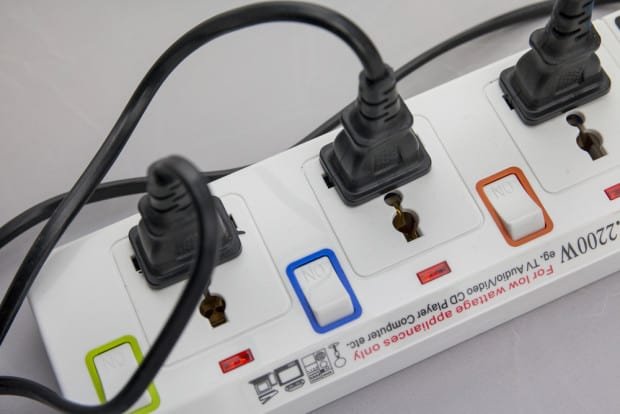
- Indicator light: Many surge protectors have a light that shows if protection is still active.
Credit: lumelect.com
Signs Your Surge Protector Needs Replacing
Some surge protectors quietly stop working, while others give off warning signs. Here’s what to watch for:
1. The Indicator Light Goes Out
Most modern surge protectors have a small light labeled “Protected” or “Grounded. ” If this light goes out, it means the protective circuit is no longer working—even if your devices still get power. This is the clearest signal that it’s time to replace the unit.
2. Physical Damage
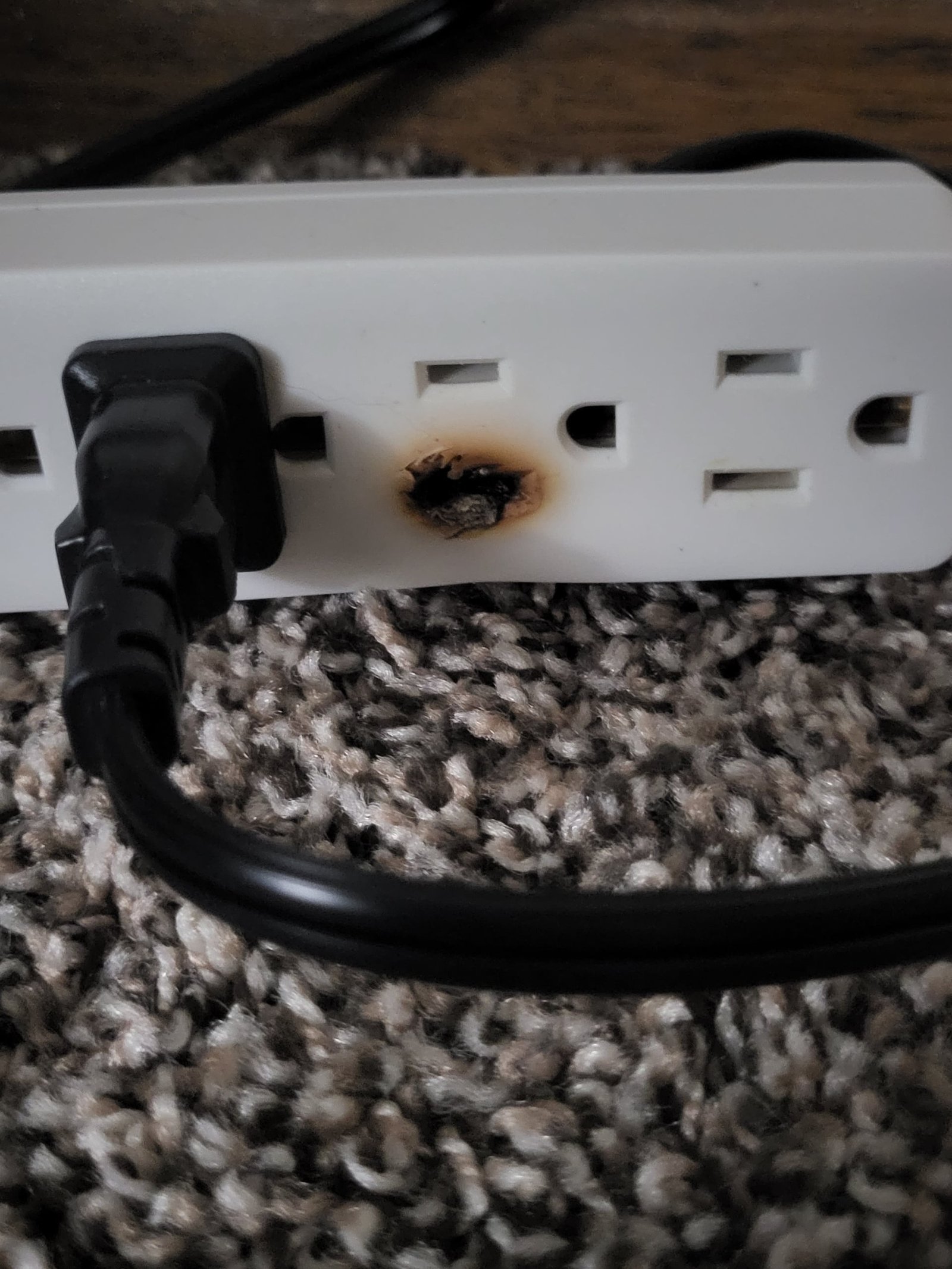
If you see burn marks, melted plastic, or a strange smell coming from the surge protector, unplug it right away. Physical damage means it may have already failed, and continuing to use it could be dangerous.
3. Age Of The Surge Protector
Even if there are no visible signs, surge protectors don’t last forever. Most experts recommend replacement every 3–5 years, even for high-quality units. If your surge protector is older than five years, consider buying a new one.
4. After A Major Power Event
If you know your home took a big hit—like a lightning strike nearby, or a blackout with a surge after power returns—replace the surge protector. Large surges can destroy the MOVs in one event.
5. Devices Start Acting Strange
Sometimes, electronics plugged into an old surge protector may randomly turn off, restart, or fail to charge. This can be a sign that the surge protector is not doing its job.
6. It Feels Hot
A surge protector should never feel hot to the touch. Heat can mean internal failure or overloading, both of which are dangerous.
How Long Do Surge Protectors Last?
There’s no fixed expiration date for every surge protector. Their lifespan depends on:
- How many surges they absorb: Frequent small surges can wear them out just like one big surge.
- Joule rating: Higher joule models last longer.
- Electrical quality in your area: Homes with unstable power will use up surge protectors faster.
Typical Lifespan
Most standard surge protectors last three to five years. Heavy-duty models may last longer, but only if they haven’t faced big surges.
Here’s a quick comparison:
| Joule Rating | Typical Lifespan | Best Use |
|---|---|---|
| 300–600 joules | 1–2 years | Small devices (lamps, chargers) |
| 600–1000 joules | 2–4 years | TVs, computers |
| 1000+ joules | 3–5+ years | Home theater, gaming, appliances |
What Affects Surge Protector Lifespan?
Many people don’t realize how their home’s electricity can shorten a surge protector’s life. These are common factors:
Power Quality
If you live in an area with unstable power, or where thunderstorms are frequent, your surge protector will wear out faster. Each small surge, even those you don’t notice, adds up.
Overloading
Plugging in too many high-wattage devices can overheat the surge protector and damage the MOVs. Always check the device’s maximum wattage.
Placement
Surge protectors in dusty, humid, or hot places (like behind a fridge or under a desk) break down faster. Heat and moisture are bad for the internal parts.
Frequent On/off Switching
Turning the surge protector on and off a lot can wear out the switch and internal parts. Leave it switched on unless you need to reset it.
How To Choose The Right Replacement
When it’s time to get a new surge protector, don’t just grab the cheapest one. Here’s what matters:
1. Joule Rating
The higher the joule rating, the more protection you get. For computers and home theaters, aim for 1000 joules or more.
2. Number Of Outlets
Count how many devices you need to plug in. Don’t overload one surge protector; if you need more outlets, buy a larger unit or split your devices across two.
3. Clamping Voltage
Look for surge protectors with a clamping voltage of 400V or less. This means they start protecting your devices sooner.
4. Ul Certification
Always check for UL 1449 certification. This means the device has been tested for safety and performance.
5. Indicator Lights
Choose a model with a clear indicator light that shows if protection is still active.
6. Usb Ports
Many newer surge protectors include USB charging ports. This is useful for phones and tablets.
7. Warranty And Equipment Coverage
Some brands offer a connected equipment warranty. If a surge destroys your devices while using their protector, they’ll reimburse you (up to a limit).
Here’s a side-by-side look at two types:
| Feature | Basic Surge Protector | Advanced Surge Protector |
|---|---|---|
| Joule Rating | 400 | 2000+ |
| Indicator Light | No | Yes |
| USB Ports | No | Yes |
| Warranty | No | Yes (up to $50,000) |
| UL Certification | Maybe | Always |
Common Mistakes When Replacing Surge Protectors
Even careful users make these errors:
1. Using Old Power Strips As Surge Protectors
Not all power strips are surge protectors. Many people confuse the two. Only surge protectors with a UL 1449 label offer real protection.
2. Ignoring Joule Ratings
A $5 surge protector with a 200-joule rating won’t protect your expensive TV. It might only last a few surges.
3. Daisy Chaining Surge Protectors
Plugging one surge protector into another (called “daisy chaining”) is dangerous and can cause fires. Never do this.
4. Not Replacing After A Surge
If you know your home took a hit, always replace your surge protector—even if it looks fine.
5. Overloading
Plugging too many devices into one unit can overheat the surge protector and your wiring.
When To Replace Surge Protector: Practical Guidelines
You now know the warning signs, but here’s a simple checklist:
- Replace every 3–5 years as a rule of thumb.
- Immediately replace if the indicator light goes out.
- Replace after any major surge (lightning strike, blackout).
- Replace if it’s damaged (burn marks, melted parts, strange smells).
- Replace if your devices behave strangely when plugged in.
If you’re not sure how old your surge protector is, it’s safer to buy a new one.
Credit: www.youtube.com
How To Dispose Of Old Surge Protectors
Throwing surge protectors in the trash is bad for the environment. Many contain metals and plastics that can be recycled. Check with your local electronics recycling program. Some electronics stores accept old surge protectors for safe disposal.
Non-obvious Insights Most People Miss
Many people think surge protectors last forever if they’re not “used. ” In reality, every small surge—even ones you can’t see—wears them out. Power surges happen more often than you realize, especially during storms or in older homes with outdated wiring.
Another common mistake is trusting the “reset” button. Some surge protectors have a button to reset the breaker after an overload. This doesn’t reset the MOVs or restore protection; it just restores power. Once the MOVs are used up, your devices are unprotected.
Credit: www.reddit.com
Real-world Examples
Office Equipment
A small business owner used the same surge protector for over 10 years. After a blackout, his computers wouldn’t boot and had to be replaced. He later learned the surge protector had stopped working years before. The cost of new equipment was far higher than replacing the surge protector.
Home Theater System
During a thunderstorm, a lightning strike nearby caused a surge. The homeowner’s TV and sound system were plugged into a high-joule surge protector. The surge protector stopped working, but the electronics were safe. Replacing the surge protector was a cheap fix compared to the cost of the TV.
Surge Protectors Vs. Whole House Protection
For ultimate safety, consider a whole-house surge protector. These are installed at your electrical panel and protect everything in your home. However, you should still use point-of-use surge protectors for sensitive equipment. The two types work together for better protection.
Here’s how they compare:
| Type | Protection Level | Coverage | Cost |
|---|---|---|---|
| Point-of-Use Surge Protector | Good | Single device/group | $10–$50 each |
| Whole-House Surge Protector | Excellent | Entire home | $200–$600 (installed) |
How To Get The Most From Your Surge Protector
- Plug high-value electronics into surge protectors—not just power strips.
- Check the indicator light every few months.
- Don’t exceed the wattage rating.
- Replace before the end of the recommended lifespan.
- Keep surge protectors away from heat, moisture, and dust.
The Bottom Line
A surge protector is a small investment that protects your much more valuable electronics. But it’s only effective if it’s in good working condition. Most people forget to replace these devices, putting their TVs, computers, and even their homes at risk.
Don’t wait for a disaster to remind you. Check your surge protectors regularly, watch for warning signs, and replace them every few years. It’s a simple habit that can save you money, time, and stress.
For more information on surge protector safety and standards, check out the National Fire Protection Association.
Frequently Asked Questions
How Can I Tell If My Surge Protector Is Still Working?
Most surge protectors have a “Protected” indicator light. If the light is off, the unit is no longer protecting your devices and should be replaced. If there’s no indicator, it’s best to replace the protector every 3–5 years.
Can I Use A Surge Protector After A Power Outage?
Yes, but only if it wasn’t exposed to a major surge when the power returned. After a blackout, if you notice the indicator light is off or your devices behave oddly, replace the surge protector.
Is It Safe To Plug A Surge Protector Into Another Surge Protector?
No. This is called daisy chaining and can overload the circuit, increase fire risk, and void your insurance. Always plug surge protectors directly into a wall outlet.
What’s The Difference Between A Power Strip And A Surge Protector?
A power strip only adds outlets; it doesn’t protect from surges. A surge protector absorbs extra voltage and keeps your devices safe. Look for a UL 1449 label to be sure.
Are Expensive Surge Protectors Worth It?
Often, yes. Higher-quality surge protectors have better joule ratings, warranties, and features like indicator lights and USB ports. They offer more reliable protection for your valuable electronics.
By staying aware and proactive, you’ll keep your devices and home safe from electrical surprises—one surge protector at a time.
Related Office Guides
Continue with these related workspace guides:
