
Thunderbolt 4 Charging Speed: Everything You Need To Know
Thunderbolt 4 is one of the most advanced connection technologies available today. It brings together super-fast data transfer, high-resolution video support, and charging—all through one small USB-C port. But when people hear “Thunderbolt 4,” they often wonder how fast it can really charge their devices. Is it faster than USB-C? Does it make a real difference for laptops, phones, or accessories? If you want clear answers about Thunderbolt 4 charging speed, this guide will break down everything you should know.
Many users upgrade their laptops or docks for Thunderbolt 4, expecting blazing-fast charging. But the truth is more nuanced. Charging speed depends on several factors: the Thunderbolt 4 standard, the power delivery protocol, your device’s hardware, and the cable you use. This article explains these four key areas in detail, so you can make smart decisions about your devices and charging setup.
Let’s dive into Thunderbolt 4 charging speed, how it works, what affects it, and how to get the most from your investment.
What Is Thunderbolt 4?
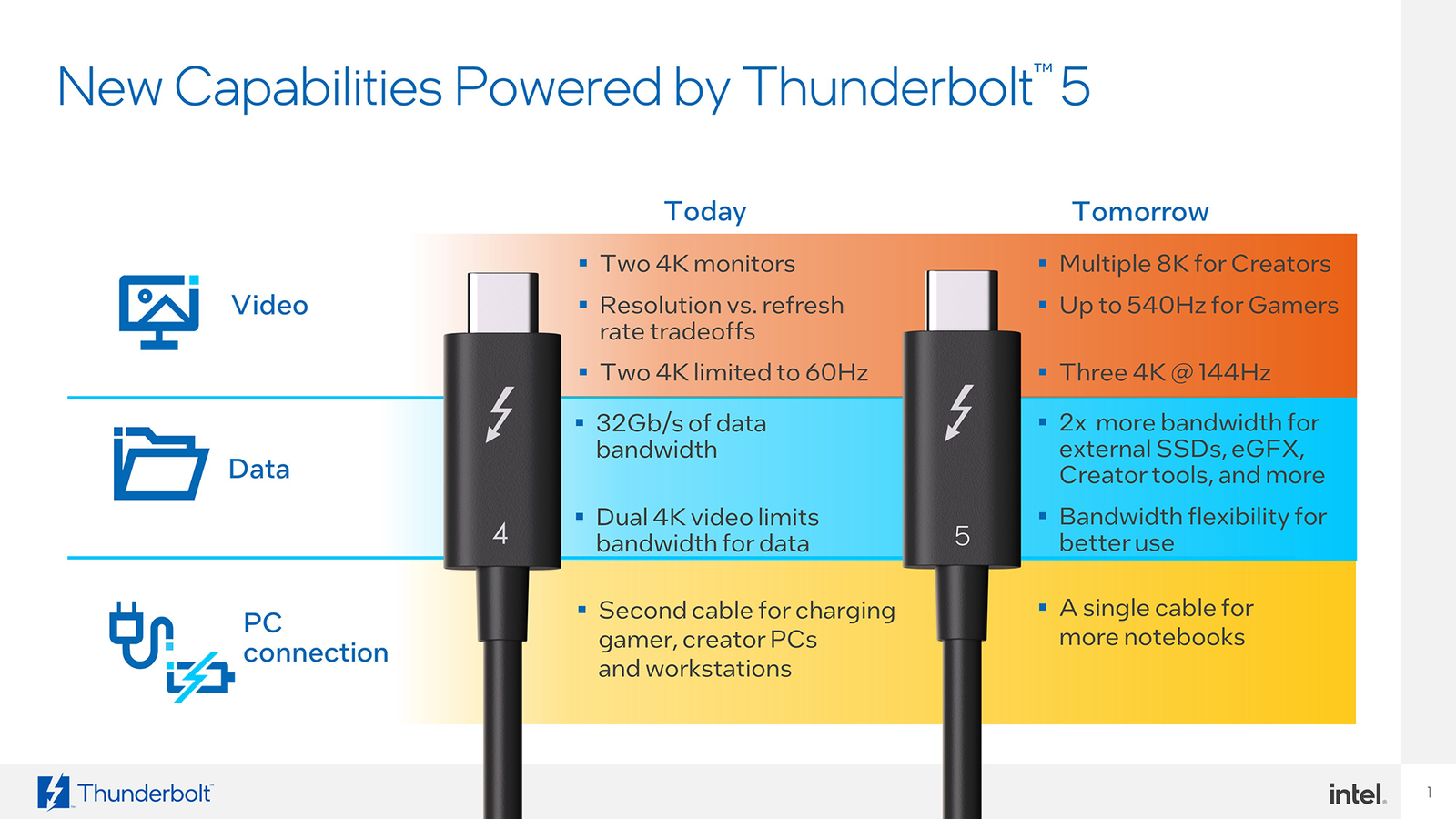
Thunderbolt 4 is a technology developed by Intel. It uses the USB-C connector and can handle data transfer, video output, and power delivery—all at the same time. Many premium laptops, monitors, and docking stations now include Thunderbolt 4 ports.
Here are some basics of Thunderbolt 4:
- Data transfer: Up to 40Gbps (gigabits per second)
- Video support: Up to two 4K displays or one 8K display
- Power delivery: Up to 100W of charging power
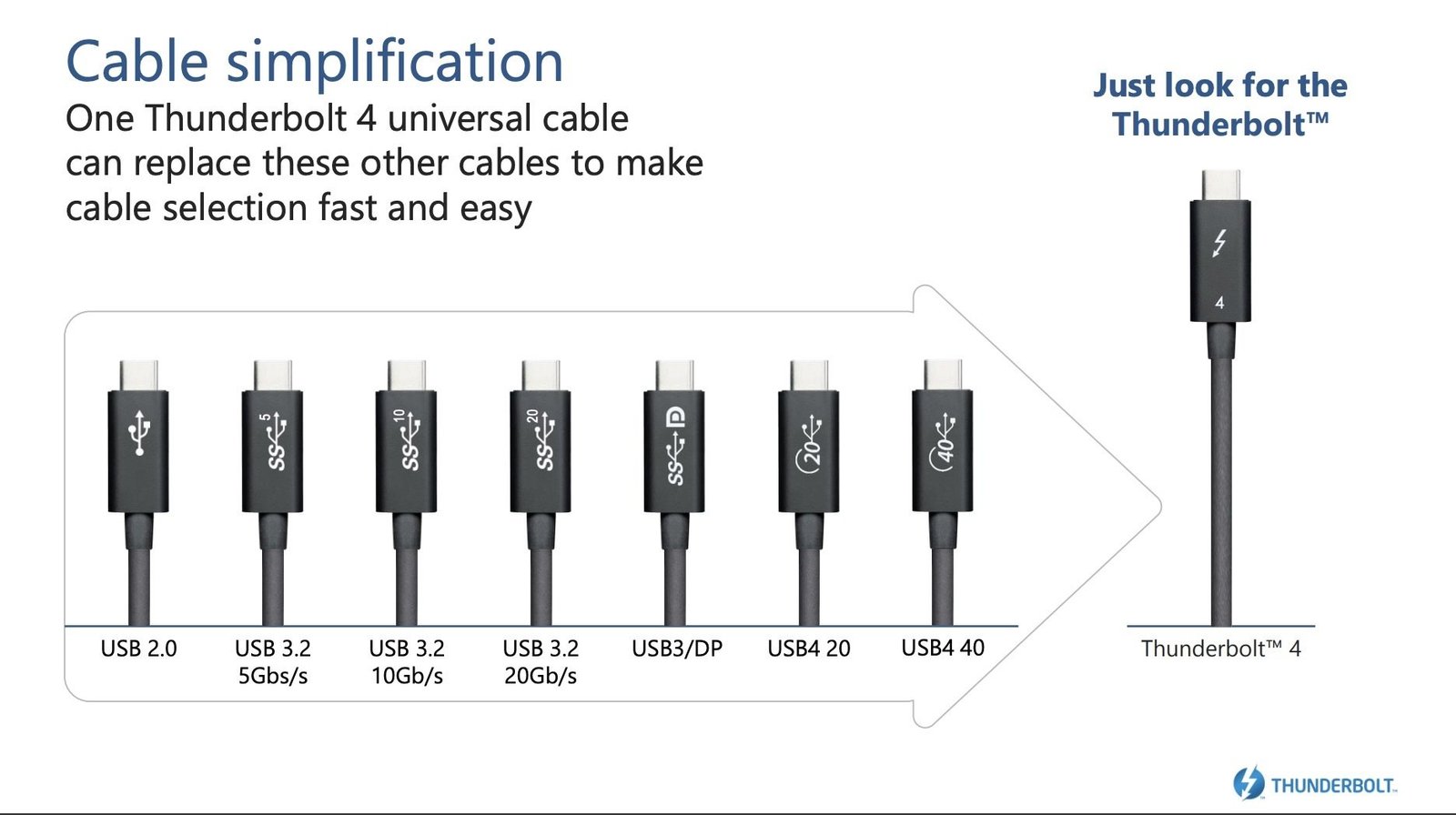
Thunderbolt 4 is backwards compatible with USB4 and earlier Thunderbolt versions. But not every USB-C port supports Thunderbolt 4 speeds or features. Always look for the lightning bolt icon or check your device specifications.
The Four Key Aspects Of Thunderbolt 4 Charging Speed
When discussing Thunderbolt 4 charging speed, there are four main things to consider:
- Maximum Power Delivery
- Device Compatibility and Charging Limits
- Cable Quality and Specifications
- Real-World Performance vs. Theoretical Speed
Each of these affects how fast—and how safely—your device charges with Thunderbolt 4. Let’s look at each one in detail.
—
1. Maximum Power Delivery
The power delivery capability of Thunderbolt 4 is a main reason people choose it for charging laptops and other high-power devices. But what does “up to 100W” really mean? And how does it compare to other charging standards?
Thunderbolt 4 And Usb Power Delivery
Thunderbolt 4 uses the USB Power Delivery (USB PD) protocol for charging. This means it can deliver up to 100 watts of power (20 volts, 5 amps) through a certified cable. For many modern laptops, this is enough to support full-speed charging—even while using the device.
Here’s how Thunderbolt 4 compares to other common charging options:
| Standard | Max Power Output | Connector Type |
|---|---|---|
| Thunderbolt 4 | 100W (20V/5A) | USB-C |
| USB 3.2 | 7.5W (5V/1.5A) | USB-A, USB-C |
| USB-C PD 3.0 | 100W (20V/5A) | USB-C |
| Thunderbolt 3 | 100W (20V/5A) | USB-C |
This table shows that Thunderbolt 4’s charging power is equal to Thunderbolt 3 and USB-C PD 3. 0. If you want the fastest charging possible, you need both a Thunderbolt 4 port and a device that can accept 100W input.
Devices That Benefit Most
- High-end laptops: Many ultrabooks and MacBooks support up to 100W charging.
- Docking stations: One cable can charge your laptop while connecting multiple monitors and accessories.
- Tablets and phones: Most only draw a fraction of 100W, but will charge at their maximum supported speed.
Non-obvious Insight
Even though Thunderbolt 4 supports 100W, not all devices use the full amount. Some laptops are limited to 65W or 87W. Always check your device’s charging specs before expecting the fastest speeds.
—
2. Device Compatibility And Charging Limits
Not all devices are built to take advantage of Thunderbolt 4’s maximum charging speed. Your charging speed depends on both the charger (output) and your device (input).
How Device Charging Limits Work
Every device has a built-in charging circuit. This circuit controls how much power the battery can accept safely. If you connect a 100W Thunderbolt 4 charger to a device that only supports 45W input, the device will only draw 45W. The charger cannot force more power into the device.
Here’s a practical example:
- You have a Thunderbolt 4 dock with 100W charging.
- You connect a laptop that supports 65W charging.
- The laptop will charge at 65W, even if the dock can provide more.
Device Types And Charging Support
Different devices support different charging speeds. Here’s a quick comparison:
| Device Type | Typical Thunderbolt 4 Charging Support | Notes |
|---|---|---|
| Laptops | 45–100W | High-end models support higher wattage |
| Tablets | 18–45W | May not use full Thunderbolt 4 power |
| Smartphones | 18–27W | Limited by battery size and safety |
| Accessories (docks, monitors) | 5–15W | Usually need less power |
Common Mistake
Many users assume that just because they use a Thunderbolt 4 port, everything will charge at 100W. But the device’s own charging limit is the true bottleneck.
Firmware And Manufacturer Differences
Some laptop brands limit charging speed to protect battery life. For example, a laptop may accept only up to 65W through Thunderbolt 4, even if a higher-rated charger is used. Always check the manufacturer’s documentation.
—
Credit: satechi.com
3. Cable Quality And Specifications
People often underestimate the importance of a good cable. But in Thunderbolt 4 charging, the cable is just as important as the port or charger. The wrong cable can limit charging speed, cause overheating, or even damage devices.
Thunderbolt 4 Cable Requirements
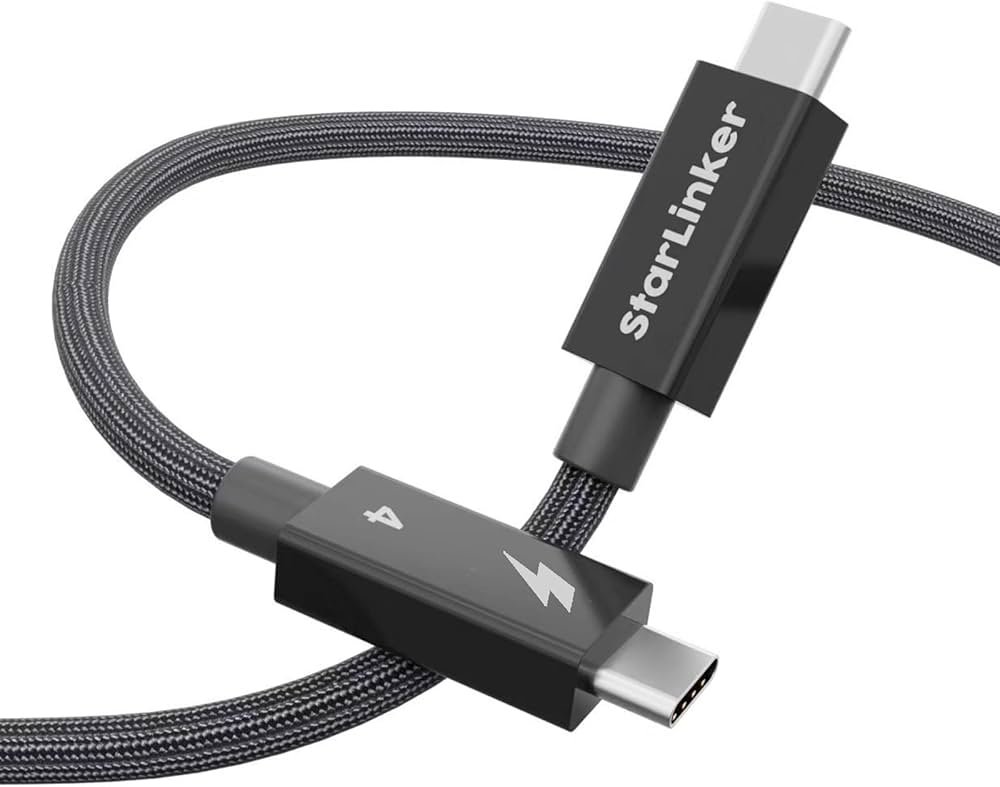
- Certified Thunderbolt 4 cables are designed for up to 100W charging and full 40Gbps data speed.
- Cables longer than 0.8 meters (about 2.6 feet) usually drop to 20Gbps, but charging power stays at 100W.
- Cheaper USB-C cables without Thunderbolt 4 certification may support only 60W or lower charging.
How To Identify A True Thunderbolt 4 Cable
- Look for the Thunderbolt logo (a lightning bolt and “4” symbol) on the cable or packaging.
- Check the wattage rating. It should say “100W” or “5A”.
- Buy from trusted brands. Counterfeit cables are common online.
Examples
- If you use a 60W USB-C cable with your Thunderbolt 4 dock, your 100W-capable laptop will only charge at 60W.
- Using a non-certified cable can cause the device to ignore Thunderbolt features and revert to basic USB charging (often much slower).
Non-obvious Insight
The cable’s internal build matters. Some “Thunderbolt 4” cables sold cheaply online are only certified for data—not for full power delivery. Always check for official certification and proper labeling.
Why Cable Length Matters
Shorter cables (0. 8m or less) can handle the maximum speed and charging power. Longer cables may reduce data speed but usually maintain 100W charging. If you need full Thunderbolt 4 performance, keep cables short and use certified products.
—
4. Real-world Performance Vs. Theoretical Speed
Theoretical charging speed is one thing. Real-life performance can be different. Factors like device temperature, firmware, battery health, and even the dock’s internal circuitry affect actual charging speed.
What Slows Down Real Charging?
- Battery management: Devices often slow charging when batteries are nearly full to protect battery life.
- Heat: High charging speeds create heat. If a device gets too warm, it may reduce power input to prevent damage.
- Multiple devices: If you charge several devices from one dock, each device may get less power.
Real-world Example
A Thunderbolt 4 dock rated for 100W is connected to a laptop and a phone. The dock’s total output is split between both devices. If the laptop is using 65W, the phone may only get the remaining power, charging slower than expected.
Firmware And Updates
Some docks and laptops receive firmware updates that improve charging performance or add new features. Always keep your device firmware updated for the best results.
Real Charging Speed Numbers
Most users will experience these actual charging speeds:
- Laptops: 65–100W, depending on the laptop and cable.
- Tablets: 18–30W, usually fast enough for most tablets.
- Phones: 15–27W, which is still faster than standard chargers but not as fast as some proprietary “super charging” solutions.
Non-obvious Insight
Thunderbolt 4 charging is not always the “fastest” for phones. Some brands (like Oppo, Xiaomi, or OnePlus) use proprietary fast charging that can exceed 65W, but only with their own chargers and cables—not with Thunderbolt 4.
—
Credit: www.pcmag.com
Thunderbolt 4 Charging: Practical Scenarios
Understanding how Thunderbolt 4 charging works in daily life helps you make smarter choices. Here are some common situations, the expected speed, and what can affect your results.
Charging A Laptop With A Thunderbolt 4 Dock
- Connect your laptop to a Thunderbolt 4 dock with a certified 100W cable.
- If your laptop accepts 100W input, it will charge at full speed—even while running heavy tasks.
- If your laptop supports only 65W, charging will be limited to that speed.
Using Thunderbolt 4 To Charge A Smartphone
- Most smartphones will charge at up to 18–27W, limited by their battery and firmware.
- You might not see a big speed difference compared to a good USB-C PD charger.
Charging Multiple Devices
- If you plug both a laptop and a tablet into one Thunderbolt 4 dock, the dock splits power.
- The total available power is fixed. If you exceed it, some devices may charge slower.
Using A Long Cable
- A 2-meter Thunderbolt 4 cable will still charge at up to 100W, but may lower data transfer speed to 20Gbps.
- For best performance, use certified cables under 0.8 meters.
—
Comparing Thunderbolt 4 Charging To Other Technologies
Many users wonder how Thunderbolt 4 charging compares to USB-C PD, MagSafe, or proprietary fast charging. Here’s a quick comparison.
| Feature | Thunderbolt 4 | USB-C PD 3.0 | MagSafe (Apple) | Proprietary Fast Charge |
|---|---|---|---|---|
| Max Power | 100W | 100W | 140W (MagSafe 3) | 120–150W |
| Data Speed | 40Gbps | Up to 20Gbps | None | None |
| Video Output | Dual 4K/60Hz | Single 4K/60Hz | None | None |
| Cable Type | USB-C (certified) | USB-C | MagSafe 3 | Brand-specific |
Thunderbolt 4 stands out for its mix of high power, fast data, and video support—all in one cable. But for highest power (like Apple’s MagSafe 3 at 140W), Thunderbolt 4 is slightly behind.
—
How To Get The Best Thunderbolt 4 Charging Experience
To maximize Thunderbolt 4 charging speed and safety, follow these tips:
- Use certified Thunderbolt 4 cables. Uncertified cables can limit power or cause overheating.
- Check your device’s charging specs. Don’t expect 100W charging if your device supports less.
- Keep firmware updated on docks and laptops. Updates can improve charging and fix bugs.
- Avoid cheap or counterfeit accessories. They may not deliver safe or reliable charging.
- Don’t overload your dock. Charging too many devices can reduce speed for all.
- Monitor heat. If your laptop or dock gets too hot, unplug and let it cool down.
—
Two Insights Beginners Often Miss
- Thunderbolt 4 is not always faster than USB-C PD for charging. If your device supports 100W charging, Thunderbolt 4 and USB-C PD 3.0 will charge at the same speed. Thunderbolt 4’s main advantage is combining charging with high-speed data and video—not faster charging on its own.
- Your device, not your charger, usually decides charging speed. No matter how powerful your dock or wall charger is, your laptop or phone will only take as much power as it’s designed for. Always check the device manual or specs before upgrading your charger.
—
Credit: www.amazon.com
Frequently Asked Questions
What Is The Maximum Charging Speed Of Thunderbolt 4?
Thunderbolt 4 supports up to 100W charging (20 volts at 5 amps) using USB Power Delivery. This is enough for most laptops and many other devices. However, the actual speed depends on your device’s own charging limit.
Do I Need A Special Cable For Thunderbolt 4 Charging?
Yes, for full 100W charging and top data speed, you need a certified Thunderbolt 4 cable. These cables are tested for both high power and high data rates. Cheaper USB-C cables may limit charging to 60W or lower.
Can Thunderbolt 4 Charge Smartphones Faster Than Usb-c?
Usually, Thunderbolt 4 charges smartphones at the same speed as USB-C PD—often 18–27W. Some phones can charge faster with proprietary “super charging,” but only with their brand’s charger and cable.
Is Thunderbolt 4 Charging Safe For My Devices?
Yes, Thunderbolt 4 uses USB Power Delivery, which communicates with your device to provide only the safe amount of power. Always use certified cables and reputable chargers to avoid risk.
Where Can I Find More Technical Details About Thunderbolt 4?
You can read the official Thunderbolt 4 documentation at the Intel Thunderbolt 4 page for more technical details and certification information.
—
Thunderbolt 4 charging speed is impressive, but it’s important to understand what really affects your charging experience. The technology allows up to 100W charging, but your device, cable, and accessories all play a part. By choosing the right certified equipment and understanding your device’s limits, you’ll get the best possible performance—whether you’re powering a laptop, phone, or docking station. Remember: Thunderbolt 4’s real strength is its ability to deliver high-speed data, video, and power—all in one sleek USB-C port. Choose wisely, and you’ll enjoy a fast, flexible, and safe charging solution for years to come.
Related Office Guides
Continue with these related workspace guides:
