
Sanitizing shared office equipment has become a crucial part of workplace health, especially in today’s world where viruses and bacteria can spread easily. Shared devices like keyboards, phones, printers, and desks are touched by many hands every day. Without proper cleaning, these surfaces can quickly become hotspots for germs.
But the good news is, regular sanitizing can greatly reduce the risk of infection and make everyone feel safer at work. This article explains practical steps, effective products, and smart habits for keeping shared office equipment clean.
Why Sanitizing Shared Office Equipment Matters
Many office workers assume that their equipment is relatively clean, but the reality is quite different. A study by the University of Arizona found that the average office desk harbors 400 times more bacteria than a toilet seat. Shared items like copiers and staplers are touched by dozens of people each day, increasing the chance of germs spreading. Viruses like the flu can survive on hard surfaces for up to 48 hours. During cold and flu season, or outbreaks like COVID-19, these risks become even higher.
Besides physical health, a clean office also affects mental well-being. Employees are more confident and productive when they see visible efforts to keep the workplace sanitized. Regular cleaning reduces sick days and boosts morale.
Key Office Equipment That Needs Sanitizing
Not all office equipment is equal when it comes to germ risk. Some items get more contact and should be prioritized:
- Keyboards and mice – Touched constantly, but rarely cleaned.
- Shared telephones – Handsets and buttons are germ magnets.
- Printers and copiers – Many users press the same control panels.
- Conference room equipment – Remotes, screens, and speakerphones.
- Door handles and light switches – High-touch but often forgotten.
- Chairs and shared desks – Armrests and surfaces accumulate sweat and bacteria.
- Stationery – Staplers, pens, and scissors passed around.
Understanding which items are most at risk helps set a cleaning schedule and avoids missing important spots.

Credit: www.sweptspace.com
Choosing The Right Cleaning Products
Using the right products is essential for effective sanitizing. Not all cleaners can kill germs, and some can damage electronics or surfaces.
| Product Type | Best For | Pros | Cons |
|---|---|---|---|
| Alcohol-based wipes (60-70% alcohol) | Keyboards, phones, touchscreens | Quick drying, effective against viruses | Can dry out plastic/rubber over time |
| Disinfectant sprays | Desks, chairs, hard surfaces | Wide coverage, easy to use | May leave residue, not for electronics |
| UV sanitizers | Phones, small electronics | No chemicals, easy to use | Expensive, not for large areas |
| Soap and water | Non-electronic items | Safe, available, no harsh smells | Not suitable for electronics |
Always check the manufacturer’s guidelines before using any cleaner, especially on electronics. For example, harsh chemicals can damage screens or remove key labels from keyboards.
Step-by-step: How To Sanitize Common Office Equipment
Sanitizing office equipment is not just about wiping surfaces. The process must be thorough and consistent. Below are practical steps for the most commonly shared items.
Keyboards And Mice
- Unplug or turn off the device before cleaning.
- Shake out crumbs and debris.
- Use a disinfectant wipe or a soft cloth dampened with 70% isopropyl alcohol.
- Wipe all surfaces, including spaces between keys.
- Let it dry completely before plugging back in.
*Tip: Avoid spraying liquid directly onto electronics. Too much moisture can cause damage.*
Shared Telephones
- Disconnect the handset if possible.
- Wipe the earpiece, mouthpiece, and buttons with an alcohol-based wipe.
- Clean the cord and base.
- Let the phone air dry before reconnecting.
*Non-obvious insight: Don’t forget to clean the cradle where the handset rests; germs often collect here.*
Printers And Copiers
- Power off the device.
- Use a soft cloth with disinfectant spray (spray onto the cloth, not the device).
- Clean control panels, touchscreens, and handles.
- Avoid wetting paper trays or internal parts.
*Most people forget: The start button and paper output tray are touched by almost everyone—always include these.*
Conference Room Equipment
- Wipe remote controls, pointers, and speakerphones with disinfectant wipes.
- Clean shared screens (use screen-safe products).
- Wipe cables, especially HDMI or USB connectors.
Door Handles And Light Switches
- Spray disinfectant on a cloth (never directly onto switches).
- Wipe all handles, push plates, and switch surfaces.
- Repeat several times a day in busy offices.
Shared Desks And Chairs
- Remove personal items and dust first.
- Wipe surfaces, armrests, and chair backs with disinfectant spray or wipes.
- Allow surfaces to dry before using.
Stationery
- Collect shared items like staplers, pens, and scissors at the end of the day.
- Wipe with alcohol-based wipes.
- If possible, assign personal stationery to reduce sharing.
Creating A Sanitizing Schedule
Random cleaning is not enough. A regular schedule ensures that equipment stays clean and nothing is missed. The schedule depends on office size and how often items are used.
| Equipment | Cleaning Frequency |
|---|---|
| Keyboards & Mice | Daily or after each use |
| Shared Phones | Daily |
| Printers/Copiers | Twice daily |
| Door Handles/Switches | Every 2-3 hours |
| Desks & Chairs | Daily |
| Stationery | End of day |
*Non-obvious insight: Assign responsibility. Make one person or team in charge of each area. This avoids confusion and ensures consistency.*
Encouraging Good Habits Among Employees
Even the best cleaning plan fails if employees do not follow basic hygiene. Simple actions make a big difference:
- Wash hands before and after using shared equipment.
- Use hand sanitizer placed near shared devices.
- Avoid touching your face after using shared items.
- Report dirty or broken equipment.
- Wipe down equipment after use if possible.
Some companies encourage a “clean desk” policy, where employees clear and wipe their workspace at the end of each day.
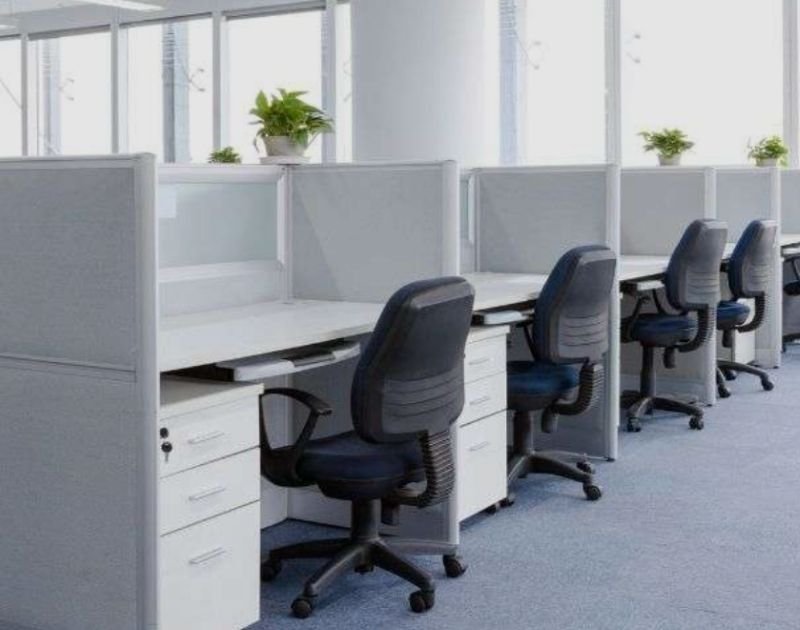
Credit: assettservices.com
Mistakes To Avoid When Sanitizing Office Equipment
Many offices try to keep things clean but make common mistakes that reduce effectiveness:
- Using the wrong product – For example, bleach on electronics can ruin them.
- Spraying directly on devices – This can cause liquid to seep inside and damage circuits.
- Missing hidden areas – Under keyboards, sides of phones, or chair armrests.
- Inconsistent cleaning – Only cleaning when someone is sick, not as a routine.
- Sharing without cleaning – Passing pens, remotes, or headsets without wiping first.
A simple checklist helps avoid these errors and keeps everyone safe.
Office Layout Changes That Help Sanitizing
Physical changes to the office can make cleaning easier and reduce germ spread:
- Move shared equipment to open areas for easier access and cleaning.
- Use touchless devices where possible (automatic soap dispensers, motion sensors).
- Reduce the number of shared items by assigning personal devices.
- Place cleaning supplies near high-touch equipment.
These changes do not need to be expensive but can have a big impact on office hygiene.
The Role Of Professional Cleaning Services
Larger offices often use professional cleaners. While daily wipe-downs by staff are important, deep cleaning by experts is needed for carpets, upholstery, and hard-to-reach places. Professionals use industrial disinfectants and specialized equipment.
When hiring a cleaning service, check that:
- They use EPA-approved disinfectants.
- Staff are trained in office cleaning protocols.
- The frequency matches your office’s needs.
- They offer reports or checklists of completed work.
Many companies now offer regular sanitizing packages designed for offices.
The Science Of Disinfection: What Actually Works?
Not all cleaning removes germs. Disinfecting means killing bacteria and viruses, not just wiping away dust. Alcohol (60-70%) and bleach (at proper dilution) are proven to kill most office germs. UV-C light can also destroy viruses, but the device must be used correctly and for enough time.
According to the Centers for Disease Control and Prevention (CDC), surfaces should remain wet with disinfectant for at least 4 minutes to ensure effectiveness. Simply wiping and drying too quickly may leave germs behind.
What To Do If Someone Is Sick
If an employee is sick or tests positive for an illness like COVID-19, take extra steps:
- Close off the area where the person worked.
- Wait several hours before cleaning (if possible), to reduce risk to cleaners.
- Wear gloves and masks while sanitizing.
- Focus on all shared equipment and surfaces the person used.
- Dispose of cleaning materials safely.
After a deep clean, inform staff and encourage continued hygiene.
Cost Comparison: Diy Vs. Professional Sanitizing
Every office must decide whether to clean in-house or hire professionals. Here’s a simple comparison:
| Method | Pros | Cons | Typical Cost (per month, 100-person office) |
|---|---|---|---|
| DIY (in-house staff) | Cheaper, flexible schedule | May miss spots, needs training | $150 – $300 |
| Professional Service | Thorough, trained staff, better products | More expensive, less flexible | $500 – $1200 |
For most offices, a mix works best: daily cleaning by employees, with weekly or monthly deep cleaning by professionals.
The Future Of Sanitizing Shared Equipment
New technologies are making office sanitizing easier. Some offices now use self-sanitizing surfaces (like copper handles), antimicrobial coatings, or robotic cleaners for high-traffic areas. Touchless technology is also growing, reducing the need for physical contact.
For more ideas about new cleaning technology, see this CDC resource.
Frequently Asked Questions
How Often Should Shared Office Equipment Be Sanitized?
High-touch items like keyboards, phones, and door handles should be sanitized at least once daily. During flu season or outbreaks, clean them more often—every few hours is best for busy offices.
What Is The Best Disinfectant For Electronic Equipment?
The safest option is 70% isopropyl alcohol wipes. They kill most germs without damaging electronics. Always check device guidelines before using any cleaner.
Can Uv Sanitizers Replace Manual Cleaning?
UV sanitizers can kill germs on small devices but do not remove dirt or dust. Manual wiping is still needed for thorough cleaning, especially on large surfaces.
Are Natural Cleaners Like Vinegar Effective Against Viruses?
Vinegar is not effective against most viruses. For real disinfection, use products approved by health authorities, like alcohol-based or bleach-based solutions.
What Should I Do If A Colleague Is Sick And Has Used Shared Equipment?
Immediately clean all equipment the person touched, following the steps above. Use gloves and masks, and let disinfectant stay wet on surfaces for several minutes before wiping.
Sanitizing shared office equipment is not just a one-time task—it’s an ongoing habit that protects everyone’s health. With the right products, smart routines, and employee support, any office can create a safer and more productive environment.
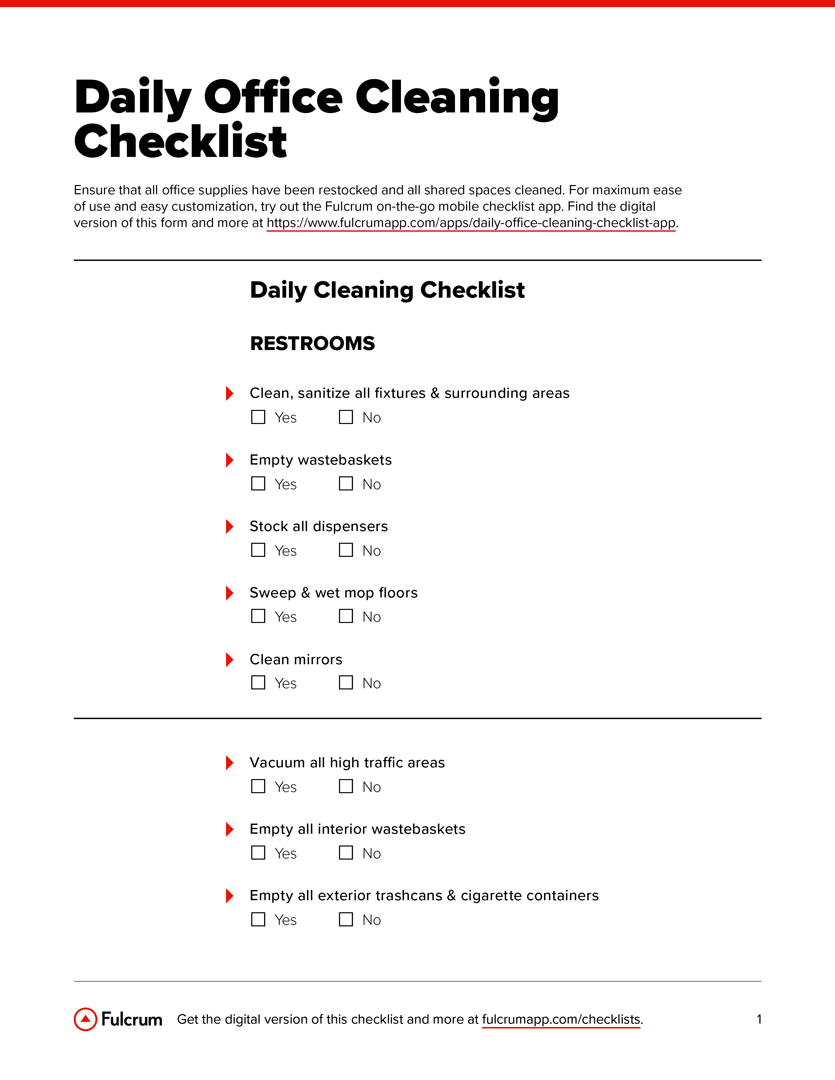
Credit: www.fulcrumapp.com
Related Office Guides
Continue with these related workspace guides:
