
Managing charging cables on your desk can feel like a small challenge, but it often turns into a daily annoyance. You sit down to work and end up untangling wires, searching for the right cable, or even knocking over your coffee because your phone charger got stuck.
This mess is not just about looks—it can waste time, damage cables, and even distract you from important work. If you want a tidy, efficient workspace, managing your charging cables is essential.
There are many smart ways to organize cables without expensive tools or complicated systems. From simple DIY tricks to advanced cable management products, you can choose what fits your needs and budget. This guide explores practical steps, useful products, and expert advice to help you control desk cable chaos for good.
Why Desk Cable Management Matters
A clean desk is not just about style. Cable management brings several real benefits:
- Saves time: You can find the right charger quickly and avoid tangles.
- Protects devices: Cables are less likely to break or fray.
- Boosts productivity: A neat space helps you focus on work, not on the mess.
- Prevents accidents: Fewer cables mean less risk of spills or things falling.
Many people do not realize that messy cables can also cause stress. Research from Princeton University shows that clutter can reduce your brain’s ability to focus and process information. A tidy desk, including cables, can help you feel calmer and work better.
Understanding Your Cable Needs
Before you start organizing, look at the types and number of charging cables on your desk. People often keep more than they need. Ask yourself:
- How many devices do I charge daily? (Phone, tablet, laptop, wireless earbuds, smartwatch, etc.)
- Do I need all cables at once, or can some be stored away?
- Are any cables never used?
This step helps you remove unused or extra cables, making organization much easier.
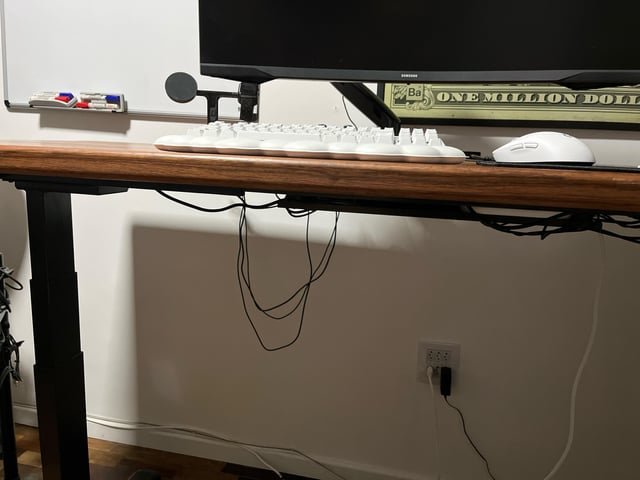
Credit: www.reddit.com
Simple Solutions For Managing Charging Cables
You do not always need to buy new products. Try these simple, budget-friendly ideas:
1. Use Binder Clips
Binder clips are cheap and strong. Clip them to the edge of your desk and thread cables through the silver handles. Each clip holds one cable, stopping it from falling behind the desk. This trick works best for charging cables that you use often.
2. Diy Cable Holders
You can make cable holders from things you already have, such as:
- Velcro strips: Wrap these around coiled cables to stop tangling.
- Twist ties: Use leftover ties from bread bags to bundle cables.
- Old credit cards: Cut small slots in a card to hold and separate cables.
DIY methods are perfect if you want to save money and enjoy creative projects.
3. Label Your Cables
Use masking tape or small labels to mark each cable. Write the device name or cable type. This makes it much easier to grab the right cord, especially if you have several similar-looking chargers.
Desk Cable Management Products
If you want more professional or durable solutions, consider these top products. They are designed to keep cables neat, easy to reach, and out of sight.
1. Cable Clips
Cable clips come in different sizes and stick to your desk with adhesive. They hold cables in place and stop them from sliding around. Most clips fit up to five cables at once.
2. Cable Sleeves
A cable sleeve is a flexible tube that wraps around several cables at once, creating a single neat bundle. This works well if you have many charging cables running in the same direction.
3. Cable Boxes
A cable box hides larger power strips or chargers. You can feed your charging cables through small slots, keeping everything inside tidy. This solution is perfect for desks with lots of devices.
4. Under-desk Trays
These metal or plastic trays attach under your desk. You can place chargers, power strips, and extra cable length inside. This keeps your desktop clear and makes cleaning easy.
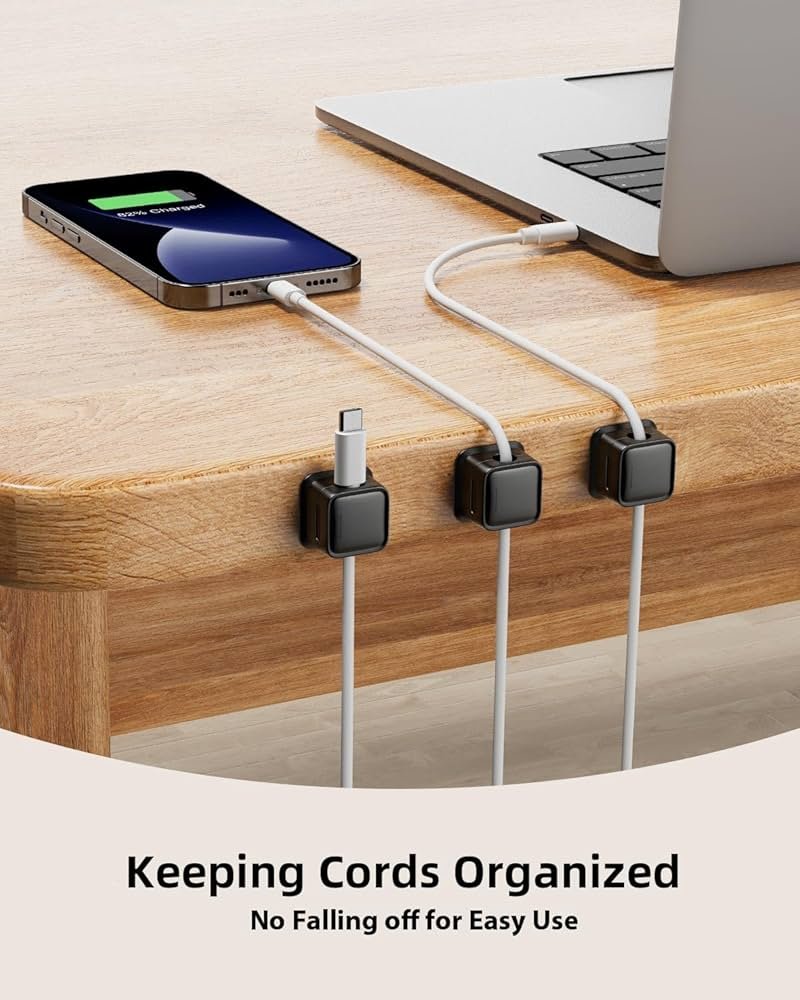
5. Magnetic Cable Organizers
Magnetic organizers use a base strip and small magnetic cable holders. Attach the magnets to your charging cables and snap them onto the base. Cables stay in place but are easy to grab and move.
Here is a quick comparison of these popular products:
| Product | Best For | Pros | Cons |
|---|---|---|---|
| Cable Clips | Single cables, light use | Cheap, easy to install | Adhesive may weaken over time |
| Cable Sleeves | Multiple cables | Neat look, protects cables | Harder to add/remove cables |
| Cable Box | Power strips, many chargers | Hides clutter, fire-safe | Needs space under desk |
| Under-Desk Tray | Desks with space below | Keeps top clear, easy cleaning | Some installation needed |
| Magnetic Organizers | Frequent use cables | Quick access, modern look | Magnets can get lost |
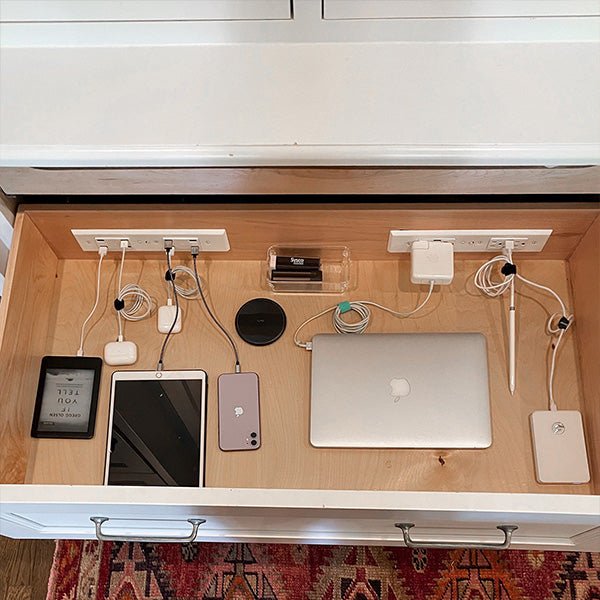
Credit: www.dockingdrawer.com
Step-by-step: How To Organize Charging Cables On Your Desk
Follow these steps to achieve a clean, organized desk:
1. Clear The Desk
Remove all cables and devices. Clean the surface and check for dust or dirt.
2. Sort Your Cables
Group cables by type and device. Remove any broken, extra, or unused cables. Only keep what you need on your desk.
3. Choose Your Management Method
Decide if you want to use DIY tricks or buy cable management products. For a simple setup, binder clips and twist ties may be enough. For a professional look, use cable clips, sleeves, or under-desk trays.
4. Attach Or Place Organizers
Stick cable clips or magnetic organizers to easy-to-reach spots. Attach under-desk trays or cable boxes if you have larger items to hide.
5. Route And Connect
Thread each cable through its holder, clip, or sleeve. Leave a little slack so you can plug and unplug devices comfortably.
6. Test And Adjust
Plug in your devices and check if everything works smoothly. Adjust cable lengths so nothing is too tight or loose.
7. Label Everything
Use small labels to mark each cable. This step saves a lot of time if you have family or coworkers using the same desk.
Keeping Your Desk Organized Over Time
Many people organize their cables once but do not maintain the system. Here are strategies to keep your desk tidy:
- Check monthly: Remove cables you no longer use.
- Wind cables before storing: Use Velcro ties or cable wraps when putting cables away.
- Stick to one charging spot: Charge all devices in one area to avoid spreading cables everywhere.
- Replace old or damaged cables: Broken cables create clutter and are unsafe.
- Limit the number of devices: Try to keep only your most-used devices on your desk.
Credit: www.amazon.com
Mistakes To Avoid
Even with the best intentions, it’s easy to make mistakes with cable management. Watch out for these:
- Using tape for long-term fixes: Tape leaves sticky marks and does not last.
- Overloading cable clips: Most clips are designed for one or two cables. Too many can break the adhesive.
- Ignoring safety: Power strips and chargers generate heat. Do not cover them with flammable materials or pile them up.
- Forgetting about cleaning: Dust can build up around cable organizers. Clean your desk regularly.
- Buying the wrong size: Make sure sleeves, boxes, or trays are big enough for your cables and chargers.
Advanced Tips For Power Users
If you work with many gadgets or use your desk for both work and gaming, consider these advanced strategies:
- Install a wireless charging pad: Many modern desks have wireless chargers built in, or you can add one. This cuts down on cables for phones and earbuds.
- Use color-coded cables: Buy or wrap cables in different colors for each device. This makes identification instant.
- Invest in USB hubs or charging stations: A multi-port USB hub or charging station can replace several individual chargers, reducing clutter.
- Go vertical: Use adhesive cable clips on the side or back of your monitor to save desk space.
- Combine power and data: Some cables handle both charging and data. Use these to reduce the total number of wires.
Here’s a look at how a USB hub or charging station can help:
| Feature | USB Hub | Charging Station |
|---|---|---|
| Number of Ports | 4-10 (mix of data and power) | 5-8 (power only) |
| Best For | Laptops, desktops, external drives | Phones, tablets, wearables |
| Desk Impact | Reduces number of cables to computer | Keeps all devices in one place |
| Extra Features | May include SD card slots, Ethernet | Detachable dividers, fast charging |
Common Questions About Desk Cable Management
- Do I need special tools?
Most cable management can be done with basic items like clips and ties, but a screwdriver or drill may be needed for under-desk trays.
- Is it expensive?
Many solutions cost very little, especially DIY options. High-end products are available for those who want a premium look.
- Will it damage my desk?
Good products use gentle adhesives or clamps that do not harm most surfaces. Always test on a small area first.
- Does this really save time?
Yes, especially if you charge many devices daily. Less searching and untangling means more time for work.
- Can I use these methods at work and home?
Absolutely. These tips work for any desk—office, home, or even a shared workspace.
Frequently Asked Questions
How Many Charging Cables Should I Keep On My Desk?
It’s best to keep only the cables you use every day on your desk. Store extras in a drawer or organizer. Most people only need one or two charging cables within reach, such as a phone charger and a laptop cable.
What Is The Safest Way To Manage Cables Around My Computer?
Use cable clips or sleeves to keep cables away from airflow vents and heat sources. Avoid placing heavy objects on top of cables. If you have a power strip, use a cable box to prevent dust and accidental spills.
How Do I Hide Cables If My Desk Is Against The Wall?
You can use adhesive cable raceways or clips to route cables along the back edge of your desk or wall. Under-desk trays are also helpful for keeping everything out of sight. This makes cleaning easier and keeps your space looking neat.
Are Wireless Chargers Better For Desk Organization?
Wireless chargers reduce the number of cables you need, but they work best with compatible devices. Consider adding one wireless charger for your main device and using clips or holders for other cables.
Where Can I Find Good Cable Management Products?
You can find a wide range of cable management tools at office supply stores, electronics shops, and online. For detailed reviews and choices, check resources like Wirecutter.
A tidy desk is more than just a matter of appearance—it’s about creating a workspace that supports your focus and protects your devices. With a few simple steps, some smart products, and regular upkeep, you can manage charging cables on your desk and enjoy a stress-free, organized work environment every day.
