
Office workers often use a stapler every day, but rarely think about cleaning it. Over time, dust, paper debris, and even rust can build up inside. This buildup can cause jams, weak staples, or even break the stapler. A dirty stapler can be frustrating, slow down your work, and leave documents looking messy. Many people do not realize that cleaning a stapler is quick, easy, and makes it last longer. It also helps every staple work perfectly. In this guide, you will learn everything you need to know about how to clean an office stapler—from tools to use, step-by-step cleaning methods, deep cleaning tips, and common mistakes. Whether you have a basic metal stapler, a heavy-duty model, or even an electric stapler, these tips will keep it working smoothly and looking like new.
Why Cleaning Your Office Stapler Matters
Many people ignore their stapler until it jams. But like any tool, regular maintenance keeps it working well. Here are some key reasons why a clean stapler is important:
- Prevents jams: Dust, small paper pieces, and old staples can block the mechanism.
- Improves performance: A clean stapler uses less force and staples more smoothly.
- Extends lifespan: Removing dirt and moisture prevents rust and wear.
- Looks professional: A clean stapler makes a good impression on clients and coworkers.
- Reduces frustration: No more fighting with stuck or broken staples.
Most office workers do not realize that a well-maintained stapler can last for many years. In fact, with simple cleaning, even cheap staplers can work like new for a decade or more.
Types Of Office Staplers And Cleaning Differences
Staplers come in different shapes and sizes. The cleaning method is mostly the same, but some types need extra care.
| Stapler Type | Typical Use | Cleaning Difficulty |
|---|---|---|
| Manual Desktop Stapler | Everyday paper stapling | Easy |
| Heavy-Duty Stapler | Thick documents, 50+ pages | Moderate |
| Electric Stapler | High-volume, fast stapling | Requires extra caution |
| Tacker/Plier Stapler | Bulletin boards, packaging | Easy |
Manual desktop staplers are the most common and simplest to clean. Heavy-duty staplers have more moving parts, so you need to be careful not to lose any small pieces. Electric staplers should always be unplugged before cleaning. They often have delicate sensors inside, so avoid any moisture near electrical parts. Tackers and plier staplers clean up quickly, but their spring mechanisms may hold extra debris.
What You Need: Tools And Supplies
Before you start, gather these cleaning supplies:
- Soft, lint-free cloth: For wiping dust and grime
- Small brush or old toothbrush: To reach into corners
- Cotton swabs: For tight spots
- Paper clip or tweezers: To remove jammed staples and debris
- Mild dish soap: For removing sticky residue
- Warm water: For dampening cloths (not soaking)
- Rubbing alcohol (isopropyl alcohol): For disinfecting and removing ink stains
- Compressed air (optional): Blows out fine dust in hard-to-reach areas
- Lubricant (silicone spray or sewing machine oil): Keeps moving parts smooth (do NOT use WD-40 or thick oils)
- Soft towel: For drying
Never use harsh chemicals or soaking the stapler in water—this may cause rust or damage.
Preparing Your Stapler For Cleaning
Before you start, take a few safety and prep steps:
- Remove all staples from the stapler. Open it and take out any full or partial strip.
- Unplug electric staplers before cleaning.
- Test the stapler to make sure it is empty and not jammed.
- Place a towel or newspaper under the stapler to catch loose dust and debris.
If you are cleaning a shared office stapler, tell your coworkers or place a sign nearby, so no one tries to use it during cleaning.
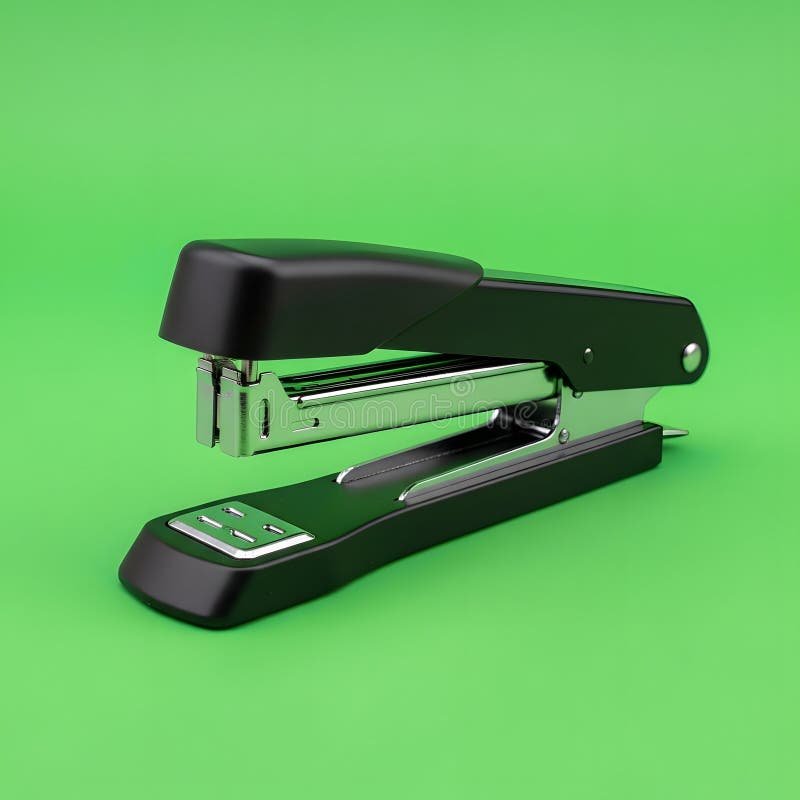
Credit: www.dreamstime.com
Step-by-step: How To Clean An Office Stapler
Cleaning a stapler is a simple process, but following the right steps avoids damage and ensures a complete job. Here is the detailed method:
1. Remove Loose Debris
First, turn the stapler upside down and gently tap it over a trash bin. This knocks out loose dust, paper scraps, and any small bits stuck inside.
Use a small brush or old toothbrush to sweep out inside the staple track, the area where staples rest, and the anvil (the metal plate that bends the staple). Pay special attention to corners and crevices where debris hides.
2. Dislodge And Remove Jammed Staples
If you see any stuck or broken staples:
- Use a paper clip or tweezers to gently pull them out.
- Never force stuck staples, as this can bend or break the mechanism.
- For a stubborn jam, try pushing from the back end of the staple with a pin or small tool.
- If the stapler has a removable base or head, take it apart for easier access.
Pro tip: Sometimes, a single tiny staple is the cause of repeated jams. Always check carefully for small or broken pieces.
3. Wipe Down The Exterior
Dampen a lint-free cloth with a little warm, soapy water (use just a drop of dish soap—avoid soaking). Wipe the outside of the stapler, including the handle, base, and sides. This removes fingerprints, ink, and sticky residue.
For ink or marker stains, use a cloth dampened with rubbing alcohol. Rub gently; alcohol evaporates quickly and does not damage most finishes.
Dry the exterior with a soft towel to prevent streaks or water spots.
4. Clean The Staple Channel And Moving Parts
The staple channel is where most dust and debris collect. Use a cotton swab dampened with warm water to wipe inside the track. If you see buildup, scrub gently with a brush or swab.
For extra cleaning, use compressed air to blow out fine dust from inside the mechanism. Hold the stapler upside down and spray short bursts, especially into the staple track and hinge area.
If your stapler is very dirty or has not been cleaned in a long time, repeat these steps until no debris remains.
5. Disinfect For Hygiene
Staplers pass through many hands in an office. Wipe all surfaces with a cloth dampened with rubbing alcohol to kill germs and bacteria. Pay extra attention to the handle and top, where fingers touch most.
Let the stapler air dry for a few minutes before reassembling or adding staples.
6. Lubricate The Mechanism
To keep your stapler working smoothly, add a drop of silicone spray or sewing machine oil to the hinge or pivot points. Wipe away any excess with a cloth. Do not use heavy oil or grease—these attract dust and can gum up the mechanism.
Important: Never spray lubricant directly into an electric stapler. Use a cotton swab to apply a tiny amount to moving parts only.
7. Reassemble And Test
Put your stapler back together, load fresh staples, and test it on a piece of scrap paper. The action should be smooth and easy, with no jams.
If you still notice problems, repeat the cleaning steps or check for hidden debris.
Deep Cleaning And Troubleshooting Tough Stapler Issues
Sometimes, a simple wipe is not enough. Here are tips for deep cleaning and fixing stubborn problems:
When To Deep Clean
- The stapler jams almost every time.
- Staples come out bent or do not go through paper.
- The mechanism feels stiff or squeaky.
- You see visible rust or sticky buildup inside.
Deep Cleaning Steps
- Disassemble the stapler as much as possible. Most office staplers open wide; some have screws you can remove for deeper access.
- Soak removable metal parts (not the entire stapler) in warm, soapy water for 10-15 minutes. Dry completely before reassembling.
- Scrub with a brush to remove rust or stubborn residue.
- Use vinegar or baking soda paste for rust stains. Apply, scrub gently, and rinse.
- Check the spring and anvil for damage. Replace worn parts if needed.
- Dry all parts thoroughly before reassembly to avoid rust.
Troubleshooting Common Stapler Problems
| Problem | Possible Cause | Solution |
|---|---|---|
| Stapler jams often | Debris in channel, damaged staples | Clean channel, use new staples |
| Staples bend or misfire | Wrong size staples, misaligned anvil | Check staple size, realign anvil |
| Stapler squeaks | Dry hinge or spring | Add a drop of silicone oil |
| Stapler will not close | Jammed mechanism, broken spring | Remove jam, replace spring |
Non-obvious insight: Many people try to fix jams by pushing harder, but this can permanently bend the stapler’s parts. Always clear jams gently.

Credit: www.vecteezy.com
Cleaning Tips For Electric Staplers
Electric staplers are powerful and save time, but cleaning them needs caution:
- Always unplug before opening or cleaning.
- Use a dry brush or compressed air—never get water or liquid near the motor or circuits.
- Check the manufacturer’s manual for special cleaning instructions.
- Only clean removable parts with a damp cloth; keep all electronics dry.
- If the electric stapler jams, check the staple tray and feeder for debris.
- Lightly lubricate only the mechanical (not electrical) parts.
Electric staplers often have sensors that can get dirty. If yours misfires or fails to detect paper, gently wipe the sensor area with a dry cotton swab.
Non-obvious insight: If your electric stapler starts to misfire after cleaning, make sure all parts are dry and reassembled correctly. Even a slightly misaligned tray can cause jams.
Best Practices: Keeping Your Stapler Clean Longer
Once you have cleaned your stapler, a few habits will keep it working better for longer:
- Use high-quality staples. Cheap staples often break, shed metal, and cause jams.
- Empty out paper scraps and dust every week. A quick tap upside down is enough.
- Wipe the outside with a dry cloth once a week to prevent buildup.
- Store in a dry place. Avoid damp locations that cause rust.
- Don’t overload. Use the correct amount of staples; overfilling leads to jams.
- Teach coworkers how to use and care for the stapler properly.
- Check the staple size before loading. Wrong-sized staples cause frequent jams.
How Often Should You Clean An Office Stapler?
The right cleaning frequency depends on use:
- Daily use (shared office): Quick clean every 1–2 weeks, deep clean every 2–3 months
- Personal use (light): Quick clean once a month, deep clean twice a year
- Heavy-duty use: Inspect and clean every week
If you notice jams, sticky action, or dirt, clean right away. Preventive cleaning is easier than fixing big problems later.
Common Mistakes To Avoid
Cleaning a stapler is easy, but people often make mistakes that cause damage:
- Using too much water: Never soak the stapler or get water inside the mechanism.
- Forcing jammed staples: This can bend parts or break the stapler.
- Using strong cleaners: Bleach, ammonia, or abrasive powders can damage surfaces.
- Ignoring rust: Even small rust spots can spread and ruin the stapler.
- Over-lubricating: Too much oil attracts dust and can gum up moving parts.
- Not drying completely: Moisture inside the stapler leads to rust and sticking.
- Mixing up parts: If you take the stapler apart, keep track of all screws and springs.
Pro tip: Take a quick photo before disassembling a complex stapler. This helps you reassemble it correctly.
Eco-friendly Cleaning And Maintenance Tips
Many offices want to reduce waste and use safe products. Here are some environmentally friendly options:
- Use a damp cloth with vinegar instead of chemical cleaners.
- Recycle old staples and metal pieces in scrap metal bins.
- Choose biodegradable soap for cleaning.
- Fix and clean your stapler instead of replacing it—less waste for the environment.
- Share cleaning knowledge with your team to keep all office tools in top shape.
When To Replace Instead Of Clean
Sometimes, cleaning cannot save a stapler. Consider replacing it if:
- The mechanism is cracked or bent beyond repair.
- Springs are broken or missing.
- Rust covers a large area and cleaning does not help.
- Staples always jam, even after deep cleaning.
- The stapler no longer aligns or holds paper well.
A good office stapler should last many years. But if it is too damaged, a new one saves time and frustration. For recommendations and the latest designs, check out trusted resources like Consumer Reports.
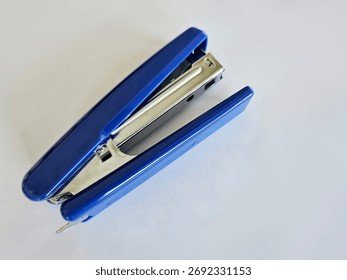
Credit: www.shutterstock.com
Frequently Asked Questions
How Do I Remove A Staple That Is Stuck Deep Inside The Stapler?
To remove a deeply stuck staple, first, open the stapler as much as possible. Use a pair of tweezers or a straightened paper clip to gently pull the staple out. If it will not budge, try pushing from the back with a small screwdriver or pin.
Be patient—forcing it can damage the stapler.
Is It Safe To Use Rubbing Alcohol On My Stapler?
Yes, rubbing alcohol is safe for most metal and plastic staplers. It disinfects and removes ink or sticky residue. Use a small amount on a cloth, not directly on the stapler. Avoid getting alcohol near electrical parts in electric staplers.
How Can I Prevent Rust From Forming On My Stapler?
To prevent rust, always dry your stapler completely after cleaning. Store it in a dry place, away from moisture. Wipe it regularly, and if you see any rust spots, remove them quickly with a soft brush and a little vinegar or baking soda paste.
What Should I Do If My Electric Stapler Stops Working After Cleaning?
If your electric stapler does not work after cleaning, check that all parts are dry and correctly assembled. Make sure the stapler is plugged in and the staple tray is properly loaded. If it still fails, refer to the manufacturer’s manual or contact support.
Can I Use Wd-40 Or Regular Household Oil To Lubricate My Stapler?
It is better to avoid WD-40 or heavy household oils. These can attract dust and gum up the mechanism. Use a drop of silicone spray or light sewing machine oil for best results. Only apply to moving metal parts, and wipe away any extra.
Cleaning your office stapler is a simple habit that saves time, money, and frustration. With the right tools and regular care, your stapler will work smoothly for years. Whether you use a basic model or a complex electric stapler, a few minutes of cleaning keeps your office running efficiently and leaves your documents looking sharp.
Related Office Guides
Continue with these related workspace guides:
