
Every day, we use more devices that need charging—smartphones, tablets, wireless earbuds, smartwatches, laptops, and even e-readers. At home, in the office, or while traveling, the need to charge multiple devices at once is a common challenge. You might have noticed your power outlets filling up fast, cords tangling, or some devices charging slowly.
Many people find themselves swapping plugs, fighting for sockets, or even running out of battery power at the worst moments. Managing all these devices can seem confusing, but with the right setup and a few smart strategies, you can charge everything safely, efficiently, and without stress.
This guide will show you the best ways to charge multiple devices at once, what tools to use, and how to avoid common mistakes. Whether you have two gadgets or ten, you’ll discover practical solutions that keep all your tech powered and ready.
Understanding Charging Basics
Before you start plugging in everything, it’s important to know a few basics about charging. Each device has its own power needs. Phones usually need less power than laptops. Some devices support fast charging, while others do not. Charging speed depends on the charger’s output (measured in watts, amps, or volts) and the device’s own limits.
- Wattage (W): Total power delivered. Higher watts = faster charging, if your device supports it.
- Amperage (A): Measures the flow of electricity. More amps means faster charging, if safe.
- Voltage (V): Electric pressure. Most devices use 5V (USB), but newer tech (like USB-C Power Delivery) can use up to 20V.
If you use a weak charger for a power-hungry device, it will charge slowly—or not at all. But if you use a strong charger with a small device, don’t worry: most modern devices only draw as much power as they need.
Key insight: Not all USB ports or chargers are equal. Some share power between ports; others give full power to each port. Always check what your devices and chargers can handle for safe, fast charging.
The Main Ways To Charge Multiple Devices
Let’s look at your options for charging several gadgets at once. The right choice depends on how many devices you have, where you charge them, and what types of devices you use.
1. Multi-port Usb Chargers
Multi-port USB chargers are one of the most popular solutions. These are small charging blocks with 2 to 10 (or more) USB ports. You plug the charger into a wall outlet, then connect each device with its USB cable.
Advantages:
- Charge several devices using one wall outlet.
- Many models offer both regular USB-A and USB-C ports.
- Some support fast charging standards (like Quick Charge or USB Power Delivery).
Things to consider:
- The total power output is shared between ports. If you connect many high-power devices, charging may slow down.
- Look for chargers with smart technology that detects and delivers the right amount of power to each device.
Example: A 60W, 6-port USB charger could charge 2 tablets, 2 phones, and 2 headphones at the same time.
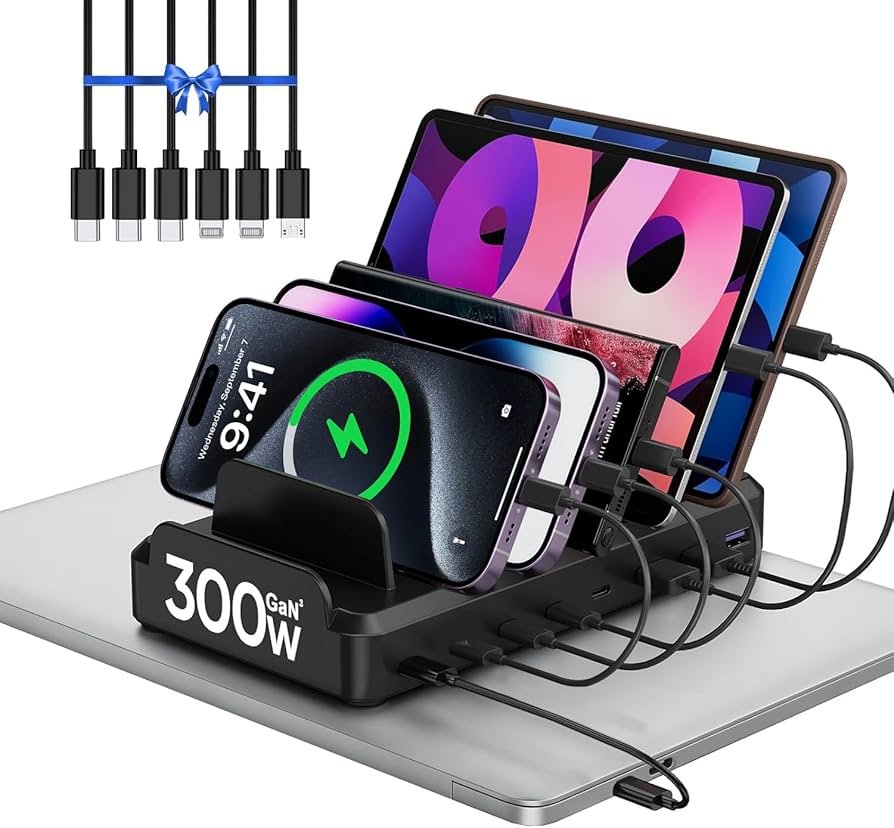
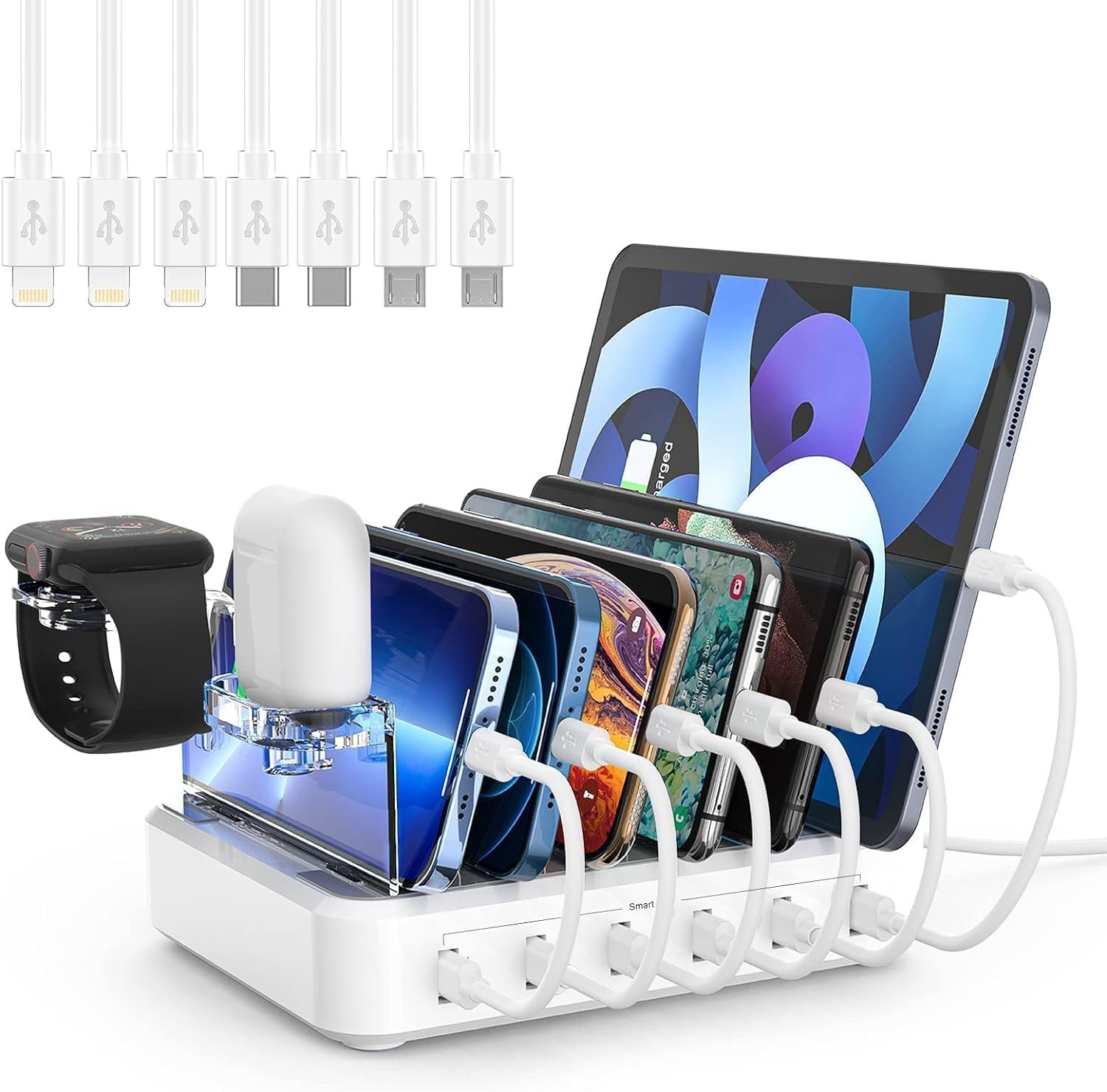
2. Charging Stations
A charging station is a device designed to organize and charge multiple gadgets in one place. They often have slots or dividers for each device, keeping cables tidy.
Benefits:
- Reduces cable clutter.
- Many stations include built-in surge protection.
- Useful for families, offices, or classrooms.
Look for:
- Enough ports for your needs (4, 6, 10, or more).
- Mix of USB-A and USB-C ports.
- Power delivery for tablets and laptops if needed.
Pro tip: Some stations come with short cables included, making your setup even neater.
3. Power Strips With Usb Ports
A power strip with USB ports lets you plug in both regular AC devices (like laptops or lamps) and USB devices at once. Some have up to 12 AC outlets and 6 USB ports.
Advantages:
- Great for home offices or entertainment areas.
- Lets you charge large devices (laptops) and small ones (phones) in the same place.
- Many have surge protection.
Watch out for: USB ports on cheap power strips can be weak (low amps). For fast charging, check the specs.
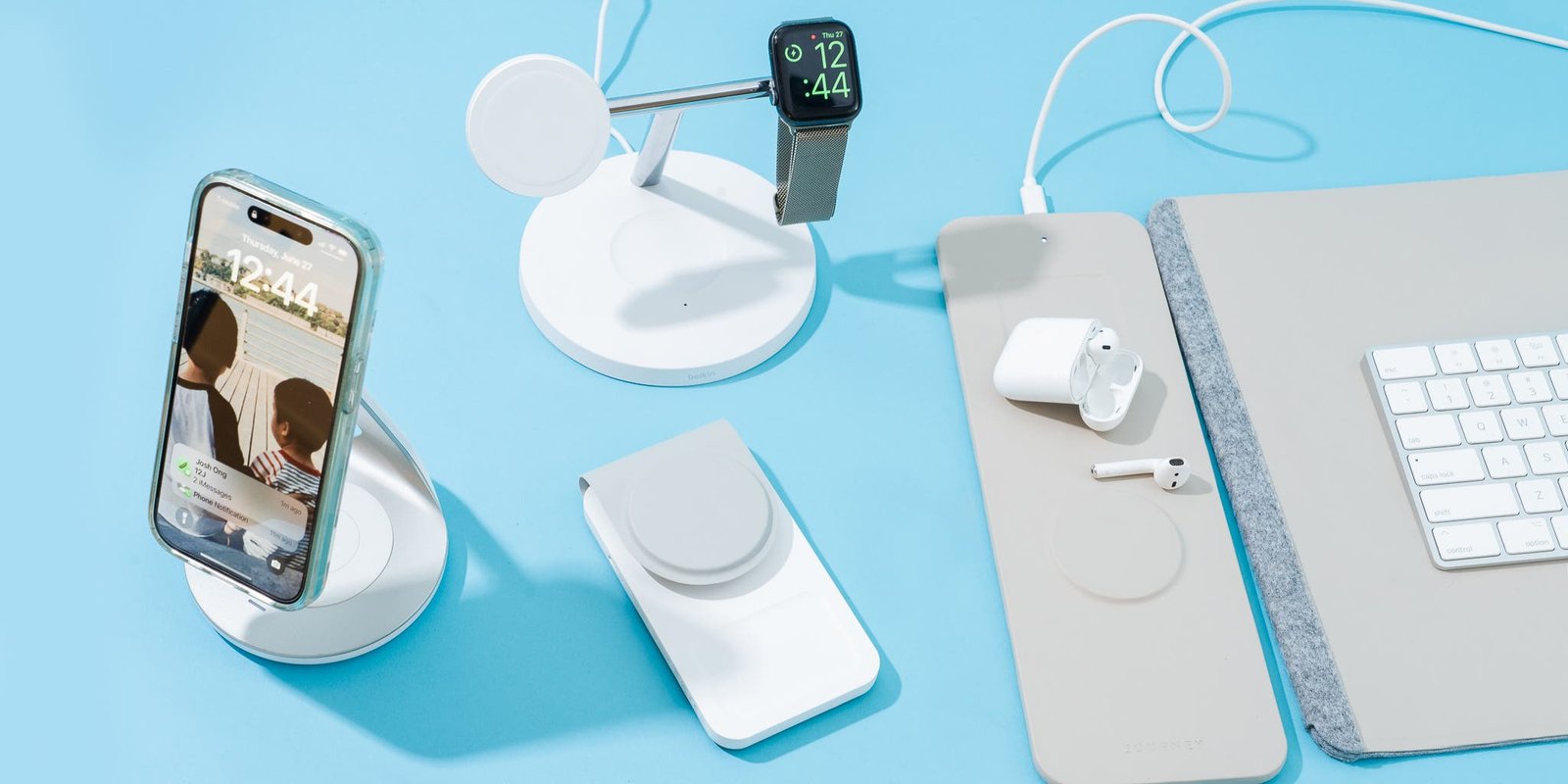
4. Wireless Charging Pads And Stations
Wireless charging is popular for phones, earbuds, and smartwatches. Multi-device wireless charging pads can charge two or three devices at once—no cables needed.
Pros:
- Simple and convenient—just place your device on the pad.
- No wear and tear on charging ports.
Cons:
- Charging is usually slower than with cables.
- Not all devices support wireless charging.
- Placement on the pad matters—misaligned devices may not charge.
Good to know: Many modern pads support the Qi standard, which is used by most smartphones.
5. Charging Carts (for Many Devices)
If you need to charge a lot of devices (like in a school, office, or event), a charging cart is a special cabinet with slots for 10–40 devices. They offer secure storage and can charge everything at once.
Main uses:
- Schools for tablets or Chromebooks.
- Offices for shared devices.
- Event spaces for rental tech.
These are big and expensive, but essential for managing many devices at scale.
6. Portable Power Banks With Multiple Outputs
For charging on the go, power banks with 2–4 output ports are very useful. Some models offer both USB-A and USB-C ports, and even AC outlets.
Features to look for:
- High capacity (measured in mAh or Wh) for more charges.
- Fast charging support (Quick Charge, USB-C PD).
- Multiple output ports for charging several devices at once.
Tip: Not all power banks can deliver full speed to every port at the same time—check the specs.
7. Smart Sockets And Smart Plugs
Smart plugs and smart power strips can charge devices, but also let you control them with your phone or voice assistant. You can set schedules, turn charging on or off remotely, and avoid overcharging.
Why use them?
- Save energy by turning off chargers when not needed.
- Great for devices that don’t need to stay plugged in overnight.
Bonus: Some smart power strips include energy monitoring, so you can see how much power each device uses.
Comparing Different Charging Solutions
To help you choose, here’s a quick comparison of the most common options for charging multiple devices:
| Solution | Best For | Number of Devices | Speed | Extra Features |
|---|---|---|---|---|
| Multi-Port USB Charger | Home, office, travel | 2–10 | Fast (depends on model) | Compact, smart charging |
| Charging Station | Families, offices | 4–10+ | Fast (depends on model) | Organization, surge protection |
| Power Strip with USB | Home office, entertainment | 6–12+ | Medium–Fast | AC outlets, surge protection |
| Wireless Charging Pad | Phones, earbuds, watches | 2–3 | Slower | No cables needed |
| Charging Cart | Schools, offices | 10–40 | Medium | Security, mobility |
| Portable Power Bank | Travel, outdoor | 2–4 | Medium–Fast | Portable, emergency |
Choosing The Right Cables And Accessories
Even with the best charger, you need the right charging cables. The wrong cable can slow down charging or even damage your device.
Types Of Cables
- USB-A to Micro-USB: Older phones, some headphones, cameras.
- USB-A to USB-C: Newer Android phones, tablets, power banks.
- USB-A to Lightning: IPhones, older iPads.
- USB-C to USB-C: Latest phones, tablets, laptops.
- USB-C to Lightning: Fast charging for recent iPhones.
Pro tip: Use original or certified cables (like MFi for Apple). Cheap cables may break easily or even be unsafe.
Cable Length And Quality
Shorter cables charge faster, as there is less resistance. For a clean setup, pick cables that are just long enough. Braided or reinforced cables last longer.
Common mistake: Using old, worn-out cables reduces speed and can be a fire risk. Replace cables that look damaged or charge slowly.
Cable Management
Tangled cables are annoying and can get damaged faster. To keep things neat:
- Use cable organizers or clips.
- Label each cable for each device.
- Choose different colors for different devices.
Fast Charging: What You Need To Know
Fast charging is a feature many people want, but it can be confusing. Different brands have their own standards:
- Qualcomm Quick Charge: Common in Android phones.
- USB Power Delivery (PD): Used for phones, tablets, and laptops (especially with USB-C).
- Apple Fast Charge: Works with USB-C to Lightning cables and a 20W+ charger.
To get fast charging, you need:
- A device that supports fast charging.
- A charger and cable that deliver enough power.
- The right charging standard (Quick Charge, PD, etc. ).
Example: Charging a MacBook Pro with a regular phone charger will be very slow. You need a 60W+ USB-C PD charger.
Non-obvious insight: Some multi-port chargers only offer fast charging on one or two ports. The others may deliver regular speed. Always check which port is for fast charging.
Safety Tips For Charging Multiple Devices
Charging many devices at once can be safe, but only if you follow basic precautions.
- Use quality chargers and cables from trusted brands.
- Avoid overloading power strips—don’t plug too many high-wattage devices into one outlet.
- Check if your charger or power strip has overload protection and surge protection.
- Don’t cover chargers or power strips with fabric—heat needs to escape.
- Never use damaged cables or chargers.
- Unplug chargers when not in use to avoid phantom power drain and reduce fire risk.
Fact: According to the National Fire Protection Association, electrical failures are a leading cause of house fires. Using certified products and not overloading circuits can prevent accidents.
Organizing Your Charging Setup
A messy charging area is not only ugly—it can be unsafe. Here are some ways to organize your charging space:
Create A Charging Hub
Pick a central place in your home or office for all charging needs. Use a charging station or multi-port charger and keep all cables there.
Label Devices And Cables
If several people share the same charging area, label each cable and charger. This avoids confusion and prevents people from unplugging your device by mistake.
Hide Or Manage Cables
Use cable organizers, boxes, or clips to hide extra cable length. This keeps the area tidy and reduces tripping hazards.
Set Up Charging Schedules
If you use smart plugs, set them to turn off chargers at night or when you’re not home. This saves energy and extends battery life.
Real-life Examples
Let’s see how some people solve the problem of charging multiple devices:
- Family with many gadgets: They use a 10-port charging station in the living room. Each family member has their own slot and cable. No more fighting for outlets.
- Small office: Employees share a power strip with USB ports and a few wireless charging pads. Laptops plug into the AC outlets, phones rest on the pads.
- Traveler: Uses a 4-port USB-C charger that works worldwide, plus a power bank with 2 outputs for flights and long trips.
- Teacher: Uses a charging cart to store and charge 30 tablets. The cart locks for security and rolls between classrooms.
Advanced Charging Solutions
For tech enthusiasts or anyone with many devices, there are some advanced options:
Usb-c Charging Hubs
Modern USB-C hubs can charge laptops, phones, and tablets all at once. Some models offer up to 100W output, enough for demanding devices.
Gan Chargers
Gallium Nitride (GaN) chargers are smaller and more efficient than old silicon chargers. They deliver more power in a compact size—perfect for charging many devices quickly.
Modular Charging Systems
Some brands offer modular systems where you add more ports or wireless pads as you need. This is good for growing families or tech collections.
How Many Devices Can You Charge At Once Safely?
This depends on your charger’s total power and your outlet’s safety limits. Here’s a quick guide:
| Number of Devices | Recommended Charger Power (Watts) | Typical Setup |
|---|---|---|
| 2-3 | 20-30W | Phones, headphones |
| 4-6 | 40-60W | Phones, tablets |
| 7-10 | 70-100W | Phones, tablets, laptop |
| 10+ | 100W+ | Multiple tablets, laptops |
Always check your wall outlet’s maximum load (usually 10–15 amps in most homes). Overloading can trip breakers or cause hazards.
Credit: www.amazon.com
Common Mistakes To Avoid
- Using low-quality chargers or cables: These can damage devices, charge slowly, or even cause fires.
- Overloading outlets: Too many high-powered devices on one outlet is dangerous.
- Ignoring device compatibility: Not every charger supports every device. Check before you plug in.
- Letting devices overheat: Charging in a hot area or covering chargers can shorten battery life and create risks.
- Unattended charging: Don’t leave devices charging overnight on beds, sofas, or under pillows.
Non-obvious insight: Devices left plugged in after 100% charge can slowly drain battery health over time. Smart plugs or scheduled charging help protect your batteries.
Charging Multiple Devices On The Go
Travelers and commuters have special needs. Here’s how to keep all your devices powered when you’re away from home:
- Carry a high-capacity power bank with several outputs. Look for at least 10,000mAh for daily use, or 20,000mAh+ for longer trips.
- Bring a compact multi-port wall charger. This saves space in hotels or airports.
- Pack the right cables. Short cables are better for travel.
- Check your destination’s voltage and plug type. Some chargers are universal, but not all.
- Use portable solar chargers for outdoor trips, but remember they are usually slower than wall charging.
Tip: Airports and hotels often have shared charging stations, but bring your own charger for safety and speed.
Credit: www.nytimes.com
Environmental Impact And Energy Saving
Charging many devices means more energy use. You can reduce your impact by:
- Unplugging chargers when not in use.
- Using smart plugs to cut off power automatically.
- Choosing energy-efficient chargers (look for Energy Star or similar marks).
- Charging during off-peak hours if your utility offers lower rates.
Fact: A modern phone charger uses about 2–6 watts while charging, but can still draw power even when idle. Multiply that by many devices, and savings add up over time.
When To Upgrade Your Charging Setup
If you notice slow charging, overheating, or need more ports, it might be time to upgrade. Look for:
- New devices with USB-C or fast charging support.
- Chargers with enough wattage for all your gadgets.
- Better cable management or charging stations for neatness and safety.
Pro tip: Upgrading to a modern, high-quality charger can extend the life of your devices and batteries.
Where To Buy Quality Charging Gear
Always buy from trusted stores or brands. Look for certified chargers and cables. Some well-known brands include Anker, Belkin, Aukey, and RavPower. For more information about electrical safety and choosing chargers, visit the Consumer Reports website.
Frequently Asked Questions
How Many Devices Can I Safely Charge At Once?
It depends on your charger’s total wattage and your wall outlet’s capacity. For most homes, charging 4–6 phones or tablets at once with a quality charger is safe. For more devices, use a charging station with overload protection and don’t exceed your circuit’s limit (usually 10–15 amps).
Can I Charge My Laptop And Phone With The Same Charger?
Yes, if your charger has enough power and the right ports. Many USB-C chargers with 60W or more can handle both a laptop and a phone at the same time, as long as each port delivers enough power for each device.
Will Charging Many Devices At Once Make Them Charge Slower?
If your charger’s total power output is shared between ports, then yes, more devices can mean slower charging for each one. Look for chargers with enough wattage so each device gets the power it needs, or use smart chargers that balance power.
Is It Safe To Use Cheap Chargers Or Cables?
No, cheap or uncertified chargers and cables can be unsafe. They might overheat, damage your devices, or even cause fires. Always use certified, high-quality accessories from trusted brands.
What’s The Best Way To Avoid Cable Clutter?
Use a charging station with built-in cable management, and choose short cables that just reach your devices. Cable clips, organizers, or labeled cables also help keep your charging area tidy.
Charging multiple devices doesn’t have to be a daily struggle. With the right tools and smart habits, you can keep all your gadgets powered, safe, and organized. Remember: invest in quality chargers and cables, keep your setup neat, and stay aware of safety. With these tips, you’ll never run out of battery when it matters most.
Credit: www.amazon.com
Related Office Guides
Continue with these related workspace guides:
