
Every day, millions of people spend long hours sitting at desks, relying on their chairs for support and comfort. If you own an ergonomic chair, you know how much difference it can make to your posture and energy. But even the best chair won’t last or perform well unless you maintain it. Regular maintenance not only keeps your chair looking good but also extends its life and ensures you get the support you need every day.
Let’s dive into the practical steps for ergonomic chair maintenance, why it matters, and how to solve common problems before they become big issues. Whether you’re a remote worker, office manager, or just want to protect your investment, this guide will help you keep your ergonomic chair in top condition.
Why Ergonomic Chair Maintenance Matters
Taking care of your ergonomic chair is more than just cleaning. It’s about protecting your health, your comfort, and your money.
- Performance: A well-maintained chair supports your body better, reducing aches and injuries.
- Durability: Regular care can double your chair’s lifespan, saving you from buying a new one every few years.
- Hygiene: Sweat, dust, and crumbs can build up and affect both air quality and chair appearance.
- Cost Savings: Small repairs and cleaning prevent bigger, more expensive problems.
Many people miss maintenance steps until their chair squeaks, wobbles, or becomes uncomfortable. By then, it’s often too late for easy fixes. Preventive care is always better.
Cleaning Your Ergonomic Chair
Proper cleaning is the foundation of ergonomic chair maintenance. Dirt, sweat, and oils from your body can break down materials and create odors. Here’s how to keep your chair clean:
1. Identify Your Chair Materials
Most ergonomic chairs use a mix of mesh, fabric, leather, or plastic. Each material needs a different cleaning method.
| Material | Cleaning Method | Frequency |
|---|---|---|
| Mesh | Vacuum, gentle soap, water | Monthly |
| Fabric | Vacuum, fabric cleaner, blot stains | Monthly |
| Leather | Damp cloth, leather conditioner | Monthly; condition every 3 months |
| Plastic/Metal | Wipe with damp cloth | Monthly |
2. General Cleaning Steps
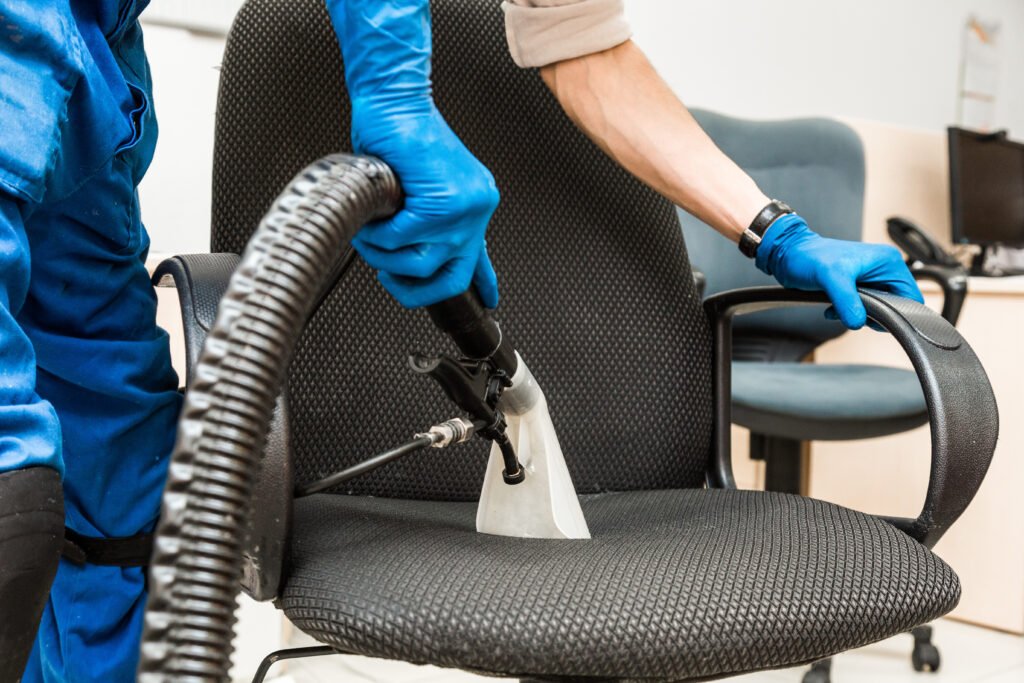
- Vacuum: Remove dust and crumbs from the seat, backrest, and under the chair.
- Wipe Surfaces: Use a damp (not wet) cloth for plastic and metal. Avoid soaking any part.
- Spot Clean Stains: Use a mild soap for fabric or mesh. Test on a hidden area first.
- Leather Care: Wipe down with a soft, damp cloth. Apply conditioner every few months to prevent cracking.
- Clean Casters/Wheels: Flip the chair and pick out hair, dust, or debris stuck in the wheels.
3. Deep Cleaning Tips
- For stubborn stains on fabric, use a fabric-safe stain remover. Blot, don’t rub.
- For mesh, avoid abrasive brushes. A toothbrush works for small spots.
- For odors, sprinkle baking soda on fabric or mesh, leave for 15 minutes, then vacuum.
Many forget to clean under the seat and wheels, but dust buildup here affects rolling and can scratch floors.
Credit: www.ergonomicchairs-direct.com
Regular Inspection And Tightening
Loose screws and worn parts are the main reason ergonomic chairs become wobbly or noisy.
What To Check
- Screws and Bolts: Inspect all connection points. Tighten any that are loose with the right tool.
- Armrests: Check the screws and the padding for wear.
- Base and Casters: Make sure the wheels are attached firmly and roll smoothly.
- Backrest Mechanism: Test tilt and recline. If it feels loose, check for missing or loose bolts.
How Often
Do a full check every 3-6 months or whenever you notice a change in feel.
Extra Tip
Over-tightening can strip screws, so turn gently. If a screw won’t stay tight, use a small drop of thread locker (like Loctite) for a better hold.
Lubricating Moving Parts
Squeaks and stiffness usually mean it’s time to lubricate.
- Casters/Wheels: Spray a little silicone lubricant where the wheel meets the base.
- Tilt Mechanism: Lightly oil moving parts under the seat.
- Gas Lift Cylinder: Wipe away dust; if it sticks, a small amount of lubricant helps.
Don’t use too much oil—excess can attract dust or drip onto floors.
Adjusting For Comfort And Longevity
Every time you clean or inspect, check your chair’s adjustments. Incorrect settings not only reduce comfort but can also cause faster wear.
Key Adjustments
- Seat Height: Feet flat on the floor, knees at a 90-degree angle.
- Backrest Angle: Supports the natural S-curve of your spine.
- Armrest Height: Elbows at desk height, shoulders relaxed.
- Lumbar Support: Fills the gap between your lower back and the chair.
Regularly adjusting your chair prevents the foam or mechanisms from getting stuck in one position.
Common Problems And How To Fix Them
Even with great care, ergonomic chairs can develop issues. Here’s how to handle the most frequent ones:
Squeaky Chair
- Lubricate joints where metal parts rub together.
- Check and tighten any loose bolts.
- Test after each fix to find the exact source.
Chair Won’t Stay Up (gas Lift Fails)
- The gas lift cylinder can wear out after years of use. Replacement is usually easy and cheaper than buying a new chair.
- Make sure you buy the correct size for your chair model.
Wheels Don’t Roll Smoothly
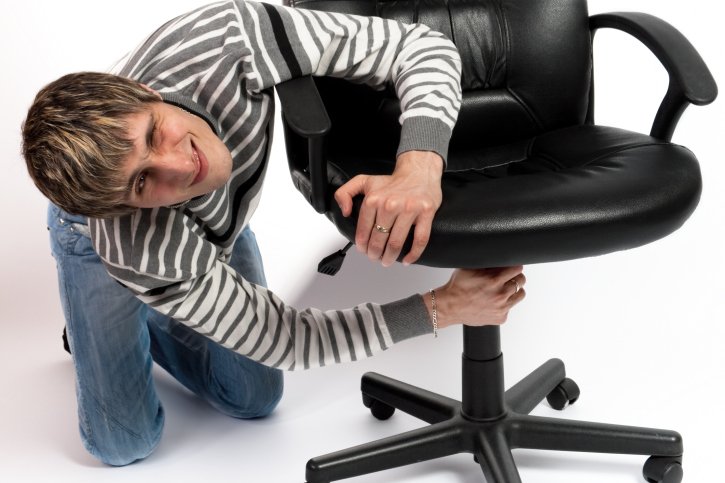
- Remove the casters and clean out hair or debris.
- Lubricate the axle.
- If a wheel cracks, replace just the caster—no need for a whole new chair.
Wobbly Chair
- Check all bolts and screws.
- Inspect the base for cracks.
- If the wobble comes from the seat plate, it may need to be replaced.
Torn Or Worn Upholstery
- Small tears can be fixed with a fabric patch or leather repair kit.
- For larger damage, consider reupholstering or using a fitted cover.
Credit: www.markdowns.com
When To Replace Parts (not The Chair)
Many people throw away a chair when only one part is broken. Most ergonomic chairs are built with replaceable pieces.
| Part | Signs It Needs Replacement | Average Lifespan |
|---|---|---|
| Gas Lift Cylinder | Chair sinks, won’t hold height | 5-8 years |
| Casters/Wheels | Stuck, cracked, uneven roll | 3-5 years |
| Armrests | Pads worn, loose, cracked | 4-7 years |
| Seat Foam | Flattened, uncomfortable | 5-10 years |
| Upholstery | Torn, stained, worn out | Varies |
Ordering replacement parts from the manufacturer or a trusted supplier is usually simple. Always check your chair’s model number before ordering.
Advanced Tips For Maximum Chair Life
- Use a chair mat on hard floors and carpet to prevent wheel wear and reduce rolling resistance.
- Avoid direct sunlight on leather or fabric, as UV can cause fading or cracking.
- Do not overload: Most chairs have a weight limit (usually 250-350 lbs). Exceeding it can break the base or cylinder.
- Rotate usage: If you have more than one chair (e.g., at home and office), alternate to reduce wear.
- Read the manual: Many people skip the owner’s manual. It contains specific advice for your chair’s model.
Mistakes To Avoid
- Ignoring small noises: Squeaks or clicks usually mean something needs attention.
- Using harsh chemicals: Bleach or strong cleaners can damage fabric, mesh, or leather.
- Skipping regular checks: Waiting until something breaks means higher repair costs.
- Forgetting under the seat: Dust and debris here cause wear and affect adjustments.
- Improper assembly: If you take your chair apart, follow the instructions to avoid missing parts or weak connections.
How Often Should You Maintain Your Ergonomic Chair?
Here’s a simple schedule to follow:
- Weekly: Quick dusting, check for obvious stains or crumbs.
- Monthly: Full wipe-down, vacuum, inspect wheels.
- Every 3-6 months: Tighten bolts, lubricate moving parts, adjust settings.
- Annually: Deep clean fabric or leather, check for part replacement needs.
Setting a calendar reminder is a smart way to stay on track.
Environmental Benefits Of Chair Maintenance
Maintaining your ergonomic chair is also good for the environment. By making your chair last longer, you reduce waste and the need for new materials. According to the EPA, over 9 million tons of office furniture end up in landfills each year. Extending your chair’s life by just a few years means less waste and fewer resources used to make new products.
When To Replace The Entire Chair
Even with the best care, every chair has a limit. Replace your chair if:
- The frame is cracked or bent beyond repair.
- The seat or backrest foam is flattened and uncomfortable, and replacement parts are unavailable.
- The chair no longer supports your posture even after adjustments.
- Repairs cost more than half the price of a new chair.
Investing in a new ergonomic chair is an investment in your health and productivity.
Credit: www.comfort.global
Frequently Asked Questions
How Often Should I Clean My Ergonomic Chair?
Clean your chair at least once a month. For high-traffic or hot climates, increase to every two weeks. Quick weekly dusting helps prevent buildup.
Can I Use Household Cleaners On My Chair?
Use only mild soap and water for most materials. Strong cleaners or bleach can damage fabric, mesh, or leather. For special stains, use cleaners designed for your chair’s material.
What Should I Do If My Chair Squeaks?
Identify the source by moving different parts. Lubricate moving joints with silicone spray and tighten bolts. Avoid oiling plastic parts, as this can cause damage.
Is It Worth Replacing Parts Instead Of Buying A New Chair?
Yes, replacing parts like the gas cylinder, wheels, or armrests is much cheaper and extends your chair’s life. Only consider a new chair if the frame or seat is beyond repair.
Where Can I Find My Chair’s Model Number For Parts?
Check the underside of the seat or the back of the chair. The model number is usually on a sticker or plate. If you can’t find it, visit the manufacturer’s website or check the manual for help. For more details, visit the EPA’s guide to furniture sustainability.
Caring for your ergonomic chair is an easy habit that pays off in comfort, savings, and health. A few minutes of regular attention can give you years of excellent support—and a better workday, every day.
