
Paper Shredder Maintenance: The Complete Guide To Smoother Shredding
A paper shredder is a reliable friend for protecting your sensitive information. Whether you use one at home or in the office, it works hard to destroy old bills, bank statements, and confidential files. But like any hardworking machine, a shredder needs care.
Without proper maintenance, it can jam, overheat, or even break down suddenly. Many people ignore maintenance until they hear that dreaded grinding noise—or worse, a total shutdown. The good news? With regular, simple steps, your shredder can run smoothly for years, saving you from stress and costly repairs.
Let’s explore everything you need to know to keep your paper shredder in top shape. You’ll learn easy routines, practical tips, common mistakes, and even advanced tricks that most beginners miss. Ready for quieter, faster shredding and fewer headaches? Let’s get started.
Why Paper Shredder Maintenance Matters
Taking care of your shredder is not just about making it last longer. It also helps you:
- Prevent jams that waste time and damage the machine
- Keep blades sharp for cleaner cuts and better security
- Reduce noise for a more comfortable office or home
- Avoid overheating that can cause fires or permanent damage
- Save money by avoiding expensive repairs or replacements
Most manufacturers recommend basic maintenance, but few explain why it’s so important. For example, did you know that a poorly maintained shredder can actually shred less paper per pass over time? Or that dust buildup inside can attract pests and create fire hazards?
Good maintenance is about safety and performance, not just convenience.
Daily And Weekly Maintenance Tasks
Keeping your shredder in good condition does not need to take a lot of time. Small, regular actions make a big difference.
Daily Tasks
- Empty the bin before it’s full. Overfilled bins are the top cause of jams. Most shredders stop working or reverse when the bin is packed.
- Remove stray paper pieces from the feed slot. Dust and small scraps collect quickly. Use a soft brush or a can of compressed air.
- Turn off and unplug after use. This prevents overheating, especially in busy offices.
Weekly Tasks
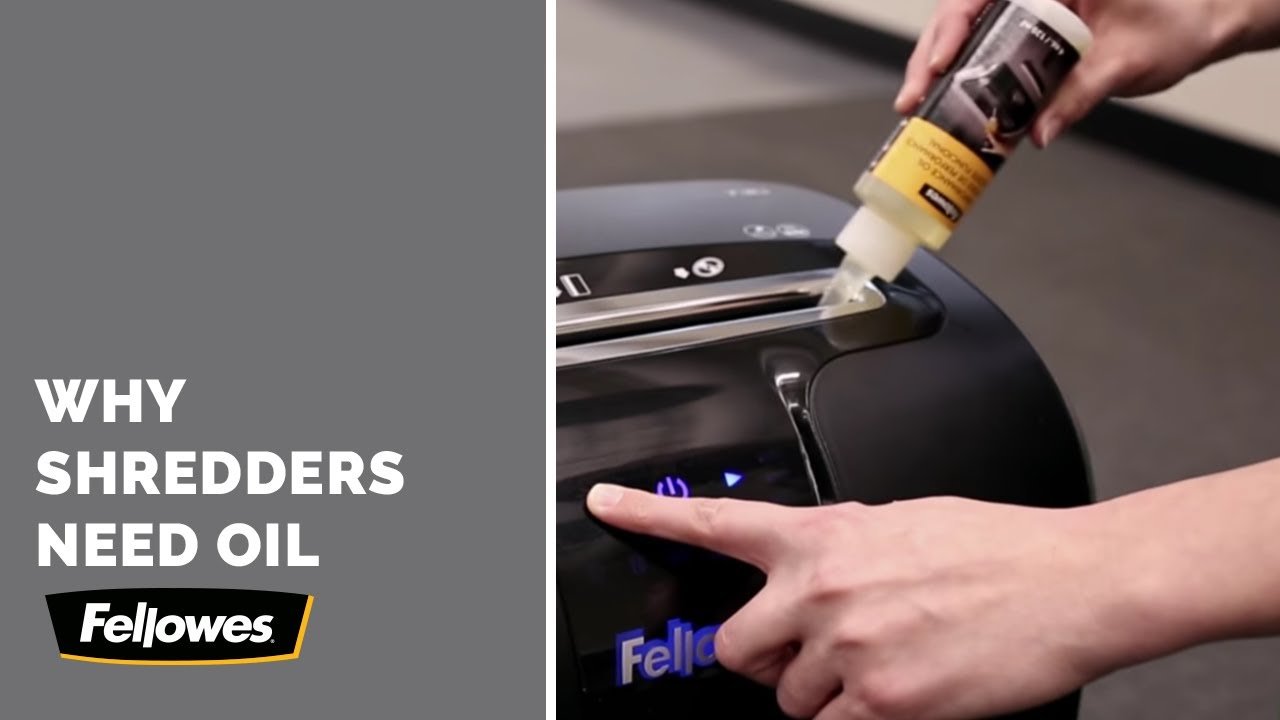
- Oil the blades. Use special shredder oil, not cooking oil or WD-40. Apply oil in a zig-zag pattern on a sheet of paper, then shred the paper. This lubricates the blades and reduces friction.
- Check for jams. If you notice slow shredding or grinding, reverse the motor and clear stuck pieces using tweezers or a special shredder tool.
- Wipe the exterior. Dust on the outside can enter vents and cause problems. Use a damp, lint-free cloth.
Regular attention extends the life of your machine and keeps shredding smooth.
Monthly And Deep Maintenance Steps
Some tasks can be done less often, but they are just as important for long-term performance.
Monthly Checklist
- Clean the sensors. Most shredders have sensors to detect paper. Dirt or dust on these sensors can cause the machine to stop feeding or auto-reverse. Wipe gently with a soft, dry cloth.
- Inspect the blades for wear. If you see nicks or dull spots, you may need professional sharpening or, in some cases, blade replacement.
- Test safety features. Make sure the auto-stop and overheat sensors are working. Place a hand near the feed slot (without touching) to check if the machine stops.
Deep Cleaning (every 3–6 Months)
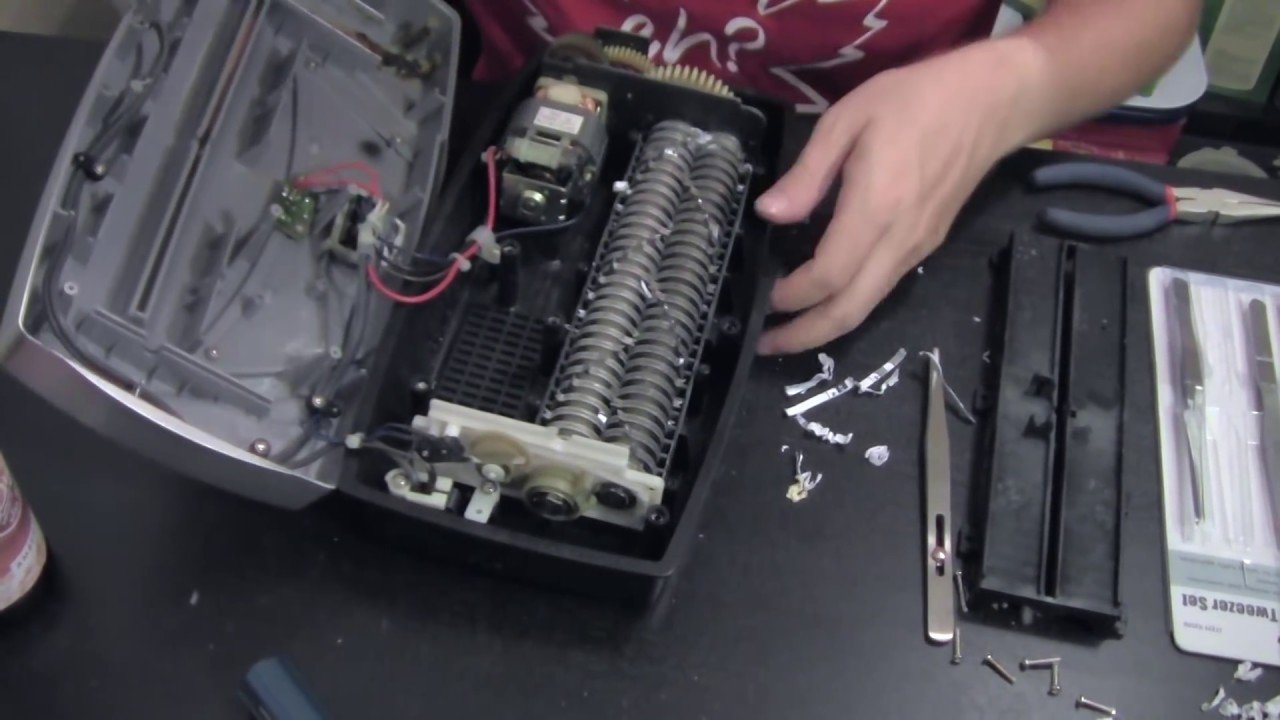
- Remove the top and clean inside. Always unplug the shredder first. Carefully open the top and use compressed air to blow out paper dust and bits stuck inside.
- Check the gears and motor housing. Look for dust buildup or signs of grease leakage. Too much dust can overheat the motor.
- Re-oil thoroughly. Run several oiled sheets through the machine, then let it rest for 30 minutes. This deep lubrication helps the blades stay sharp and rust-free.
Here’s a helpful comparison of common cleaning products and their uses:
| Product | For Blades? | For Exterior? | Safe for Sensors? |
|---|---|---|---|
| Shredder Oil | Yes | No | No |
| Compressed Air | Yes | Yes | Yes |
| Damp Lint-Free Cloth | No | Yes | Yes |
| Household Cleaners | No | Yes (check label) | No |
Shredder Oil: Why, When, And How
Oiling is not optional—especially if you use your shredder often or shred items like credit cards, CDs, or thick stacks of paper. Oil keeps the blades moving smoothly, reduces noise, and stops paper dust from sticking.
When Should You Oil?
- After every bin emptying for heavy use (offices)
- After every 30 minutes of use for home shredders
- After shredding sticky, glossy, or coated paper
Some shredders have an oil indicator light. If yours doesn’t, pay attention to sounds: squeaking or grinding means it’s time to oil.
How To Oil Properly
- Use only shredder oil (vegetable-based, non-aerosol).
- Place a few drops on a plain sheet of paper in a zig-zag pattern.
- Feed the paper through the shredder.
- Run the shredder in reverse for 10 seconds to spread the oil.
- Let the shredder rest for a few minutes before using again.
Never pour oil directly into the blades—it can pool and damage electronics.
Preventing Jams And Overheating
Nothing is more annoying than a stuck shredder. Most jams and overheating happen because users overload the machine or ignore maintenance.
Common Causes Of Jams
- Overfilled bin
- Too many sheets at once
- Staples, paper clips, or thick materials
- Shredding wet or sticky paper
How To Avoid Jams
- Check the sheet capacity. Most home shredders handle 5-12 sheets; office models can do 15-30.
- Remove staples and clips before shredding.
- Shred only dry paper—no sticky notes or labels.
- Let the shredder cool after long sessions.
If you get a jam, use the reverse function first. Never force paper out with sharp tools, as you might damage the blades.
Overheating: Warning Signs And Solutions
Shredders have a maximum run time (often 5-10 minutes). After that, the motor needs to cool. Signs of overheating include:
- Burning smell
- Automatic shut-off
- Hot exterior
If this happens, unplug and let the shredder cool for at least 30 minutes. Frequent overheating can shorten motor life.
Here’s a quick comparison of run times and cool-down periods for common shredder types:
| Shredder Type | Average Run Time | Recommended Cool-Down |
|---|---|---|
| Home/Personal | 5 minutes | 30 minutes |
| Small Office | 10 minutes | 20 minutes |
| Heavy-Duty/Commercial | 30+ minutes | 15 minutes |
Choosing The Right Supplies
Not all products are safe for your shredder. Using the wrong oil, cleaning solution, or tool can do more harm than good.
Shredder Oil Vs. Alternatives
Some people use cooking oil or WD-40 to save money, but these can gum up the blades or damage plastic parts. Only use official shredder oil recommended by your manufacturer.
Cleaning Tools
- Compressed air: Best for removing dust inside and around the blades.
- Soft brush: Good for clearing feed slots.
- Tweezers: For gently removing stuck pieces.
Avoid metal tools or anything sharp that can scratch or bend the blades.
Credit: www.binding101.com
Advanced Tips Most Beginners Miss
Here are two important insights that many new shredder owners overlook:
- Rotate blade direction occasionally. Some shredders allow you to change the blade direction. Doing this every few months helps wear the blades evenly, leading to longer life.
- Check the power cord and plug regularly. Many shredder issues are caused by loose plugs or worn cords, not the motor itself. Always inspect the cord for damage.
Also, keep your shredder in a dry, cool place. Humidity can cause rust, and direct sunlight can crack plastic parts.
When To Call A Professional
Most maintenance is easy to do yourself. But some problems need expert help:
- Loud grinding noises that persist after cleaning and oiling
- Frequent jams even with proper use
- Blades that no longer cut, even after oiling
- Electrical smells or smoke
Trying to fix these yourself can make things worse. Call a technician or the manufacturer’s support line.
Credit: www.youtube.com
Comparing Shredder Types: Maintenance Needs
Different shredders need different care. Here’s a summary:
| Shredder Type | Blade Care | Oiling Frequency | Best For |
|---|---|---|---|
| Strip-Cut | Easy, basic oiling | Monthly | Home, low security |
| Cross-Cut | Needs more oiling | Bi-weekly | Offices, higher security |
| Micro-Cut | Frequent cleaning/oiling | Weekly | High security, sensitive data |
If you’re considering a new shredder, think about how much maintenance you can commit to.
Eco-friendly Disposal Of Shredded Paper
After maintenance, you’ll have lots of shredded paper. Don’t just throw it away! Here are some eco-friendly ideas:
- Recycle: Most shredded paper can go into standard recycling bins, but check local rules.
- Compost: Shredded paper is great for compost piles, as long as it’s not glossy or plastic-coated.
- Packing material: Use it to protect fragile items when shipping.
- Pet bedding: Many people use shredded paper for small animal cages.
Proper disposal helps the environment and keeps your workspace tidy.
Credit: www.youtube.com
Frequently Asked Questions
How Often Should I Oil My Paper Shredder?
For most home shredders, oil every 30 minutes of use or after emptying the bin. Office shredders may need oiling more often, especially after heavy sessions or shredding glossy paper.
What Should I Do If My Shredder Jams?
First, stop the machine and unplug it. Use the reverse function to try and clear the jam. If that doesn’t work, gently remove stuck paper with tweezers. Never use sharp tools or force the jammed paper out.
Can I Shred Staples And Paper Clips?
Some heavy-duty shredders can handle staples and paper clips, but most home models cannot. Always check your shredder’s manual. Removing staples and clips helps prevent blade damage and jams.
Is It Safe To Use Cooking Oil Instead Of Shredder Oil?
No, it’s not safe. Cooking oil can gum up the blades and attract dust. Only use official shredder oil recommended by your manufacturer. This keeps the machine clean and running smoothly.
What Are The Signs My Shredder Needs Professional Repair?
If you hear grinding noises, see smoke, or notice that shredding performance drops even after cleaning and oiling, call a professional. Electrical smells or repeated jams also mean it’s time for expert help.
Keeping your paper shredder in top shape doesn’t require special skills—just regular attention and the right supplies. By following these easy steps and being proactive, you’ll enjoy trouble-free shredding and better protection for your sensitive information. For more on shredder care and recycling, check out this guide from EPA. A little effort now means years of smooth, secure shredding ahead.
Related Office Guides
Continue with these related workspace guides:
