
Running cables under your carpet can make your home or office look much neater. It removes the mess of wires across the floor and reduces tripping hazards. But, if not done right, cables can get damaged, cause bumps in the carpet, or create safety risks.
Knowing how to run cables under carpet the proper way helps you avoid these problems and keeps your space organized. This guide will show you, step by step, how to do it safely and efficiently, even if you have never tried it before.
Why Run Cables Under Carpet?
Cables are everywhere—TVs, computers, speakers, and even smart home devices need them. But loose cables on the floor are ugly and unsafe. By running cables under the carpet, you can:
- Hide unsightly wires for a cleaner look.
- Reduce tripping hazards, especially in busy rooms.
- Protect cables from foot traffic and pets.
Many people think this job is only for professionals. In reality, you can do it yourself with the right tools and some patience.
What You Will Need
Before starting, gather all the materials. Using the correct tools makes the process smoother and safer.
- Flat cables or low-profile cables (these are less noticeable under carpet)
- Cable protector or raceway (for extra protection)
- Measuring tape
- Utility knife or carpet knife
- Fish tape or cable pulling tool
- Duct tape or double-sided carpet tape
- Vacuum cleaner (to clear space)
- Work gloves
- Marker or chalk
Note: Don’t use regular thick cables under carpets, as they can make bumps and wear out faster.
Choosing The Right Cable
Not all cables are safe to use under carpet. Regular round cables can cause obvious bumps and become damaged. Flat cables are the best choice for this job.
| Type | Best For | Thickness | Durability Under Carpet |
|---|---|---|---|
| Flat Ethernet Cable | Internet connections | 2-3 mm | High |
| Flat HDMI Cable | TV/monitor to media device | 2-4 mm | Medium |
| Speaker Wire (Flat) | Audio systems | 1.5-2.5 mm | Medium-High |
| Regular Round Cable | General use | 5-8 mm | Low |
Flat cables are less visible and less likely to get damaged by foot traffic. For areas with heavy furniture or walking, use a cable protector or raceway for extra safety.
Planning Your Cable Path
Before you touch the carpet, think about where the cable will go. Planning helps you avoid mistakes and saves time.
- Decide on start and end points. For example, from your router to your desk.
- Choose the shortest, straightest path. Fewer turns make installation easier.
- Avoid high-traffic areas. The less people walk over the cable, the longer it lasts.
- Stay clear of doors and under heavy furniture. Doors can pinch cables; heavy furniture may crush them.
Mark the path with chalk or tape, so you know exactly where to work.
Preparing The Area
A clean workspace is key. Remove obstacles and make sure the carpet is clear.
- Move furniture off the path.
- Vacuum the area to remove dust and dirt.
- Lift the edge of the carpet gently using a utility knife or carpet kicker. Do not cut the carpet unless you must—lifting is usually enough.
If your carpet is glued down, be extra careful not to damage it. In some cases, you may only be able to tuck the cable under the edge, not the whole length.
Running The Cable Under Carpet: Step-by-step
This section explains how to actually get your cable from point A to point B.
1. Use Fish Tape Or Pulling Tool
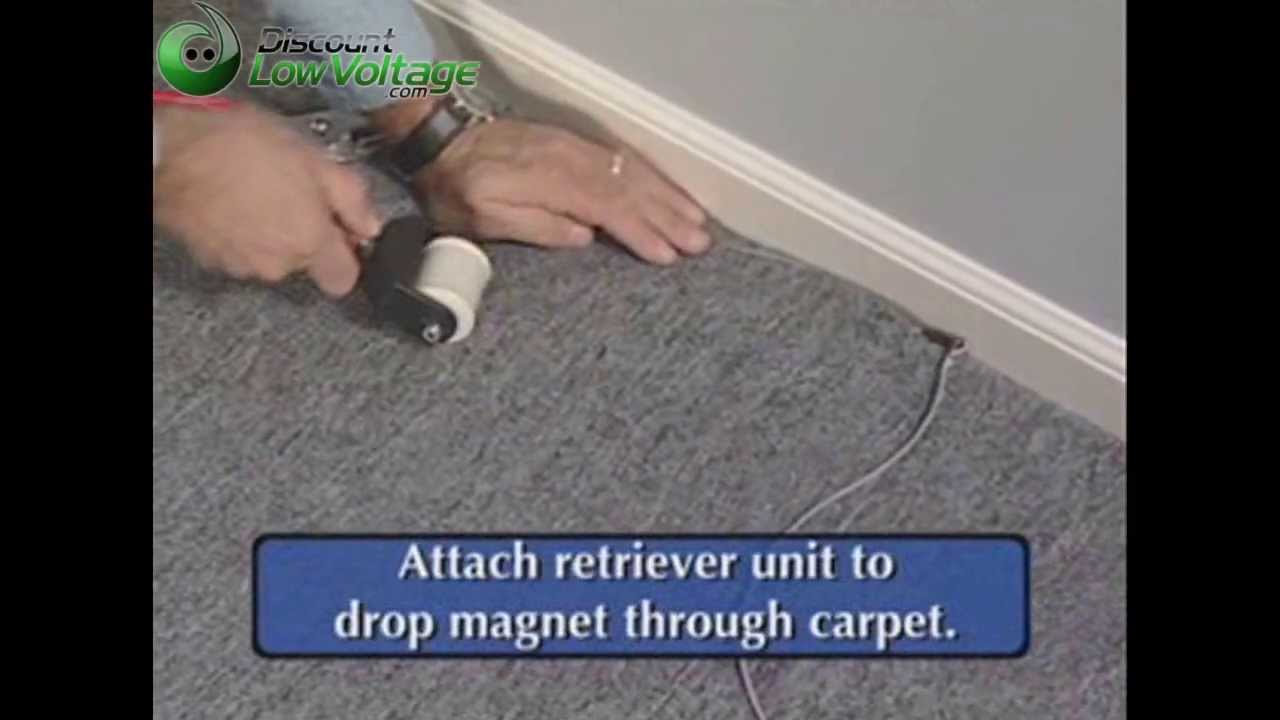
Fish tape is a flexible tool that helps you guide the cable under the carpet. Push the fish tape along your marked path, staying between the carpet and the underlay (the soft layer under the carpet).
- Insert the fish tape at one end.
- Push it slowly along the path.
- If you hit a snag, pull back and try a slightly different angle.
2. Attach The Cable
Once the fish tape reaches the other side, securely tape your cable to the end of the fish tape. Use duct tape to make sure it doesn’t detach.
3. Pull The Cable Through
Gently pull the fish tape back through, bringing the cable with it. Go slowly to avoid damaging the cable or carpet.
- If you feel resistance, stop and check.
- Never yank hard—this can break the cable or tear the carpet.
4. Secure The Cable
Once the cable is through, use double-sided carpet tape or duct tape every 2-3 feet to keep it flat. This prevents the cable from moving and causing bumps.
- Press the carpet down firmly over the cable.
- If you use a cable protector, place it above the cable before laying the carpet back down.
5. Check The Result
Walk over the carpet to make sure there are no obvious bumps. If you feel one, adjust the tape or try to move the cable slightly.
Protecting Your Cable
Cables under carpet are exposed to pressure and movement. To make them last:
- Use a cable protector in areas where people walk the most.
- Don’t run cables under heavy furniture.
- Avoid sharp bends—cables can break inside if bent too tightly.
- Check the cable every few months for wear or damage.
Using the right protector can make a big difference. Compare the common options below:
| Protector Type | Best Use | Pros | Cons |
|---|---|---|---|
| Rubber Floor Strip | Walkways | Durable, easy to install | Visible, may not match decor |
| Plastic Raceway | Edges of rooms | Neat, hides cables well | More work to install |
| Fabric Sleeve | Temporary setups | Flexible, low cost | Less protection |
In homes with kids or pets, protection is even more important. Pets sometimes chew on cables, and children may trip on raised areas.
Safety Tips
Running cables under carpet is usually safe if you follow some simple rules:
- Never run power extension cords under carpet. These can overheat and cause fires.
- Use only low-voltage cables (Ethernet, speaker wire, HDMI, etc. ).
- Don’t cross cables with other electrical wires.
- Inspect the cable regularly for signs of wear or heat.
- If you notice heat, replace the cable right away.
Many people forget that even low-voltage cables can be a problem if damaged. Safety should always come first.
Common Mistakes To Avoid
Some mistakes can lead to damaged cables, ugly results, or even safety risks:
- Using thick, round cables. These create bumps and wear out quickly.
- Not planning the path. You may end up with a cable running diagonally across the room.
- Skipping protection. Cables without protectors in busy areas get damaged fast.
- Pulling too hard. This tears the carpet or breaks the cable.
- Running under doors. Doors can pinch and cut cables over time.
A practical tip: If you must cross a doorway, use a cord cover designed for doorways instead of running the cable under the door itself.
When To Call A Professional
If your setup is complex or you are unsure about safety, it’s smart to get help. For example:
- Large offices with many cables.
- Thick or glued-down carpets that are hard to lift.
- Older homes with fragile floors.
Professionals have special tools and can install raceways or floor outlets for a super-clean look. They also know the latest safety codes. For more on electrical safety, check advice from the National Fire Protection Association.
Credit: www.youtube.com
Maintenance And Long-term Care
After installation, don’t forget about your cables. Dust and foot traffic can still affect them over time.
- Vacuum regularly to prevent dirt from collecting.
- Check the cable every six months for any signs of wear.
- If you move furniture, check that you haven’t pressed down on the cable.
- Replace any damaged sections quickly.
One non-obvious tip: If you plan to rearrange your room often, leave a little extra cable at each end. This prevents strain when you move devices.
Alternatives To Running Cables Under Carpet
Sometimes, running cables under the carpet isn’t the best option. Consider these alternatives if you want to avoid the hassle:
- Wireless solutions: Modern Wi-Fi or Bluetooth can reduce the need for cables.
- Cable covers: These are strips that go over carpet and hold cables flat.
- Wall-mounted raceways: Cables can run along the wall in a neat channel.
- Area rugs: For short distances, hiding cables under a rug is simpler than under full carpet.
Each solution has its own pros and cons, but for most people, running cables under carpet is still the cleanest look.

Credit: www.wikihow.com
Extra Insights For A Professional Finish
Most beginners just focus on hiding the cable. But two overlooked tricks can help you get a truly pro result:
- Color-match your tape and cable to the carpet. If your carpet is beige, don’t use black tape—it might show through thin carpet.
- Label both ends of your cable. If you ever need to move or replace it, you’ll know which cable is which. A simple label with a marker can save you hours later.
These small steps make maintenance and future changes much easier.
Frequently Asked Questions
How Many Cables Can I Run Under The Carpet At Once?
You should limit the number of cables to 2-3 flat cables per path. More than that can make a visible bump and is harder to protect. If you need more, consider using a raceway along the wall instead.
Can I Run Power Extension Cords Under Carpet?
No. It is dangerous to run power extension cords under carpet because they can overheat and cause fires. Only use low-voltage cables like Ethernet or HDMI.
Will Running Cables Under Carpet Damage My Floor Or Carpet?
If you use flat cables, secure them well, and do not pull too hard, there is little risk of damage. Avoid sharp tools and always check under the carpet before cutting or pulling.
What Is The Best Way To Cross A Doorway With Cables?
Do not run cables directly under doorways. Use a special doorway cable cover or go around the door frame using a wall-mounted raceway for safety and neatness.
How Long Will Cables Last Under Carpet?
With proper installation and protection, flat cables can last 5-10 years under carpet. Check them regularly and replace at the first sign of wear.
Running cables under carpet can seem tricky, but with careful planning and the right steps, you can make your space safer and tidier. Take your time, follow the advice above, and enjoy a cable-free floor for years to come.

Credit: www.youtube.com
