
Every day, millions of people spend hours at their office desks, typing, eating, and even sneezing without a second thought. But few realize that the average office desk harbors 400 times more germs than a toilet seat. That’s right—studies have shown that the place where you work can be a hotspot for bacteria and viruses. Germs like these can cause colds, flu, and even stomach bugs. If you often feel unwell or tired at work, your desk might be one reason. Many people focus on cleaning their homes but forget about their workspace. Reducing germs on your office desk is not just about staying healthy; it’s about improving your comfort and productivity. This guide will show you how to do it with easy, practical steps.
Why Germs Thrive On Office Desks
Office desks create the perfect environment for germs to multiply. Most desks are touched by hands all day, and hands carry bacteria from doorknobs, keyboards, and even food wrappers. Warmth from electronic devices and the moisture from drinks or sweaty palms make it easier for germs to survive.
Shared spaces and hot-desking (where people share workstations) increase the risk even more.
Common Sources Of Germs
- Hands: The main way germs transfer to your desk.
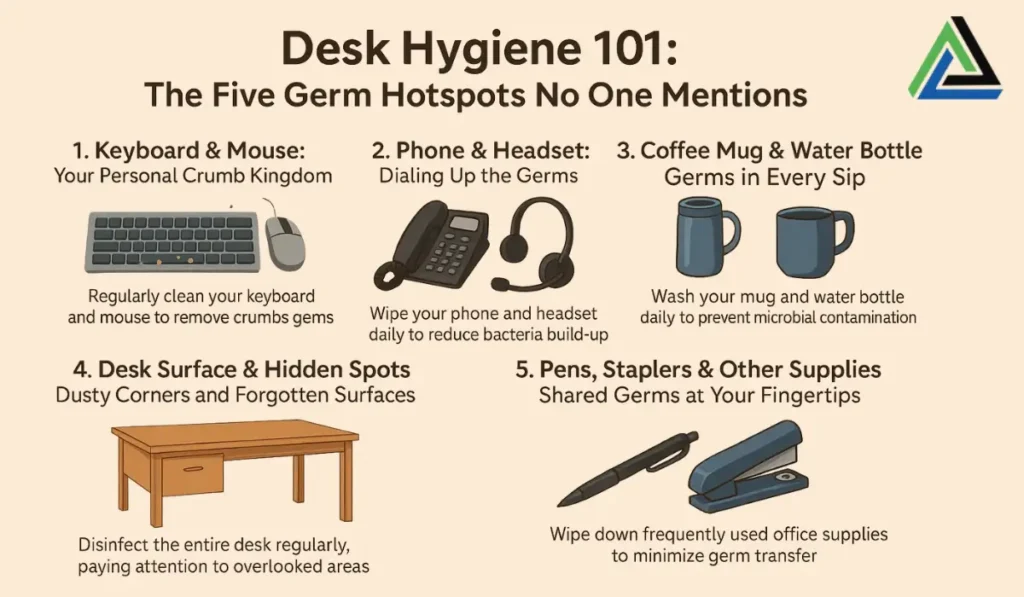
- Phones and keyboards: Touched constantly but rarely cleaned.
- Food crumbs: Attract bacteria and sometimes pests.
- Coughs and sneezes: Spread viruses onto surfaces.
The Hidden Dangers Of A Dirty Desk
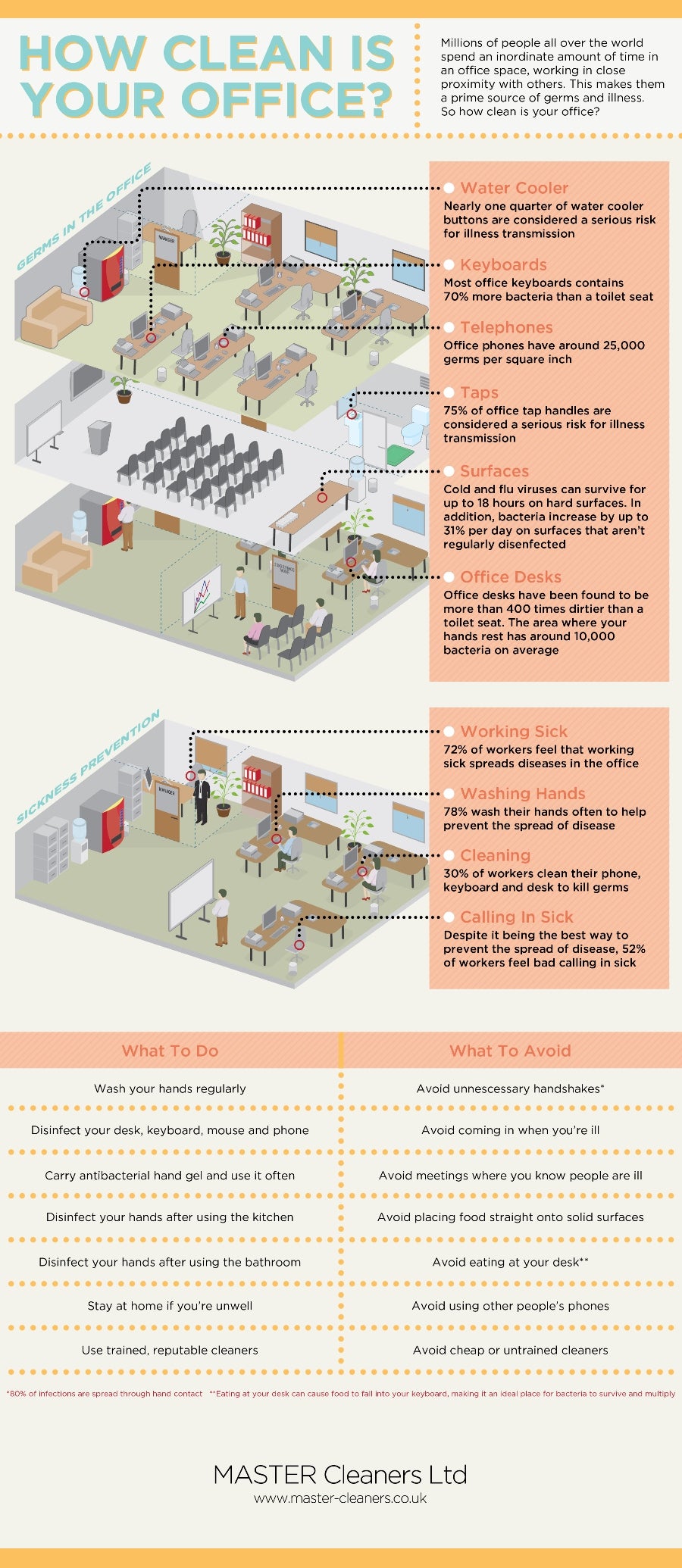
Ignoring desk hygiene can lead to real health problems. For example, the flu virus can survive on hard surfaces for up to 24 hours. Bacteria like Staphylococcus aureus (which causes skin infections) and E. coli (which causes stomach issues) have been found on desks, phones, and mice. If you touch your face, mouth, or food after touching a dirty desk, you might get sick.
A study by the University of Arizona found that an average office desk has over 21,000 bacteria per square inch. Compare that to a toilet seat, which has around 49 bacteria per square inch.
Essential Supplies To Keep Your Desk Germ-free
Before you start cleaning, gather some basic supplies. Having the right tools makes regular cleaning much easier.
- Disinfectant wipes or sprays: Look for ones that kill viruses and bacteria.
- Microfiber cloths: These trap dust and germs better than paper towels.
- Hand sanitizer: At least 60% alcohol.
- Compressed air: Helps clean keyboards.
- Disposable gloves: For deep cleaning days.
- Trash bags: To remove old food wrappers or tissues.
Daily Habits To Reduce Germs
Small daily actions can make a big difference. Here’s what you should do every day:
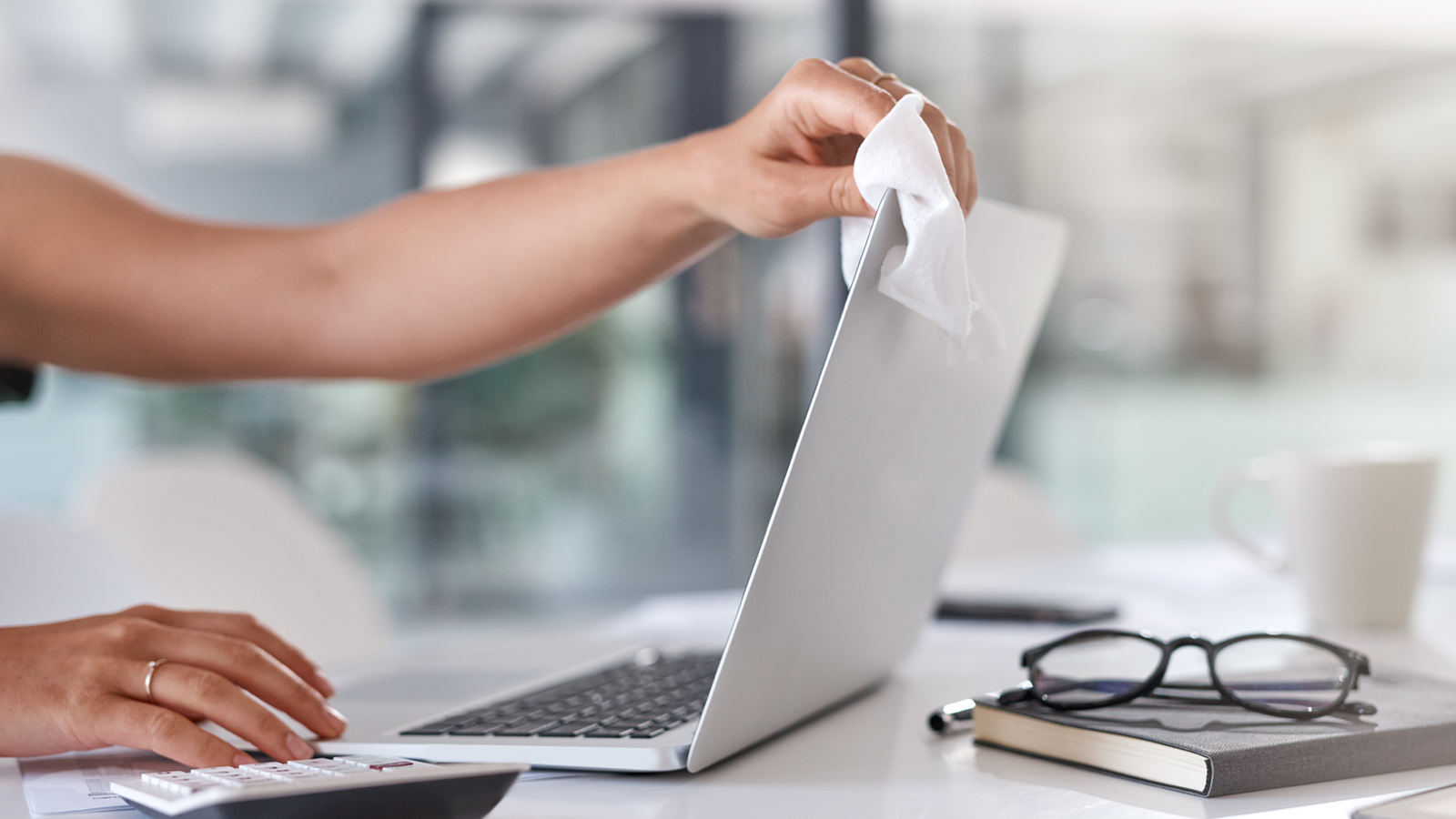
- Wipe surfaces: Use disinfectant wipes on your desk, keyboard, mouse, and phone.
- Wash hands often: Especially after eating, coughing, or using shared equipment.
- Avoid eating at your desk: Food crumbs feed bacteria.
- Dispose of trash daily: Empty bins and remove old tissues or wrappers.
- Keep hand sanitizer nearby: Use it before and after touching shared items.
These habits might feel simple, but they are your first line of defense. For example, cleaning your mouse and keyboard once a day can cut bacteria by up to 80%.
How To Deep Clean Your Office Desk
A deeper clean once a week helps remove germs in hard-to-reach places.
Step-by-step Guide
- Unplug electronics: Safety first.
- Remove items: Take everything off your desk, including paper stacks and office supplies.
- Dust surfaces: Use a microfiber cloth to remove dust.
- Disinfect: Spray disinfectant on the desk and wipe down all surfaces.
- Clean electronics: Use electronics-safe wipes for your keyboard, mouse, and phone.
- Clean under items: Germs hide under desk mats, trays, and phones.
- Let everything dry: Before plugging electronics back in.
Pro tip: Don’t forget your chair armrests and drawer handles. These are also touched often but rarely cleaned.
High-touch Items You Shouldn’t Ignore
Some objects collect more germs than others. Here’s a comparison of bacteria counts on common desk items:
| Item | Bacteria per square inch |
|---|---|
| Keyboard | 3,295 |
| Phone | 25,127 |
| Desk surface | 20,961 |
| Mouse | 1,676 |
Phones are often the dirtiest. People touch their phone, then their face, and rarely think about cleaning it. Wipe your phone, mouse, and keyboard at least once a day.
Best Cleaning Products For Office Desks
Not all cleaning products are equal. Some only remove dust, while others kill viruses and bacteria. Here’s how some popular options compare:
| Product Type | Removes Dust | Kills Bacteria | Kills Viruses |
|---|---|---|---|
| Microfiber cloth | Yes | No | No |
| Disinfectant wipes | Yes | Yes | Yes |
| General surface spray | Yes | Sometimes | No |
| Alcohol spray (70%) | No | Yes | Yes |
Disinfectant wipes are the most convenient choice. Alcohol sprays are good for electronics but can damage some plastics, so check the label.
Mistakes To Avoid When Cleaning Your Desk
Many people think they are cleaning properly but make these mistakes:
- Using a dry cloth only: This moves dust but leaves germs.
- Spraying cleaner directly on electronics: Moisture can damage devices. Spray on a cloth first.
- Ignoring under the desk: Germs fall, and crumbs collect out of sight.
- Using old wipes: Dry wipes don’t kill germs.
- Not cleaning shared items: Pens, staplers, and remotes spread germs fast.
Tip: Set a reminder on your phone for weekly deep cleaning.
Credit: www.kcprofessional.com
How Desk Organization Reduces Germs
A cluttered desk is harder to clean. Piles of paper, old cups, and unused gadgets collect dust and bacteria. Organizing your space makes cleaning faster and more effective.
Simple Organization Tips
- Keep only what you use: Remove extra pens, old files, and broken items.
- Use trays or organizers: Store supplies off the main desk surface.
- Label items: Helps prevent sharing and mixing up personal items.
- File papers: Use folders to keep paper off the desk.
A tidy desk is not just about looks—it keeps germs from hiding in clutter.
The Role Of Personal Hygiene
Desk cleaning is important, but so is your own hygiene. Germs from your hands spread the most. Here’s how to protect yourself:
- Wash hands for 20 seconds: Especially after using the restroom or touching shared surfaces.
- Cover coughs and sneezes: Use your elbow or a tissue.
- Keep tissues handy: Throw used ones away immediately.
- Avoid touching your face: Germs enter through eyes, nose, and mouth.
Credit: mcagroup.ca
How To Handle Shared Office Equipment
Printers, copiers, and coffee machines can be germ hotspots. Many people touch these without thinking. Here’s how to stay safe:
- Use hand sanitizer: Before and after touching shared equipment.
- Wipe buttons and handles: If possible, use a disinfectant wipe before use.
- Avoid eating nearby: Food can pick up germs from these surfaces.
- Bring your own supplies: Use your own stapler, pens, and headphones.
If your office has a hot-desking system, always wipe down your workstation before you start.
Office Policies That Encourage Cleanliness
Some companies support desk cleaning with clear policies. Ask your employer about these ideas:
- Provide cleaning supplies: Make disinfectant wipes and hand sanitizer available.
- Encourage regular cleaning: Schedule weekly or monthly cleaning days.
- No eating at desks: Create a separate lunch space.
- Educate staff: Simple training on hygiene reduces sickness.
A clean office benefits everyone and reduces the risk of illness spreading.
When To Seek Professional Cleaning
Even with good habits, some offices need expert help. If your office has many employees or open-plan spaces, professional cleaning might be necessary. They use stronger disinfectants and can reach areas you might miss. Consider requesting deep cleaning after flu season or if there’s been a sickness outbreak.
Real-world Example: The Cost Of A Dirty Desk
A major insurance company found that after introducing a weekly desk cleaning policy, employee sick days dropped by 12% in one year. Simple changes—like cleaning phones and keyboards—led to fewer illnesses and higher productivity. This shows that desk hygiene is not just about health but also about workplace efficiency.
Credit: www.entrepreneur.com
Practical Tips Most People Miss
- Clean your desk lamp switch and drawer handles: These are touched often and rarely cleaned.
- Don’t forget about your reusable water bottle: Wash it daily. Bottles can carry bacteria from your mouth back to your desk.
- Ventilate your workspace: Fresh air reduces the concentration of germs, especially in closed offices.
Many beginners focus on the main desk surface but forget about these extra details.
Comparing Office Desk Cleaning To Other Workspaces
How does an office desk compare to other places you might work? Here’s a quick look:
| Workspace | Average Bacteria (per sq. inch) | Cleaning Frequency Needed |
|---|---|---|
| Office desk | 21,000 | Daily |
| Home desk | 10,000 | Weekly |
| Cafeteria table | 2,100 | After each use |
| Toilet seat | 49 | Daily |
The office desk has the highest bacteria count, so it needs the most frequent cleaning.
Final Thoughts On Keeping Your Desk Clean
A clean desk is more than just neat—it’s safer for your health. By understanding where germs come from and building good habits, you can reduce your risk of illness and improve your workday. Start with simple changes, like wiping your desk daily and washing your hands.
Over time, these actions add up. Encourage your coworkers to join you, and talk to your manager about better cleaning policies. Your desk can be a place for great work—not for germs.
If you want to learn more about how germs spread in offices, the Centers for Disease Control and Prevention offers helpful tips: CDC Office Environment.
Frequently Asked Questions
How Often Should I Clean My Office Desk?
You should wipe your desk, keyboard, mouse, and phone at least once a day with a disinfectant wipe. Deep cleaning (removing everything and cleaning all surfaces) is best done once a week.
Can I Use Household Cleaners On My Office Desk?
You can use many household cleaners, but check if they are safe for electronics and surfaces. Avoid bleach and strong chemicals on keyboards and screens. Look for products labeled as safe for office equipment.
Is Eating At My Desk Really That Bad For Germs?
Yes. Eating at your desk leaves crumbs and spills, which feed bacteria and attract pests. Food can also pick up germs from the desk surface. It’s better to eat in a separate area.
What’s The Best Way To Clean My Keyboard?
Turn off and unplug the keyboard. Use compressed air to remove crumbs. Wipe with a disinfectant wipe or a cloth sprayed with alcohol-based cleaner (not too wet). Avoid getting liquid inside the keys.
How Can I Convince My Coworkers To Keep Their Desks Clean?
Share facts about germs and illness. Suggest group cleaning days or ask your manager to provide cleaning supplies. Clean desks can reduce sick days and make the office more pleasant for everyone.
