
A clear webcam lens can make a big difference in how others see you online. Whether you use your webcam for work meetings, online classes, or chatting with friends, a dirty lens can ruin your image quality. Smudges, dust, and fingerprints can make your picture blurry or dull.
Many people forget that webcams need cleaning, just like eyeglasses or phone screens. Cleaning a webcam lens is easy, but if you do it wrong, you can damage the lens or even the camera. In this guide, you’ll learn safe, effective ways to clean your webcam lens, how often to do it, and what to avoid.
You’ll also discover tips to keep your webcam clear for every call.
Why A Clean Webcam Lens Matters
A dirty webcam lens can cause more problems than you think. When dust or fingerprints build up, your camera can look out of focus, even if the rest of your setup is perfect. This can make you look less professional in meetings or less friendly in chats. For teachers and students, a clean lens helps everyone see and connect better. Even a small smudge can catch the light and create unwanted glare on your video.
Many webcams, especially on laptops, have very small lenses. This means even a tiny bit of dirt can block a lot of light. The result is dark or cloudy video. Regular cleaning is the easiest way to keep your camera working well.
Tools And Materials You Need
You don’t need special or expensive tools to clean your webcam lens. In fact, using the wrong tools can scratch or ruin the lens. Here’s what works best:
- Microfiber cloth – The same kind used for eyeglasses. This is soft and won’t scratch the lens.
- Lens cleaning solution – Choose a spray made for camera or glasses lenses. Avoid strong chemicals.
- Canned air or hand blower – This helps remove dust before you wipe the lens.
- Cotton swabs – For cleaning around the edges of the lens.
- Distilled water – If you don’t have lens cleaner, distilled water is safe.
- Isopropyl alcohol (70% or less) – Only if the lens is very oily or sticky.
Never use paper towels, napkins, or your shirt. These can leave fibers or scratch the lens. Also, avoid rough cloths or household cleaners.
Step-by-step Guide: Cleaning Your Webcam Lens
Cleaning a webcam lens isn’t hard, but it’s important to follow each step carefully. If you rush or use the wrong method, you might leave streaks or damage the camera.
1. Turn Off And Unplug The Webcam
For safety, always turn off your computer or webcam before cleaning. If you have an external webcam, unplug it. This avoids any chance of electric shock or short-circuiting.
2. Remove Dust First
Dust is the most common thing on a webcam lens. If you wipe the lens while it’s still dusty, you can scratch it. The best way to remove dust is with a canned air or a small hand blower.
- Hold the can or blower a few inches away.
- Give a few short bursts across the lens.
- Do not use your breath—moisture can leave spots.
3. Use A Microfiber Cloth
After dusting, use a clean microfiber cloth. Gently wipe the lens in a circular motion. Do not press too hard. Most smudges will come off with just this step.
If the lens still looks dirty, move to the next step.
4. Apply Lens Cleaning Solution
Spray a small amount of lens cleaning solution onto the microfiber cloth (never directly on the lens). Wipe the lens gently again, using small circles.
If you don’t have lens cleaner, use a drop or two of distilled water.
5. Clean The Edges With A Cotton Swab
Sometimes, dirt collects around the edge of the lens. Dip a cotton swab in lens cleaner or distilled water. Squeeze out any extra liquid. Carefully clean around the edge, but don’t push dirt onto the lens.
6. Dry And Inspect
After cleaning, use a dry part of your microfiber cloth to wipe away any leftover moisture. Check the lens under a bright light. If you see streaks or spots, repeat the wiping step with a clean area of the cloth.
7. Plug In And Test
Once the lens is clean and dry, plug the webcam back in. Open your camera app and check the image quality. If you still see blur, repeat the process, or check for problems with your camera focus.
Common Mistakes To Avoid
Many people accidentally damage their webcams by cleaning them the wrong way. Here are some mistakes to watch out for:
- Using paper towels or tissues – These can scratch the lens and leave fibers behind.
- Spraying cleaner directly on the lens – This can let liquid drip inside, damaging the camera.
- Using household cleaners – Products like window spray or bleach can remove lens coatings.
- Pressing too hard – Too much pressure can move the lens or crack it.
- Forgetting to unplug – Cleaning an active camera can short-circuit it.
Tip: If you’re unsure, check your webcam or laptop’s manual for cleaning advice.
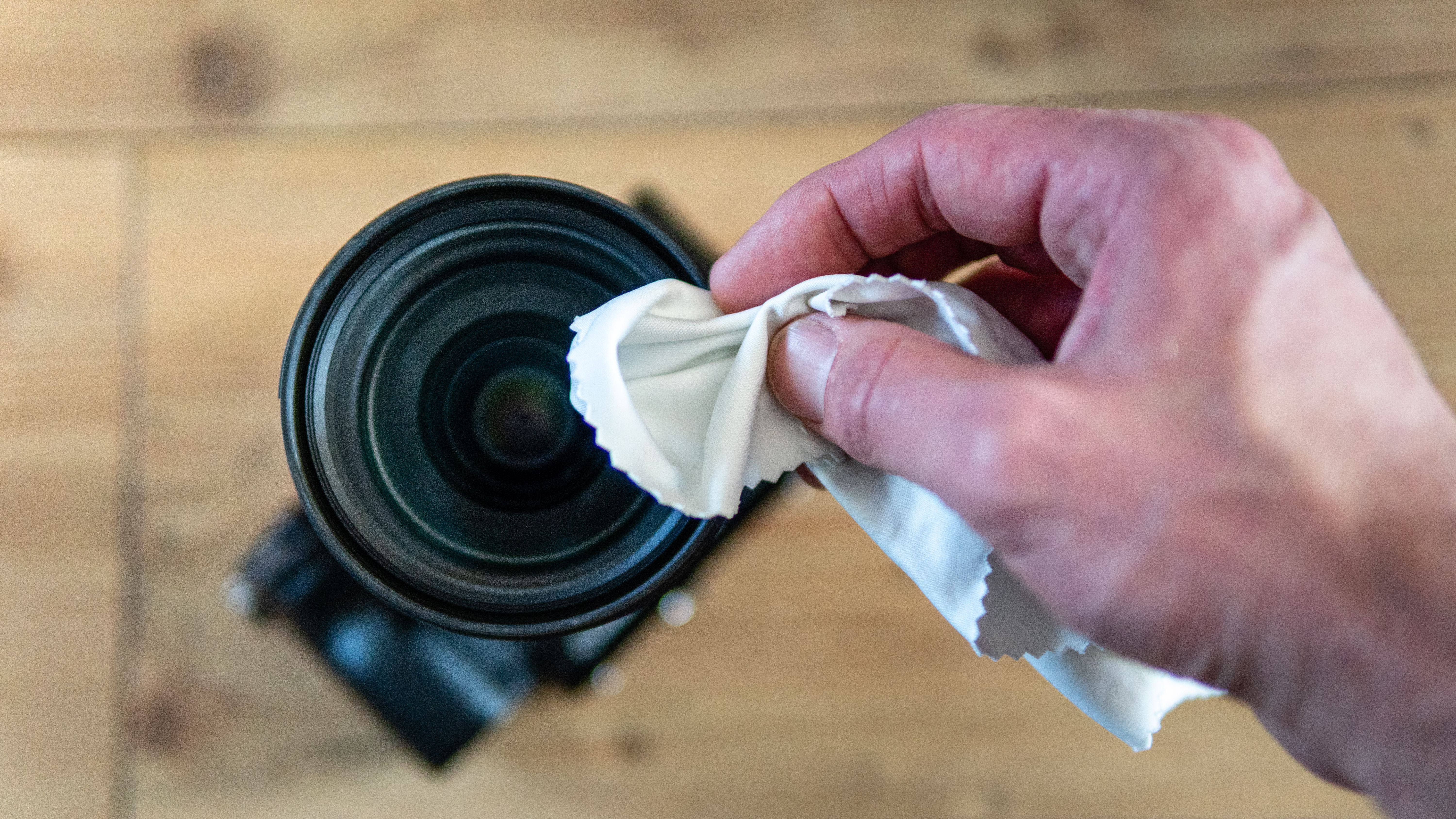
Credit: www.techradar.com
How Often Should You Clean Your Webcam Lens?
How often you clean depends on how much you use your webcam and your environment. For most people, cleaning once a month is enough. If you notice your video is blurry or you touch the lens often, clean more often.
People who live in dusty places or have pets may need to clean every two weeks. If you rarely use your camera, a quick check before each use is enough.
Cleaning Built-in Webcams Vs. External Webcams
The cleaning steps are similar, but there are small differences:
| Type | Cleaning Ease | Special Tips |
|---|---|---|
| Built-in Webcam (Laptop) | Harder to reach | Be gentle to avoid scratching the laptop case |
| External Webcam | Easier to handle | Unplug before cleaning; you can move it for better access |
With built-in webcams, avoid using too much liquid, as it can run into the laptop. For external webcams, you can sometimes remove the lens cover for deeper cleaning, but check the manual first.
When To Use Isopropyl Alcohol
Most of the time, a lens cleaner or water is enough. But if your lens has sticky residue (like from tape or food), you can use isopropyl alcohol. Use only a small amount (70% or less), and always apply it to the cloth, not the lens.
- Never use alcohol on plastic lenses unless the manual says it’s safe.
- Test on a small area first.
Dealing With Stubborn Stains
If you find stains that won’t come off with normal cleaning, try this:
- Dampen a microfiber cloth with lens cleaner.
- Hold it gently on the lens for a few seconds to soften the stain.
- Wipe in small circles.
- Repeat if needed.
Never scrape or pick at the lens with sharp objects.

Credit: www.youtube.com
Keeping Your Webcam Lens Clean Longer
After cleaning, you want to keep the lens clear as long as possible. Here are some ways to protect it:
- Cover the lens when not in use. Many webcams come with a sliding cover or a stick-on shutter.
- Keep your hands off the lens. Remind children not to touch it.
- Clean your desk area to reduce dust.
- Store external webcams in a case or pouch when moving.
- Don’t eat near your laptop—food splashes can stick to the lens.
These small habits can save you time and keep your video sharp.
What If Your Webcam Still Looks Blurry?
Sometimes, even after cleaning, your video stays blurry. Here are a few things to check:
- Focus settings: Some webcams have manual focus rings. Turn the ring to adjust.
- Camera software: Check if the software is set to low resolution.
- Damaged lens: If the lens is scratched or cracked, cleaning won’t fix it.
- Lighting: Poor lighting can make images look dull, even with a clean lens.
If cleaning doesn’t help, try your webcam on another computer. If it’s still blurry, you might need a new camera.
Comparing Popular Lens Cleaning Methods
Not all cleaning methods are equal. Here’s a look at common options:
| Method | Safe? | Effectiveness |
|---|---|---|
| Microfiber Cloth | Yes | Excellent for light smudges |
| Paper Towel | No | Can scratch lens, leaves fibers |
| Lens Cleaning Solution | Yes (with cloth) | Great for oily spots |
| Isopropyl Alcohol | Yes (sometimes) | Removes sticky residue, use carefully |
| Compressed Air | Yes | Removes dust, not smudges |
Stick with microfiber cloths and proper lens cleaner for best results.
Quick Cleaning For Everyday Use
Sometimes, you need a fast solution before a call. Here’s a 30-second cleaning method:
- Grab a clean microfiber cloth.
- Gently wipe the lens in circles.
- Blow away dust with a hand blower.
This quick clean works well for most daily needs. Plan a deeper clean once a month.

Credit: www.ulanzi.com
Non-obvious Insights For A Cleaner Webcam
Many people forget that room lighting can make dirt on the lens show up more clearly, especially with strong sunlight or LED lamps. Clean your lens before important calls, not just when you see a problem. Also, if you use sticky notes to cover your camera, the adhesive can leave a film on the lens—avoid this trick.
For people with allergies, pet hair can quickly build up on a webcam. Dust and hair can stick to the lens even if you don’t touch it. Regular cleaning helps avoid sudden surprises on video.
Environmental Impact: Choosing Safe Cleaners
Some lens cleaners use chemicals that are bad for the environment. If you want a safer option, look for eco-friendly lens sprays or just use distilled water. Avoid single-use wipes, as these create more waste. Using a washable microfiber cloth is both safe for your lens and better for the planet.
For more on camera care and cleaning, the Wikipedia page on photographic cleaning gives deeper background.
Frequently Asked Questions
How Do I Know If My Webcam Lens Needs Cleaning?
If your image looks blurry, cloudy, or has bright spots, your lens may be dirty. Check for fingerprints or dust by shining a light at the lens.
Can I Use Eyeglass Cleaner On My Webcam Lens?
Yes, most eyeglass cleaners are safe for webcam lenses. Just make sure to spray the cleaner on the cloth, not directly on the lens.
Is It Safe To Use Alcohol Wipes On My Webcam?
Only use alcohol wipes if your webcam manual allows it. Use wipes with 70% isopropyl alcohol or less, and avoid getting liquid inside the camera.
What Should I Do If I Scratched My Webcam Lens?
Small scratches can sometimes be polished by a professional, but most webcam lenses are too delicate. If the scratch affects your image, you may need a replacement.
How Can I Prevent My Webcam Lens From Getting Dirty?
Use a lens cover, avoid touching the lens, and keep your workspace clean. Regular cleaning also helps prevent buildup.
Keeping your webcam lens clean is one of the easiest ways to look better online and protect your camera. With the right tools and gentle care, you can enjoy clear video for every call. Remember, it’s not just about cleaning once, but making it a habit.
Your friends, coworkers, and classmates will notice the difference.
