
Cleaning your label maker might seem simple, but doing it the right way makes a big difference. When your label maker is dirty, you might see faded print, labels that jam, or even total breakdown. Whether you use a handheld label printer for home organization or a professional device for office work, taking care of it keeps your labels sharp and your device running smoothly.
Many people forget this step, but regular cleaning can add years to your label maker’s life. This guide will show you exactly how to clean label makers, which tools you need, and how to fix common problems. Even if you’re a beginner, you’ll find all the details you need right here.
Why Clean Your Label Maker?
A label maker is a small but powerful tool. You use it for labeling files, kitchen jars, cables, or even school supplies. Over time, dust, adhesive residue, and ink can build up inside. This causes issues like:
- Blurry printing
- Labels not feeding correctly
- Paper jams
- Error messages
Ignoring these problems can damage the print head, rollers, or electronic parts. In some cases, you might even void your warranty if you never clean your device.
A clean label maker gives you:
- Clear, crisp labels every time
- Longer device lifespan
- Fewer jams and errors
- Lower maintenance costs
Tools And Supplies You Need
You don’t need special or expensive cleaners. Most items are easy to find and affordable. Here’s what you should have:
- Lint-free cloth (microfiber is best)
- Cotton swabs
- Isopropyl alcohol (at least 70%)
- Compressed air canister
- Tweezers (plastic preferred)
- Small brush (like a clean, soft toothbrush)
- Disposable gloves (optional)
- Label maker cleaning cards (for some models)
Some label makers, especially thermal types, may have specific cleaning cards or kits. Check your manual before using these.
Safety And Preparation
Before you start, always:
- Turn off and unplug your label maker. This keeps you safe from electric shocks.
- Remove batteries if your device uses them.
- Take out the label tape cassette or cartridge. This prevents any tape from getting stuck or damaged.
If your label maker is still under warranty, check the manual. Some brands list approved cleaning methods. Following these keeps your warranty valid.
Step-by-step Cleaning Process
Cleaning a label maker is not just wiping the outside. You need to focus on key parts: the print head, rollers, tape path, and the exterior.
1. Exterior Cleaning
Start with the outside to avoid bringing dirt inside.
- Wipe the surface with a damp lint-free cloth.
- Avoid using too much water—liquid can seep into buttons or seams.
- Dry with a clean cloth.
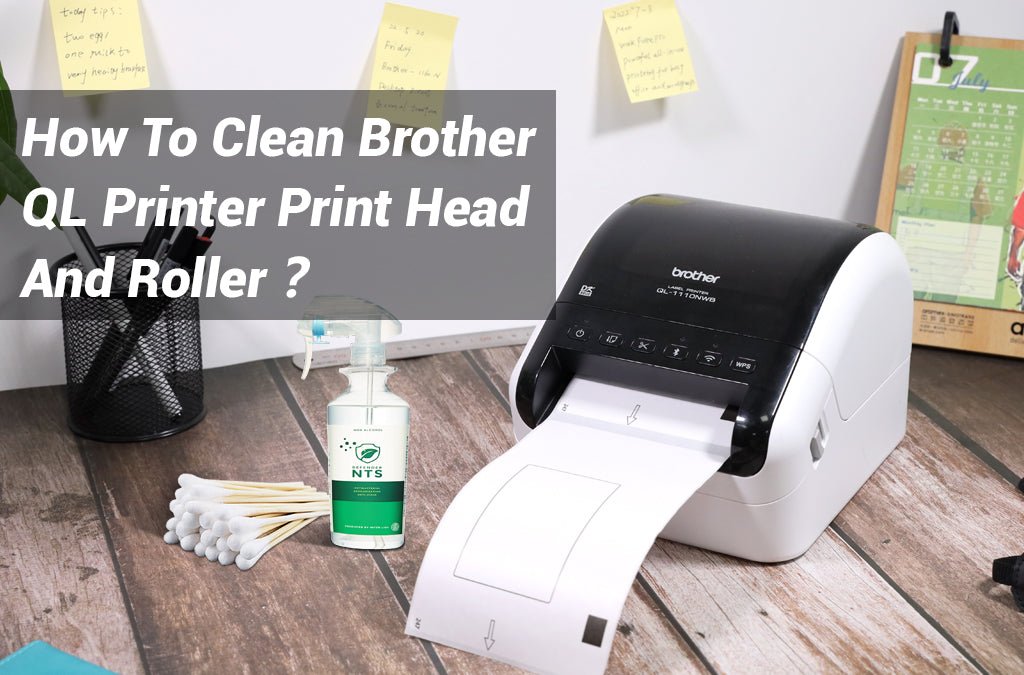
2. Cleaning The Print Head
The print head is the most important part. Dirt here causes blurry or incomplete printing.
- Dip a cotton swab in isopropyl alcohol.
- Gently rub the swab across the print head.
- Do not press too hard—print heads are delicate.
- Let it dry for a minute before using the device.
Pro Tip: Clean the print head every time you replace the tape cassette.
3. Cleaning The Rollers
Rollers guide the label tape through your device. Adhesive buildup here can cause jams.
- Use a cotton swab or a small brush.
- Rotate the rollers by hand while cleaning.
- If possible, use a label maker cleaning card by running it through the device as if it were label tape (refer to your manual).
4. Removing Dust And Debris
- Blow out dust with a compressed air canister.
- Focus on crevices and tape paths.
- Use tweezers to remove any large bits of paper or label stuck inside.
5. Cleaning The Tape Path
- Wipe the tape path gently with a cotton swab and alcohol.
- Be careful not to bend any small parts.
- Remove any sticky residue you find.
6. Reassembly And Testing
- Make sure all parts are dry.
- Replace the tape cassette or cartridge.
- Re-insert batteries or plug in the device.
- Print a test label to check for proper function.
Special Steps For Different Label Maker Types
Not all label makers are the same. Some use thermal printing, while others use ink or embossing. Here’s how to adjust cleaning for the main types:
Thermal Label Makers
These are the most common (like Brother P-touch or DYMO).
- Never use abrasive materials on the print head.
- Avoid getting alcohol on rubber rollers—some can degrade.
- Use cleaning cards if your brand recommends them.
Ink-based Label Makers
Some older or high-end models use ink.
- Clean ink cartridges with a soft cloth.
- Never use water—stick to isopropyl alcohol.
- Run a cleaning cycle if your device has one.
Embossing Label Makers
These press letters onto tape.
- Use a dry brush to clean the embossing wheel.
- Don’t use alcohol or liquids—this can cause rust.
Common Problems And How To Fix Them
Even with regular cleaning, you might face some issues. Here’s how to handle the most common ones:
Labels Not Sticking Properly
This usually means there’s adhesive on the rollers or print head. Clean both thoroughly with alcohol.
Faded Or Patchy Print
- Check the print head for dirt.
- Make sure you’re using the right label tape for your model.
- Replace old or dried-out tape cartridges.
Frequent Paper Jams
- Clean the tape path and rollers.
- Remove any small bits of label stuck inside.
- If the problem continues, check for worn-out rollers.
Error Messages
- Double-check that all parts are dry after cleaning.
- Re-seat the tape cassette correctly.
- Refer to your manual for code meanings.
Credit: www.amazon.com
How Often Should You Clean Your Label Maker?
The answer depends on how much you use it:
- Heavy use (daily): Clean every 2-4 weeks.
- Moderate use (weekly): Clean every 2 months.
- Light use (monthly): Clean every 3-4 months.
You should also clean your device after using more than two tape cassettes, or any time you notice print quality drop.
Data: Cleaning Frequency Vs. Label Maker Life
Cleaning your device regularly can nearly double its lifespan. Here’s a comparison:
| Cleaning Frequency | Average Lifespan (Years) |
|---|---|
| Never Cleaned | 2-3 |
| Cleaned Occasionally | 4-5 |
| Cleaned Regularly | 7-8 |
As you can see, just a few minutes of cleaning can save you money in the long run.

Credit: www.bevindustry.com
Comparing Cleaning Methods
Different cleaning methods suit different label maker types. Here’s how they compare:
| Cleaning Method | Best For | Risk Level |
|---|---|---|
| Cotton Swab + Alcohol | Thermal, Ink-based | Low |
| Cleaning Card | Thermal | Very Low |
| Compressed Air | All Types | Very Low |
| Soft Brush | Embossing | Low |
| Water | None | High (Avoid) |
Always check your device manual before trying a new cleaning method.
Non-obvious Tips Most People Miss
- Let your label maker cool before cleaning. If you just finished printing many labels, the print head may be hot. Cleaning while hot can cause alcohol to evaporate too quickly and leave residue.
- Store your label maker in a dust-free place. Keeping your device in a drawer or box reduces how often you need to clean it.
- Avoid touching the print head with fingers. Natural oils can cause smudges or even corrosion over time.
- Use only approved cleaning products. Some strong solvents can damage plastic parts or rubber.
- Replace old tape cassettes. Sometimes, problems come from dried-out adhesive or bent tape, not from the device itself.
When To Get Professional Service
If your label maker still has problems after cleaning, it may need professional help. Signs include:
- Repeated error codes
- Cracked or broken parts
- Strange noises
- Liquid damage
Contact the manufacturer or a certified repair shop. Trying to fix major problems yourself can void your warranty or cause more damage. For more help, check your label maker’s official website, like the Brother Support Center.
Storage And Maintenance
To keep your label maker clean longer:
- Store it in a closed drawer or case.
- Keep extra tape cassettes in their packaging.
- Avoid using the device in very dusty or humid places.
- Wipe down the exterior once a week, even if you don’t clean the inside as often.
Credit: betckey.com
Frequently Asked Questions
What Type Of Alcohol Should I Use To Clean My Label Maker?
Use isopropyl alcohol with at least 70% concentration. Avoid other cleaners or solvents, which can damage plastic and rubber parts.
How Do I Clean Sticky Adhesive From The Rollers?
Dab a cotton swab in isopropyl alcohol and gently rub the sticky area. For stubborn spots, repeat with a fresh swab and avoid scraping with metal tools.
Can I Use Water To Clean My Label Maker?
No, never use water inside your label maker. Water can cause rust, short circuits, or damage delicate parts.
How Do I Know If My Print Head Is Dirty?
Signs include faded, patchy, or incomplete print on your labels. If cleaning does not help, the print head may be worn out and need replacement.
Is It Safe To Use Compressed Air On My Label Maker?
Yes, compressed air is safe for removing dust and small debris. Hold the can upright and use short bursts to avoid condensation inside the device.
Taking care of your label maker is simple but powerful. With regular cleaning, you’ll enjoy sharp, reliable labels and a device that lasts for years. If you ever have doubts, always check your manual or visit trusted support sources for expert advice.
Related Office Guides
Continue with these related workspace guides:
