
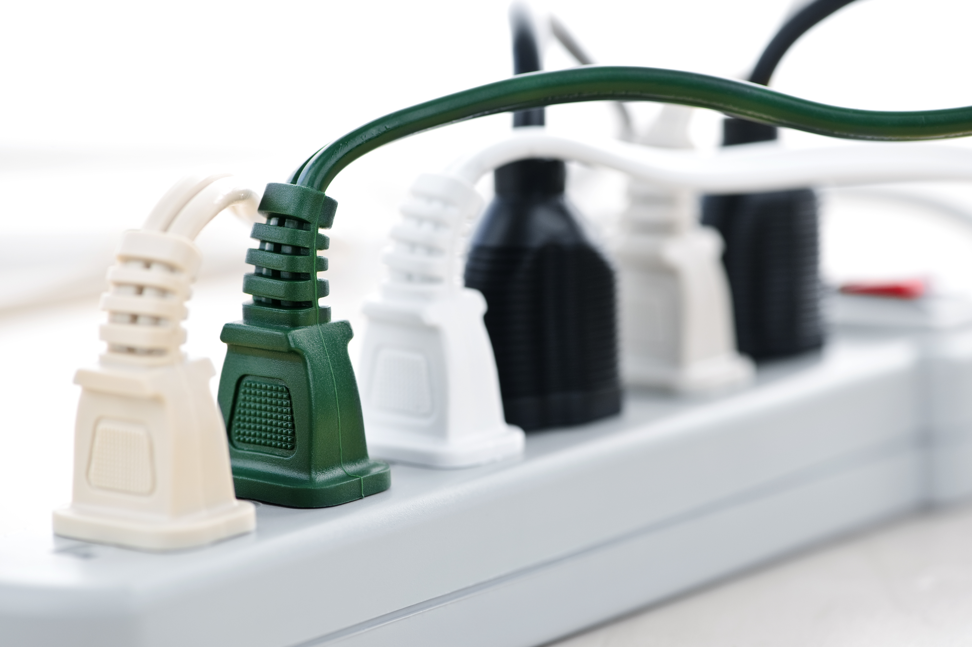
Many people use power strips every day, but not everyone thinks about how many devices you can actually plug into a power strip safely. You might see six or eight sockets and feel tempted to fill every one. However, there is much more to consider than just the number of available outlets.
Overloading a power strip can lead to power failures, damaged electronics, or even dangerous fires. Knowing the correct limits and how to use power strips safely is important for your home, office, and even travel. This article will explain everything you need to know about how many devices you can plug into a power strip, the risks involved, and how to make smart choices.
What Is A Power Strip And How Does It Work?
A power strip is a device with multiple electrical outlets. It lets you plug in several devices using one wall socket. Most power strips are long, rectangular, and have a single cable with a plug at the end. You will find them everywhere – from living rooms to offices and workshops.
Inside a power strip, there are metal strips that connect all outlets together. When you plug the strip into a wall, the electricity flows to all sockets. Some power strips are simple and only divide the power among the outlets. Others offer extra features like surge protection or circuit breakers. Surge protectors can block spikes in voltage, protecting your devices from damage.
How Many Devices Can You Plug Into A Power Strip?
You might think, “If there are six sockets, I can plug in six things.” It’s not always that simple. The real answer depends on several factors:
- The maximum power rating of the power strip (given in watts or amps)
- The power draw of each device you want to plug in
- The type of devices (high-power or low-power)
- The quality and design of the power strip
Most household power strips are rated for 10 to 15 amps (amps = amperes, a unit of electric current) or 1200 to 1800 watts (watts = power). This means you should not plug in devices that, together, use more than this amount.
For example, if your power strip is rated for 15 amps at 120 volts, that’s 1800 watts (15 x 120 = 1800). If you plug in a 1000-watt heater and a 900-watt microwave, you are already over the limit.
Understanding Power Strip Ratings
Every power strip has a label with its ratings. These include:
- Maximum amperage (A)
- Maximum voltage (V)
- Maximum wattage (W)
Where To Find Ratings
Look for a sticker or embossed label, usually on the back or bottom of the power strip. It will look something like:
- 15A, 125V, 1875W
This means you can plug in devices that add up to 1875 watts safely.
Why These Ratings Matter
If you exceed the maximum rating, the power strip can overheat. This may cause the strip to melt, catch fire, or even damage your plugged-in devices. That is why it’s important not to just count sockets, but to add up the total wattage of all devices.
How To Calculate Total Load
You can find the power draw of each device on its label or in the manual. It is usually shown in watts. If the device lists only amps and voltage, multiply them to get watts (Watts = Amps x Volts).
Here’s a simple step-by-step method:
- Check the wattage of each device.
- Add all the wattages together.
- Compare the total to the power strip’s maximum rating.
If the total is less than the maximum, you are safe. If it’s more, unplug something!
Example Calculation
Suppose you want to plug in:
- Laptop: 65W
- Phone charger: 10W
- Desk lamp: 40W
- Printer: 250W
- Fan: 50W
Total = 65 + 10 + 40 + 250 + 50 = 415W
If your power strip is rated for 1800W, you are well within the limit.
Credit: expresselectricalservices.com
High-power Vs Low-power Devices
Not all devices are the same. Some need a lot of electricity, while others use very little.
High-power devices:
- Heaters (1000W+)
- Microwaves (800-1500W)
- Toasters (800-1500W)
- Hair dryers (1000-1800W)
- Air conditioners (500-2000W)
- Electric kettles (1200-1800W)
Low-power devices:
- Phone chargers (5-20W)
- Laptops (30-90W)
- Desk lamps (10-60W)
- Routers (5-20W)
- TVs (50-250W)
Plugging in several high-power devices can quickly exceed the safe limit, even if you use only two or three sockets. On the other hand, you can often use all outlets for low-power devices without a problem.
How Many Devices Can You Plug In Practically?
There is no universal number. It depends on what you are plugging in. Here are some typical examples:
1. All Low-power Devices:
You can usually plug in six to eight items like phones, lamps, routers, and laptops without risk.
2. One High-power Device, Several Low-power Devices:
If you plug in a heater (1500W), you have only 300W left for other devices on a 1800W strip. That means just a few more low-power items.
3. Multiple High-power Devices:
You should never plug in more than one high-power device into a power strip. It’s safer to plug these directly into the wall.
Common Mistake
Many people think if each device is small, they can use all the sockets. But sometimes, devices like printers or desktop computers use more power than you expect. Always check the label.
Power Strip Types And Their Limits
Not all power strips are the same. Some are basic, while others offer more safety and features.
| Type of Power Strip | Typical Max Load | Best For |
|---|---|---|
| Basic Power Strip | 1200-1800W | Small electronics, lamps |
| Surge Protector | 1200-1800W | Computers, TVs, routers |
| Industrial Power Strip | 2000-3000W | Workshop tools, heavy duty |
| USB Power Strip | 1000-1500W (plus USB) | Charging phones, tablets, laptops |
Surge protectors are better for sensitive electronics because they guard against power surges. Industrial strips handle higher loads, but they are not for home use unless clearly marked as safe.
The Dangers Of Overloading A Power Strip
Plugging in too many devices can be risky. Here’s what can happen if you overload a power strip:
- Fire hazard: Overloaded strips can overheat and catch fire.
- Device damage: Power surges or voltage drops can harm your electronics.
- Circuit breaker trips: Your home circuit might shut off, causing inconvenience.
- Melted wires: Extreme heat can melt insulation, which is very dangerous.
Real-world Example
According to the National Fire Protection Association, overloaded electrical equipment is a leading cause of home fires. Each year, thousands of house fires start this way. Often, the cause is using a power strip for too many devices or plugging in high-wattage appliances.
Best Practices For Using Power Strips
To use power strips safely and get the most out of them, follow these tips:
- Check ratings: Always know your strip’s maximum wattage.
- Use only for low-power devices: For heaters, microwaves, and similar appliances, use a wall outlet.
- Don’t daisy-chain: Never plug one power strip into another.
- Keep strips in good condition: Replace if the cord is frayed or if the strip is cracked.
- Don’t cover the strip: Heat needs to escape; covering it can cause overheating.
- Don’t use in wet areas: Power strips are not waterproof.
- Unplug when not in use: This prevents phantom loads and reduces fire risk.
Practical Example
If you have a home office, you might plug in a computer (200W), monitor (40W), lamp (30W), and phone charger (10W). Total is 280W, which is very safe for any power strip.
But if you add a space heater (1500W), you reach 1780W. It’s too close to the limit, and adding anything else could be risky.
Comparing Power Strips, Extension Cords, And Wall Outlets
Many people confuse power strips with extension cords or direct wall outlets. Here is a comparison to help you understand the differences:
| Feature | Power Strip | Extension Cord | Wall Outlet |
|---|---|---|---|
| Number of Outlets | 4-12 | 1-3 | 1-2 |
| Surge Protection | Sometimes | Rarely | No |
| Maximum Load | 1200-1800W | 600-1800W | 1800-2400W |
| Best Use | Electronics, small devices | Temporary power | High-power appliances |
Wall outlets are always best for high-power appliances. Use power strips for convenience, not to increase the total power you can use.
Recognizing The Signs Of Overload
Sometimes, you might not know if your power strip is overloaded. Watch for these signs:
- The strip or plug feels hot to the touch.
- A burning smell or melted plastic.
- Flickering lights when devices are running.
- Devices turn off or reset suddenly.
- Circuit breaker trips when using the strip.
If you notice any of these, unplug devices immediately and check your total load.
Smart Power Strips And Advanced Options
Modern technology offers smart power strips with new safety features. These can help you manage your devices better.
Features Of Smart Power Strips
- Energy monitoring: Shows how much power each device uses.
- Automatic shutoff: Turns off if the load is too high.
- Remote control: Lets you control outlets with your phone.
- Timers: Schedule when devices turn on or off.
Example Use
A smart power strip can cut power to your gaming console and TV when not in use. This saves energy and reduces fire risk.
How Power Strips Differ By Country
Not all power strips are the same around the world. Different countries use different voltages and plug types.
- North America: 110-120V, 15A, NEMA plugs
- Europe: 220-240V, 10-16A, Schuko or Euro plugs
- UK: 230V, 13A, BS 1363 plugs
If you travel, don’t use your home power strip in another country without checking compatibility. You might damage your devices or the strip.
| Region | Voltage | Plug Type | Typical Max Load |
|---|---|---|---|
| North America | 120V | NEMA | 1800W |
| Europe | 230V | Schuko/Euro | 2300-3500W |
| UK | 230V | BS 1363 | 2990W |
Always buy power strips designed for your region.
Common Myths About Power Strips
Some people have wrong ideas about how power strips work. Here are a few myths and the facts behind them:
1. Myth: You Can Use All Sockets If They Fit.
Fact: The total power matters more than the number of sockets.
2. Myth: Surge Protectors Last Forever.
Fact: After a big surge, the protection can wear out. Replace them every few years.
3. Myth: Power Strips Increase The Power From The Wall.
Fact: They only divide the power available; they do not add more.
4. Myth: All Power Strips Are The Same.
Fact: Quality, ratings, and features can vary widely.
- Myth: You can fix a damaged power strip with tape.
Fact: Damaged strips are a fire risk. Replace them instead.

Credit: www.anker.com
Two Non-obvious Insights For Beginners
Most beginners miss these important points:
- Phantom Loads Add Up: Even when devices like TVs or chargers are off, they can still draw a small amount of power (called phantom load). If you leave many devices plugged in, these tiny loads can add up, sometimes pushing you closer to the power strip’s limit without you realizing it.
- Surge Protectors Don’t Last Forever: Many believe their surge protector will always protect their devices. In reality, surge protection weakens after each surge. If your area has lots of storms or power spikes, replace your surge protector every 2-3 years for the best protection.
Safety Certifications And What To Look For
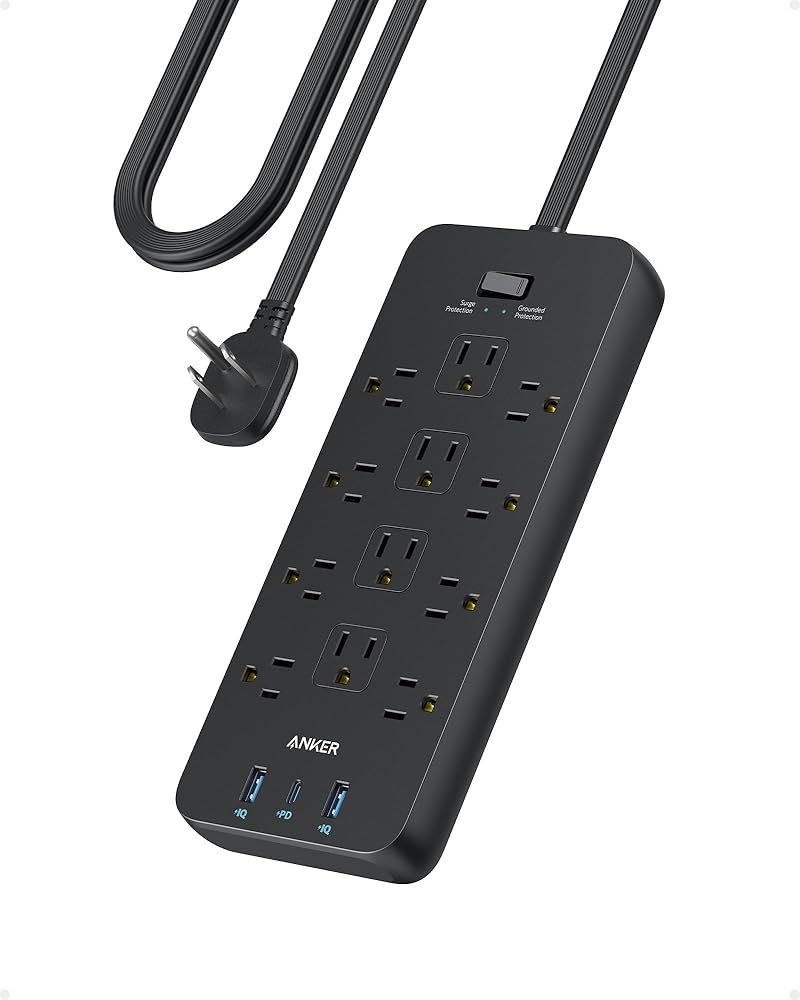
Always check for safety certifications on your power strip. These marks show the strip has been tested for safety:
- UL (Underwriters Laboratories)
- ETL (Intertek)
- CSA (Canadian Standards Association)
- CE (Conformité Européenne, for Europe)
A good power strip should have at least one of these. If there’s no certification, don’t buy it.
Credit: www.amazon.com
What Happens If You Plug Too Many Devices?
If you overload the power strip:
- The strip’s fuse or circuit breaker may trip (if it has one).
- The power strip or plug can overheat, possibly melting.
- Your home’s circuit breaker may shut off power to the room.
- Worst case, a fire could start.
Always stay under the rated load.
When To Use A Power Strip Vs. A Surge Protector
Use a basic power strip for lamps, fans, or other simple devices. Use a surge protector for expensive electronics like computers, TVs, and gaming consoles. For very valuable or sensitive devices, consider a UPS (uninterruptible power supply). This gives backup power and surge protection.
How To Choose The Right Power Strip
When buying a power strip, look for:
- Wattage rating: Make sure it’s high enough for your needs.
- Number of outlets: More is not always better if you don’t need them.
- Surge protection: Important for electronics.
- Cord length: Long enough to reach your devices, but not too long to cause tripping.
- Quality and certifications: Avoid cheap, uncertified strips.
Check reviews and consider brands with a good reputation.
For more details on power strip safety, visit the official NFPA Electrical Safety page.
Frequently Asked Questions
How Many Things Can I Plug Into A Power Strip Safely?
You can safely plug in as many devices as you want, as long as the total wattage does not exceed the power strip’s maximum rating (usually 1200-1800W in homes). Count the wattage for each device, add them up, and compare to the strip’s limit.
Can I Plug A Heater Or Microwave Into A Power Strip?
It’s not safe to plug high-power appliances like heaters, microwaves, or toasters into a power strip. These should always go directly into a wall outlet because they can easily overload and overheat the strip.
Is It Safe To Plug One Power Strip Into Another?
No, you should never daisy-chain power strips (plug one into another). This is a fire hazard and can quickly overload your home’s electrical system.
How Do I Know If My Power Strip Is Overloaded?
Signs of overload include hot plugs, a burning smell, flickering lights, or devices that reset or shut off. If you notice any of these, unplug devices and check your total wattage.
How Often Should I Replace My Power Strip?
Replace power strips every 2-3 years, or sooner if they show damage (frayed cords, cracked plastic, lost outlets) or after a major power surge. For surge protectors, check if the protection light is still on; if not, replace them.
Using power strips is convenient and safe—if you know their limits and use them wisely. Always check the power ratings, be careful with high-power devices, and look for signs of wear or overload. By following these guidelines, you can keep your electronics safe and avoid accidents at home or work.
